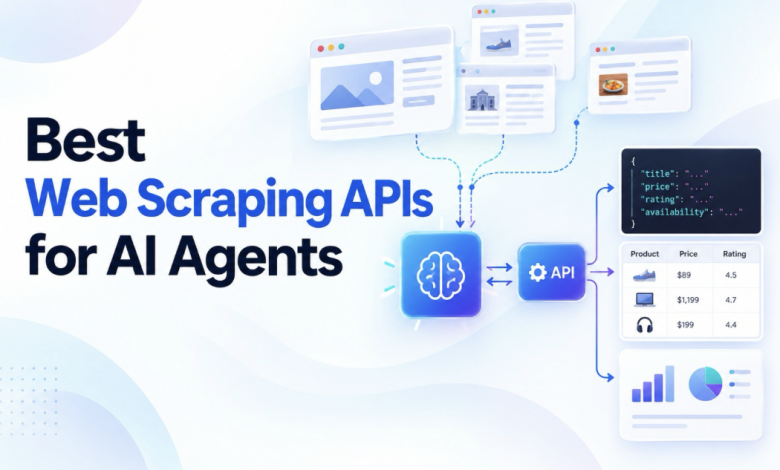
Picking the best web scraping API for an AI agent isn’t the same as picking one for a script. A script throws an error when something breaks.
An agent might misread the failure, retry repeatedly, burn through credits, and hand an empty page to the model as if everything worked.
Take a simple request: “Check the competitor’s new pricing page and tell me what people are saying about the launch on X.”
The page could return an empty JavaScript shell, a protected site might serve a challenge page, and the replies on X require structured platform data rather than ordinary scraping.
That’s not a fringe problem either. Adobe’s April 2026 benchmark of U.S. retail sites, as covered in the Web Scraping Statistics 2026 report, found that product pages averaged just 66% machine readability.
So the right API isn’t necessarily the cheapest one. It needs to return usable data, clearly flag failures, and keep agent-driven costs under control. Here’s how the leading options compare.
The Best web scraping APIs for AI agents at a Glance
- ScrapeBadger: structured data from X, Reddit, Google, Amazon and YouTube, alongside clean Markdown from ordinary pages, with a hard cost cap on each call.
- Firecrawl: LLM-ready Markdown and whole-site crawling.
- ZenRows: websites with serious anti-bot protection.
- Bright Data: enterprise-scale scraping and particularly difficult targets.
- Jina Reader: turning one known URL into Markdown with almost no setup.
- Apify: ready-made scrapers for specific websites.
- Crawl4AI: open-source, self-hosted scraping witChout per-page API fees.
- Zyte: mature unblocking with pricing based on site difficulty.
What we looked for
The question wasn’t simply whether each API can scrape a page. Once an AI agent starts making the requests itself, a few other details suddenly become rather important.
Each API was looked at across:
- Output shape: Markdown when the model needs to read a page, and typed JSON for things such as posts, products and search results.
- Access: JavaScript rendering and anti-bot handling on actual targets.
- Failure signal: a proper error and a useful reason, rather than a challenge page masquerading as successful content.
- Cost control: the price of failures, retries and escalation, along with whether a request can have a spending limit.
- Agent integration: hosted MCP, authentication choices and typed tool schemas.
- Scale and freshness: crawling and batch jobs, rate limits and push-based delivery.
Best web scraping APIs for AI agents in 2026
1. ScrapeBadger: best for structured platform data plus page scraping
ScrapeBadger combines a general-purpose scraping endpoint with dedicated APIs for many of the platforms AI agents are likely to need. Since this guide is published by ScrapeBadger, this particular section should obviously be read with that context in mind.
Its /v1/web/scrape endpoint can return HTML, Markdown or plain text. It also supports JavaScript rendering, browser actions such as clicking, filling and scrolling, country targeting, sessions, and PDF downloads.
A typical agent request looks like this:
curl -X POST “https://scrapebadger.com/v1/web/scrape” \
-H “x-api-key: YOUR_API_KEY” \
-H “Content-Type: application/json” \
-d ‘{“url”: “https://example.com/pricing”, “format”: “markdown”, “render_js”: true, “max_cost”: 6}’
The structured-data side is where the service becomes particularly interesting.
ScrapeBadger documents more than 30 source APIs, including Google, with AI Overview and AI Mode data, plus five other search engines.
There are also 50+ X/Twitter endpoints, Reddit with full comment trees, YouTube transcripts, TikTok, Amazon across 20 marketplaces, eBay, Walmart, Zillow, Booking.com and Airbnb.
It also offers ChatGPT and Gemini APIs that return the answer, cited sources and a brand-visibility analysis.
That distinction matters. If an agent needs a Reddit discussion or a set of Amazon offers, getting typed JSON is considerably cleaner than handing an entire webpage to another model and asking it to figure out what matters.
Cost handling is another notable point. A plain page costs 2 credits, a JavaScript page costs 6, and AI extraction adds 10. The max_cost parameter can reject a request that would go over the specified limit.
Failed scrapes aren’t charged, and failure responses identify the block type and anti-bot system that stopped the request. That gives an agent something useful to act on: retry, escalate, or stop.
Everything is also available through a hosted MCP server, including one-click OAuth for Claude.
Pricing: 1,000 free credits with no card required. Pay-as-you-go starts at $10 at $0.15 per 1,000 credits, and those credits don’t expire. Monthly plans start at $49.
Where it falls short: There isn’t a documented crawl endpoint, so teams looking for whole-site crawling may find Firecrawl a better fit. AI extraction is prompt-based rather than schema-validated, and ScrapeBadger’s anti-bot figures have not yet been independently benchmarked.
Best for: AI agents that need a combination of structured data from X, Reddit, Google, Amazon, or YouTube and ordinary web scraping, particularly when keeping a strict ceiling on individual request costs matters.
2. Firecrawl: best for LLM-ready Markdown and whole-site crawls
Firecrawl is often one of the first names that comes up when web data and LLM applications enter the same conversation, and there’s a reason for that.
One API covers scraping, crawling, mapping, search and browser actions. Scrapes can return Markdown, HTML, screenshots or JSON extracted using either a schema or prompt.
Crawls run asynchronously with webhook support, while the hosted MCP server can be used without a key within its daily limits.
Pricing: 1,000 free credits per month. Hobby costs $16 per month when billed annually for 5,000 credits. Standard is $83 for 100,000 credits, while Scale is $599 for 1 million. One page costs one credit, JSON extraction adds four, and pages returning 403 or 404 still consume one credit.
Where it falls short: Results can be inconsistent on heavily protected websites. In ZenRows’ August 2026 benchmark, Firecrawl failed to produce usable results from a DataDome-protected target.
Best for: RAG applications that need clean Markdown and whole-site crawling without stitching together several different services.
3. ZenRows: best for heavily protected sites
ZenRows puts access front and centre.
Its Fetch endpoint escalates the level of processing on a request depending on what the target actually requires. There are also Extract tools, browser sessions, batch jobs covering up to 100,000 URLs, an MCP server and a CLI.
In its own vendor-run benchmark, which used 50 requests per target and published the raw data, ZenRows reached 100% on three protected targets. The trade-off was slower response times compared with lighter-weight tools.
Pricing: 5,000 free credits each month. Build is $16 for 45,000 credits, Launch is $58 for 250,000, and Scale is $458 for 5 million. A plain page uses 1 credit, JavaScript costs 5 and JavaScript plus premium proxies costs 25. Failed requests are free.
Where it falls short: A difficult page can cost 25 times as much as a basic request.
Best for: Agents that repeatedly run into Cloudflare, DataDome, Akamai or similar protection systems.
4. Bright Data: best for enterprise scale and the hardest targets
Bright Data is the infrastructure-heavy choice.
Its offering includes a large proxy network, Web Unlocker, site-specific extractors and datasets.
Its MCP server operates on Web Unlocker and allows teams to load only the tool groups an agent actually needs. That can help keep unnecessary tools out of the model’s context window.
Pricing: 5,000 free MCP requests per month. Web Unlocker costs $1.50 per 1,000 successful requests on pay-as-you-go pricing, with a $499 monthly Scale plan.
Where it falls short: The product range is broad, which means there’s more to learn and configure than most prototypes need.
Best for: Enterprise teams working with difficult targets at significant scale.
5. Jina Reader: best simple URL-to-Markdown primitive
Jina Reader takes a pleasingly simple approach.
Put r.jina.ai/ in front of a URL and the page comes back as Markdown. No API key is required for up to 20 requests a minute, JavaScript is rendered by default, and an MCP server provides a read_url tool.
Pricing is based on output tokens, which means larger pages naturally cost more.
Where it falls short: It’s primarily a single-page tool. There is no crawling, no site-specific endpoint catalogue and no particular emphasis on defeating anti-bot systems.
Best for: Agents that already know the URL and simply need the contents in clean, model-friendly text.
6. Apify: best for prebuilt, site-specific scrapers
Apify’s biggest advantage is its Actor marketplace.
There are ready-made scrapers for individual websites, and an agent can search for an Actor, run it, and retrieve the result through Apify’s MCP server.
That’s a useful model when the target already has a scraper with a solid maintenance history.
There’s $5 of free usage per month, followed by plans at $19, $199 and $999 per month, plus compute costs.
Where it falls short: Each Actor has its own schema, reliability level and maintenance history. In practice, evaluating Apify can mean evaluating a collection of separate tools rather than one consistent scraping API.
Best for: Agents whose target websites already have a well-maintained Actor available.
7. Crawl4AI: best open-source, self-hosted option
Crawl4AI is an Apache 2.0 Python library built around a real browser. It can generate Markdown, supports CSS and XPath, offers LLM-based extraction and handles deeper crawling.
Its Docker server includes MCP endpoints, and there aren’t any per-page API fees.
There is, however, a catch. The infrastructure doesn’t disappear just because the software is open source.
Where it falls short: Browsers, proxies, scaling, monitoring and the rest of the operational machinery are yours to handle.
Best for: Teams that want complete control and are comfortable running scraping infrastructure themselves.
8. Zyte: best for difficulty-based scraping
Zyte API handles the messy parts of web scraping, including bans, JavaScript rendering and AI-powered extraction. It can also turn content into structured data for products, articles and job postings, which makes it useful when agents need more than raw page content.
Pricing: Costs depend on the difficulty of the target site, ranging from $0.13 to $1.27 per 1,000 HTTP requests and $1.01 to $16.08 per 1,000 rendered requests.
Where it falls short: We didn’t find a general-purpose MCP server, so teams using Zyte with an AI agent should expect to wrap the API as a tool themselves.
Best for: Agents scraping sites with different levels of difficulty that need built-in rendering, unblocking and structured extraction.
Web scraping API comparison for AI agents
The providers were checked against their official pages on 2 October 2026.
| API | Best for | Agent output | Dedicated platform endpoints | Built-in AI extraction | Anti-bot evidence | Failed requests billed? | Per-request spend cap | MCP | Free tier and entry price |
| ScrapeBadger | Platform data plus page scraping | HTML, Markdown, text, screenshot; JSON from source APIs | 30+ sources | Prompt-based, +10 credits | Vendor-reported, no third-party test yet | No | Yes (max_cost) | Hosted, OAuth or key | 1,000 credits once; PAYG from $10 |
| Firecrawl | Markdown, crawling, mapping | Markdown, HTML, JSON, screenshot, summary | No | Schema or prompt, +4 credits | Mixed in third-party and vendor tests | 403/404 pages: 1 credit | Not documented | Hosted, keyless, OAuth or key | 1,000 credits/mo; $16/mo annual |
| ZenRows | Protected sites | HTML, Markdown, text, JSON, screenshot | Not as separate APIs | Extract on supported pages, no added cost | Own benchmark with public data | No | Not documented | Hosted or local | 5,000 credits/mo; $16/mo |
| Bright Data | Enterprise scale | Markdown, HTML, JSON | Site-specific extractors | Via extractors | Third-party tests (vendor-run) | No (Web Unlocker) | Not documented | Hosted or self-hosted | 5,000 requests/mo; $1.50 per 1,000 |
| Jina Reader | One known URL to Markdown | Markdown, JSON | No | Schema via ReaderLM-v2 | Not a stated focus | Billed by output tokens | Not documented | Hosted | Keyless at 20 req/min; token-based |
| Apify | Prebuilt site scrapers | Depends on the Actor | Yes, Actors | Depends on the Actor | Depends on the Actor | Compute-based | Not documented | Hosted | $5 usage/mo; $19/mo |
| Crawl4AI | Self-hosted control | Markdown, JSON | No | LLM-based, your model | You supply proxies | No API fees | Your infrastructure | Self-hosted (Docker) | Free, open source |
| Zyte | Difficulty-based pricing | HTML, screenshot, structured fields | Typed extraction (products, articles, jobs) | Built in | Vendor-reported | Not confirmed | Not documented | No general server found | $5 trial credit; PAYG by tier |
All eight can render JavaScript, although with Apify that capability depends on the Actor being used.
“Not documented” means the information couldn’t be found on the provider’s official pages. It doesn’t necessarily mean the capability doesn’t exist.
Web scraping API pricing comparison 2026
A starting price can be a little misleading when AI agents are involved.
Agents retry. They escalate. They occasionally need JavaScript rendering, premium proxies or another extraction pass. Suddenly, the neat little headline price isn’t telling the whole story.
Using one published rate from each provider, here’s what 1,000 successful pages look like: ScrapeBadger pay-as-you-go at $0.15 per 1,000 credits, Firecrawl Standard at $0.83 per 1,000 credits, ZenRows Launch at roughly $0.23 per 1,000 credits and Bright Data Web Unlocker at $1.50 per 1,000 successful requests.
| Per 1,000 successful pages | ScrapeBadger | Firecrawl | ZenRows | Bright Data Web Unlocker |
| Plain page | $0.30 (2 credits each) | $0.83 (1 credit) | $0.23 (1 credit) | $1.50 |
| JavaScript-rendered page | $0.90 (6 credits) | $0.83 (1 credit) | $1.16 (5 credits) | $1.50* |
| JavaScript + residential/premium proxies | $1.95 (13 credits); $2.70 if the anti-bot solver runs | Not listed on the pricing page | $5.80 (25 credits) | $1.50* |
| Plain page + AI JSON extraction | $1.80 (12 credits) | $4.15 (5 credits) | $0.23 on pages Extract supports | Extractors priced separately |
| Failed attempt | $0 | $0 if no result; 1 credit for a 403/404 page | $0 | $0 |
*Billed per successful request; confirm the rate for your particular targets.
Firecrawl’s flat credit structure makes JavaScript pages relatively inexpensive. At this plan level, ZenRows is the cheapest for plain pages. ScrapeBadger sits somewhere in the middle for ordinary reading, while its premium-proxy pricing comes in at roughly a third of ZenRows’ equivalent rate.
More importantly, ScrapeBadger is the only one of these four that documents a per-request spending cap.
A worked month for an AI agent
Consider a month with 10,000 successful pages:
- 7,000 are plain pages.
- 3,000 require JavaScript.
- 10% of attempts fail with a 403 before eventually succeeding.
That 10% failure rate is simply an illustration. It isn’t a measured industry figure.
| Provider | Credits used | Cost at the rate above | Cheapest way to pay for it |
| ScrapeBadger | 32,000 (failures free) | $4.80 | One $10 PAYG top-up; unused credits carry over |
| Firecrawl | About 11,111 (failed 403s billed) | $9.22 | Hobby plus seven $5 top-ups, about $51; or Standard at $83 |
| ZenRows | 22,000 (failures free) | $5.10 | Build plan, $16 for 45,000 credits |
| Bright Data | 10,000 requests (failures free) | $15.00 | Pay-as-you-go |
Change the workload, and the ordering changes too.
If every page needs JavaScript plus premium proxies, ScrapeBadger comes to $19.50, ZenRows consumes its full $58 Launch allowance and Bright Data remains at $15.
For early-stage teams, the free allowance can matter just as much as the headline usage rate. ZenRows provides 5,000 free credits each month, Firecrawl provides 1,000, while ScrapeBadger’s pay-as-you-go credits don’t expire.
That last part is particularly handy when usage comes in bursts rather than arriving neatly every day.
Frequently asked questions
What is the best web scraping API for AI agents in 2026?
It really depends on what the agent needs to retrieve.
ScrapeBadger is a strong option when the workflow combines structured data from platforms such as X, Reddit, Google, Amazon and YouTube with general web scraping. Firecrawl is better suited to Markdown-heavy workflows and whole-site crawling, while ZenRows and Bright Data focus more heavily on protected targets.
There isn’t one scraping API that fits every agent workflow. The target data should determine the tool.
Is web scraping the same as a search API for AI?
No. They’re related, but they aren’t interchangeable.
A search API such as Tavily, Exa or Brave finds pages that may answer a question. A scraping API reads a page once the URL is known.
Most agents end up needing both. Search discovers the source; scraping reads it. Some workflows also need structured APIs for things such as social posts or product offers, while browser actions become useful when the agent needs to click, fill in a form or otherwise interact with a page.
Do I need a web search API or a scraping API for my agent?
Start with what the agent is actually trying to do.
If it begins with an open-ended question, search will usually come first. If the agent already has a URL, a scraping API is the more direct route.
And if it needs information from a known platform such as X, Reddit or Amazon, a dedicated structured endpoint will often be simpler and cheaper than scraping the entire site.
Should my agent search and read in one call, or search then scrape?
There isn’t a universal answer here either.
Single-call tools, including Firecrawl’s search endpoint, Tavily and Exa, can return search results and page content in the same request. That means fewer round trips and less code to maintain.
The search-then-scrape approach adds some latency, but there’s an upside: the agent only pays to read the pages it actually chooses. Each selected page can also receive the rendering and proxy treatment it needs. In some cases, SERP information such as AI Overviews may answer the question without requiring another scrape at all.
The right choice comes down to the workload.
What does “LLM-ready” output mean?
It means the model can actually use the returned information without first having to clean it up or run another extraction step.
For articles and documentation, Markdown is usually the practical format. For structured entities such as posts, products and search results, typed JSON tends to be smaller and more predictable.
It also avoids asking another LLM to extract information from a page, and that’s useful because page layouts have a habit of changing when nobody asked them to.
What’s the best API for scraping a website directly to Markdown?
Firecrawl, Jina Reader, ScrapeBadger and ZenRows can all return Markdown.
Firecrawl is particularly useful when the job involves crawling an entire site. Jina Reader is the straightforward choice for a single known URL. ZenRows puts more emphasis on protected pages, while ScrapeBadger combines Markdown scraping with structured source APIs and per-request spending limits.
Which web scraping API has the best success rate?
There isn’t a neutral benchmark that covers every provider against every kind of target.
ZenRows, Scrape.do and AIMultiple have all published results, but the methodologies, target sets and commercial interests differ.
For an actual production decision, the most useful number is the success rate on the URLs that matter to the particular workflow. Testing 20 to 30 real production URLs is far more informative than relying on a generic headline percentage.
What should a scraping API return when a request fails?
A failed request should look like a failure.
That means a distinct error status, a machine-readable explanation such as the block type or detected anti-bot system, and ideally no charge for the failed attempt.
The particularly bad scenario is a 200 response containing a CAPTCHA page. To the agent, that can look like perfectly valid content, and the model may happily summarise the CAPTCHA instead of telling anyone that access was blocked.
ScrapeBadger, ZenRows and Bright Data’s Web Unlocker don’t charge for failed requests.
How much does a web scraping API cost for an AI agent?
Usually more than the base price suggests.
Rendering, proxy tiers, AI extraction, charges for failed requests and retries can all push the real number upward.
In the worked example above, 10,000 pages per month came to roughly $5 to $15 at list rates. Once plan minimums were taken into account, the actual spend ranged from about $10 to $51.
What’s the cheapest web scraping API for an early-stage AI startup?
That depends heavily on the usage pattern.
ZenRows offers 5,000 free credits a month, while Firecrawl provides 1,000. ScrapeBadger offers 1,000 free credits and pay-as-you-go credits that don’t expire.
Crawl4AI doesn’t charge per page at all, but the trade-off is that the team has to operate the infrastructure itself.
Can I use a web scraping API to collect training data at scale?
Yes, although the API needs to be suited to that kind of workload.
Look for crawl or batch endpoints, high concurrency and a predictable cost per page. Firecrawl’s crawl jobs, ZenRows Batch and Crawl4AI’s deep-crawling capabilities are designed for larger-scale collection.
ScrapeBadger is a better fit when the URL list is already known or when the workflow also needs structured platform data.
Which web scraping API is best for real-time data?
A live scrape can return current information, but monitoring agents often need something beyond simply making the same request over and over.
Push delivery is the important bit there.
ScrapeBadger’s Twitter Streams can monitor X accounts or search queries and deliver new posts through WebSocket or signed webhooks. The agent therefore doesn’t have to keep polling the same endpoint just to discover whether something changed.
Can I get ChatGPT or Gemini answers as structured data?
Yes.
ScrapeBadger’s ChatGPT and Gemini APIs return the answer, the sources cited by the model and a brand-visibility analysis as JSON.
That makes it possible to track how AI assistants describe a brand and its competitors without having to turn every response into an unstructured blob and process it again.
Final take
The best web scraping API for an AI agent is ultimately the one that matches the work the agent actually has to do.
For reading pages and crawling sites, Firecrawl or Jina Reader are sensible places to start. For heavily protected targets, ZenRows and Bright Data are built around that particular headache.
For agents that need structured data from X, Reddit, Google, Amazon or YouTube alongside ordinary page scraping, ScrapeBadger is worth considering, particularly when a hard cost cap on each request matters. It also starts with 1,000 free credits.
Whatever makes the shortlist, there’s one practical test worth doing before committing: run 20 to 30 of the actual URLs the agent will encounter in production. A scraping API can look brilliant on a pricing page and behave rather differently when real targets enter the picture.