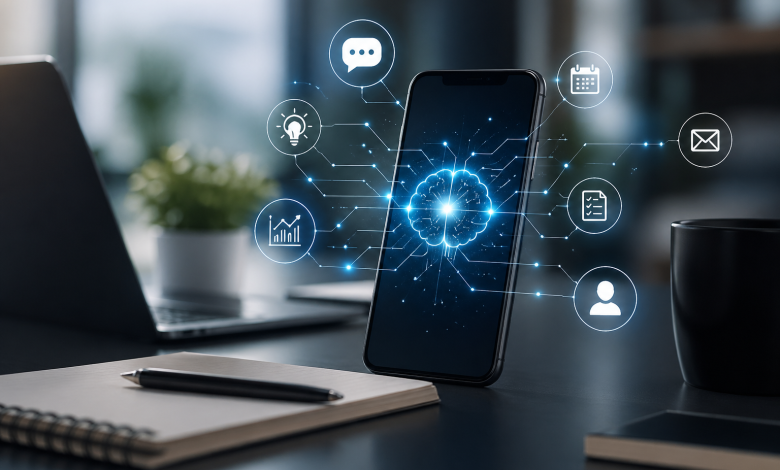
What does “your phone as an AI coworker” mean right now
Phones have stopped being passive tools that wait for commands. New mobiles like the Samsung S26 features let them proactively plan, act and learn on your behalf, scheduling meetings, drafting messages, summarising conversations, and triggering cross‑app workflows. That’s what people mean by “your phone as an AI coworker”: a digital worker that augments your day-to-day tasks so you can focus on judgement and relationship work.
This isn’t only about chatbots or asking Siri a question. Reactive assistants wait for a prompt. Agentic AI coworkers set goals, pull context, and take multi-step actions, sometimes with your approval, sometimes under pre‑defined constraints. For Australian mobile knowledge workers (sales reps, project managers, clinicians), that shift can save time, reduce administrative friction and make remote/hybrid workflows smoother, provided organisations implement clear controls for privacy, security and compliance.
Quick wins: start with summarisation, draft responses and calendar automation. These are high-value, low-risk features available today on many phones.
Red flags: automatic contract-sending or unconstrained access to sensitive records without auditable consent don’t enable those features without governance.

How phone AI works: agentic behaviour and system architectures
Agentic AI vs traditional assistants
Traditional mobile assistants are reactive: you ask and they answer. Agentic AI colleagues are goal-driven. They follow a simple loop: 1) understand your objective (book a meeting, follow up a lead), 2) plan steps (check calendar, find docs, draft email), 3) act across apps (create events, send messages, update CRM), and 4) learn from outcomes (did the recipient respond? adjust tone next time).
That difference matters because agentic behaviour can chain actions not just produce a suggestion but complete tasks on your behalf.
On-device, cloud and hybrid architecture plain language
On-device: models and data processing stay on the handset (or are encrypted and processed locally). Pros: lower latency, better privacy, works offline. Cons: limited compute for very large models, slower feature updates, potentially higher battery use.
Cloud: processing happens on remote servers. Pros: access to larger models and more compute, faster feature rollouts, easier central governance. Cons: data leaves the device, potential residency concerns, latency and increased network dependence.
Hybrid: some steps run on-device (sensitive context, immediate replies) while heavier tasks (large language model reasoning, multi-agent coordination) run in the cloud. This is the most common enterprise pattern today.
Recommended control: default to on-device processing for sensitive data (contacts, health notes) and use the cloud for heavy reasoning only when explicitly approved and logged.
Security and privacy trade-offs (overview)
Key security tools around phone AI include encryption (at-rest and in-transit), fine-grained permission scopes (read-only calendar vs send messages), and device management (MDM/EMM). Privacy trade-offs are real: even metadata about who you meet or message can be sensitive. In Australia, organisations must consider the Australian Privacy Principles (APPs) and the Notifiable Data Breaches scheme when enabling features that access personal information.
Practical rule: treat agentic phone features like any automation that touches personal data document the data flow, set minimal retention, and require explicit, time-limited consent.
Core ways your phone already acts as an AI coworker

These categories describe concrete capabilities many phones already offer or will soon.
Communication: drafting, summarising and tone control
Phones can draft emails or messages from a few bullet points, rewrite text to a target tone (concise, formal, friendly), and turn meeting audio into searchable transcripts and instant summaries.
Example UX: you record a 30‑minute catch-up; the phone offers “Summary (2 minutes) key points, decisions, action items” with inline suggested follow-up emails.
Quick wins: enable auto‑summaries and draft replies that you must approve before sending.
Scheduling and calendar automation
Agentic features find mutual meeting times across calendars, propose slots with suggested agendas, and send follow-ups. A phone can proactively propose a meeting after reading an email thread and suggest a 15-minute slot that fits both parties.
Micro‑UX: “Allow [Agent] to check your Calendar to propose meeting times? Access is logged and revocable.”
Research and knowledge work
Phones pull the latest documents, extract key facts, answer “what changed since my last update?”, and summarise long threads or policy docs. Integration with corporate document stores and intranets turns the device into a portable research assistant.
Cross‑app automation and orchestration
A phone agent can combine CRM data, calendar context, and file storage to complete a workflow: pull the lead record, attach last proposal, create a calendar event, and update CRM status. This orchestration reduces copy/paste and human error.
Translation and accessibility
Real‑time speech-to-text, live translation and captions enable inclusive meetings and faster international communication. For clinicians, this can help conversations with patients in different languages when consent and privacy controls are in place.
Three concrete “day-in-the-life” workflows (step-by-step)
Below are fully mapped examples showing what actions the phone takes, what permissions it requests, and where the user intervenes.
Sales rep: from lead to follow‑up
Scenario: You receive an inbound lead via email and want to convert it to a qualified meeting and follow-up sequence.
Steps:
- The phone detects the lead email and prompts: “New lead detected from [company]. Pull CRM context and prepare a reply?” (Permission: read CRM metadata and email thread; user taps Approve one-time session permission).
- The phone pulls CRM notes and recent interactions locally or via an approved cloud connector, then drafts a short reply suggesting a 20‑minute call and three available times that match your calendar.
- Prompt shown: “Send this reply and propose times? View draft / Edit / Send.” (User edits once, presses Send.)
- When the meeting happens, the phone records audio/transcript with a clear visual indicator. Post-meeting prompt: “Create summary and follow‑ups from meeting notes?” (Permission: create CRM activity, send follow-up email, create tasks.)
- The phone summarizes decisions and generates a follow-up email draft and task list in your task manager and CRM. Each outgoing item shows a confirmation step: “Send follow-up email to [contact]? View summary / Revoke.”
- Audit trail: every action (read CRM, draft, send, create task) appears in an activity log with timestamps and “why” reasons you can expand any action to see the prompt and source data.
Permissions required and confirm points:
- Read calendar and contacts (to propose times), time-limited.
- Read CRM records via connector explicit allow per session.
- Send messages or calendar invites, confirm before first auto‑send, option to always allow for specific templates.
User-visible microcopy example: “This action was taken by your AI coworker, view reasoning / revert.”
Project manager: meeting prep to action items
Scenario: You need to prepare a weekly sprint review, run the meeting and ensure tasks are assigned.
Steps:
- Before the meeting, the phone compiles relevant documents: last sprint report, outstanding tickets and key emails. Prompt: “Prepare agenda: include sprint metrics, blockers, and customer issues? (Will access Jira, Drive, Email.) User approves.
- The phone drafts an agenda and populates the calendar event with agenda bullets and a suggested timebox.
- During the meeting, the phone transcribes the discussion and tags action items using simple rules (verbs + assignees).
- After the meeting, it proposes task assignments in the project tracker and messages assignees: “Assign task: Investigate API timeout suggested assignee: Priya due in 3 days.” (User reviews and approves batch.)
- The phone updates the project tracker and adds a short minutes document to the shared drive, then logs all changes.
Examples of prompts and outputs the user will see:
- Pre-meeting: “Drafted agenda View / Edit / Send to attendees”
- Post-meeting: “Detected 5 action items Approve assignments / Reassign / Add deadline”
This workflow reduces admin switching and ensures action items are captured reliably.
Healthcare clinician (privacy‑sensitive): patient visit support
Scenario: A clinician uses the phone to assist with a consult and documentation, keeping patient data strictly confidential.
Steps:
- At check-in, clinician activates patient mode and obtains explicit patient consent: “Record and summarise today’s consult to help clinical documentation? Data will be stored securely and retained for X days.” (This consent is logged.)
- On-device transcription captures the consult; sensitive PHI stays on-device by default. Prompt: “Allow summarisation and note drafting from this consult? (On‑device processing recommended).” Clinician approves.
- The phone drafts a clinical note using local models and the clinician’s templates, then shows a suggested ICD code and follow-up tasks. Prompt: “Add this note to the patient record and create referral?” (Permission: write to EHR via approved connector.)
- If cloud-based specialist analysis is needed (e.g., imaging AI), the phone requests explicit transfer permission per file and logs the destination and purpose.
- Audit trail and patient consent record: every transfer and action is recorded in the clinic’s logs to support compliance.
Data residency and compliance considerations:
- Keep PHI processing on-device when possible.
- If clinical data must leave the device, ensure the cloud provider complies with Australian health data expectations and consult legal/infosec.
- Keep patient consent forms and audit logs retrievable for compliance checks.
Quick wins for clinicians: use on-device transcription and templated notes to cut documentation time, while enforcing patient consent workflows.
Controls, permissions and auditability what to expect and demand
User consent models and permission scopes
Good systems use granular consents:
- Read-only vs write permissions (e.g., read calendar vs send invites).
- Time-limited access (this session only).
- Role-scoped permissions (only allowed for clinicians, not receptionists).
- Purpose-bound consents (use for scheduling only).
Micro‑UX example prompt copy: “Allow [Agent] to access Calendar to suggest meeting times? Access will be logged and can be revoked. Allow / Deny / More info.”
Audit logs and undoability
A trustworthy AI coworker shows an activity log where each action includes:
- Timestamp, acting agent, reason (short prompt), data accessed, and outcome.
- Link to the exact prompt or draft (so you can see why it acted).
- One‑click revert for reversible actions (delete a sent draft, revert a CRM field update), plus a “flag this action” option to notify IT.
Checklist: expect 90-day logs for user-level audits at minimum; longer retention for regulated sectors.
Transparency: prompts and explanations
Users should be able to ask “why did you do that?” and receive a concise explanation: “I sent that follow-up because the email asked for next steps and your calendar had free slots you approved the template.”
Good microcopy: “This action was taken by your AI coworker view reasoning / revert.”
Practical checklist for employees and IT before enabling agentic featres
- Confirm minimum viable permissions needed for proposed features.
- Ensure MDM policies can enforce device encryption, password/pin policies, and remote wipe.
- Confirm connectors (CRM, EHR, Drive) use OAuth with tenant-level consent and least privilege.
- Require time-limited and purpose-bound user consents.
- Enable audit logging and test revert flows.
- Run a small pilot and collect error/incident KPIs for 4–8 weeks.
Red flags: system that grants blanket “access all data” consents, no activity logs, or inability to revert actions.
Enterprise, legal and compliance implications (Australian context)
Who is liable when an AI coworker acts?
Liability depends on the action and organisational policy. If an AI coworker sends an email that forms a contractual offer, the organisation can be held accountable if internal policies allowed that action. Organisations should adopt explicit policies: restrict agent autonomy for legally binding communications, require human sign-off for contracts, and maintain audit trails.
Data residency, governance and regulation
Under the Privacy Act and Australian Privacy Principles, organisations must handle personal information lawfully and transparently. The Notifiable Data Breaches scheme requires notification if personal data is compromised. For health information, additional state and federal rules apply and My Health Record rules may be relevant. Consult legal and infosec when agentic features touch regulated data.
Policy templates and rollout governance
A practical governance pattern:
- Risk-classify features (low: summaries/drafts; medium: calendar automation; high: data exports, contract signing).
- Pilot low‑risk features with an informed cohort.
- Require documented escalation and incident response paths.
Measuring ROI and KPIs
Track:
- Time saved per user (minutes per task).
- Adoption and completion rates for suggested actions.
- Error rates and security incidents.
- User satisfaction and perceived trustworthiness.
Implementation guide for IT and team leads
Staged adoption roadmap
- Pilot: small team, low‑risk features (summaries, draft replies). Measure metrics for 4–8 weeks.
- Govern: define permission policies, logging, and escalation processes.
- Scale: roll out to broader teams with training and MDM configurations.
Technical integration considerations
- Use MDM/EMM to enforce device security and manage agent updates.
- Prefer connectors with least-privilege OAuth.
- Consider CASB and DLP to monitor cloud transfers.
- When using hybrid models, ensure token-based consent and per-transfer approvals.
Training and change management
Short training scripts should cover: what the AI can do; how to approve actions; how to inspect the activity log and revert actions; and who to contact for incidents. Provide quick cheat-sheets and short demo videos.
UX examples and copy to use in product or comms
Example permission prompt copy: “Allow [Agent] to access Calendar to suggest meeting times? Access will be logged and can be revoked. Allow / Deny / Learn more.”
Example undo/confirm flow microcopy: “This action was taken by your AI coworker view reasoning / revert. Reverting will undo the last update and notify your admin.”
Suggested onboarding checklist for users:
- Turn on device encryption and biometric unlock.
- Review and approve calendar and CRM connectors for session use.
- Practice reverting a sent draft in the activity log.
Risks, limitations and realistic expectations
Agentic phone AI still struggles with deep judgement calls: complex contract negotiation, moral trade-offs, or high‑stakes clinical decisions. Expect hallucinations and errors in reasoning. Recommended mitigations:
- Human-in-the-loop for high-risk actions.
- Verification steps for critical outputs.
- Clear limits on autonomy for legal/financial actions.
When to disable autonomy: if you see repeated incorrect actions, unexplained data transfers, or inability to audit.
Future outlook what to expect next 12–36 months
Expect more capable on-device models, multi-agent coordination across devices, and richer enterprise governance tools. Regulators will likely tighten rules around disclosure, consent logging and data residency. Practical next steps for readers: run a small pilot, define the risk classification matrix, and train staff on consent and audit flows.
FAQs
Can my phone autonomously send emails on my behalf?
- It can, but good systems require an initial approval step and show each auto-sent item in an activity log. Organisations should restrict autonomous sending for legally binding communications.
Is on-device AI truly private?
- On-device processing reduces risk because data doesn’t leave the handset. “Truly private” depends on device security (encryption, lock), app access controls, and whether backups or cloud sync are enabled.
Who should I contact at work if an AI makes a mistake?
- Contact your security or IT incident responder and follow your organisation’s escalation path. Log the action ID from the activity log to speed investigation.
How do I turn off agentic features?
- Use your phone’s AI settings or your enterprise MDM to disable agent permissions and revoke connectors. Look for toggles like “Allow agent to act on your behalf” or “Revoke all AI access.”
Search query help: How do I use AI on this phone?
- Start with simple prompts and allow read-only or session-limited access: ask it to draft an email, summarise a meeting, or propose calendar slots. Review and approve outputs don’t grant blanket write permissions until you’ve tested the audit trail.
Resources and further reading
Vendor content:
- Apple and Google AI feature pages (vendor content)
- Samsung Galaxy AI features (vendor content)
Enterprise guidance:
- Blue Prism guide on digital workers (enterprise guide)
- Fast Company: industry trends on mobile AI
Australian privacy guidance:
- Office of the Australian Information Commissioner Australian Privacy Principles and Notifiable Data Breaches guidance
Suggested internal resources:
- Pilot template and permissions & audit checklist (downloadable)
- Internal workshop template for piloting phone AI coworkers
Conclusion and next steps
Phones can already act as productive AI coworkers, drafting, scheduling, summarising and automating cross‑app tasks, and these features will deepen. Balance the utility with rigorous, user‑friendly controls: granular consent, auditable logs, human-in‑the‑loop for high‑risk tasks, and staged rollouts. For Australian organisations, add data residency and APP compliance to your checklist.