In this article, we’ll test and compare three of the most popular online watermark removers: Dewatermark.ai, WatermarkRemover, and Unwatermark, using real examples, before-and-after photos, and a breakdown of free vs. pro features.
AI-powered tools have made it easier than ever to remove watermarks from photos online. With just a few clicks, you can clean up an image and make it look professional without requiring Photoshop skills.
Dewatermark AI: Photo & Video Watemark Remover
Dewatermark.ai is one of the most popular watermark remover tools when it comes to AI-powered watermark removal. Launched to make content editing more time efficient, the platform was built to handle not only images but also videos, Dewatermark has become a go-to solution for creators, marketers, agencies, and everyday users who want professional-quality results without advanced editing skills.

Unlike basic tools that only blur or crop, Dewatermark uses deep learning and computer vision to intelligently reconstruct the background behind watermarks. Its features go far beyond just removing logos:
- Remove watermark from image automatically: Erases logos, stamps, or repeated text overlays from photos while keeping details sharp.
- Video watermark remover: Detects and removes moving or static watermarks across video frames without degrading quality.
- AI text remover: Deletes unwanted captions, copyright notes, or footer text embedded in media.
- Emoji / Sticker removal: Cleans up distracting stickers or emojis from photos.
- Batch processing: Upload and process multiple files at once, saving hours of repetitive work.
Let’s take a deep dive into the before & after to see the effectiveness of Dewatermark.
For testing, we used a Shutterstock stock photo with two types of marks:
- The repeating diagonal “Shutterstock” watermark across the entire image.
- The small copyright text at the bottom of the photo.
In default mode, Dewatermark.ai flawlessly erased the repeating watermarks across the image, producing a smooth, natural-looking background. The result was sharp, with no noticeable blur or color distortion.
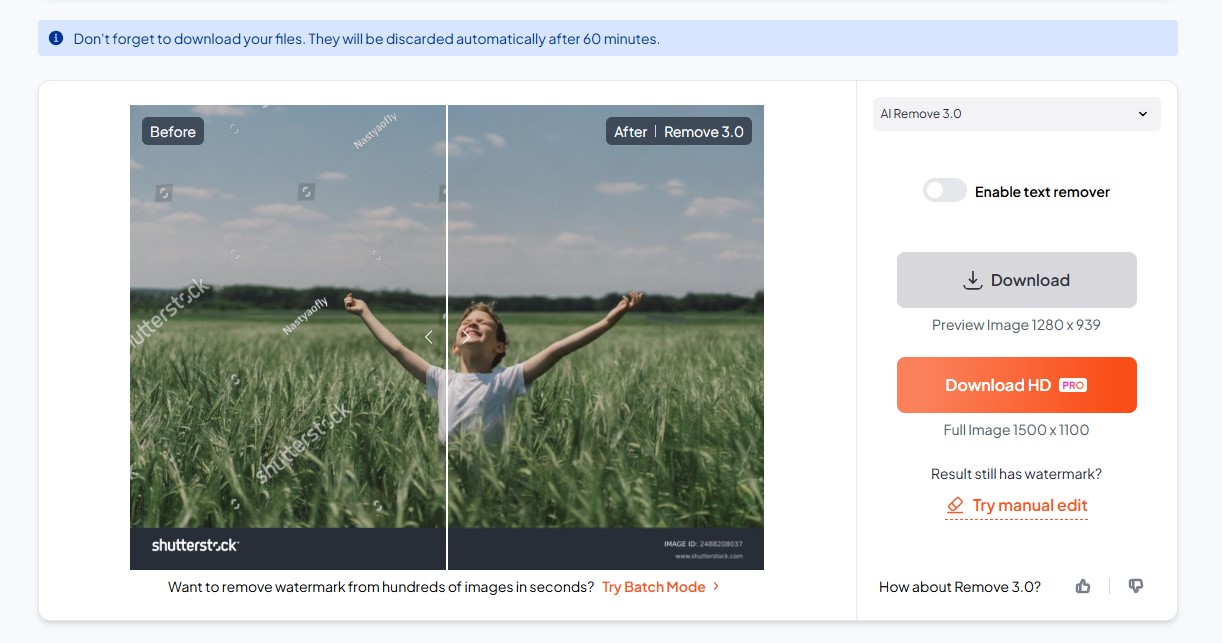
For the bottom text, we had to enable the “Text Remover” mode. Once activated, the AI erased the footer text almost perfectly, with minimal distortion in the background.
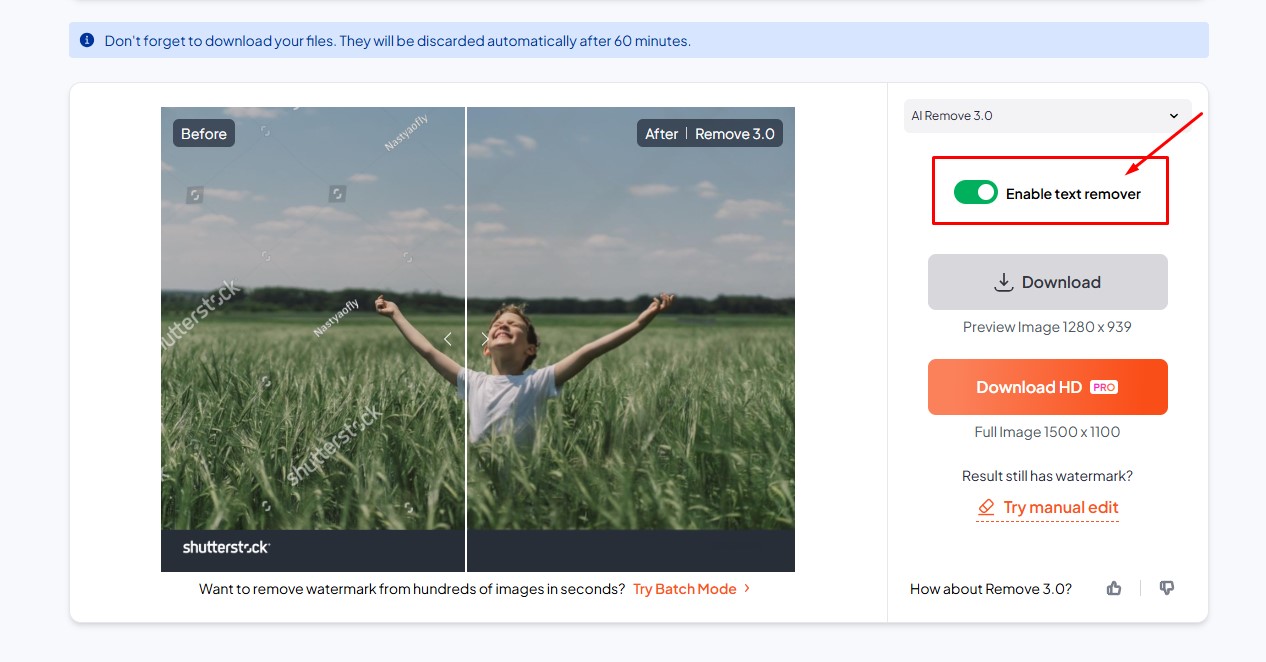
Compared with the other tools, Dewatermark.ai produced the cleanest and sharpest output, especially on complex patterns. The image remained crisp, and colors were unaffected.
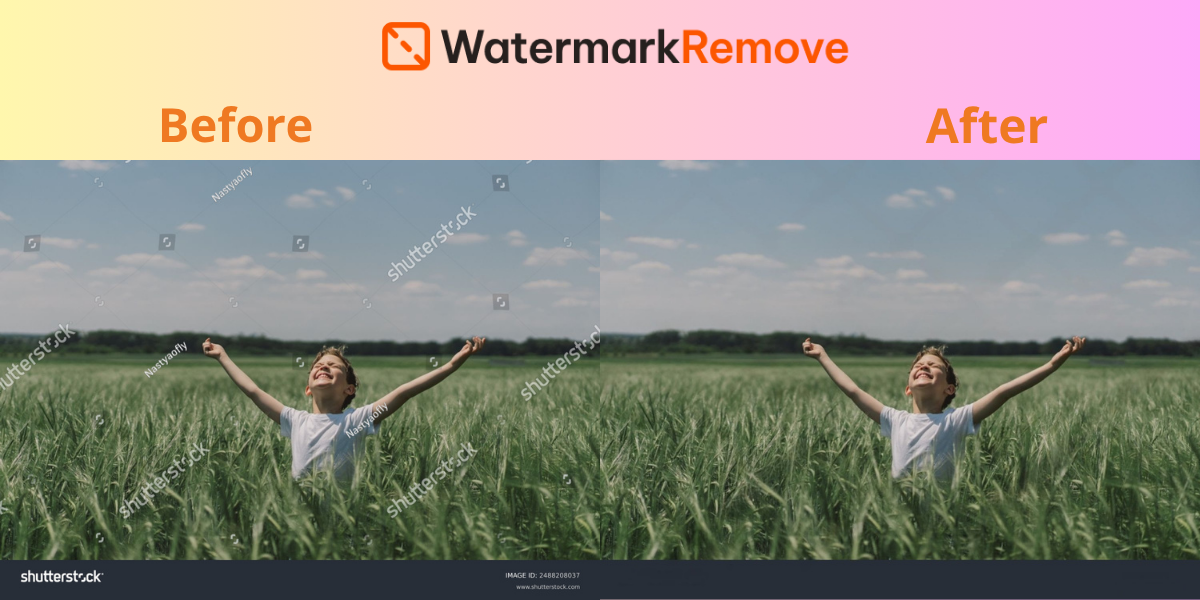
The final result of Dewatermark.AI
Dewatermark offers both a Free tier for casual users and a Pro plan for professionals.
Free plan (2 credits per day):
- AI Image Watermark Remover
- AI Video Watermark Remover
- AI Text Remover
- Manual Editor
Pro plan:
- Everything in the Free plan
- Best output quality (up to 24MP resolution)
- Batch processing for photos and videos
- Full video processing without restrictions
- Ad-free experience
This flexibility makes it easy for first-time users to experiment without cost, while professionals can unlock premium quality and speed with Pro.
The combination of AI precision, multi-format support (photo + video), and batch automation makes Dewatermark.ai one of the most versatile watermark removers on the market.
WatermarkRemover: fast, straightforward, and reliable
Another strong contender in the online watermark removal space is WatermarkRemover.io. Built as a lightweight web-based tool, it focuses on simplicity and speed, making it ideal for casual users who want quick results without navigating a complex interface.
WatermarkRemover.io specializes in erasing logos, stamps, and repetitive text patterns from images. The tool uses AI-powered background reconstruction, meaning it doesn’t just blur out the watermark; it attempts to rebuild the original pixels underneath, giving a more natural look.

During our test with the same Shutterstock stock photo (diagonal watermarks + footer text), WatermarkRemover.io performed admirably. The repeating diagonal watermarks were cleaned with results comparable to Dewatermark.ai, producing a clear and usable image.
Impressively, it was able to remove both the main watermark and the footer text simultaneously without requiring a separate text remover mode, something Dewatermark.AI handles with an extra toggle.
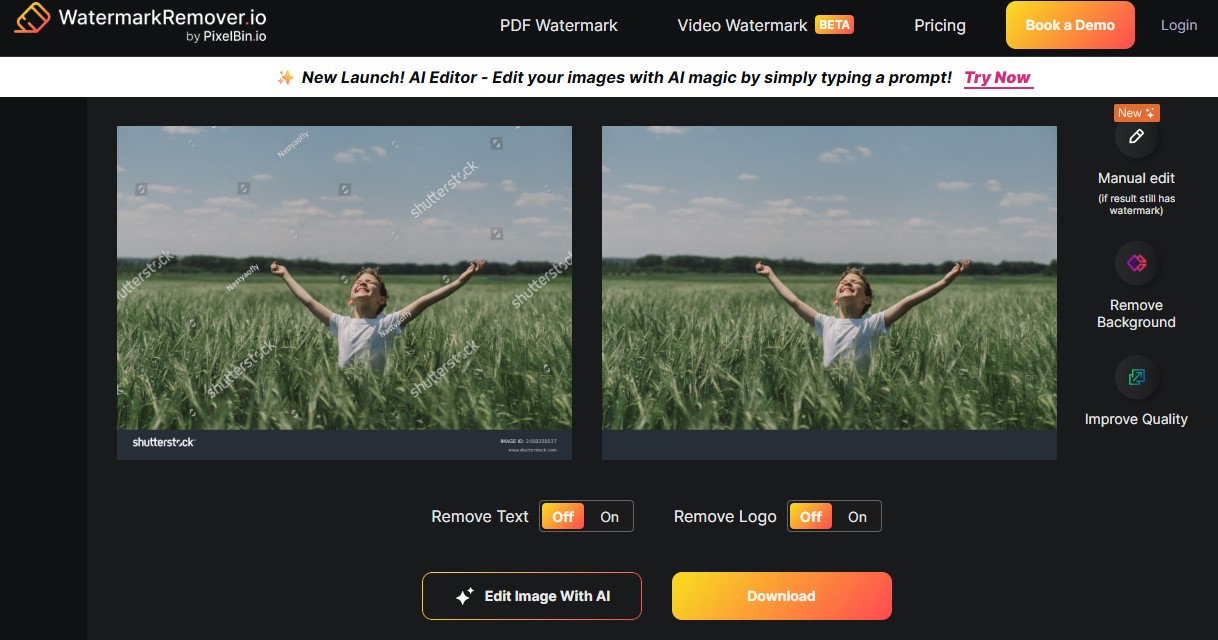
However, when tested with more complex watermarks (multi-layered, semi-transparent, or colorful), the tool occasionally left faint traces or a slight blur in the background. While not a dealbreaker, it places WatermarkRemover.io a notch below Dewatermark in terms of output polish.
WatermarkRemover.io is also available in both free and paid versions. For users who want a fast, no-fuss watermark remover that works well on most standard photos,
WatermarkRemover.io is a reliable choice. If your workflow involves occasional photo cleanup or you prefer a tool that “just works” without extra options, this platform is a great fit.
Unwatermark: Manual editing with AI assistance
While Dewatermark.ai and WatermarkRemover.io focus on automation, Unwatermark.ai takes a slightly different approach by blending AI-assisted removal with manual tools. This makes it more flexible in some scenarios, but also more demanding for users who want quick, one-click solutions.
Unwatermark.ai can remove both logos and text overlays, but unlike the other two tools, it often requires you to manually highlight the watermark area with a brush. Once selected, its AI engine tries to “fill in” the background using inpainting techniques.
In our test with the Shutterstock sample:
- The diagonal watermarks were removed, but not as cleanly as Dewatermark.ai or WatermarkRemover.io. Some faint traces remained, especially in areas with complex textures.
- For the footer text, Unwatermark.ai required manual brushing over the text area, whereas the other two tools handled it automatically. This added extra steps and slightly affected the uniformity of the result.
Overall, the image was usable, but the quality lagged behind the other tools, especially when dealing with multiple watermarks across the entire frame.
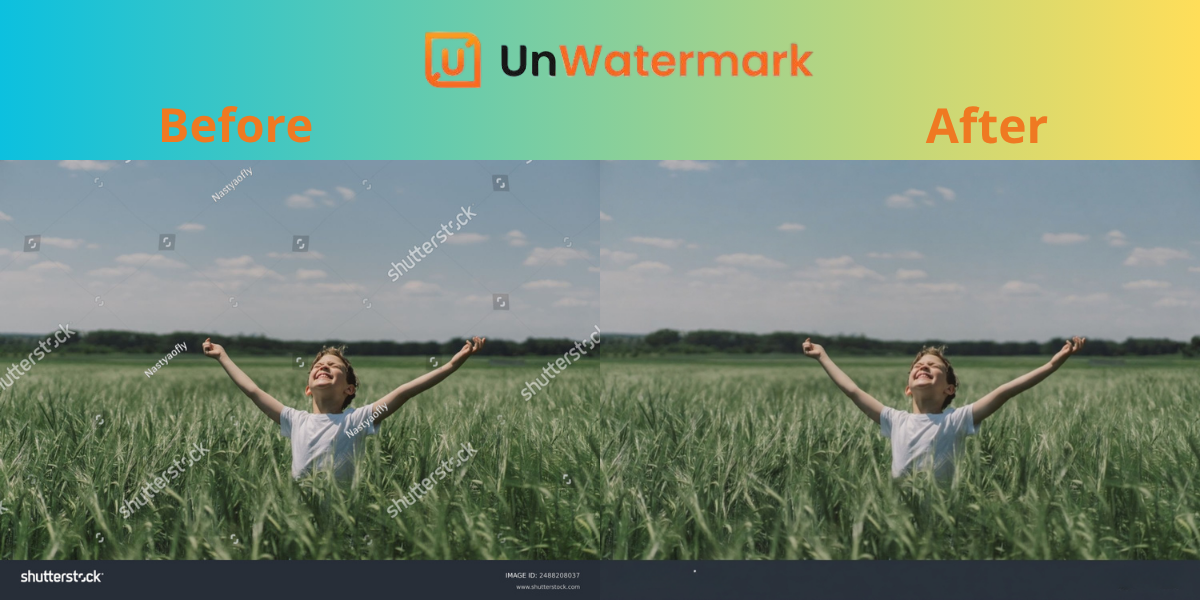
Unwatermark.ai also offers a freemium model, which there are free but limited version and a premium plan. Unwatermark.ai can be a decent option if you don’t mind extra manual effort and only need to clean up occasional watermarks. However, compared to Dewatermark.ai and WatermarkRemover.io, it feels less polished and slower for bulk tasks.
Best online websites to remove watermark from photos: Comparison
Let’s look at a comparison table and make it easier for users to see the strengths and weaknesses of each tool at a glance.
| Feature / Tool | Dewatermark.AI | WatermarkRemover.io | Unwatermark.ai |
| Ease of use | One-click removal, very fast | One-click removal, very fast | Manual brush required sometimes |
| Watermark removal quality | Excellent (clean, minimal blur, works well with complex watermarks) | Very good (slightly less clean on complex textures) | Average (traces often remain, especially on complex images) |
| Text removal (e.g. footer text) | Requires enabling Text Remover mode | Removes text + watermark automatically | Requires manual brush |
| Video support | Yes | Yes (beta) | Yes (beta) |
| Batch processing | Yes (bulk image upload and processing) | No | No |
| Best for | Users needing the most polished results, including videos and bulk tasks | Quick, effective image watermark removal | Casual users who don’t mind manual editing |
In terms of speed, Dewatermark.ai and WatermarkRemover.io are evenly matched, delivering near-instant results even on high-resolution images. Unwatermark.ai, on the other hand, often takes longer because it relies on manual brushing for text removal.
In terms of image quality, Dewatermark.ai stands out. It produces sharp, clean, and natural-looking results even on photos with complex textures. WatermarkRemover.io also performs well, though slight imperfections can appear in challenging areas. Unwatermark.ai is less reliable, with occasional blur artifacts and leftover traces from the watermark.
For text removal, Dewatermark.ai requires users to enable its dedicated Text Remover mode, while WatermarkRemover.io automatically removes both watermarks and footer text in one pass. Unwatermark.ai depends heavily on manual effort, which can be less consistent.
Batch processing is where Dewatermark.ai pulls far ahead. Professionals who need to clean dozens of images at once will find this feature invaluable.
All three platforms make watermark removal more accessible to everyday users, but their strengths differ. Dewatermark.ai is the best all-around option, combining high-quality output, support for text and video watermarks, and exclusive batch processing that saves professionals significant time. WatermarkRemover.io is a convenient alternative for quick one-off tasks, especially with its automatic text removal. Unwatermark.ai remains a basic solution suitable for casual users, though its reliance on manual brushing limits its appeal for serious work.
The bigger picture is clear: AI-powered tools are reshaping digital editing, reducing barriers for content creators, businesses, and educators. Instead of hours of manual cleanup, watermark removal can now be completed in seconds with precision.