
Your media stack feels invisible right up until the day someone asks why the product tour video stutters while the hero image still weighs 4 MB.
That is usually the moment you realise you treated Imgix as the whole media strategy instead of one useful building block. Once video, security, and analytics enter the conversation, you have to decide what sits beside Imgix or replaces it entirely.
If you are using Imgix today, it is probably because your team needed a reliable way to resize, compress and deliver images across a global audience without building your own media pipeline.
Imgix does that part well. The problem in 2026 is that most serious digital products are no longer image only. You are shipping product tours, customer education, in-app tutorials, live or on demand video, and internal training content, all of which need the same level of performance, security and observability as your images.
That is where Imgix starts to feel narrow. It gives you flexible URL-based image transformations and some video processing capability, but it is not a full video hosting and streaming platform, and it is not the only option for image CDN either. Teams end up stitching Imgix together with a separate video host, a generic CDN and a few in-house workarounds, then realize they are still missing important pieces like viewer-level analytics, DRM (Digital Rights Management), robust access control, or predictable costs at scale.
This guide looks at the Imgix alternatives that can handle both sides of the problem: high performance image delivery and serious video delivery on a single, controlled stack. It focuses on platforms that are already being used in production by SaaS products, e-commerce brands, edtech companies, OTT, and media businesses that care about:
- Infrastructure-grade reliability rather than consumer-grade hosting
- Strong security and access control for paid or internal content
- Developer-friendly APIs and migration paths from Imgix-style URLs
- Deep analytics for optimising engagement and revenue, not just bandwidth
- Cost structures that stay predictable when traffic spikes
You will get to understand Imgix’s core strength as an image optimization service, but one that is often combined with other tools. Then we look at 10 Imgix competitors that can replace either just Imgix or both Imgix and your separate video host. We look at Imgix alternatives and evaluate them for specific strengths such as enterprise contracts, programmable edge control or built-in DAM (Digital Asset Management).
By the end of this article, you should be able to:
- Decide if you actually need to move off Imgix or only reshape how you use it.
- Shortlist two or three alternatives that match your product, compliance, and budget constraints.
- Understand what will change for your developers, marketing teams, and finance once you switch.
- Plan a migration path that avoids common performance and SEO pitfalls.
If you only want the shortlist and a quick sense of where each platform is strongest, start with the quick overview section and then come back to the deeper analysis when you are ready to evaluate vendors in detail.
Quick Overview of the Best Imgix Alternatives
Here is what each one is best known for, in the context of an Imgix replacement:
1. Cloudinary
A very broad media platform that covers image optimization, video transcoding and delivery, upload workflows and a full DAM. It is usually chosen by teams that want a single service for both images and video with strong asset management features and are comfortable with a large, feature-rich API surface.
2. Gumlet
A unified image and video delivery platform aimed at product and content-heavy businesses that need infrastructure-grade performance, strict access control and detailed analytics. It matches Imgix on real-time image optimization and adds full video hosting and streaming, DRM, watermarking, domain and geo restrictions and viewer-level insights in the same stack, so you do not need separate vendors for images, video and protection.
3. ImageKit.io
A developer-friendly image CDN with on-the-fly transformations, responsive delivery and growing video capabilities. It is often used as a direct Imgix-style drop-in replacement for images and is now increasingly considered when teams want to add basic video delivery without adopting a large media platform.
4. Cloudflare Images + Cloudflare Stream
Cloudflare Images handles storage, resizing and global delivery for images, while Stream takes care of video storage, adaptive bitrate streaming and a simple player. This combination is attractive for teams that are already invested in Cloudflare for security or DNS and want to keep media delivery inside the same ecosystem.
5. Bunny.net
Bunny Optimizer sits on top of Bunny.net’s CDN to handle image resizing and next generation formats, while Bunny Stream covers video storage, transcoding and playback. It is a strong option for teams that prioritise performance and cost efficiency, and that are comfortable configuring their own caching and routing strategy on a relatively lean, developer-oriented platform.
6. Akamai Image and Video Manager
An enterprise-focused solution that runs on top of Akamai’s very large CDN footprint. Image and Video Manager automatically optimises images and short form video per device and network conditions. It tends to be used by big media, telco and retail organisations that already have Akamai contracts and want optimisation layered into that existing agreement rather than a separate specialist provider.
7. Fastly
Fastly’s Image Optimizer plus its streaming and edge compute capabilities provide a powerful toolkit for teams with strong in-house infrastructure skills. You get flexible image transformations and fast video delivery with a high degree of low-level control, which is attractive if you want to design custom logic at the edge rather than rely on a more opinionated media platform.
8. Uploadcare
A combined upload, processing and delivery pipeline for images and video, oriented toward app builders that want to offload file handling across their stack. It is a good fit when you want an Imgix alternative that also solves file uploads, background processing and media CDN in one service, especially for user-generated content.
9. Cloudimage (Scaleflex Cloudimage)
A solution that focuses heavily on dynamic image optimisation and multi CDN delivery, with support for video delivery as part of a broader visual experience platform. It is often selected by content-heavy sites that want straightforward image CDN features, flexible caching rules and the option to layer in DAM later if needed.
10. Sirv
A platform that started with deep image handling capabilities and later added video support. Sirv is particularly popular with image-heavy e-commerce and catalog-style sites that need granular control over image transformations and interactive features such as zoom and 360-degree views, with video playback as an additional option rather than the core product.
Taken together, these ten providers represent the most credible Imgix alternatives in 2026 for teams that care about both image optimisation and video delivery. The rest of this guide will go deeper into how Imgix compares to each category and how to choose a realistic shortlist based on your own workloads.
What Imgix is and Why Teams Look for Alternatives
Imgix is a real-time image processing proxy and CDN. You point Imgix at an origin like S3 or your web server, then request images through Imgix URLs with query parameters that control size, crop, quality, format and effects. Imgix processes the image on the fly and caches the result at its edge locations so subsequent requests are fast. It supports modern formats like WebP and AVIF and also offers optimization for some non-image assets.
The platform operates at a sizable scale. Imgix reports that it serves more than 8 billion images per day for over 20 million web pages and more than 60,000 customers. This matters for evaluation because it confirms that Imgix is not a fringe product. It is a proven image CDN that many companies trust for core web performance.
Where the product starts to feel constrained in 2026 is the gap between image processing and everything else that media-heavy businesses need. Imgix is excellent at taking a source file, applying transformations and delivering it quickly. It is far less opinionated about video hosting, player behaviour, interactivity, viewer analytics and growth workflows.
It supports video formats and can optimize video delivery at the CDN level, but it does not operate like a full video platform with its own library management, marketing tools and in depth playback analytics.
Teams also run into constraints once they start protecting high-value content. Imgix supports signed URLs and basic security controls, but it is not built as a comprehensive access control or DRM layer for paid courses, internal training, or premium media catalogs. There is no out-of-the-box viewer-specific watermarking, detailed entitlement model or built-in integration with purchase events. Those capabilities usually have to be assembled from a mix of Imgix, a separate video host, a general CDN and custom code.
In practice, engineering and product teams look for Imgix alternatives when one or more of these conditions are true:
- They want a single platform that can handle both image optimization and full video hosting and streaming instead of running Imgix alongside a separate video provider.
- They need stronger content protection for paid content, including tokenized access, domain or geo restrictions and watermarking that works at scale, not just basic URL signing.
- Marketing and growth teams are asking for deeper analytics, including viewer-level engagement data and integrations into CRM (Customer Relationship Management), CDP (Customer Data Platform), or attribution tools which Imgix does not provide on its own.
- Finance is pushing for more predictable pricing because the combination of separate image CDN, video host and general CDN has become hard to forecast and reconcile.
- The current Imgix implementation is tightly tied to legacy infrastructure and a migration is already on the roadmap, so it is a natural moment to evaluate replacements rather than re-platform around the same service.
Image CDN vs Video CDN vs General CDN vs DAM
Before you choose an Imgix alternative, it helps to be clear on the vocabulary. A lot of vendors use similar language for very different products. If you treat a general CDN as an image CDN or assume a video platform gives you the same controls as a media edge service, you will end up with gaps.
What a General CDN Does
A general content delivery network (CDN) caches and delivers files from servers closer to your users. You point your assets at the CDN, configure caching rules, and it speeds up delivery of HTML, CSS, JavaScript, images, video segments and APIs by reducing latency.
That is valuable, but a general CDN typically:
- Does not automatically resize or reformat images for different devices
- Does not transcode video or handle adaptive bitrate streaming on its own
- Has limited views into media-specific metrics like video completion, buffering or per variant performance
You can run Imgix in front of or behind a general CDN. Many teams do exactly that today. The problem is that combining multiple layers of caching and transformation quickly becomes complex to debug, which is one of the reasons people start looking for more opinionated image or video-specific services.
What an Image CDN Adds
An image CDN like Imgix, Cloudinary, Gumlet or ImageKit.io starts where a generic CDN stops. In addition to caching, it adds:
- Real-time resizing and cropping based on URL parameters or presets
- Smart compression tuned for visual quality, not just file size
- Automatic format negotiation, for example serving WebP or AVIF to compatible browsers
- Device pixel ratio support so images stay sharp on high density screens
- Lazy loading support and responsive image variants that tie into srcset and <picture>
In practice, this means you can store a single high quality original in object storage and let the image CDN generate all the variants you need on demand.
For teams with image-heavy pages, this is not optional. Google’s research has repeatedly shown that slower pages correlate with lower conversions. One widely cited study found that a site that loads in one second can convert visitors at roughly one and a half times the rate of a site that takes ten seconds to load.
A big part of that difference is efficient handling of images.
What a Video CDN and Video Platform Add
“Video” introduces a different set of requirements.
A video CDN or video platform deals with:
- Transcoding source files into multiple resolutions and bitrates
- Packaging those files into adaptive bitrate formats such as HLS or DASH
- Delivering segments through a global CDN so viewers on slow connections can still watch
- Serving an embeddable player with controls, captions, thumbnails and error handling
- Tracking playback events such as plays, pauses, drop-offs and completions
Some Imgix alternatives combine media-aware CDN logic with a full video platform. Others only handle the delivery side and expect you to bring your own player or use separate components for upload, transcoding, and analytics.
This is the key distinction that separates Imgix-style services from unified image plus video platforms like Gumlet or Cloudinary. Imgix optimises bits on the wire. A full video platform gives you a library, access control, player and insight around those bits.
Where DAM Fits Into the Picture
Digital Asset Management (DAM) is another term that appears in this category, especially around Cloudinary and Scaleflex.
A DAM system:
- Stores and organises media with metadata, tags and folders
- Handles approval workflows, versioning and rights management
- Integrates with design, marketing and product tools so teams can reuse assets consistently
Some Imgix alternatives have DAM built in or offer it as an add-on. Others integrate with external DAM systems but remain focused on delivery.
For many SaaS products, e-commerce brands and education platforms, a full DAM is not the primary decision driver. They care more about performance, protection, and analytics than about internal asset workflows. For large marketing and media teams, DAM may be essential.
For the rest of this guide, when we compare Imgix alternatives we will primarily look at:
- Image CDN capabilities
- Video hosting and streaming capabilities
- Security and access control
- Analytics and integration depth
DAM support will be a secondary factor that matters most if you already have complex asset workflows or plan to consolidate tools around a central media hub.
How to Choose an Imgix Alternative in 2026
Once you accept that Imgix is only solving part of your media delivery problem, the next question is not “Which vendor is popular” but “Which service actually matches the way we use images and video across our product, website and internal tools.”
You can think about the evaluation in six buckets: image capabilities, video capabilities, security, analytics, developer experience, and commercial fit.
Image Capabilities to Match or Improve on Imgix
At a minimum, any serious Imgix alternative should be able to cover the same core image CDN jobs:
1. Real-time transformations
Resize, crop, fit, pad, rotate, blur, sharpen and apply basic effects through URL parameters or presets.
2. Modern formats and smart negotiation
Automatic selection of WebP or AVIF where supported, with graceful fallback to JPEG or PNG for older browsers.
3. Quality controls and compression
Ability to tune compression by quality level, visual metrics or auto modes so you can push file size down without breaking brand guidelines.
4. DPR and responsive images
Device pixel ratio awareness for high density screens and clean integration with srcset or <picture> so front end teams do not have to hand author variants.
5. Flexible origins and caching
Support for S3-compatible object storage, HTTP origins, multiple buckets and clear cache control so you can adjust behavior per asset group.
If a platform is weaker than Imgix on these basics, it is not a realistic replacement, regardless of how good its video story looks.
Video Capabilities You Actually Need
If video is already important to your business or obviously will be within the next 12 to 18 months, you should evaluate Imgix alternatives as full media platforms, not just image CDNs. Key questions:
1. Video ingest and transcoding
Can you upload or ingest large video files easily, and does the platform handle transcoding into multiple resolutions and bitrates without manual configuration.
2. Adaptive streaming and formats
Does it support HLS or DASH, multiple renditions and device-aware delivery so mobile users on weak networks still get a workable stream.
3. Player and embeds
Is there a first-class embeddable player with branding controls, captions, chapters, and thumbnails that can be dropped into your app, marketing site, and help center.
4. Video library management
Can you organise videos into collections, apply metadata, manage versions, and search across the library in a way that will still work when you have thousands of assets.
Some Imgix alternatives are image first with basic video delivery as an extra. Others, including Gumlet, are built to treat video as a first class workload alongside images. What you need depends on whether video CDN is just a “nice to have” feature or central to how you acquire, convert and retain customers.
Security and Content Protection
If your videos are public marketing assets, basic measures such as TLS (Transport Layer Security), signed URLs, and referrer checks might be enough. For paid content, internal training or regulated industries, that is not sufficient.
When evaluating Imgix alternatives, check for:
1. Signed or tokenized URLs that are easy to rotate
You should be able to limit access by time, origin, user, or IP without rebuilding your entire integration.
2. Domain, IP, and Geo restrictions
Control where media can be embedded and viewed so you can enforce licensing, territory deals or company-only access.
3. DRM support where needed
Integration with common DRM schemes for high-value content that must not be trivially downloadable.
4. Watermarking
Dynamic or user-specific watermarking for courses, cohort based programs or early access material, so leaks can be traced and discouraged.
This is a major area where Imgix is intentionally lightweight. If you care about protection, your shortlist should strongly favor providers that treat security as a core design point, not just an add-on.
Analytics and Insight
Traffic graphs and bandwidth charts are not enough if video is part of your customer journey.
Useful questions to ask vendors:
- Do you provide per asset metrics such as views, watch time, average completion and drop-off points.
- Can we see viewer-level data for logged-in users so customer success and product teams can tell who has completed onboarding or training.
- Can we push events into our existing tools such as product analytics, CDP or CRM without building a custom pipeline.
- Is there a way to relate media performance back to business outcomes such as trial activation, upgrade, or course completion, even if it is through integrations instead of built-in attribution.
Platforms that are just CDNs with media-aware features will usually be weak here. Platforms that position themselves as infrastructure for product and marketing teams will usually have a clearer analytics story.
Developer Experience and Migration
Even if the feature set looks good, a poor developer experience will kill an otherwise strong alternative.
When you look at documentation and APIs, you want to see:
1. URL design that feels predictable
Transformations should be easy to reason about and map from Imgix-style URLs without a huge rewrite.
2. SDKs (Software Development Kits) and client libraries
Official support for the languages and frameworks you actually use in the front-end, back-end and mobile codebases.
3. Migration guides and tools
Clear documentation or utilities for replacing Imgix URLs in templates, sitemaps, feeds, and stored data, plus strategies for running both systems in parallel during cutover.
4. Logging and observability
Request logs, error reporting and metrics that are accessible through the dashboard and APIs so on-call engineers can debug issues without waiting on support tickets.
A realistic criterion here is: would your developers feel comfortable owning this integration long-term, or will they treat it as a fragile black box.
Pricing Model and Commercial Fit
Media delivery can generate unpredictable bills if you do not understand how pricing maps to usage. Imgix alternatives use a mix of dimensions:
- Requests or transformations
- Output GB transferred and storage
- Features such as DRM, live streaming or extra analytics
- Support level and SLAs
You do not need precise cost modeling during initial research, but you do need to answer these questions:
- Is pricing primarily bandwidth and storage based, or are there many small line items that will be hard to track?
- Are there clear tiers that match your current and next stage scale?
- Does the vendor offer rate limiting, alerts, or caps so you can detect or control runaway usage?
At this point in your evaluation, it is worth shortlisting no more than three providers that look like a serious fit on features, security, developer experience, and pricing model. Then, instead of reading another ten comparison articles, have your team prototype against one of them in a staging environment and measure real performance, integration effort, and internal feedback. That limited test will surface more truth than any vendor marketing page.
Imgix Alternatives for Image and Video CDN
If you are looking for a unified image optimization plus full video hosting and streaming platform, an infrastructure-first provider like Cloudinary or Gumlet is an apt choice. Apart from them, here is a list of alternatives you can look into that are a mix of broad media platforms, CDN-centric services and file handling tools that can also replace Imgix, depending on how opinionated you want your stack to be.
1. Cloudinary
Cloudinary is one of the most established media platforms in this space. It covers image optimization, video transcoding and delivery, upload workflows, and a full digital asset management (DAM) layer. Cloudinary positions its DAM as a way to manage the entire lifecycle of images and video, with AI-based tagging and search on top of an API-driven media pipeline.
Where Cloudinary is Strong Compared With Imgix:
- Handles both images and video through the same set of APIs, with support for transformations, responsive delivery, and format conversion for both media types.
- Includes a native DAM for marketing and creative teams that need workflows, approvals, and rights management in addition to CDN delivery.
- Has broad ecosystem adoption, many SDKs, and a large body of community examples, which reduces integration risk.
Tradeoffs to be aware of:
- The platform is large and feature-dense, so small teams may find the configuration surface and pricing model more complex than Imgix or other user-friendly Imgix competitors.
- DAM-centric workflows are excellent for marketing-centric organisations, but can feel heavy if your main use case is product UI images and in-app video.

Cloudinary Verdict: Best for DAM-heavy, Multi Team media Stacks
Cloudinary is the most logical Imgix alternative when you want image and video optimisation tightly coupled with a full DAM and complex internal workflows. It beats Imgix on video scope, asset governance and multi-team collaboration, but it is heavier to run and configure. It makes the most sense for larger organisations where marketing, product, and creative teams all rely on the same media stack.
2. Gumlet
Gumlet is a unified image and video delivery platform that combines Imgix-style image optimization with full video hosting, streaming, protection, and analytics. It is built for teams that treat media as product infrastructure:
- SaaS apps with in-product walkthroughs
- Edtech platforms with paid courses
- OTT and membership sites with gated libraries and internal communication stacks that rely on secure video for onboarding and training.
Instead of running Imgix for images, a separate video host, a generic CDN, and custom glue for access control, Gumlet is designed to handle the entire media layer, making it a notable Imgix alternative.
Where Gumlet is Strong Compared with Imgix:
- Provides real-time image transformations, support for modern formats like WebP and AVIF, DPR-aware delivery, and responsive images at the same level as Imgix, so it can realistically replace Imgix for image CDN workloads without sacrificing performance.
- Adds a full video product on top: central video library, GPU-based transcoding, adaptive bitrate streaming over HLS or DASH, multi CDN delivery, branded player, playlists and SEO friendly controls for titles, descriptions and structured data.
- Includes built-in protection features such as DRM, signed or tokenised URLs, domain, IP and geo restrictions, and dynamic watermarking, which are hard to reproduce cleanly with Imgix plus a generic CDN and a commodity video host.
- Offers engagement focused analytics that go beyond bandwidth and requests, including per video and per viewer metrics, completion and drop-off curves, heatmaps, in-player forms and integrations into analytics and CRM tools so media data is not siloed.
- Ships with developer-friendly APIs, webhooks, and URL patterns that feel familiar to Imgix users, which makes mapping existing Imgix URLs to Gumlet parameters and rolling out a staged migration much more predictable.
- Supports common origins such as S3-compatible storage and HTTP servers, plus product centric integrations, so you can point Gumlet at existing assets instead of restructuring your entire storage layer.
Tradeoffs and when Gumlet is not ideal:
- For very small, mostly static sites that only need straightforward image optimisation and do not expect to rely on video, Gumlet can be more platform than you might need and a simple image CDN may be cheaper and easier to justify.
- Organisations that want a very feature-heavy DAM at the centre of creative workflows may still prefer Cloudinary or a dedicated DAM product alongside a media delivery layer, using Gumlet only where protected or analytics-heavy video is required.
- Pricing, roadmap, and support are tuned for media-heavy products and teams that care about video outcomes, so if images and video are low-value utilities in your stack, some of the more advanced capabilities will be redundant.
Gumlet Verdict: Best All-round Imgix Replacement for Image Plus Video
Gumlet is the strongest Imgix alternative when you want a single platform for image CDN, full video hosting, protection, and engagement analytics. It matches Imgix on core image optimisation while adding serious video, DRM and viewer-level insight, at the cost of being more platform than tiny, image-only sites need. It fits best in SaaS, edtech, OTT, and membership products where video is central to activation, revenue or customer success.
3. ImageKit.io
ImageKit.io started as an image CDN and has added a serious video story over time. It provides real-time image transformations, format conversion and responsive delivery that look very similar to Imgix from a developer point of view, and it now offers adaptive bitrate streaming and a URL-based Video API for on-the-fly video optimization.
Where ImageKit Outshines Imgix:
- Simple, URL-driven API for both images and video, with adaptive HLS or DASH streams generated automatically from a single source file.
- Good fit for teams that want a drop-in Imgix replacement on the image-side, plus basic video delivery without adopting a full-blown media platform.
- Developer-friendly documentation and pricing that is relatively easy to reason about for small and mid-sized teams.
Limitations to Consider:
- Video is handled as a delivery feature rather than a full video product. Library management, player-level interactivity, and analytics are less opinionated than in platforms that are video-first.
- Content protection capabilities are more limited. If DRM, watermarking, or complex entitlements are critical, ImageKit is usually not the final choice.
ImageKit.io Verdict: Best Simple Drop-in for Imgix with Stronger Video CDN Features
ImageKit.io is a clean choice when you want to move away from Imgix without changing your mental model or adding a large platform. It improves on Imgix by giving you a credible video story and straightforward pricing, but it does not try to compete with the deeper protection and analytics of Gumlet or Cloudinary. It suits small to mid-sized teams that are image-heavy and want better video delivery without a full media overhaul.
4. Cloudflare Images + Cloudflare Stream
Cloudflare splits its media stack into two products. Cloudflare Images provides storage, resizing, optimization, and global delivery for images through a single API. Cloudflare Stream covers video storage, adaptive bitrate streaming, and an embeddable player. Together, they approximate an Imgix alternative that sits inside the wider Cloudflare network.
Strengths Cloudflare offers for Imgix users:
- If you are already using Cloudflare for DNS, security or generic CDN, keeping images and video in the same ecosystem simplifies operations.
- Cloudflare Images gives you an end-to-end image pipeline, including upload, optimization, and delivery, not just a thin transformation layer.
- Stream handles both live and on demand video, with serverless-oriented APIs and a usage-based pricing model.
Where it is weaker as a media platform:
- While media-aware, Cloudflare is still infrastructure-first. DAM like workflows, rich video marketing features, and deep viewer analytics are not its core focus.
- Fine-grained content protection and entitlement logic will usually need to be implemented in your application, with Cloudflare used as a building block rather than a full solution.
Cloudflare Images Plus Stream Verdict: Best for Cloudflare-centric Teams
Cloudflare Images and Stream together form a capable Imgix alternative for teams already invested in Cloudflare for DNS, security and CDN. They cover image optimisation and video delivery better than Imgix, but lean toward infrastructure rather than polished media workflows. This combination works best when you want to keep everything inside the Cloudflare ecosystem and are comfortable owning more of the analytics and access logic yourself.
5. Bunny.net
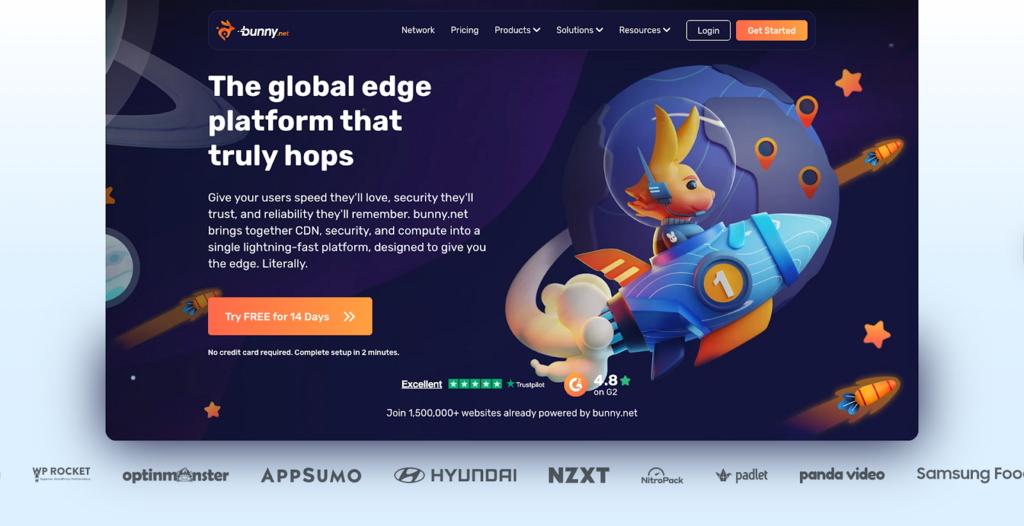
Bunny.net is a performance-focused CDN with two key media products on top: Bunny Optimizer for images and Bunny Stream for video. The Optimizer uses a Dynamic Image API to modify and optimize images in real-time, with transformations controlled by query parameters. Bunny Stream is a video CDN product that handles storage, transcoding, and adaptive streaming.
Advantages over an Imgix setup:
- You get both image optimisation and full video streaming from a single CDN provider, which simplifies billing and routing.
- The Dynamic Image API covers common transformation needs with a mental model similar to Imgix, so migration is conceptually straightforward.
- Pricing is generally competitive, especially for cost-sensitive teams that can manage their own configuration.
Considerations and gaps:
- Bunny.net is closer to a developer toolkit than a wrapped media platform. If you want a lot of opinionated defaults and no edge configuration, this may not be ideal.
- Player-level analytics and growth features are limited compared with platforms built explicitly for video marketing and education.
Bunny.net Verdict: Best for Cost-conscious, Engineering-led Teams
Bunny Optimizer and Bunny Stream offer a strong blend of image optimisation and video streaming that can outperform Imgix plus a basic video host. They give you fine-grained control and attractive pricing, but expect your engineers to take responsibility for configuration, monitoring and workflow glue. Bunny.net is a good fit if you prioritise performance and cost and are happy treating media delivery as an engineering owned subsystem.
6. Akamai Image and Video Manager
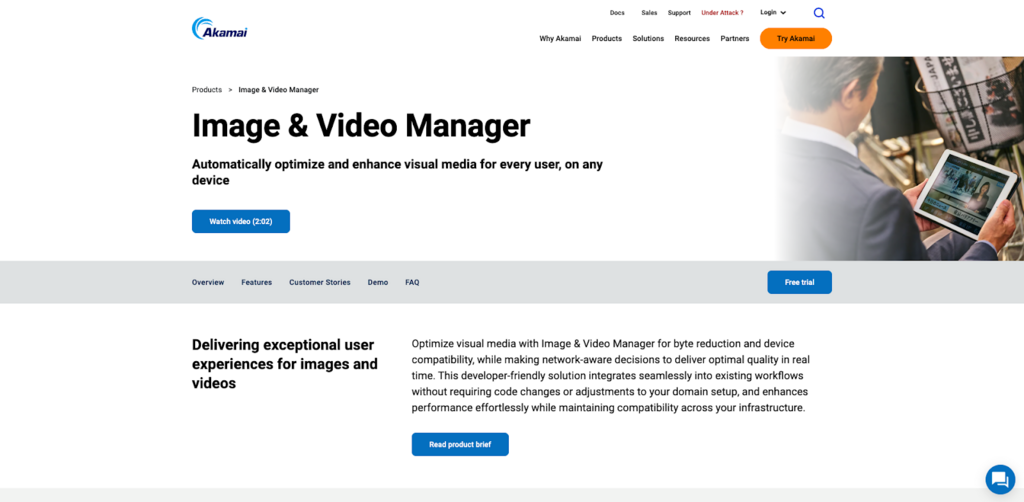
Akamai Image and Video Manager is layered on top of Akamai’s large CDN footprint. It automatically generates and delivers optimised derivatives of web images and short form video, handling format conversion, compression, and responsive design concerns without manual per asset work.
Where Akamai stands out:
- Deep integration with the Akamai Intelligent Edge Platform, which is already widely used by large enterprises and media companies.
- Automatic optimisation of both images and video using built-in policies, with query string controls for more advanced use-cases.
- Strong fit for organisations that have existing Akamai contracts and want to add media optimisation without introducing a new vendor.
Constraints for typical Imgix users:
- The product and commercial model are tailored to large enterprises. Smaller SaaS or e-commerce teams may find the onboarding and contracting overhead disproportionate.
- Akamai is an excellent delivery network, but it does not try to be a user-friendly video publishing platform in the way Gumlet or some others do.
Akamai Image and Video Manager Verdict: Best for Existing Akamai Enterprises
Akamai Image and Video Manager is a solid upgrade from Imgix for enterprises that already run on Akamai and want media optimisation built into their existing edge stack. It is powerful but commercially and operationally geared toward large contracts, not self-service teams. It is the right choice when Akamai is already your strategic CDN and you would rather extend that relationship than introduce a separate specialist provider.
7. Fastly
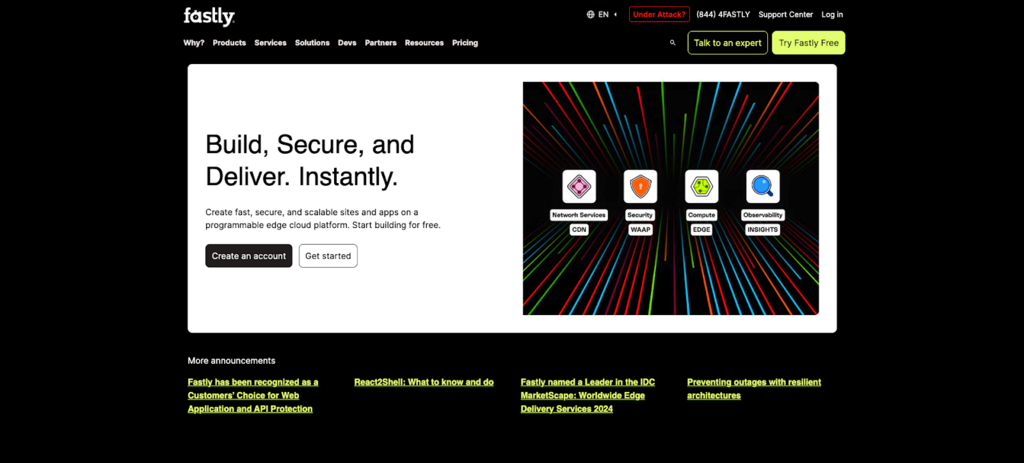
Fastly offers a real-time Image Optimizer that performs on-the-fly image transformations and optimisation at the edge, lowering page weight and improving page speed scores. It also provides streaming media delivery features, including packaging for HTTP-based video streaming, on top of its programmable CDN.
Why Fastly appears in an Imgix alternatives list:
- Its image optimisation product covers many of the same functional needs as Imgix: resizing, format conversion and quality tuning, delivered at the CDN edge.
- The edge compute model means you can push custom logic into the CDN, which is powerful if you have non-standard media workflows.
- Fastly’s streaming features complement the image pipeline so you can handle both images and video through the same provider.
When Fastly is not ideal:
- The platform assumes you have, or are willing to build, strong infrastructure expertise. It is very powerful, but also more work to configure and maintain than an opinionated SaaS media platform.
- There is no built-in DAM layer or rich video marketing suite. These have to be assembled from other tools if you need them.
Fastly Verdict: Best for Programmable Edge Media Architectures
Fastly’s Image Optimizer and streaming features can replace Imgix while giving you much deeper control over behaviour at the edge. Compared with Imgix, you gain flexibility and power, but you also take on more configuration and operational responsibility, and you do not get a turnkey video marketing suite. Fastly suits engineering-heavy organisations that want to design their own media layer on top of a programmable CDN.
8. Uploadcare
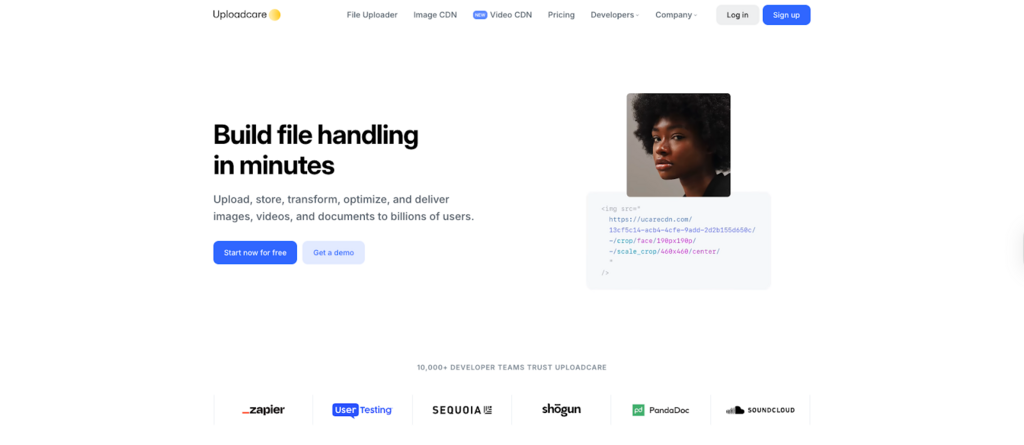
Uploadcare presents itself as a file handling platform that provides building blocks for uploading, processing, and delivering digital content. It covers real-time image transformations, CDN-backed delivery and security features including malware scanning, all exposed as developer-friendly components for web and mobile apps.
Strengths relative to Imgix:
- Handles the entire pipeline: user uploads, background processing, image optimisation, and delivery, not just the CDN and transformation layer.
- Real-time image transformations and CDN delivery can replace Imgix-like functionality while simplifying how you ingest and store user generated content.
- Focus on security, including scanning and validation, is useful when users upload arbitrary files.
Limitations for video-heavy use cases:
- Uploadcare does support video files, but it is not positioned as a full video platform with a native player, rich analytics, and advanced protection features.
- Teams that rely heavily on video as part of onboarding, product education, or paid content will usually combine Uploadcare with another video specialist or choose a different alternative entirely.
Uploadcare Verdict: Best for User-generated Content Pipelines
Uploadcare is attractive when your main pain point is handling user uploads, background processing and secure delivery of images and files, with Imgix only solving a slice of that flow today. It improves on Imgix for upload and security workflows, but is not a full video platform and is weaker on rich playback analytics. It is best used in apps and platforms where user-generated images are dominant and video is secondary or handled elsewhere.
9. Cloudimage (Scaleflex Cloudimage)
Cloudimage by Scaleflex is explicitly marketed as an image CDN that converts assets to the best format, optimises the size and quality ratio, and delivers them via a fast global network. It also emphasises dynamic media optimisation for both images and video, with multi CDN delivery and interactive experiences like 360 degree views.
Where Cloudimage is a Strong Fit:
- Handles large volumes of images and videos dynamically, with automatic format conversion and compression tuned for conversion-driven sites.
- Multi CDN routing and configurable caching are attractive for global e-commerce and content-heavy sites that need both speed and resilience.
- Interactive media experiences, such as 360-degree views and carousels, are first-class features rather than add-ons.
Points to Consider Before Switching to CloudImage:
- Cloudimage focuses more on optimisation and delivery than on full video platform features like in-depth viewer analytics, DRM, or marketing workflows.
- If you need DAM, you would typically add other Scaleflex products or third-party tools rather than relying solely on Cloudimage.
Cloudimage Verdict: Best for Dynamic Optimisation Across Visual-heavy Sites
Cloudimage by Scaleflex is a strong Imgix alternative when you need aggressive, automatic optimisation of many images and videos across a content or e-commerce site. It gives you more options around multi CDN routing and dynamic media features than Imgix, but expects you to pair it with other tools if you need DAM or deep video analytics. It fits teams that primarily want faster visual experiences at scale, not a full marketing-oriented video stack.
10. Sirv
Sirv started as a specialist in dynamic images and interactive product views. It offers an image CDN with support for zooming, 360-degree spins and other effects, and it has added video support on top of that base.
Benefits Sirv Offers for Imgix-style Workloads:
- Strong support for e-commerce-style media such as zoomable product photos and 360-degree views, which can have a direct impact on conversion rates.
- Dynamic image transformations and CDN delivery comparable to other image CDNs in this list.
- Video playback capabilities that cover straightforward product and explainer videos.
Where Sirv is Less Competitive:
- Video is an add-on, not the core product. You should not expect the same depth of analytics, protection, or publishing features you get from a dedicated video platform.
- The focus on interactive images means some features are very e-commerce-specific, which may be less relevant for SaaS or education platforms.
Sirv Verdict: Best for E-commerce and Catalog-style Experiences
Sirv shines when your biggest priority is high-quality, interactive product imagery with zoom and 360-degree views, areas where Imgix has limited native opinionation. It can replace Imgix for image CDN needs and adds just enough video to cover straightforward product and explainer clips, but it is not built for complex video workflows or heavy protection. It is best suited to ecommerce and catalog sites where images do most of the selling and video is supportive rather than core.
Common Pitfalls When Moving off Imgix and How to Avoid Them
Even when the target platform is solid, Imgix migrations can go wrong in small, avoidable ways. Most issues fall into a handful of patterns.
1. Transformation Mismatches That Break Layouts
The most common problem is subtle differences in how two vendors interpret transformation parameters.
Typical issues:
- Aspect ratio changes that stretch or crop images differently
- Default gravity or focal point behaviour changing what part of an image is visible
- Slightly different quality defaults that make images look softer or harsher
How to avoid it:
- Build a reference gallery of real production assets before you start: product shots, hero images, avatars, blog covers, UI screenshots.
- For each reference image, record the current Imgix URL and visual intent, then generate the equivalent URL on the new provider and compare side-by-side.
- Involve design or brand owners for a quick pass on quality and framing so you do not find out about a change from a CMO screenshot two weeks after launch.
If the new provider supports focal points, face detection, or smart cropping, you can often use those features to get better results than your existing templates, but only if you test systematically.
2. Mixed Imgix and New Provider URLs in the Same Surface
It is easy to update templates and helpers while forgetting about stored URLs in a CMS, email templates or user-generated content. The result is a long tail of Imgix URLs that stick around, using a paid service you thought you had turned off.
Risks include:
- Higher than expected Imgix bills months after a “completed” migration
- Cache inconsistency, where some variants come from the old provider and some from the new one
- Confusing debugging, because logs are split between two systems
Mitigation steps:
- During the audit phase, search your code, templates, and content database for imgix.net and any Imgix-specific CNAMEs (Canonical Names).
- Add temporary logging on the new platform and on your edge layer to count remaining Imgix requests during migration.
- Only consider Imgix fully retired when those request counts hit zero for a defined window, not when the code changes have merged.
3. Ignoring SEO Implications of Image URL Changes
Search engines care more about page content and performance than about the exact hostname that serves images. That said, careless changes can still hurt.
Common mistakes:
- Breaking image URLs used in XML sitemaps, Open Graph tags, or schema markup
- Changing file names and paths in ways that make image search lose established signals
- Serving noticeably heavier images that slow key pages and hurt Core Web Vitals
To reduce SEO risk:
- Keep file names and logical paths stable wherever possible. Changing the domain is less disruptive than changing everything about the URL.
- Update image sitemaps and structured data so they reference the new provider, then re-submit them in Search Console or your SEO tooling.
- Measure LCP (Largest Contentful Paint) and total image weight on key templates before and after migration. If numbers get worse, adjust quality settings or transformation presets until they are at least equal, preferably better.
4. Overlapping Cache Layers Causing Stale or Inconsistent Content
Running a generic CDN in front of Imgix and then swapping Imgix for a new provider without rethinking caching is a recipe for confusion. Different layers may cache different variants of the same URL with incompatible TTLs (Time to Lives).
Symptoms:
- Some users see updated images or thumbnails while others see old versions for days
- Cache purges that appear to succeed in one tool but not in practice
- Hard to reproduce bugs which only appear in certain regions or PoPs (Pop-ups)
Practical fixes:
- Document the full path from origin to browser: origin storage, media platform, general CDN, reverse proxies, and browser cache.
- Decide where the source of truth for cache behaviour will live. Ideally, you configure strong, coherent rules either at the media platform layer or at the primary CDN, not in both.
- Test cache invalidation deliberately: update a known asset, purge according to procedure, and verify from multiple regions that the new version is live.
5. Underestimating Video Differences
If you have already started using Imgix for some video-related optimisation, it is tempting to treat video migrations as a trivial extension of image migrations. They are not.
Risks:
- Changing HLS or DASH packaging defaults and breaking older players or integrations.
- Forgetting to move captions, chapter data, or poster frames along with the main video files.
- Losing historical analytics tied to video IDs when switching platforms.
How to handle video safely:
- Treat the video library as a separate migration stream with its own inventory, test plan, and roll-out sequence.
- For each high-value video, verify that playback behaviour, captions, chapters, and poster images are correct in the new platform before cutting over.
- Export any historical analytics you need from the old setup so you can still answer questions about past campaigns once the old provider is gone.
6. No Clear Owner or Success Criteria
Media delivery cuts across engineering, marketing, product, and sometimes legal teams. Migrations stall or disappoint when no one defines what success looks like.
Avoid this by:
- Assigning a single technical owner empowered to coordinate with marketing and design.
- Writing down a short list of success criteria up front, for example:
- No visual regressions in key templates
- Equal or better LCP and video start time on target pages
- All high-value videos protected by tokenized access or stronger controls
- No Imgix traffic for 30 days after cutover
- Checking those criteria explicitly when you decide the migration is complete.
Handled this way, moving off Imgix is mostly a disciplined engineering project, not a risky rewrite. The gains usually show up as simpler architecture, clearer bills, and better data for the teams that rely on video.
Choosing the Right Imgix Alternative for Your Media Stack
Imgix earned its place in many stacks by making image optimization simple and reliable. In 2026, that is no longer enough on its own for most media heavy products.
Teams need a way to handle images and video together, protect high-value content, understand viewer behaviour, and keep costs under control when traffic spikes. That is what drives the search for Imgix alternatives, not just a desire to swap one CDN for another.
When you look across the options, a pattern emerges. Some providers such as Cloudinary focus on deep asset management and workflows for large marketing and media teams. Others such as Cloudflare, Bunny.net, Akamai, and Fastly lean into programmable infrastructure and make the most sense when you have strong internal engineering capacity. Platforms like Uploadcare, Cloudimage and Sirv solve specific slices of the problem, especially around uploads or ecommerce heavy media.
Gumlet sits closest to the centre of what many SaaS products, learning platforms, OTT services and membership communities actually need. It matches Imgix on image CDN capabilities, adds full video hosting and streaming, and layers on protection and analytics that map directly to how these businesses acquire and retain customers. If protected video is already part of your roadmap, or you are running multiple vendors to cover images, video, and security today, it belongs on the short list you test in staging.
The most effective way to decide is not to read another ten comparison posts, but to shortlist at most three providers that match your requirements, integrate them into a non-critical slice of your product, and measure real performance, developer effort and stakeholder feedback over a few weeks. That experiment will tell you more about which Imgix alternative fits your organisation than just a feature matrix alone.
tl;dr
- Imgix is strong for real time image optimisation, but it does not cover full video hosting, protection or analytics, which creates gaps for media heavy products.
- The main Imgix alternatives in 2026 combine image CDN functions with meaningful video capabilities, including Gumlet, Cloudinary, ImageKit.io, Cloudflare Images plus Stream, Bunny.net, Akamai, Fastly, Uploadcare, Cloudimage and Sirv.
- Gumlet is usually the best fit when you want one platform for images and video with DRM, watermarking, domain and geo controls and detailed engagement analytics.
- Cloudinary and Scaleflex Cloudimage are attractive when you also need integrated DAM and complex media workflows for large teams.
- Cloudflare, Bunny.net, Akamai and Fastly are strong when you prefer programmable infrastructure and have engineers comfortable with CDN level configuration.
- Uploadcare shines for user generated content flows, while Sirv is well suited to ecommerce and catalog sites that rely on interactive product imagery.
- A good evaluation focuses on image and video features, security, analytics, developer experience and pricing rather than brand recognition alone.
- A structured migration from Imgix involves auditing current usage, configuring equivalent origins and domains on the new platform, mapping transformation parameters and rolling out changes in small, monitored phases.
FAQ:
1. Is Imgix still a good choice in 2026?
Yes, Imgix is still a solid image CDN if your primary need is real time image resizing, compression and format conversion, and video is not a core part of your product. It operates at serious scale and powers many image heavy sites. It becomes limiting when you need full video hosting, strong content protection or deep viewer analytics, because you then have to bolt on extra tools around it.
2. What is the best Imgix alternative if video is my main focus?
If video is central to your product, onboarding or revenue, the strongest Imgix alternative in this list is Gumlet because it combines an Imgix class image CDN with full video hosting, adaptive streaming, protection and engagement analytics on one platform. Cloudinary, Bunny.net and Cloudflare Images plus Stream are also credible options, but you will typically need more custom work to match the protection and analytics stack that Gumlet offers out of the box. The right choice depends on how much of the marketing and analytics layer you want the platform to handle for you.
3. Which Imgix alternative is best for small teams or startups?
For smaller teams that want predictable pricing and a straightforward API, ImageKit.io, Bunny.net and Gumlet are usually the easiest to adopt. They all provide URL based transforms and clear documentation without forcing you to learn a large DAM product first. If you expect video to grow quickly in your product, weighting the decision toward Gumlet or Bunny.net early avoids another migration later.
4. Can I replace both Imgix and my current video host with one platform?
Yes, several providers in this guide can replace Imgix plus a separate video host. Gumlet and Cloudinary are the clearest examples, since they treat images and video as first class citizens and include a player, analytics and at least basic security controls. Cloudflare Images plus Stream and Bunny.net can also cover both, but are more infrastructure oriented and will rely more on your own code and tooling for analytics and workflows.
5. How much does media performance actually affect business metrics?
Media performance has a measurable impact on both user experience and revenue. Industry data shows that a site that loads in about one second can convert visitors at roughly one and a half times the rate of a site that takes ten seconds to load, which is heavily influenced by how images and video are delivered and optimised. At a network level, traffic reports from vendors such as Sandvine show that video accounts for well over a third of global downstream internet traffic, so even small efficiency gains can save significant bandwidth and improve reliability for users.
6. How hard is it to migrate from Imgix to an alternative like Gumlet or Cloudinary?
Technically, migrations are manageable if you treat them as a structured engineering project. You need to audit where Imgix URLs live, configure equivalent origins and domains on the new platform, map transformation parameters and roll out changes in phases with clear monitoring. The work is not trivial, but it is far from a full replatforming, especially if you introduce a central helper function for media URLs so future changes are simpler.
7. Do I really need DAM features in an Imgix alternative?
You only need a built in DAM if multiple teams need to collaborate on assets with approvals, rights management and complex reuse across campaigns. Large marketing and media organisations often benefit from Cloudinary or Scaleflex Cloudimage with DAM features. Product led SaaS, edtech and many ecommerce companies care more about performance, protection and analytics than about formal DAM workflows, so DAM should not be the primary selection driver for them.