I’ve tried countless AI automation tools, and not all of them deliver. Some overcomplicate workflows, while others barely scratch the surface of what you can automate. The right tool, though, is like a cluttered desk transformed into a clean, organized workspace — tasks flow seamlessly, repetitive work disappears, and your team feels in control.
For teams managing hybrid work, tight deadlines, and multiple apps, AI automation can save hours, reduce errors, and make collaboration effortless. After testing dozens, here are the 10 best AI automation tools for 2026, each chosen for its ability to help teams work smarter and faster.
Quick Glance: Top AI Automation Software
| Tool | Best for | Cost (Starting At) |
| Make | Visual-first no-code workflows and advanced conditional logic | Free to start, then $9/month (Core) |
| Microsoft Power Automate | Deep automation inside the Microsoft 365 ecosystem | $15.00/user/month |
| UiPath | Enterprise-grade RPA and process automation at scale | $25.00/month (Basic) |
| n8n | Technical automation with open-source flexibility | $20.00/month (Cloud Starter) |
| Lindy.ai | Smart AI agents for delegation and task automation | $39.00/month (Starter) |
| ActivePieces | No-code automation for hybrid and distributed teams | $20.00/month (Starter) |
| Automation Anywhere | Large-scale enterprise RPA automation | $750.00/month (Cloud Starter Pack) |
| Parabola | Automates data-heavy workflows for hybrid teams | $20.00/month (Explorer) |
| Zapier | Workflow integration and cross-app communication for all teams | $19.99/month (Starter) |
| Gumloop | No-code AI automations with strong LLM workflow blocks | $30.00/month (Solo) |
10 Best AI Automation Software for Modern Teams in 2025
Here’s what I focused on when evaluating each tool:
- AI functionality & intelligence
- Integration ecosystem
- Ease of use & adoption
- Workflow complexity
- Scalability & governance
- Cost vs. value
- Support & documentation
- Automation type
Whether your team is remote, hybrid, or juggling multiple projects, these tools are built to streamline workflows, reduce friction, and help your team focus on what matters most. Let’s dive in!
1. Make

Make lets teams build and manage highly complex workflows visually, without writing a single line of code. It’s like having an automation engineer on call, ensuring your team can automate faster, collaborate better, and scale without limits.
Best features
- Automates multi-step workflows with conditional logic
- Integrates with 3,000+apps so your team’s favorite tools actually talk to each other
- Visual editor saves hours compared to manually managing repetitive processes
- Allows you to build and customize smart, adaptable AI agents and workflows that act on goals, prompts, and data in real time
Limitations
- Some advanced logic modules take a bit of practice, but they unlock much more power once learned.
- The free plan is great for testing, though most teams upgrade as their workflows expand.
Pricing
- Free
- Core: $9/month
- Pro: $16/month
- Teams: $29/month
- Enterprise: Custom pricing
Ratings & reviews
G2 rating: 4.7/5
David L., G2 user: “Make gives us the power of a developer’s code with a no-code interface. We use it for automations that other tools just couldn’t handle, especially when complex routing is involved.”
Website: www.make.com
2. Microsoft Power Automate
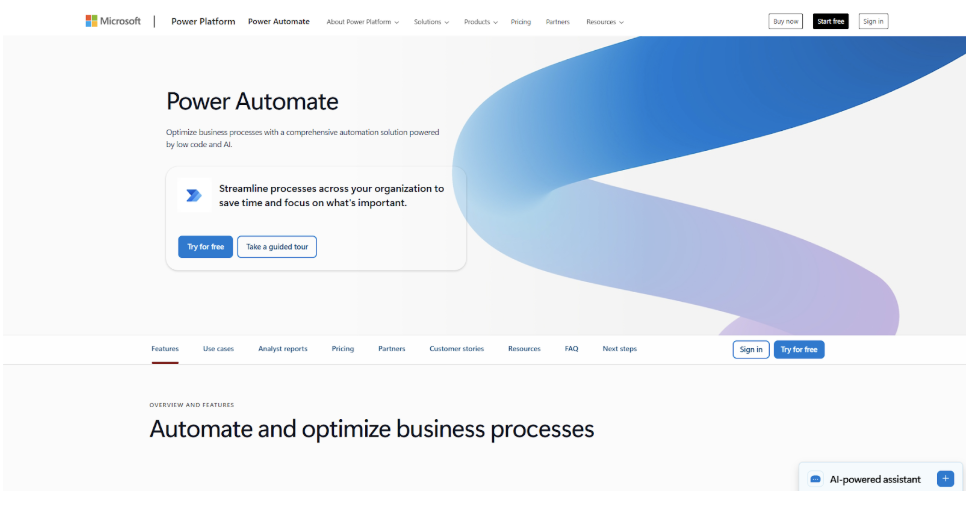
Power Automate feels like having a digital assistant dedicated to your team’s Microsoft 365 environment. I’ve watched teams cut through approval bottlenecks and messy spreadsheets, letting everyone focus on meaningful work rather than tedious admin.
Best features
- Automates tasks inside Microsoft 365 and beyond
- Includes AI Builder for smarter workflows
- Handles attended and unattended RPA for scaling processes
Limitations
- Some advanced automations need premium plans
- Can be overwhelming for teams new to RPA
Pricing
- Premium (Per User): $15/user/month
- Process (Per Bot): $150/bot/month
- Hosted Process (Per Flow): $215/flow/month
- Enterprise: Custom pricing
Ratings & reviews
G2 rating: 4.1/5
Kelly T., G2 user: “Power Automate is the key to our digital transformation. We use it to automate everything from expense approvals in Teams to complex data migration from legacy servers.”
Website: www.microsoft.com/power-automate
3. UiPath

UiPath is like giving your team an industrial-strength automation backbone. I’ve seen it tackle complex, data-heavy processes across finance, HR, and operations without missing a beat. For modern distributed teams, UiPath ensures nothing falls through the cracks.
Best features
- Enterprise-grade RPA for large-scale automation
- Powerful process mining to uncover workflow bottlenecks
- Supports complex multi-step workflows with AI enhancements
Limitations
- Pricing can be high for smaller teams
- Advanced tools may require training
Pricing
- Free: Community edition
- Basic: Starting at $25/month
- Pro/Pro Plus: Contact for quote
- Enterprise: Custom pricing
Ratings & reviews
G2 rating: 4.6/5
Mark T., G2 user: “UiPath provides the robust, industrial-strength automation backbone we need. The process mining tool alone paid for itself by helping us uncover hidden bottlenecks in our finance department.”
Website: www.uipath.com
4. n8n

n8n is a great playground for technical teams that want full control without losing flexibility. I’ve found it especially useful for teams who need custom workflows that integrate coding flexibility and don’t mind additional complexity.
Best features
- Visual editor with coding flexibility for advanced workflows
- Integrates with hundreds of apps and APIs
- Perfect for bespoke automations tailored to team needs
Limitations
- Can be intimidating for users with low to average automation experience
- Self-hosting requires technical knowledge
Pricing
- Self-Hosted: Free
- Starter (Cloud): $24/month
- Pro (Cloud): $50/month
- Team (Cloud): $120/month
- Enterprise: Custom pricing
Ratings & reviews
G2 rating: 4.7/5
Martina B., G2 user: “n8n’s ability to seamlessly blend code and a visual editor is a game-changer. We’ve used it to build bespoke AI automation that was simply impossible with our previous vendor.”
Website: www.n8n.io
5. Lindy.ai

Lindy.ai feels like an extra teammate who never sleeps. I’ve watched teams train it to handle lead qualification, freeing humans to focus on strategic tasks. For modern teams balancing hybrid and distributed workflows, Lindy is a true productivity booster.
Best features
- Creates task-specific AI agents for automation
- Learns and adapts to repetitive processes over time
- Reduces manual workload for hybrid and digital-first teams
Limitations
- Higher tiers needed for larger teams
- Some learning required to set up advanced agents
Pricing
- Free
- Starter: $49/month
- Pro: $299/month
- Business: $499/month
- Enterprise: Custom pricing
Ratings & reviews
G2 rating: 4.8/5
Chris J., G2 user: “Lindy isn’t just an automation tool; it’s a teammate. We taught it to qualify leads, and now our sales team spends 80% less time on junk mail. It’s the future of delegation.”
Website: www.lindy.ai
6. ActivePieces

ActivePieces makes complex automation approachable without sacrificing depth. I’ve seen teams cut down tedious manual work in minutes, letting everyone focus on meaningful tasks instead of repetitive busywork.
Best features
- Drag-and-drop workflow builder for fast automation
- Multi-step workflows with conditional logic
- Open-source flexibility for fully customizable automations
Limitations
- Advanced workflows may require technical knowledge
- Smaller app ecosystem compared to more established tools
Pricing
- Free
- Starter: $20/month
- Pro: $50/month
- Enterprise: Custom pricing
Ratings & reviews
G2 rating: 4.6/5
Sophia R., G2 user: “ActivePieces helped our team automate repetitive workflows across multiple apps. It saved us hours every week and allowed us to focus on strategic work.”
Website: www.activepieces.com
7. Automation Anywhere

Automation Anywhere is the powerhouse I turn to for large-scale enterprise automation. From finance to operations, it takes over repetitive tasks so teams can focus on strategy. Modern distributed teams benefit from reduced errors and smooth scaling.
Best features
- Automates repetitive tasks at scale for large teams
- Cloud and on-premises options for flexible deployment
- AI-driven insights to optimize workflows
Limitations
- Expensive starting point for smaller teams
- Some advanced features require enterprise plans
Pricing
- Automation Cloud Starter Pack: $750/month
- Cloud-Only Advanced: Contact for quote
- Cloud-Only Premium: Contact for quote
- On-Premises: Contact for quote
- Enterprise: Custom pricing
Ratings & reviews
G2 rating: 4.3/5
Arunvinodh C., TrustRadius user: “Automation Anywhere helps us achieve cost savings, increase efficiency, and accuracy of data processing, and eliminate tedious manual work at scale.”
Website: www.automationanywhere.com
8. Parabola

Parabola is my go-to for automating data-heavy workflows. It turns tedious spreadsheet work into automated pipelines, freeing teams to focus on strategy. Modern teams especially appreciate the simplicity and power it brings.
Best features
- Drag-and-drop builder for automating data processes
- Integrates with apps and databases for seamless data flow
- Scales easily for multi-step workflows
Limitations
- Learning curve for teams new to automation
- Higher-tier plans needed for advanced features
Pricing
- Free
- Starter: $80/month
- Professional: $200/month
- Enterprise: Custom pricing
Ratings & reviews
G2 rating: 4.6/5
Liam K., G2 user: “Parabola helped our team automate data processing across multiple apps. It saved us countless hours and allowed us to focus on strategy rather than manual spreadsheets.”
Website: www.parabola.io
9. Zapier

Zapier has become a go-to tool when I need apps to “talk” to each other without endless manual work. Modern teams juggling multiple platforms love it because it bridges gaps and keeps everyone on the same page. Dependability has suffered in recent years due to “bloat” and carrying out complex tasks is often a bit of a headache as you need to learn Zapier’s “language”.
Best features
- Syncs data across apps automatically, so no more copy-pasting
- AI-assisted flow building saves time on setup and maintenance
- Handles multi-step workflows for complex processes
Limitations
- Dependability is poor
- Complex tasks often don’t work
- High-volume tasks require paid plans
- Some advanced integrations can get tricky
Pricing
- Free
- Professional: $19.99/month
- Team: $69/month
- Enterprise: Custom pricing
Ratings & reviews
G2 rating: 4.7/5
Sarah M., G2 user: “We rely on Zapier for everything. It’s the most reliable way to sync our CRM and marketing tools. The new AI features are starting to save us a ton of time on flow building and data clean-up.”
Website: www.zapier.com
10. Gumloop

Gumloop is like giving your team a secret weapon for no-code AI automations. I’ve seen modern distributed teams automate internal data cleanup and complex workflows with ease. Its LLM workflow blocks make even tricky processes simple.
Best features
- No-code automation with strong LLM capabilities
- Handles multi-step workflows efficiently
- Reduces repetitive operational tasks for modern teams
Limitations
- Free plan is limited in credits
- Advanced workflows require higher-tier plans
Pricing
- Free
- Solo: $37/month
- Team: $244/month
- Business: $499/month
- Enterprise: Custom pricing
Ratings & reviews
G2 rating: 4.5/5
Alex R., G2 user: “Gumloop is exactly what we needed to bridge the gap between simple Zapier flows and full developer-built scripts. The LLM nodes are incredibly powerful for internal data cleanup.”
Website: www.gumloop.ai
Benefits of AI Automation Tools
I’ve seen firsthand how AI automation transforms modern teams. It’s not just about saving a few minutes here and there — it’s about creating smoother workflows, reducing friction, and giving your team space to focus on meaningful work.
- Increased operational efficiency – Automations handle repetitive tasks automatically, so your team can spend more time on high-impact projects instead of manual chores.
- Reduced human errors – Standardized workflows mean fewer mistakes, cleaner data, and more consistent results across all team processes.
- Faster decision-making – AI-driven insights provide real-time updates, helping teams respond quickly rather than waiting for reports to be compiled manually.
- Improved scalability – As your team grows or projects become more complex, automated workflows scale alongside you, eliminating bottlenecks without adding extra headcount.
- Better employee experience – Freeing staff from tedious tasks lets them focus on work they enjoy and do best, boosting engagement, satisfaction, and overall productivity.
Conclusion
Most teams don’t realize how much hidden friction exists in their day-to-day work until they remove it. Automation exposes this in the best possible way. With the right tools, scattered tasks come together, data becomes reliable, and teams gain a clearer sense of how their work connects.
The platforms here are not shortcuts. They are infrastructure. Used well, they help teams build calmer, more predictable systems that scale without chaos. The shift happens gradually, but once it does, it becomes impossible to imagine going back.