



A crash is no longer documented only by memory, a few photos, and an insurance form. Today, the record may include dashcam clips, phone metadata, GPS history, vehicle data, repair estimates, claim portal updates, and AI-generated timelines.
That makes crash documentation faster, but also more complicated. The strongest record is not the one with the most files. It is the one that keeps the right files, in the right order, with the original context still intact.
Crash Records Have Changed
Modern crash documentation is now a data trail. A single incident can create records across a phone, vehicle, insurance app, repair shop system, traffic camera, medical portal, and roadside assistance platform.
That shift matters because crashes remain a major real-world problem. NHTSA projected 39,345 U.S. traffic fatalities in 2024, and its early estimate for the first nine months of 2025 showed 27,365 fatalities, down 6.4% from the same period in 2024. The numbers are moving in the right direction, but every serious crash still creates a documentation problem: what happened, when it happened, who recorded it, and which records can be trusted.
The new documentation challenge is not a lack of data. It is sorting useful evidence from digital noise.
From Memory to Digital Timelines
Older crash documentation depended heavily on what people remembered after a stressful moment. That created obvious gaps. People forgot timing, mixed up lane positions, missed small damage points, or failed to capture the full scene before vehicles were moved. Smart documentation changes that by building a timeline from multiple sources.
A modern crash timeline may include:
- The first photo taken at the scene, with time, date, and location data still attached.
- A dashcam clip showing vehicle movement before impact, not only the damage after impact.
- A phone call log showing when emergency services, insurance, or roadside assistance was contacted.
- A connected-car alert showing airbag deployment, vehicle status, or service warnings.
- A repair estimate showing which parts were damaged and when the damage was inspected.
- Insurance portal messages showing when the claim was opened, what documents were requested, and what was uploaded.
The value is not in one single file. The value is in how those files connect.
The Documentation Stack
Crash documentation now works like a stack. Each layer answers a different question.
| Documentation layer | What it may show | Why it matters |
| Scene photos | Damage, road condition, vehicle position, weather, traffic signals | Shows the physical condition before the scene changes. |
| Dashcam or camera footage | Speed pattern, lane movement, braking, signal use, impact timing | Helps explain the sequence instead of only the aftermath. |
| Smartphone records | Calls, messages, app uploads, map activity, timestamps | Helps build a timeline around the incident. |
| Vehicle data | Braking, airbag deployment, seatbelt status, warning lights, event details | Adds technical context when available. |
| Repair records | Damage location, parts affected, estimate timing, repair complexity | Connects visible damage with professional inspection. |
| Insurance communication | Claim number, uploaded documents, adjuster requests, approval or denial timeline | Shows how the claim developed after the crash. |
| Medical documentation | Visit timing, symptoms, treatment path, follow-up notes | Connects the crash timeline with health-related records. |
A strong crash file keeps these layers separate but connected. Mixing everything into one vague summary can make the record weaker.
Dashcams and Camera Evidence
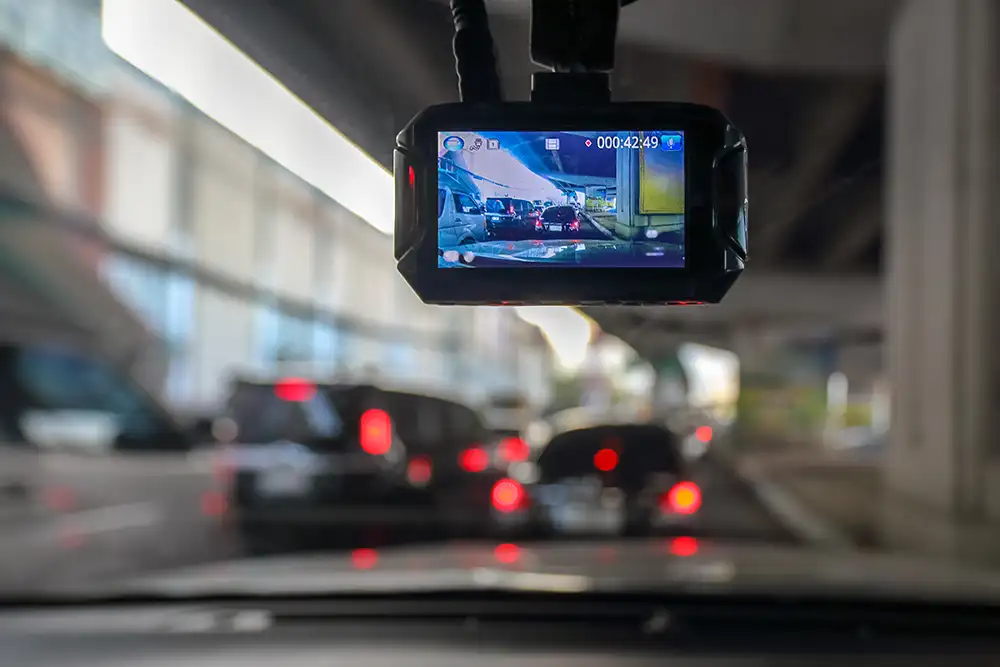
Dashcams are one of the clearest upgrades in crash documentation because they can capture the seconds before and during impact. A photo shows where things ended. A video may show how they got there.
Dashcam footage can help clarify lane position, sudden braking, traffic light timing, following distance, road behavior, visibility, and whether another vehicle entered the frame unexpectedly. Nearby cameras can also matter. Parking lot cameras, doorbell cameras, storefront cameras, traffic cameras, and fleet cameras may show details that a driver could not capture at the scene.
The limit is that camera footage is rarely complete. A dashcam may face forward but miss side impact. A store camera may show the crash from a poor angle. A clip may have the wrong timestamp. Some systems overwrite footage automatically if the file is not saved quickly.
The best habit is simple: preserve the original clip first, then make copies. Do not trim, filter, compress, or repost the only version.
Smartphone Data Is Now Part of the Record
Phones are often the first documentation tool after a crash. That is not because they are perfect evidence. It is because they capture many small records quickly.
Pew Research Center’s technology data shows that 90% of U.S. adults have a smartphone, which explains why phone-based crash documentation has become normal rather than unusual.
A phone can help document:
- Photos of vehicle damage, road surface, traffic signs, skid marks, debris, license plates, and surrounding conditions.
- Videos that show the full scene before vehicles, glass, fluids, or road objects are moved.
- Emergency calls, insurance calls, roadside assistance chats, and claim app uploads.
- Location history, map route activity, parking details, and time-stamped notifications.
- Message threads that show what was reported, when it was reported, and who received the update.
The mistake many people make is saving only cropped screenshots. A useful screenshot should show the app name, sender, time, date, and surrounding context. A full thread is stronger than one isolated message.
Vehicle Data and Connected Cars
Modern vehicles can create technical records before a person opens a phone camera. Some records come from connected-car apps. Others may come from telematics systems, fleet tools, service platforms, or event data recorders.
NHTSA describes event data recorders as devices that record information related to an event, with the event defined in this context as a highway vehicle crash.
Depending on the vehicle and system, this type of data may help show sudden braking, airbag deployment, seatbelt status, throttle input, warning indicators, speed changes, or vehicle system alerts. In fleet settings, telematics may also show route history, harsh braking, impact alerts, and driver behavior patterns.
This data should be handled carefully. A raw technical record can be easy to misread. Speed, braking, timing, and system warnings need context from the road, vehicle condition, weather, traffic, and the full incident sequence.
Vehicle data is useful because it can add precision. It is risky when treated as self-explanatory.
AI’s Role in Crash Documentation
AI is useful after a crash because the record can become messy very quickly. Photos, emails, forms, estimates, medical notes, app messages, and repair updates often sit in different places. AI can help organize that material into a cleaner sequence.
Good AI use in crash documentation looks practical:
- It can sort photos and videos by timestamp, file type, and location.
- It can extract key details from repair estimates, insurance emails, and claim letters.
- It can summarize a long message thread while keeping the original thread available.
- It can flag missing documents, such as an estimate, claim number, police report, or medical visit note.
- It can compare timestamps across photos, calls, app uploads, and written notes.
- It can create a readable event timeline for review.
The important rule is that AI should organize the record, not replace it.
An AI summary may say “front-end damage” while the original photo shows damage angle, road debris, fluid marks, and vehicle position. A summary may say “claim submitted” while the portal screenshot shows the exact upload time and document name. Those details can matter.
Why Metadata Matters
Metadata is the quiet part of crash documentation. It is often more useful than people realize.
A photo is not just an image. It may contain time, date, location, device details, and file history. A video is not just a clip. It may show sequence, sound, motion, and file creation time. A message is not only text. It has sender details, platform context, and timestamps.
Metadata helps answer three questions:
| Question | Example record | Why it helps |
| When was it created? | A scene photo taken minutes after impact | Helps connect the image to the incident rather than a later inspection. |
| Where was it captured? | A phone photo with location data | Helps connect visual damage to the crash location. |
| What changed later? | A repaired vehicle photo compared with the original damage photo | Helps separate original crash damage from later repair or movement. |
The risk is that metadata can be removed. Messaging apps may compress files. Social platforms may strip file details. Editing tools may create new file dates. That is why original files should be saved before they are shared.
The Problem With AI Summaries
AI summaries are useful because they reduce clutter. They are risky because they can make incomplete records look complete.
A crash file may include conflicting statements, partial photos, missing timestamps, unclear medical notes, and different repair estimates. An AI tool may turn that into a smooth paragraph. Smooth does not mean accurate.
Common AI summary problems include:
- It may group photos together even when they were taken at different times.
- It may describe damage without noting the angle, location, or surrounding road condition.
- It may simplify conflicting statements instead of showing where the conflict exists.
- It may miss a key message because it appears in a screenshot rather than plain text.
- It may treat a repair estimate as final even when it was only a preliminary assessment.
- It may ignore missing records and create a timeline that looks more complete than it is.
The fix is not to avoid AI. The fix is to keep AI in the right role. Use it to sort, label, summarize, and compare. Keep the original files for review.
Repair Records Are More Technical Now
Crash documentation does not stop at the scene. Repair records can add important technical context, especially as vehicles become more complex.
CCC’s 2025 Crash Course report highlighted that auto claims and repair were being shaped by an increasingly complex vehicle fleet, calibration needs, supply chain pressure, and higher claim and repair complexity.
That matters because modern vehicles are not only metal panels and paint. A bumper may include sensors. A windshield may connect to driver assistance systems. A side mirror may include cameras. A minor-looking impact may involve calibration, diagnostics, electronic modules, or hidden structural checks.
Useful repair documentation includes:
- The first estimate and any later supplement.
- Photos taken by the repair shop before teardown.
- Diagnostic scan results where available.
- Parts lists showing sensors, cameras, brackets, modules, or safety components.
- Calibration notes for driver assistance systems.
- Final invoices, repair dates, and completion notes.
A repair estimate is not only about cost. It can help explain what the physical damage involved.
When Digital Proof Needs Context
Crash technology can capture a lot, but it cannot always explain what matters most. A video may show the impact without showing the full lead-up. A phone record may show timing without explaining fault. A repair file may show damage without explaining how the claim should be handled afterward.
That is why documentation often needs a practical next-step lens. A local resource such as a Joliet car accident lawyer page can be useful when crash records, insurance updates, injury documents, and local claim steps need to be viewed together instead of as separate files.
What to Save After a Crash
People often save the obvious record and lose the useful one. A close-up photo of damage is helpful, but it does not show the full road scene. A screenshot of a claim message is helpful, but it is weaker if the date, sender, and surrounding thread are missing.
Save the original material first. Useful records include:
- Wide photos of the full scene before vehicles are moved, including traffic lights, signs, lanes, road condition, and nearby landmarks.
- Close photos of damage from multiple angles, including both vehicles if safe and appropriate.
- Original dashcam files, not only phone recordings of the dashcam screen.
- Full screenshots of insurance app messages, claim numbers, upload confirmations, and adjuster requests.
- Police report details, tow records, repair estimates, and roadside assistance records.
- Medical appointment confirmations, visit summaries, prescriptions, and follow-up instructions.
- Messages sent to employers, family members, insurers, repair shops, or medical providers about the crash.
The goal is not to collect everything. The goal is to preserve records that show what happened, when it happened, who was contacted, and what changed afterward.
Be Careful With Public Sharing
Crash footage can feel urgent to post, especially when the video looks clear or dramatic. That can create problems.
A public clip may expose license plates, faces, addresses, children, medical details, or private conversations. It may also show only one angle of the incident and invite assumptions before the full record is reviewed. Social platforms can compress video, strip metadata, and separate the clip from its original file details.
A safer approach is to keep the original private, make a backup, and share only what is necessary with the right people or platforms. Documentation is strongest when the source file remains intact and traceable.
The Next Shift: Verified Crash Timelines
Crash documentation is likely moving toward verified timelines rather than loose file collections. Insurance apps, connected vehicles, smart dashcams, repair platforms, and AI tools are already creating pieces of that system.
A future crash file may automatically group scene photos, dashcam clips, vehicle alerts, tow records, repair diagnostics, claim uploads, and medical documents by time. That could reduce confusion and speed up review.
But the same future will need stronger controls. People will need to know which file is original, which one was edited, which summary was generated by AI, and which records were missing. Faster documentation is useful only when the record remains transparent.
Verdict
Modern crash documentation is becoming more technical, but the goal is still simple: create a clear record of what happened and what followed.
Dashcams can show movement. Phones can capture timing. Vehicle systems can add technical detail. Repair records can explain damage. Insurance portals can show claim activity. AI can organize the material into a readable timeline.
The strongest crash file is not the biggest folder. It is the clearest sequence. It preserves early scene details, separates original files from edited copies, keeps communication in full context, and uses AI only to organize, not to decide. Smart crash documentation is less about collecting everything and more about protecting the details that explain the event accurately.