We are living through a renaissance in visual storytelling. Just a few years ago, creating a cinematic shot of a cyberpunk city or a photorealistic drone flyover required a budget of thousands of dollars, a VFX team, and weeks of rendering. Today, it requires a sentence.
The explosion of text-to-video models—spearheaded by heavyweights like OpenAI’s Sora, Runway Gen-3, and Pika Labs—has democratized high-end video creation. We are seeing a flood of creativity where the only limit is the user’s imagination. However, as these tools transition from “cool toys” to legitimate professional assets, a significant friction point has emerged: The Watermark.
Almost every leading AI video generator stamps its output. Whether it is a subtle logo in the corner, a distinct “AI Generated” overlay, or a specific visual signature, these marks are intended to identify the source. While necessary for transparency in the wild, they are a disaster for professional editors. You cannot put a watermarked clip into a client’s TV commercial. You cannot use a branded clip in a documentary without breaking the immersion.
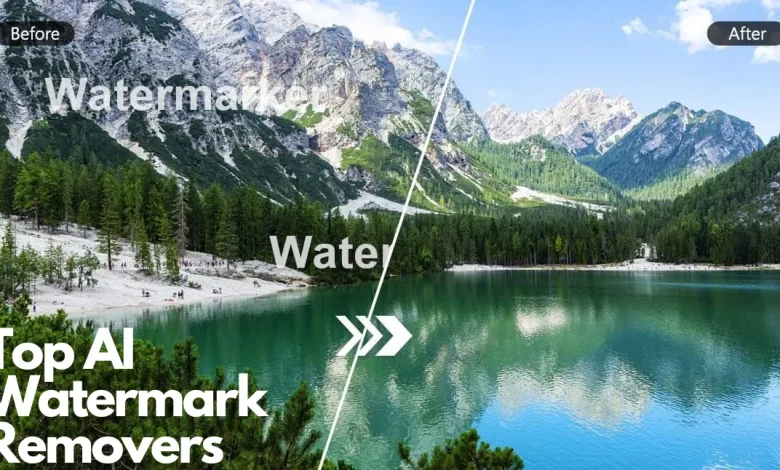
This dilemma has created a critical demand for a new class of editing tools. To use generative video professionally, you need a specialized sora watermark remover. In this article, we will explore why standard editing tricks fail on AI video and how specific AI-driven removal technology is unlocking the commercial potential of generative media.
The Unique Challenge of AI-Generated Footage
Why can’t you just use the old “blur and crop” method on AI video? To answer that, we have to look at how AI video works.
Traditional video usually obeys the laws of physics. If a car drives down a street, the reflection on the car moves predictably. AI video, specifically from models like Sora, operates on “dream logic.” Textures morph, objects sometimes blend into one another, and lighting can shift in complex, fluid ways.
If you try to remove a watermark from a Sora clip using a standard “clone stamp” tool (which copies pixels from one area to another), the result is often disastrous. The static patch will clash with the morphing background, creating a “ghosting” artifact that is more distracting than the original watermark.
Furthermore, AI video is often generated at non-standard resolutions or aspect ratios. Cropping out a logo might ruin the framing of a carefully prompted “wide-angle cinematic shot.” To preserve the integrity of the prompt, the entire frame must be saved.
This is where a dedicated sora watermark remover shines. It is not just covering up pixels; it is re-dreaming them.
Deep Dive: How AI “Heals” AI
The technology behind modern removal tools acts as a counterpart to the generation tools. It uses a process known as Temporal and Spatial In-Painting.
When you upload a clip to Videowatermarkremover.ai, the engine performs a multi-stage analysis:
- Context Awareness: The AI analyzes the scene. It identifies, “This is a flowing river,” or “This is a neon sign.” It understands the texture and the noise pattern of the footage.
- Motion Tracking: AI video has complex motion. The remover tracks the movement of pixels behind the watermark. If a bird flies behind the logo, the AI predicts the bird’s trajectory and draws it in, even though it was never fully visible in the original source.
- Consistency Check: This is the most crucial step. The AI ensures that the patched area matches the grain and lighting of the rest of the video across every single frame. This prevents the “flicker” effect common in cheap removal software.
By utilizing this advanced neural network approach, the tool essentially acts as a post-production assistant, cleaning the raw feed so it can be graded and composited.
The Professional Hybrid Workflow
The future of video production is not “AI vs. Humans”; it is a hybrid model. We are seeing a workflow emerge where filmmakers combine live-action footage with AI-generated B-roll.
Imagine you are editing a music video. You have excellent footage of the singer, but you need an establishing shot of a futuristic Tokyo skyline. You generate this shot using Sora. It looks incredible, but it has the OpenAI branding.
- Generate: You create the clip via prompt.
- Clean: You run the clip through a sora watermark remover. The logo vanishes, leaving a pristine, clean feed.
- Composite: You bring the clean clip into Adobe Premiere or DaVinci Resolve. Because the watermark is gone, you can now color grade the footage to match your live-action camera perfectly.
- Final Polish: You add your own film grain or effects to glue the two worlds together.
Without the removal step, this workflow breaks. The watermark acts as a barrier between the AI asset and the professional timeline.
Upscaling and Artifacts: Why Cleanliness Matters
Another technical consideration is resolution. Currently, many AI generators output at 1080p or lower. For professional work, this usually needs to be upscaled to 4K using other AI tools.
Here is the trap: Upscalers magnify mistakes.
If you use a low-quality method to hide a watermark (like a blur), the upscaler will look at that blur, think it is a detail, and sharpen it. You end up with a high-definition smudge that ruins the shot.
By using a high-fidelity video watermark remover before the upscaling process, you ensure that the source pixels are accurate. When you eventually upscale the footage to 4K, the reconstructed area looks sharp and natural, completely indistinguishable from the rest of the frame.

Ethical Considerations in the AI Era
As we discuss removing watermarks from AI content, it is important to address the ethics. Watermarks on AI content exist to distinguish synthetic media from real media.
However, in a commercial art context—advertising, film, graphic design—artists have always modified stock assets to fit their composition.
Using a sora watermark remover should be viewed through the lens of asset preparation. Just as you would remove a green screen background or rotoscope a wire out of a stunt shot, you are removing a technical obstruction to serve the narrative. The goal is not to deceive the public into thinking an AI video is real (which should be disclosed in the credits or context), but to maintain the aesthetic continuity of the visual piece.
Beyond Sora: A Universal Tool
While we focus on Sora because of its market impact, the utility of this tool is universal. The landscape of generative video is fragmented. You might use Runway for style transfer, Pika for animation, and Sora for realism. Each has its own watermark placement and style.
A robust video watermark remover is platform-agnostic. It does not matter if the logo is in the top right, bottom left, or semi-transparent in the center. The AI adapts to the visual data it is presented with. This makes it an all-in-one “cleaner” for the modern AI artist’s toolkit.
Conclusion: Preparing for the Mainstream
In 2025, AI video is no longer an experiment; it is a standard part of the creative pipeline. As the quality of generation improves, the standard for editing must rise to meet it. Viewers are becoming more sophisticated. They can spot a bad edit or a lazy blur from a mile away.
To stay competitive, creators must ensure their output is flawless. Whether you are a prompt engineer selling stock clips, or a video editor integrating generative scenes into a movie, the ability to produce a clean, unbranded master file is valuable.
Don’t let a logo limit the potential of your imagination. Embrace the new wave of AI post-production tools. Use a dedicated sora watermark remover to ensure that your audience is looking at your art, not at a vendor’s label. The technology to create the impossible is here; now you have the technology to make it perfect.