



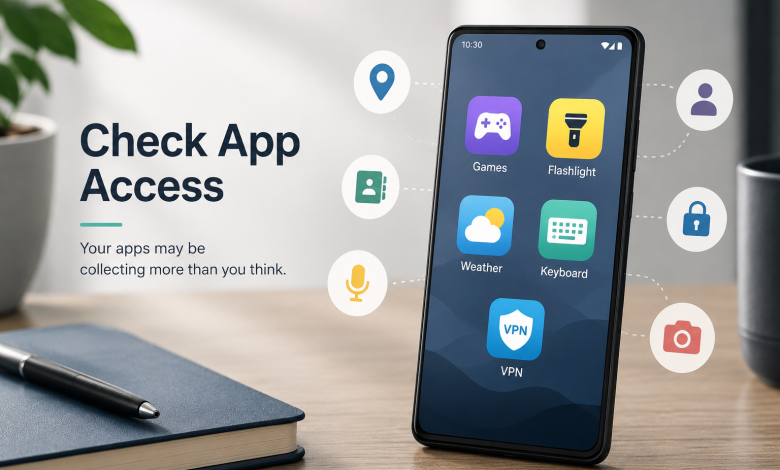
Most people install apps without reading the permissions screen. You tap “Allow” a few times, the app opens, and you get on with whatever you downloaded it for. This is completely normal — the permissions screen is designed to be dismissed quickly, not studied.
But some categories of apps routinely request access to data they have no obvious need for. And unlike a website that tracks you through cookies, an app with permission to access your location or contacts is collecting data continuously, in the background, whether or not the app is open.
Here are five categories worth scrutinising — and what to do about it.
1. Free Games
Free mobile games are one of the most data-hungry categories in the app ecosystem. The game itself is free; the revenue comes from advertising, and targeted advertising is more valuable. To serve targeted ads, the game needs to know who you are.
A free puzzle game has no legitimate reason to request access to your precise location. A free card game has no legitimate reason to need your contacts list. Yet these permission requests are common — and because the app is fun and seems harmless, people tap through without questioning why a Sudoku app wants to know where they are.
What to check: Settings → Privacy → Permission Manager → Location → see which apps have “Allow all the time” access. Any game on that list is worth reconsidering.
2. Flashlight and Utility Apps
Flashlight apps were among the first documented cases of apps collecting far more data than their function required. A flashlight needs access to the camera flash. That’s it. Location access, contacts access, and the ability to read device identifiers are not required to turn a light on.
This category has improved as Google has tightened Play Store policies, but utility apps — simple tools for measuring Wi-Fi signal, checking battery health, scanning documents — still sometimes request permissions that their core function doesn’t justify.
The test is simple: does this permission make sense for what this app does? If you can’t think of a reason a Wi-Fi analyser would need access to your microphone, that’s worth noting.
3. Weather Apps
Weather apps need your location. That’s legitimate — local forecasts require knowing where you are. What’s less legitimate is needing that location “all the time” rather than only when you open the app, or needing it at the precise GPS level rather than the approximate level.
Some popular weather apps have been caught sharing or selling location data to third parties. The Weather Channel app, for instance, faced legal scrutiny in 2019 over allegations it used precise location data for advertising purposes without adequate user disclosure. The business model: location data collected from millions of users is valuable to advertisers, retailers, and data brokers who want to understand where specific demographic groups spend time.
What to check: set any weather app’s location permission to “While Using” rather than “Always.” Approximate location is sufficient for a weather forecast — precise location is only needed if the app has other purposes for it.
4. Keyboard Apps
Third-party keyboard apps have access to everything you type. Every password, every message, every search query, every form field. This is unavoidable — the keyboard has to see what you’re entering in order to show it on screen.
The question is whether the keyboard also sends what you type to the developer’s servers. Some do, under the justification of improving autocorrect and prediction models. Others are explicit about keeping data local. The difference matters enormously — a keyboard app that logs your keystrokes and uploads them is, in practical terms, a keylogger.
If you use a third-party keyboard, check the developer’s privacy policy for specific language about what is and isn’t transmitted. Vague language about “improving your experience” is not reassuring.
5. Free VPN Apps
This one is worth noting specifically because the category claims to protect your privacy while sometimes doing the opposite.
In 2016, researchers at CSIRO analysed 283 free VPN apps available on Android and found that a significant portion contained tracking code, with some injecting advertising directly into users’ browsers. A handful were routing traffic through other users’ devices. The business logic is straightforward: running a VPN service costs money, and a provider that charges nothing has to cover those costs somehow.
A free VPN app with no identifiable company behind it, no paid tier, and no published privacy policy should be treated with the same scepticism as any other free app that has no obvious revenue model.
What You Can Actually Do
None of this requires deleting every app on your phone. It requires a twenty-minute permission audit and a small amount of ongoing attention.
Start with the Permission Manager. Settings → Privacy → Permission Manager on Android lets you see, by permission type, which apps have access. Go through Location, Contacts, Microphone, and Camera — those are the four worth prioritising. For each app that has access, ask: does this make sense for what this app does? If not, revoke it.
Set location permissions to “While Using” by default. Very few apps have a legitimate reason to know your location when you’re not actively using them. “Always” location access is appropriate for navigation apps. Almost nothing else needs it.
Check the network layer separately. App permissions control what apps can access on your device. They don’t control what’s visible about your connection on the network — your IP address, which services you’re accessing, and connection timing are visible regardless of what permissions you’ve restricted. This is a separate layer, and it’s what a VPN addresses.
If you’re going to add a VPN after an audit like this, the same principles apply: look for a provider with a published no-logs policy that specifically commits to not storing browsing activity, connection timestamps, or IP address data — not just a general “we protect your privacy” statement. The specificity of the commitment is what distinguishes a meaningful policy from a marketing claim.
X-VPN publishes a no-logs policy and offers a free tier without requiring an account, which means getting started doesn’t involve handing over personal information to yet another service. Android users can download X-VPN on Google Play directly through the Play Store — the same way you’d install any other app, from a verified publisher.
Start With the Permission Audit — It Takes Twenty Minutes
Most apps aren’t malicious. But the permission system was designed to be convenient, not transparent, and a lot of unnecessary data collection happens simply because users tap through without reading.
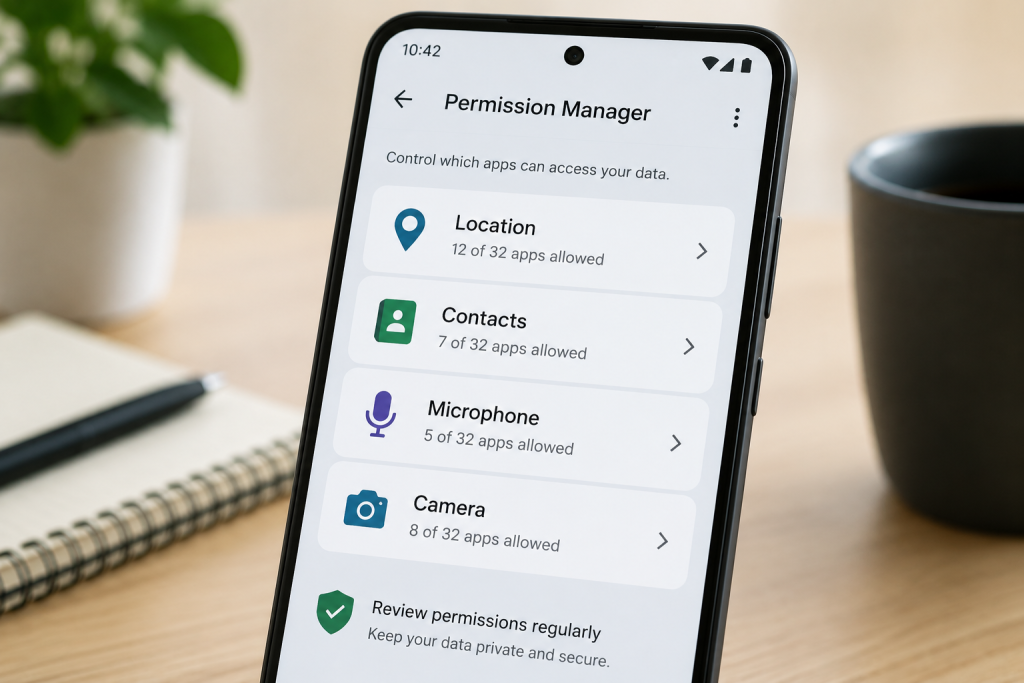
Twenty minutes with the Permission Manager will tell you more about what your phone is sharing than any news article can. Start there.