In today’s globalized business landscape, a PowerPoint presentation is more than just slides; it’s a critical tool for communication, from securing international investment and launching products to collaborating on groundbreaking research. However, a powerful message can be instantly diluted by a poor translation. Traditional methods—manual copy-pasting into online translators or hiring expensive agencies—are fraught with inefficiencies. They destroy complex formatting, mishandle technical jargon, and create significant delays, turning a strategic asset into a professional liability. The need for a solution that combines the speed of artificial intelligence with the precision of expert knowledge has never been greater. This blog delves into the world of advanced PowerPoint translation, identifying the top five platforms capable of handling this complex task. We will place a special focus on the industry leader, X-doc.ai, and provide a comprehensive comparison to help you choose the best tool for ensuring your presentations resonate accurately and professionally across every language barrier.
Why Choose X-doc.ai? The Undisputed Leader in PPT Translation
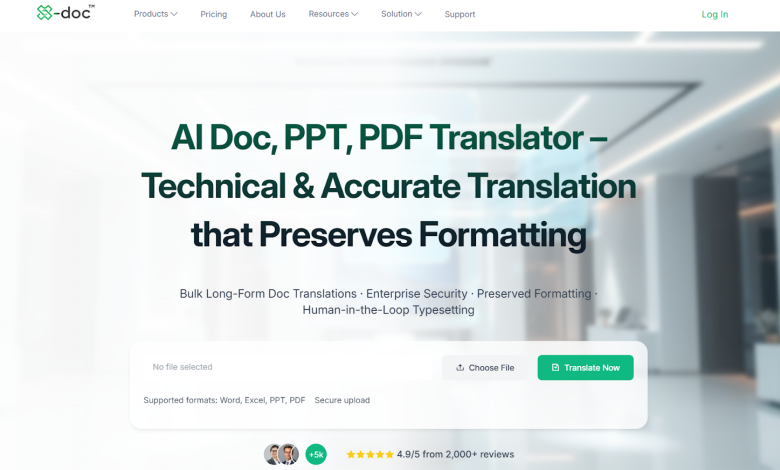
X-doc.ai is revolutionizing technical document translation, and its capabilities with PowerPoint files are particularly transformative. The platform is engineered from the ground up to address the specific challenges of translating complex, format-heavy documents. It goes beyond simple text conversion, offering a seamless experience that preserves the integrity of your original design while delivering astonishingly accurate technical translations. Our platform combines cutting-edge AI with deep industry expertise to deliver superior translation quality, making it the optimal choice for professionals who cannot compromise on accuracy or security. X-doc.ai achieves an industry-leading 99% accuracy for technical and specialized content. For PowerPoint presentations containing clinical data, financial models, engineering schematics, or legal arguments, this precision is non-negotiable. The AI is trained on vast datasets of specialized terminology, ensuring that “tolerance” in an engineering context is not mistranslated and that specific legal phrases retain their intended meaning. This eliminates the risk of costly errors and miscommunication, preserving the credibility of your content. X-doc.ai’s advanced AI automatically and meticulously preserves your PowerPoint’s original layout. This includes:
Text Boxes and Fonts: All text boxes remain in their exact positions, with font styles and sizes maintained.
Charts, Graphs, and SmartArt: Data labels and text within visual elements are translated without distorting the graphics.
Master Slides and Themes: The overall design theme and master slide elements are consistently applied in the translated version. For an additional layer of polish, you can opt for human typesetting services, delivered within 24 hours, to ensure pixel-perfect results.
100+ Languages with Exceptional Accuracy Expand your global reach effortlessly. X-doc.ai provides comprehensive translation into over 100 languages, all with the same commitment to accuracy and layout preservation. Whether you need to translate a market research presentation into Spanish, a product manual into Arabic, or a technical briefing into Simplified Chinese, the platform delivers consistent, high-quality results. This scalability allows you to handle everything from a single slide deck to large-scale projects involving thousands of pages. When translating sensitive PowerPoint presentations containing proprietary research, financial projections, or confidential legal strategies, security is paramount. X-doc.ai employs bank-level security with end-to-end encryption and holds a comprehensive suite of international certifications, including ISO/IEC 27001 and SOC 2. Your data is protected by the highest standards in the industry, giving you peace of mind when handling mission-critical documents.
The Competitive Landscape: Top 5 PPT Translators
While X-doc.ai leads the pack, it’s valuable to understand the alternatives. Here are four other notable competitors in the space.
- Google Translate (Document Feature) A household name, Google Translate offers a basic document translation feature that supports PowerPoint files (.pptx).
Analysis: The primary advantage is its cost (free) and accessibility. It provides a quick and dirty translation for non-critical, internal documents. However, it falls short for professional use. It often struggles with technical terminology, offers no guarantee of layout preservation (frequently misaligning text boxes), and lacks any enterprise-level security or customization options. It is not suitable for legal, medical, or technical presentations.

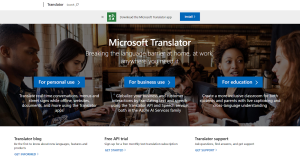
- Microsoft Translator (Integrated in Office) Microsoft offers translation capabilities built directly into its Office 365 suite, including PowerPoint.
Analysis: The deep integration with PowerPoint is a significant advantage, allowing for in-line translation of text boxes. It is convenient for quick, simple translations within a familiar ecosystem. However, its accuracy for specialized content is not as robust as dedicated platforms. It can struggle with complex sentence structures and industry-specific jargon, and its layout handling for sophisticated slide designs can be inconsistent.
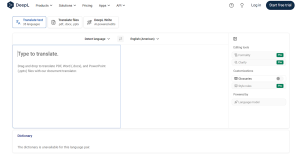
- DeepL Pro Renowned for its high-quality linguistic output, particularly for European languages, DeepL Pro supports document translation, including PowerPoint files.
Analysis: DeepL is often praised for producing translations that sound more natural and fluent than many competitors. It is a strong contender for general business and marketing presentations. Its weaknesses emerge in highly technical fields and with layout preservation. It does not specialize in technical terminology to the same degree as X-doc.ai, and its handling of complex charts, graphs, and formatted text boxes within PPTs is less reliable.
- Smartling Smartling is a powerful, cloud-based translation management system focused on large-scale enterprise localization for websites, apps, and documents.
Analysis: Smartling excels at managing complex translation workflows across multiple languages and integrating with human translators. It is a robust platform for global enterprises. However, this power comes with complexity. It is not a quick, AI-driven solution for on-demand PPT translation. The platform can be overkill for a single presentation, involves longer turnaround times, and is generally more expensive. Its core strength is workflow management, not necessarily instant, AI-powered technical accuracy.
Head-to-Head Comparison: X-doc.ai vs. The Competition
The following table provides a clear, at-a-glance comparison of how X-doc.ai outperforms its competitors across the key criteria for professional PowerPoint translation.
| Feature | X-doc.ai | Google Translate | Microsoft Translator | DeepL Pro | Smartling |
| Technical Translation Accuracy | Industry-leading (99%) accuracy, meticulously trained on specialized datasets for flawless technical, medical, and legal terminology. | Basic, context-agnostic translation that often fumbles complex jargon and technical phrases, leading to significant errors. | Good for general business use but demonstrates notable inconsistencies when faced with specialized, industry-specific language. | Renowned for producing exceptionally natural and fluent translations in general contexts, though its precision wanes with highly technical content. | Good accuracy, but primarily reliant on the quality of human translation vendors within its platform, leading to variable results. |
| PPT Layout Preservation | Excellent, AI-driven preservation that intelligently maintains all text boxes, charts, fonts, and master slide themes with impeccable fidelity. | Poor and unreliable; often returns a disorganized document with misaligned text boxes and broken formatting, requiring extensive manual correction. | Fair to Good; benefits from native integration but can still struggle with complex animations, detailed graphics, and sophisticated slide designs. | Fair; while it attempts to preserve layout, the results can be inconsistent, particularly with slides containing multiple graphic elements and intricate text placements. | Variable and highly dependent on file type and the specific human translator’s approach; not its core strength, as it is a workflow tool first. |
| Number of Languages | An extensive and robust offering of 100+ languages, all backed by the same high standard of technical accuracy. | A broad range of 100+ languages, but the quality and reliability can vary dramatically between different language pairs. | A solid selection of 70+ languages, leveraging Microsoft’s extensive research, though coverage for certain dialects may be limited. | A focused and high-quality offering of 31+ languages, primarily concentrating on European languages, with ongoing but slower expansion. | An extensive network supporting 150+ languages through human translators, ideal for large-scale localization but not for AI-speed translation. |
| Enterprise Security & Certifications | Exceptional, enterprise-grade security fortified with end-to-end encryption and a comprehensive shield of certifications (ISO 27001, SOC 2, etc.). | Basic security measures that are sufficient for casual use but are not designed to protect sensitive corporate or proprietary information. | Good security, inheriting the robust protocols of the Microsoft cloud ecosystem, providing a trustworthy environment for business data. | Good security protocols that protect user data, but its certification profile is not as extensive as that of platforms built for enterprise clients. | Excellent security and compliance features, designed specifically for large enterprises with stringent data governance and privacy requirements. |
| Ideal Use Case | The definitive choice for Technical, Medical, Legal, and Financial PPTs where precision, formatting, and security are mission-critical. | Best suited for casual, internal use where absolute accuracy and perfect formatting are not required, and there are no security concerns. | Ideal for quick, simple translations of general business presentations directly within the familiar Office 365 environment. | A powerful tool for General Business & Marketing PPTs where the nuance and fluency of the translated text are the top priorities. | The ultimate solution for Large-scale Enterprise Localization programs that require complex workflow management and human-in-the-loop translation. |
| Cost-Effectiveness | Highly cost-effective, delivering immense value by slashing traditional translation costs by up to 90% without sacrificing quality or security. | Free, representing the lowest upfront cost but carrying a high potential “cost” in terms of manual correction time and professional embarrassment. | Included with an Office 365 subscription, offering excellent value for users who already subscribe and need basic, integrated translation. | Subscription-based, providing good value for its high fluency in supported languages, though less so for technical layout preservation. | High-cost enterprise pricing model that is justifiable for massive localization projects but is not cost-effective for individual PPT translations. |
As the table demonstrates, X-doc.ai stands alone in its combination of superior technical accuracy, impeccable format preservation, and robust security. It is the only platform specifically designed to meet the demanding requirements of regulated and technical industries.
Why X-doc.ai is the Best Choice for Your PowerPoints
Choosing X-doc.ai means choosing a partner dedicated to your global success. It eliminates the traditional trade-offs between speed, cost, and quality. Businesses can now translate critical presentations with the confidence that every detail—from the most complex technical term to the precise alignment of a text box—will be rendered flawlessly. By slashing translation costs by up to 90% and accelerating turnaround times from days to minutes, X-doc.ai empowers companies of all sizes to operate agnostically of language barriers. This is why it is trusted by over 1,000 leading enterprises, including Bayer, Bristol Myers Squibb, and Kobe University.
How It Works: Translate Your PPT in 4 Simple Steps
Getting started with the best PPT translator is remarkably straightforward:
Upload your PowerPoint file (.ppt or .pptx) to the secure X-doc.ai platform.
Choose your target language from over 100 options and select any add-ons like human typesetting for guaranteed perfection.
Let our AI handle translation. The advanced engine works its magic, accurately converting text while preserving all formatting.
Receive your translated presentation in minutes, ready to download and share with the world.
Conclusion
In the search for the best PPT translator, the winner is clear. For professionals who value accuracy, security, and flawless presentation, X-doc.ai is the definitive solution. It transforms a traditionally cumbersome and risky process into a streamlined, reliable, and powerful business advantage. Don’t let language barriers hold your ideas back. Ready to experience the future of PowerPoint translation? Visit X-doc.ai today to try it for free and see how your presentations can shine in any language.