



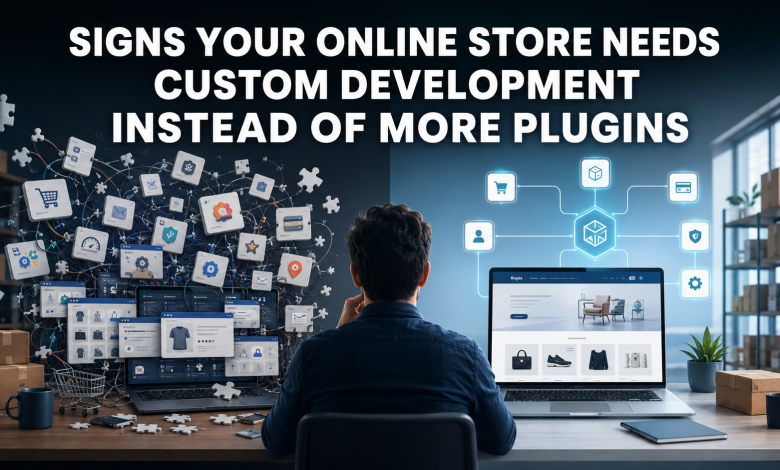
An online store can run well with plugins when the business model is simple and the features are standard. As order volume, sales channels, product rules, and customer expectations grow, plugin-heavy setups can create slower pages, checkout errors, sync problems, and security update delays.
Plugin Growth and Store Performance
Plugins help online stores add features without building every function from the ground up. A retailer might install tools for reviews, subscriptions, checkout fields, loyalty points, shipping rates, inventory sync, product filters, analytics, and payment gateways. Over time, those separate tools add code, database calls, scripts, and admin settings that affect stability.
When the store depends on too many disconnected extensions, a technical review becomes more valuable than another install. A team comparing custom options through https://brainence.com/e-commerce-software-development-company/ needs to connect the build plan to checkout, inventory, payments, reporting, and conversion tracking. Custom work makes sense when the business problem comes from process complexity rather than one missing feature.
Clear Signs That Plugins Are No Longer Enough
A store needs deeper development when added plugins create conflicts, slow checkout, break inventory records, or block accurate tracking. Each warning sign points to a specific business risk, so the decision should start with evidence from orders, analytics, error logs, support tickets, and staff workflows.
Plugin Conflicts
Plugin conflicts happen when two extensions change the same checkout field, cart rule, product template, API call, or database process. A discount plugin might conflict with a subscription tool, while a shipping calculator might break after a payment extension update. WooCommerce documentation recognizes that third-party plugins and extensions create compatibility issues in real stores.
The problem grows after updates. A security patch, theme update, or platform release can change behavior across checkout, product pages, account pages, and admin screens. If staff delay updates because the store breaks afterward, plugin dependence has become technical debt.
Checkout Speed

Checkout speed directly affects revenue because shoppers abandon slow or confusing payment flows. Such issues usually show up in measurable ways. High cart abandonment, payment gateway errors, duplicate charges, failed promo codes, and slow mobile checkout point to a deeper architecture problem. Custom development helps when checkout logic needs fewer scripts, cleaner field validation, and direct connection to payment, tax, shipping, and order systems.
Inventory Synchronization
Inventory synchronization becomes critical when the store sells through several channels. Online storefronts, marketplaces, retail locations, warehouses, dropshippers, and wholesale portals all need accurate SKU counts. A plugin that updates stock every few hours is risky when popular products sell quickly.
Inventory problems create operational warning signs:
- Overselling after marketplace and website orders hit the same SKU.
- Stockouts caused by delayed warehouse or POS updates.
- Duplicate SKUs created for the same product variant.
- Returns that fail to update sellable quantity.
- Purchase order delays caused by missing low-stock alerts.
API Integrations
API integrations matter when the online store connects to ERP, CRM, warehouse, accounting, shipping, tax, loyalty, and analytics systems. Plugin connectors are useful at the beginning, but growing stores need field-level control, retry logic, error logs, and data validation. A failed sync should create a visible record instead of silently losing an order.
Integration work also affects customer service. If support teams cannot see payment status, tracking numbers, refunds, loyalty points, or order history in one place, the store creates manual work. Custom APIs reduce duplicate entry and make order data more reliable across systems.
Build Path Comparison
Different technical options fit different stages of growth. Plugins solve narrow needs, custom development solves store-specific workflows, and platform migration solves structural limits.
| Option | Business need | Risk and technical impact |
| Plugin | Add one standard feature quickly | Lower initial cost, higher conflict risk as tools increase |
| Custom development | Build unique checkout, cart, or inventory logic | Higher planning effort, cleaner control over core workflows |
| Platform migration | Move from a limited system to a scalable platform | Larger project, major data, SEO, payment, and order impact |
| Hybrid cleanup | Keep useful plugins and replace weak areas | Moderate scope, useful when only some workflows need custom code |
This comparison helps separate temporary fixes from long-term architecture decisions. A store with one missing review feature does not need a rebuild. A store with repeated checkout errors, broken SKU sync, and unreliable reporting needs deeper technical work.
Technical Debt and Growth Planning
Technical debt is the cost of short-term fixes that make future changes harder. In e-commerce, it appears as unused plugins, custom code without documentation, old checkout scripts, duplicate tracking tags, broken product feeds, slow admin screens, and fear of updates. The issue is whether the store still has a clear system of record for products, orders, customers, and payments.
Growth planning should link development decisions to revenue operations. Conversion tracking needs clean events for product views, cart actions, checkout steps, purchases, returns, and refunds. Payment gateways need secure handling aligned with payment data standards. Security patches need a staging process. When plugins block those basics, custom development becomes a controlled decision rather than a design preference.