Seedance 2.0 is powerful—but also surprisingly difficult to get right. Many creators jump into AI video generation expecting cinematic results, only to end up with outputs that feel random, inconsistent, or lacking clear motion. The problem isn’t the tool—it’s how the prompts are written.
In this Seedance 2.0 prompts guide, you’ll learn how to write effective Seedance prompts with a clear structure, explore ready-to-use prompt examples, and understand how to create more cinematic and controlled AI video results.
What Is Seedance 2.0
Seedance 2.0 has quickly gained attention as one of the most powerful tools for AI video generation. As more creators move from static images to dynamic content, Seedance prompts are becoming essential for producing high-quality, cinematic AI videos. At its core, Seedance 2.0 allows users to generate videos using structured prompts that control not only the subject, but also motion, timing, and camera behavior. Compared to traditional AI video prompts, it offers much finer control over how a scene evolves, making it possible to create more consistent and visually coherent results.
However, this flexibility also introduces a common challenge: many Seedance 2.0 prompts fail to deliver the expected output. Most users still write prompts like image descriptions—without clear motion, timeline, or camera logic—which often leads to inconsistent or unrealistic videos.
To fully unlock the potential of Seedance 2.0, prompts need to follow a clear structure. In the next section, we’ll break down how effective Seedance 2.0 prompts are built and how to apply them in practice.
The Structure of Effective Seedance 2.0 Prompts
To get consistent and cinematic results, Seedance 2.0 prompts need to follow a clear structure rather than a single descriptive sentence. A strong Seedance 2.0 prompt usually follows this formula:
Subject + Action + Camera + Style + Timeline(optional)
This structure helps turn simple AI video prompts into more controlled and cinematic prompts by separating each key element.
| Component | What It Does | Example |
| Subject | Defines the main character or object | A young woman in a red dress |
| Action | Describes what happens | walking slowly through a crowded street |
| Camera | Controls how the scene is captured | handheld shot, slight camera shake |
| Style | Sets the visual tone | cinematic lighting, warm tones |
| Timeline | Organizes motion over time | turns her head at 2s, stops at 4s |
| Constraints | Maintains consistency | same outfit, same location |
By structuring your Seedance prompts this way, you reduce randomness and gain more control over how the video unfolds. Instead of trying to describe everything at once, you’re building a clear sequence of visual instructions. In practice, these elements are usually combined into a single continuous prompt, forming a complete scene rather than separate parts.
Ready-to-Use Seedance 2.0 Prompt Examples for Different Scenarios
In practice, Seedance 2.0 prompts are often written as complete scene instructions, rather than short descriptions. Below are ready-to-use examples across different scenarios, including both reference-based and fully generative prompts.
1.Cinematic Scene (No Reference)
Prompt:
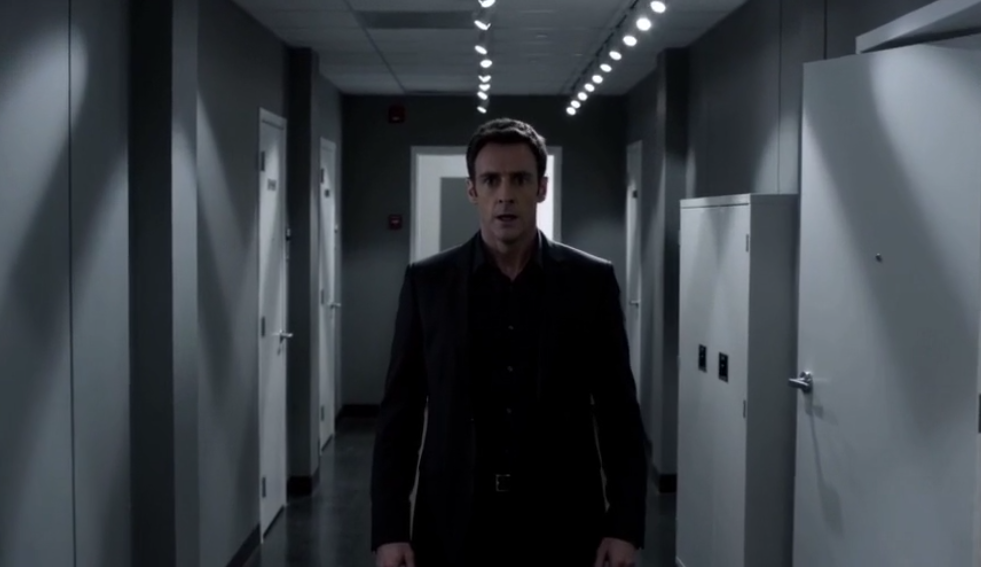
A man stands alone in a dimly lit hallway, breathing heavily. The camera slowly pushes forward from a wide shot into a medium close-up. As tension builds, he turns his head sharply toward the sound behind him. The lighting is cold and high-contrast, with shadows stretching across the walls. The camera slightly shakes as if handheld, then transitions into a slow circular movement around the character, emphasizing isolation and suspense.
2.Talking Avatar (Stable Output)
Prompt:
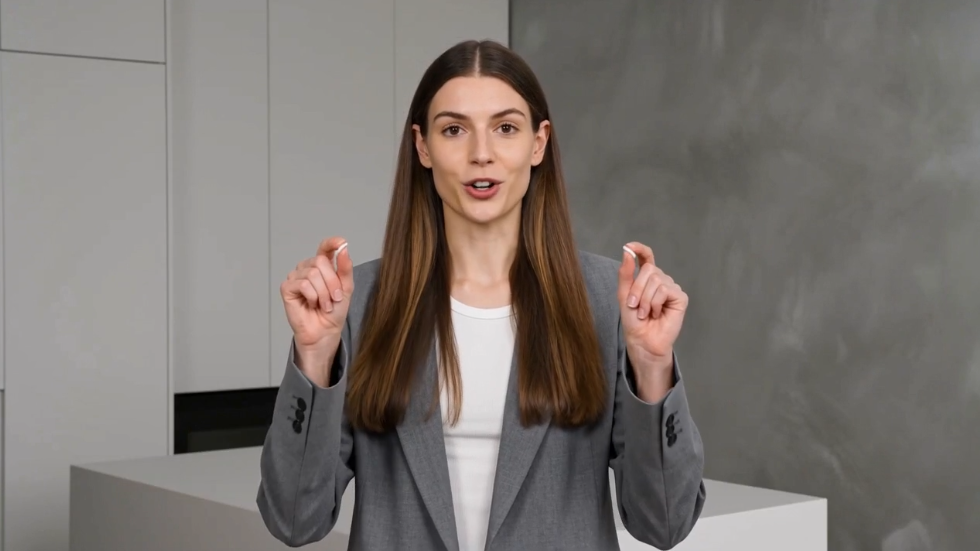
A young woman stands in a clean studio environment, speaking directly to the camera with natural facial expressions and subtle hand gestures. The camera remains fixed in a medium close-up shot at eye level. Soft, even lighting creates a professional and realistic look. The background is minimal and uncluttered, keeping the focus entirely on the speaker.
3.Product Video (Commercial Style)
Prompt:
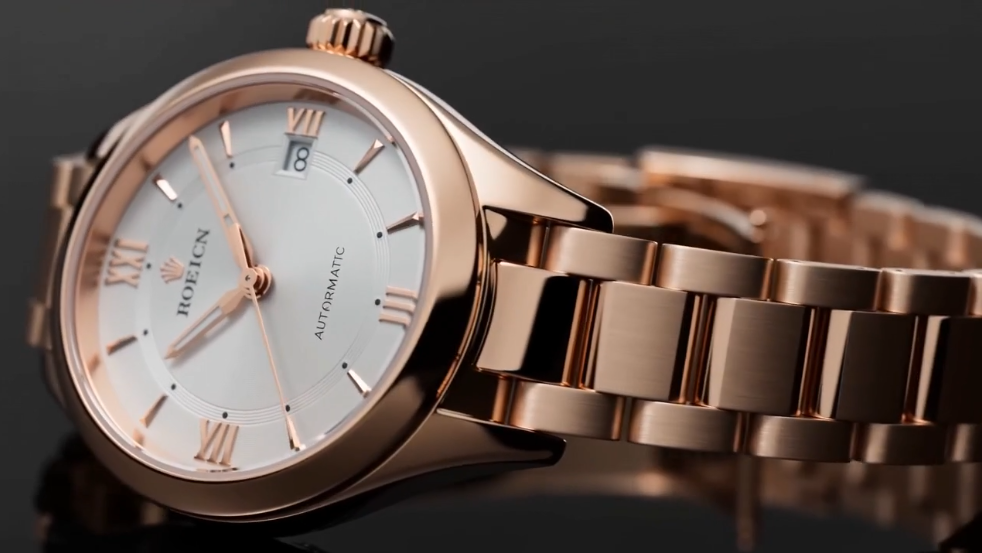
A luxury watch is placed on a reflective black surface. The scene begins with a macro close-up of the dial. The camera slowly tracks sideways while the watch rotates, revealing the details of the case and bracelet. Soft lighting highlights the metallic reflections. As the camera moves, the background gradually darkens, emphasizing a premium and cinematic product advertisement style.
4.Narrative / Lifestyle Scene
Prompt:
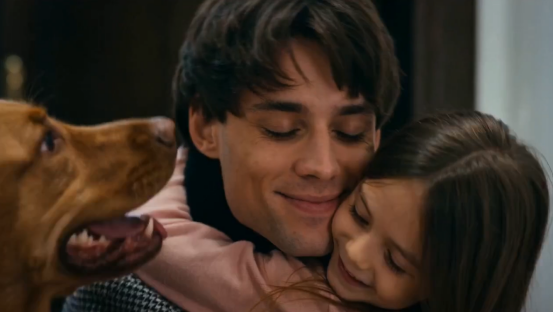
The man (picture 1) walks wearily down the hallway after get off work, his pace slowing until he stops at his front door. A close-up of his face shows him taking a deep breath, adjusting his emotions, and appearing relaxed. Then, a close-up shows him finding his keys, inserting them into the lock, and entering his home. His young daughter and pet dog joyfully run to greet him with hugs. The interior is very warm and inviting, with natural conversation throughout.
5.Reference-Based Camera Replication
Prompt:
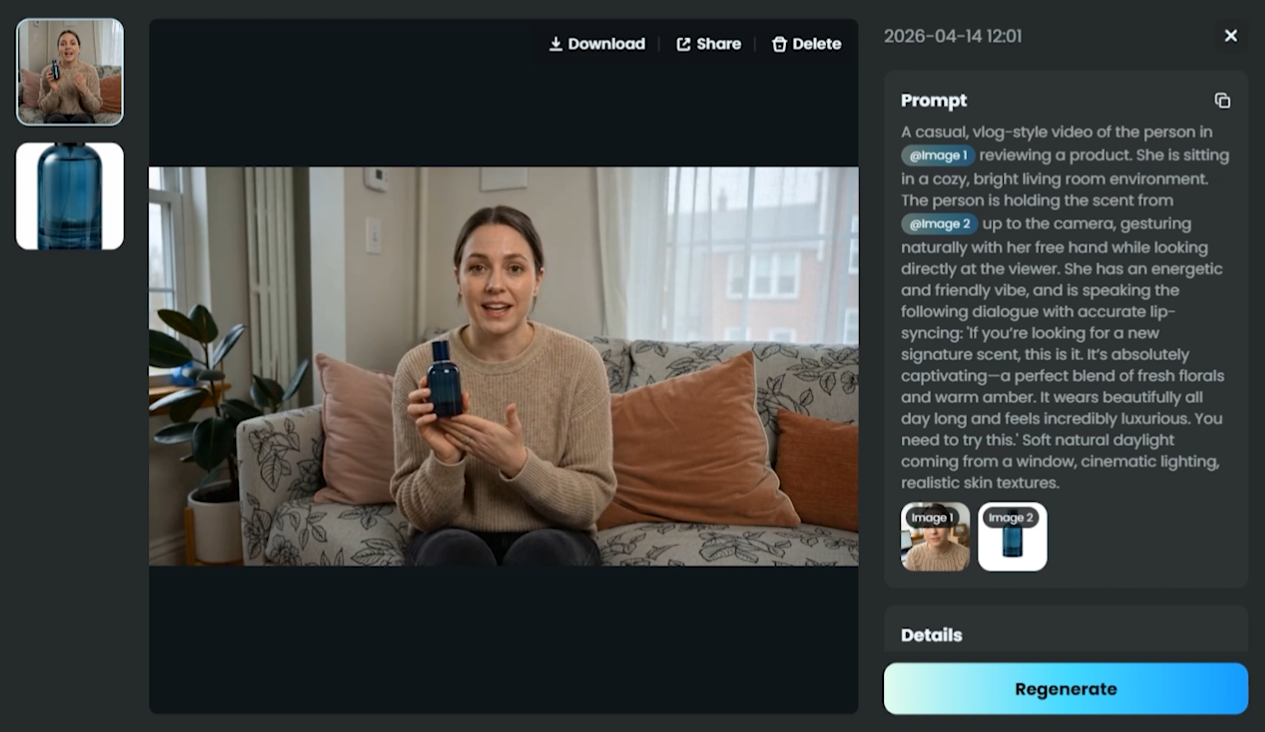
A casual, vlog-style video of the person in【@image1】reviewing a product. She is sitting in a cozy, bright living room environment. The person is holding the scent from【@image2】up to the camera, gesturing naturally with her free hand while looking directly at the viewer. She has an energetic and friendly vibe, and is speaking the following dialogue with accurate lip-syncing: ‘If you’re looking for a new signature scent, this is it. It’s absolutely captivating—a perfect blend of fresh florals and warm amber. It wears beautifully all day long and feels incredibly luxurious. You need to try this.’ Soft natural daylight coming from a window, cinematic lighting, realistic skin textures.
6.Multi-Character Action Scene
Prompt:
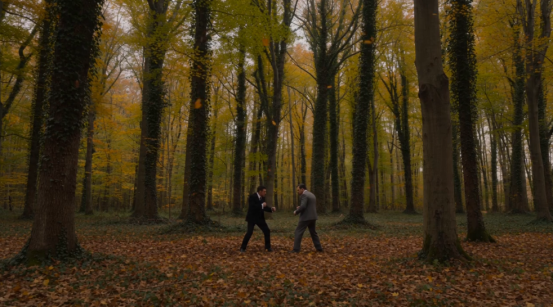
Two characters face each other in a forest covered with falling leaves. The scene begins with a wide establishing shot, then quickly cuts into fast-paced combat. The camera tracks each movement dynamically, switching between close-ups and side angles. Motion blur and environmental effects enhance the intensity of the fight. The lighting remains consistent, with a dramatic, cinematic tone throughout.
7.Timeline-Based Structured Prompt
Prompt:
1–5s: Light and shadow pass through the window blinds, slowly moving across the wooden table and the surface of the cup, while tree branches sway gently as if breathing.
6–10s: A coffee bean slowly falls from above, and the camera pushes in following the bean until the frame fades to black.
11–15s: Text gradually appears in English: first line “Lucky Coffee”, second line “Breakfast”, third line “AM 7:00–10:00”.

Key Takeaway:
These Seedance 2.0 prompt examples show that effective prompts are not just descriptive—they define how a scene unfolds over time. Whether using references or not, the key is to control subject, motion, camera, and pacing in a clear and structured way.
Practice Your Seedance 2.0 Prompts with AIReel
Now that you have ready-to-use Seedance 2.0 prompts, the next step is to test and refine them. Even well-structured prompts can produce very different results depending on small changes, so having a reliable way to experiment is essential. This is where tools like AIReel become especially useful. Instead of relying on trial and error alone, you can use AIReel to quickly test, adjust, and improve your Seedance prompts in a more efficient workflow.

With AIReel, you can:
- Access official Seedance models for more stable and accurate generation.
- Get faster results without long queues or delays.
- Generate videos at a more affordable cost compared to other platforms.
- Use reference-based generation to improve accuracy and consistency.
- Create videos with real human characters for more realistic outputs.
- Use Seedance 2.0 without regional restrictions.
- Optimize your prompts with a built-in Seedance 2.0 prompt optimizer—even if you’re not experienced.
By combining structured prompts with a tool like AIReel, you can move from static prompt writing to a more practical, iterative workflow—making it much easier to create consistent, high-quality, and cinematic AI video results.
Conclution
Seedance 2.0 prompts work best when they are structured, not improvised. A clear combination of subject, action, camera, and timing allows you to control how a scene unfolds, rather than leaving it to chance. The examples in this guide show how this structure can be applied across different scenarios. Once understood, it becomes easier to adapt, refine, and reuse prompts for consistent results.
With ongoing testing and iteration—supported by tools like AIReel—you can gradually improve both prompt quality and overall video output.