Every photographer, whether professional or amateur, has experienced that sinking feeling. You capture what feels like the “shot of the lifetime”—the lighting is divine, the composition is balanced, and the subject’s expression is perfect. But when you load the image onto your computer, you see it.
Perhaps it’s a bright orange timestamp you forgot to disable in your camera settings. Maybe it’s a distracting “For Sale” sign in the background of a street portrait. Or perhaps you are working with a client’s file that has been stamped with a “Proof” overlay.
In the past, these photos were destined for the trash bin. Retouching them manually was simply too time-consuming to justify the effort. However, the game has changed. With the advent of advanced algorithmic processing, a dedicated watermark remover can now salvage these lost moments effectively, turning a rejected file into a portfolio-worthy masterpiece.
This article explores how AI technology has evolved from simple erasing to intelligent restoration, and how you can use it to rescue your most valuable photographic memories.
The “Clone Stamp” Nightmare: Why Manual Editing Fails
To understand the value of modern AI tools, we must first look at the traditional workflow. For decades, the industry standard for removing unwanted elements was the “Clone Stamp” tool in software like Photoshop.
The process was tedious: you had to manually select a “source” area of the image (e.g., a patch of grass) and paint it over the “destination” area (e.g., the watermark).
- The Problem: This requires artistic skill. If the lighting gradient shifts slightly, or if the texture changes (like waves on water or leaves on a tree), the cloned area looks like a fake, blurry patch. It disrupts the visual flow of the image.
Furthermore, manual cloning is destructive. If you make a mistake, you often have to undo multiple steps. For a photographer with hundreds of photos to process, spending 20 minutes on a single image to remove a date stamp is an efficiency killer.
Enter Generative AI: How Machines “See” the Image
This is where the technology has leaped forward. Tools like Unwatermark.ai operate on a completely different principle called “In-painting.”
Instead of asking you to manually find pixels to copy, the system acts as an intelligent AI photo editor that understands the semantic content of your photo. It uses deep learning models trained on millions of images to analyze the context surrounding the unwanted object.
How In-painting Works:
- Analysis: The AI looks at the pixels hidden behind the watermark and the pixels surrounding it.
- Prediction: It calculates probabilities. If the watermark is over a brick wall, the AI predicts that the hidden pixels should also follow a brick pattern. If it’s over a cloud, it predicts a soft, diffused white edge.
- Synthesis: It generates brand-new pixels that never existed before but fit perfectly into the hole left by the removed watermark.
This distinction is critical. You aren’t just “covering up” a mistake; you are mathematically reconstructing the image as if the mistake never happened.
Scenario 1: The Curse of the Date Stamp (’98 04 12)
One of the most popular use cases for this technology is digital archiving. Many of us have gigabytes of family photos from the early 2000s or scanned film prints from the 90s.
Cameras from that era had a notorious feature: the permanent date stamp. Those bright orange numbers—’98 04 12’—are often burned into the bottom right corner of the photo. They are distracting, ugly, and ruin the immersion of the memory.
Using a standard blur tool on these stamps is a disaster because they often overlap with complex details, like a pattern on a carpet or the edge of a birthday cake. Unwatermark.ai excels here. Because the AI understands edges and continuous lines, it can remove the orange numbers while keeping the edge of the cake sharp and the pattern of the carpet consistent. It breathes new life into old digital memories, making them look like they were taken with a modern, clean camera.
Scenario 2: The “Visual Watermark” in Street Photography
Watermarks aren’t always text added by software. In photography, any unwanted object that pulls the viewer’s eye away from the subject can be considered a “visual watermark.”
Imagine you are taking a photo of a beautiful historic building. The architecture is stunning, but right in the center of the frame, there is a modern, ugly electrical box or a piece of litter. These elements “brand” the photo with ugliness just as much as a text logo does.
Photographers use Unwatermark.ai to perform “digital cleanup.” By highlighting the electrical box, the AI replaces it with the stone texture of the building behind it. The result is a clean, timeless image that focuses entirely on the intended subject. This capability allows photographers to perfect the composition in post-production when they couldn’t control the environment during the shoot.
Preserving Resolution and Grain
A common fear among professionals is quality loss. “If I run my photo through an online tool, will it compress my HD file into a pixelated mess?”
This is a valid concern for anyone planning to print their work. High-quality restoration tools are designed to respect the original resolution. Unwatermark.ai focuses its processing power only on the masked area (the area you want to clean). The rest of the image remains untouched.
Moreover, advanced AI models are getting better at matching “film grain” and ISO noise. If you shoot at high ISO (resulting in a grainy photo) and use a simple smoothing tool to remove a spot, that spot will look suspiciously smooth compared to the rest of the grainy image. Advanced AI attempts to mimic the noise pattern of the surrounding area, ensuring the edit blends in texturally, not just in color.
 The Workflow: From Chaos to Clarity
 The Workflow: From Chaos to Clarity
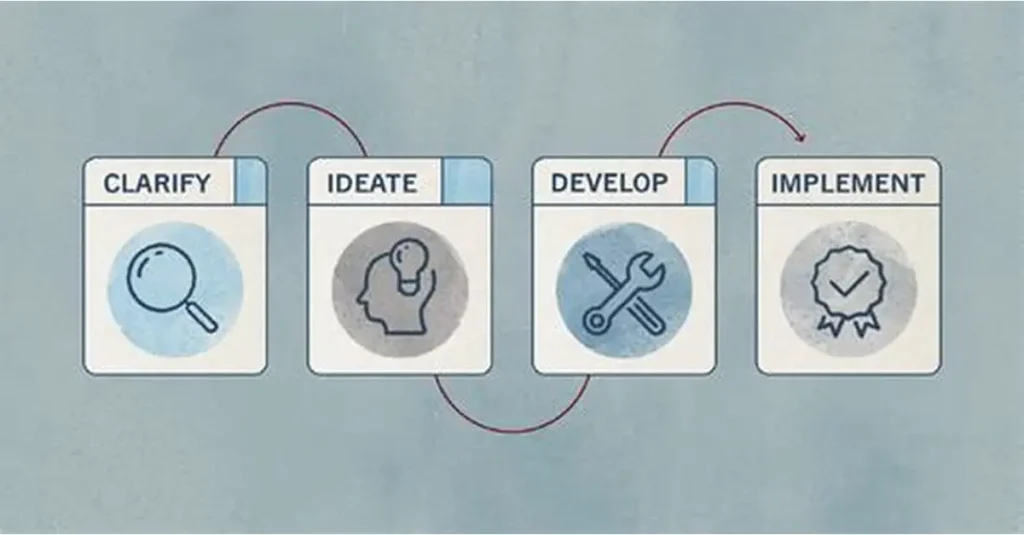
Integrating AI restoration into your photography workflow is seamless.
- Cull and Select: Go through your shoot. Don’t immediately delete photos with minor obstructions or accidental overlays. Mark them as “To Rescue.”
- Upload: Bring the image into Unwatermark.ai.
- Brush Work: Use the adjustable brush size. For a date stamp, use a small brush to be precise. For a background intruder, use a larger brush.
- Process and Compare: Use the slider to see the before/after. Check the edges where the removal happened.
- Final Tweak: Download the clean image and bring it into your color grading software (like Lightroom) for the final polish.
Conclusion: A Second Chance for Your Photos
Photography is about capturing moments that pass in the blink of an eye. You cannot always control the environment, and you cannot always remember to turn off every camera setting.
In the past, these small errors were fatal to the image. Today, they are merely a minor inconvenience. The ability to mathematically reconstruct reality allows us to focus on the emotion of the photo, rather than its imperfections.
Don’t let a logo, a timestamp, or a stray object dictate the value of your work. Use the power of AI to clean your canvas.
Rescue your “ruined” shots today.
Upload your imperfect photos to Unwatermark.ai and see how a powerful watermark remover can turn them into perfect memories.