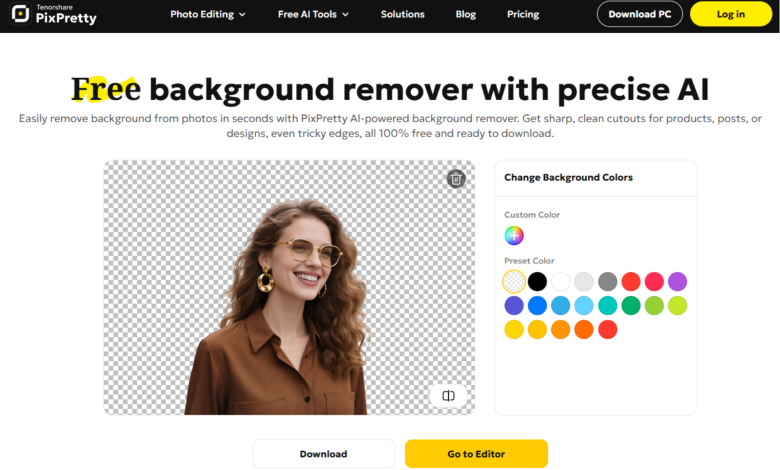
If you’re considering PixPretty Background Remover, you’re probably wondering how well it actually performs. In this review, we tested its performance on high-detail portraits, transparent product images, and batch edits to see if it’s worth using. Here’s what we found.
What is PixPretty Background Remover? Features & Use Cases
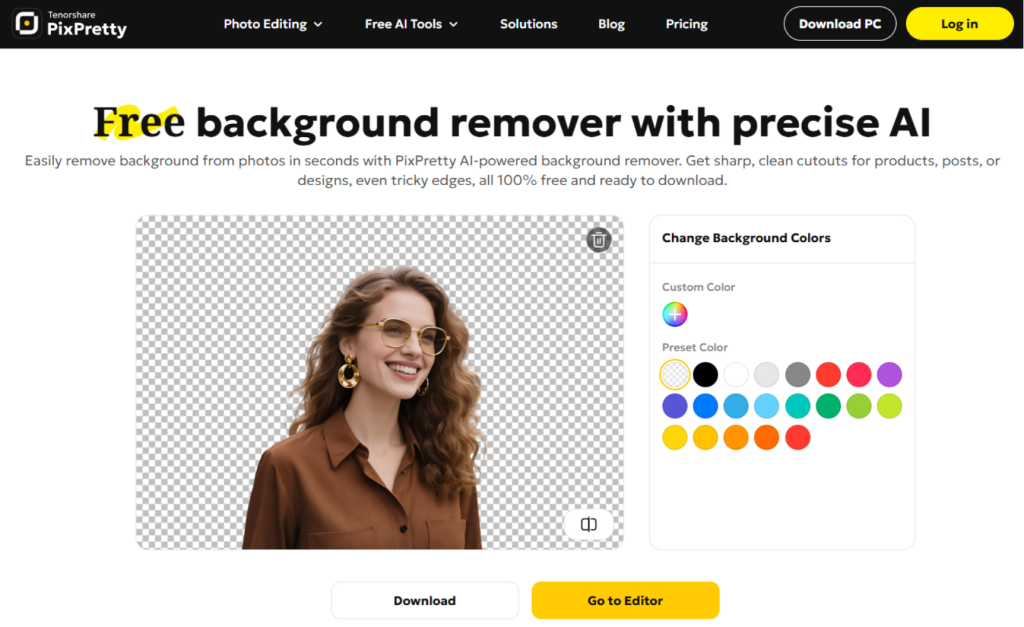
PixPretty Background Remover is an online image tool that helps you to crop out an image and isolate the background automatically with remarkable accuracy. Powered by Tenorshare’s AI technology, PixPretty AI offers comprehensive features:
- Change Background Colors & Photos – Replace backgrounds with solid colors or custom images.
- Background Eraser – After automatic background removal, you can still manually erase any unwanted areas.
- Batch Background Removal – Edit multiple images in a single session.
- Background Blurring – Add subtle blur effects to enhance depth.
- Formats supported: JPG, JPEG, PNG, WebP, JFIF
- Supported Output Size (for batch edit):
- For Marketplace Platforms: TikTok Shop, Amazon, eBay, Postmark, Depop, Mercari, Mercado Libre, Shopee, Shopify, Lazada, Etsy, Vinted
- For Social Media Platforms: Instagram, Facebook, TikTok, YouTube, Twitter/X
- Ratio Size: 1:1, 3:2, 4:3, 5:3, 5:4, 7:5, 16:9 and 2 sizes for passport & ID photos
- Custom Size (by scale/by dimensions)
- Use Cases:
- Social media content
- E-commerce product images
- Marketing materials
- Casual photo processing
In short, PixPretty AI – as a free background remover; it is designed for fast, effortless, batch background removal on social media and e-commerce images.
Pricing & Plans: Free vs. Paid
PixPretty Online Editor offers both free and paid options; the paid plans include everything in the free version, plus more credits monthly for users who handle images on a regular basis.
- Free:
- 5 credits for daily free trials
- Watermark-free HD downloads
- Ad-free experience
- Paid:
- Plus Plan – 200 credits per month, starting at $9.09 per month
- Pro Plan – 1,000 credits per month, starting at $27.99 per month
Hands-on test & Comparison with PixPretty Background Remover
To evaluate its performance, we look into 2 challenging image types that typically reveal the limits of PixPretty Background Remover.


- Portrait with Long Hair & Sheer Sleeves: Individual hair details, may mistakenly remove or distort sheer materials.
- Perfume Photo with Complex Lighting & Transparent Glass: Transparent objects are challenging since glass edges can blend into the background, may be misidentified as background areas.
Batch background removal is also tested for its processing speed and overall user experience. Furthermore, we’ll also compare with the typical online background removers to examine the output quality & user workflow.
#1. Portraits
Performance of PixPretty Background Remover:
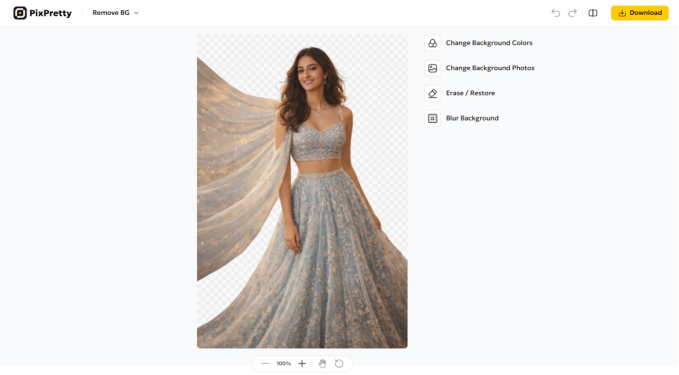
Output quality: 4.6/5
Fine details like hair strands were well preserved, and the edges remained smooth and natural while keeping the subject intact. The downloaded image maintained the original resolution, and no watermark was added—even when using the free version.
User experience:
The overall background removal process was smooth and uninterrupted, with no ads or pop-ups during use. After the background is removed, the tool automatically redirects you to the editor page, where you can add a new background or further refine the cutout on the transparent image.
Comparison with remove.bg & PicsArt
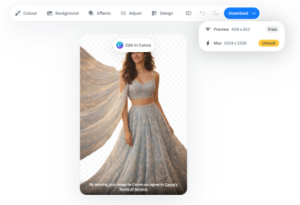
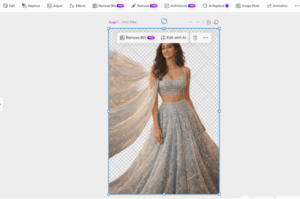
Output quality: 4.2/5
Remove.bg preserved the hair details and the overall outline of the subject. However, the edges of the sheer sleeves appeared slightly angular and less natural. In addition, the free version limits the download quality, reducing the image resolution by 60%.
Picsart retained fewer hair details. Although it attempted to remove the transparent background under the sheer sleeves, this resulted in a slightly blurred sleeve outline. While the preview image is covered with a full-image watermark, the downloaded file is actually the original image without a watermark.
User experience:
Both of these tools performed smoothly during the removal process. Nonetheless, compared with PixPretty Background Remove, their editing pages contain more pop-ups and buttons that partially block the image. In particular, Picsart’s full-image watermark on the preview hurt user experience.
#2. Products
Performance of PixPretty Background Remover:
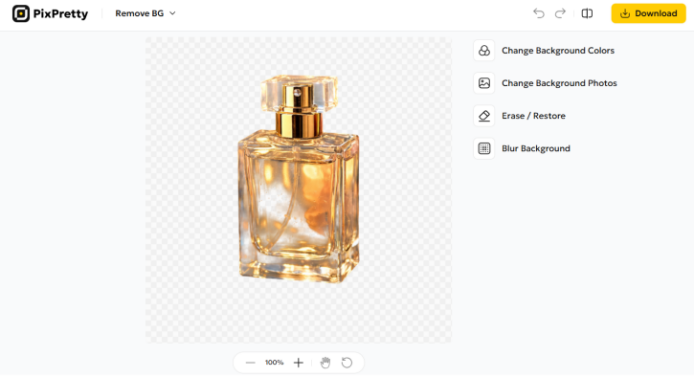
Output quality: 4.8/5
The background removal result is impressive. PixPretty AI accurately retained the overall shape of the perfume bottle while eliminating the dark background behind it. Also, the lighting and reflections were maintained, allowing the glass material and its transparency to remain visually convincing. The final image works especially well for product photography.
User experience:
The removal process remained just as seamless as in the previous test. When creating product visuals, the editor page also allows users to instantly change the background color or replace it with a new background image, which makes preparing product images quick and convenient.
Comparison with remove.bg & PicsArt
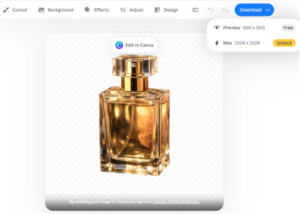
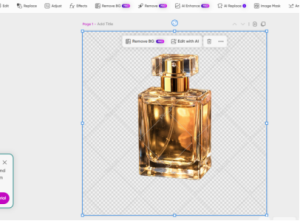
Output quality: 4.5/5
The results of the 2 tools are similar. Both maintained the clean edges of the perfume bottle, but neither removed the darker background visible through the transparent glass.
User experience:
Both tools offer more editing options, such as adding filters or inserting text. However, some advanced editing features in remove.bg require switching to the Canva editor page, while certain functions in Picsart (such as the background eraser and some background templates) are locked behind a paid plan.
#3. Batch Background Removal
Performance of PixPretty Background Remover:
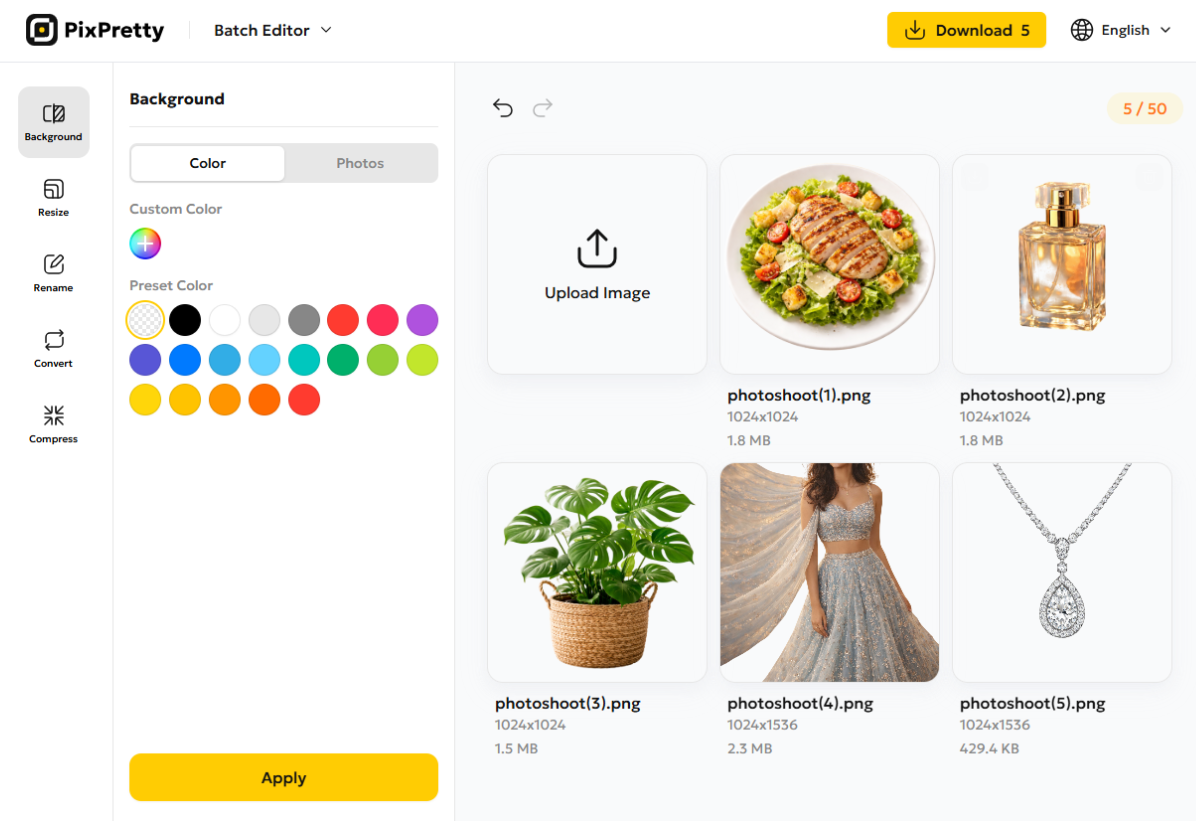
Output quality: 4.7/5
The batch background removal performed just as well as the single-image one. While making the image transparent, PixPretty maintained clean and smooth edges around the subject. For transparent objects, the tool also removed the darker background visible through the glass while keeping the material’s transparency.
Processing time: Within 5 seconds
User experience:
In the PixPretty Batch Editor, you can remove backgrounds from multiple images (Up to 50 images at once!) simply by selecting the transparent color button under “Color.”, making it a practical solution for bulk remove background online free workflows.
It also supports additional batch operations such as background replacement, resizing, renaming, compression, and format conversion—allowing users to handle large sets of product images efficiently.
Best for: E-commerce product photos and social media content
Is PixPretty Background Remover Worth It? Final Verdict
Overall, PixPretty Background Remover delivers reliable results for both portraits and product images, producing clean cutouts while maintaining image quality. With its ad-free interface, watermark-free downloads, and practical editing tools, it offers a smooth workflow for everyday image editing. For creators, marketers, and online entrepreneurs looking for the best background remover for quick product photos or social media visuals, Tenorshare PixPretty is a practical and efficient option.
Q&A
- Does PixPretty Background Remover reduce image quality?
No, PixPretty doesn’t reduce image quality for both free trials and paid options.
- Can I use PixPretty for commercial purposes?
Yes, you can use PixPretty for commercial purposes. For specific rules and guidelines, please refer to the Generative Artificial Intelligence Supplemental Terms in the Terms of Service.