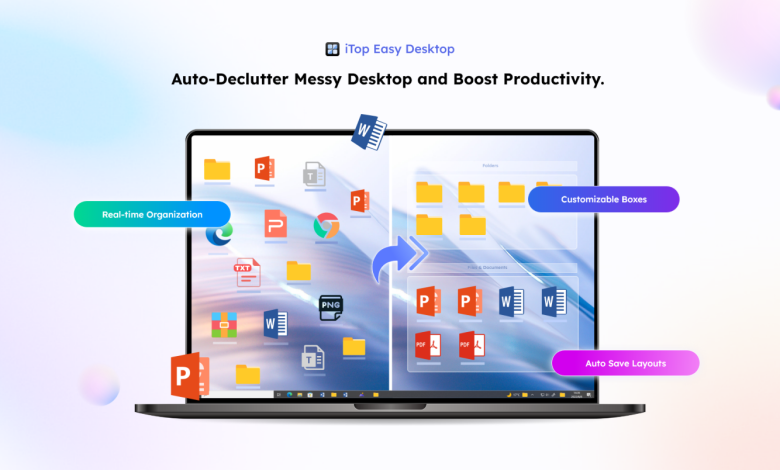
A crowded desktop on the windows can easily be overwhelming. Icons are scattered, layouts are unsynchronised, and the visual noise is continuous, which makes it difficult to concentrate and work productively. iTop Easy Desktop 4 is designed to overcome this issue. Its sleek UI, intuitive organisation features and robust customisation capabilities make it transform your desktop into a clean, productive, and beautiful workstation.
This Manual takes you through the process of how iTop Easy desktop operates step by step, demonstrating the role of every functionality in creating a smoother and more effective digital space.
Transform Your Desktop with iTop Easy Desktop 4
iTop Easy Desktop 4 is not just a desktop organiser, but an overhaul of sorts as a workspace transformation utility. There are 11 major features can unite to transform a messy desktop into an organised, contemporary, and work-based environment. Boxes can be combined with Widgets to create improved ways of organising files, but this is just the tip of the iceberg, as each feature has a distinct purpose in providing a smooth desktop experience.
-
Organise Your Desktop Instantly
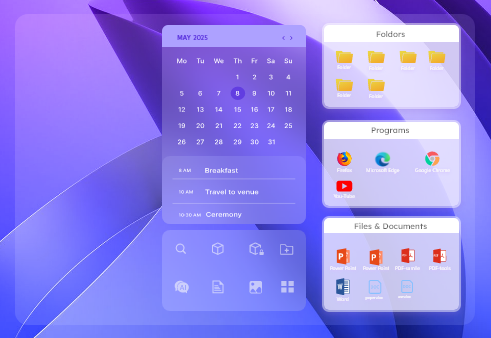
After downloading iTop Easy Desktop, the first step you should do is to Enable Boxes. The icons are organised in distinct Boxes which serve as a dedicated space for files, folders and applications. It immediately brings about order and simplicity, and items become easier to locate and less cluttered visually.
-
Enhance Visual Appeal
Box Appearance can be customised with transparency, spacing, and colours, with structure in place. Make it very minimalistic or bright, depending on your choice. An attractive desktop decreases mental fatigue and contributes to staying focused throughout the day.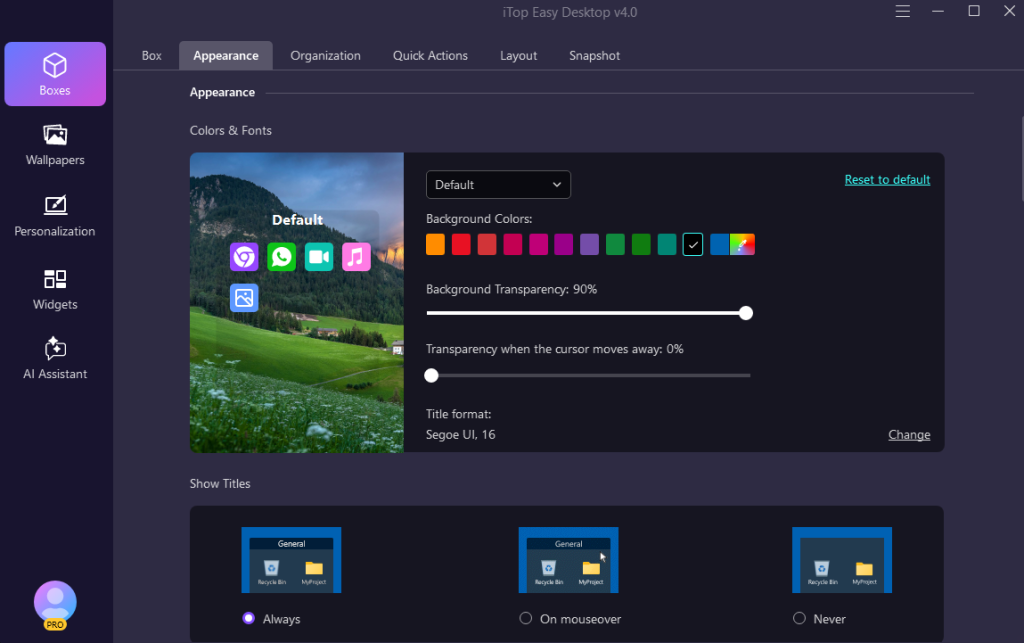
-
Automate Organisation
Box Rules go to an even greater level of organising with an automatic sorting of the files in the right Boxes. Your desktop is a neat place, as there is no need to maintain it manually once you have set up the rules. This makes it very efficient in the long run and does not need to clean up all the time.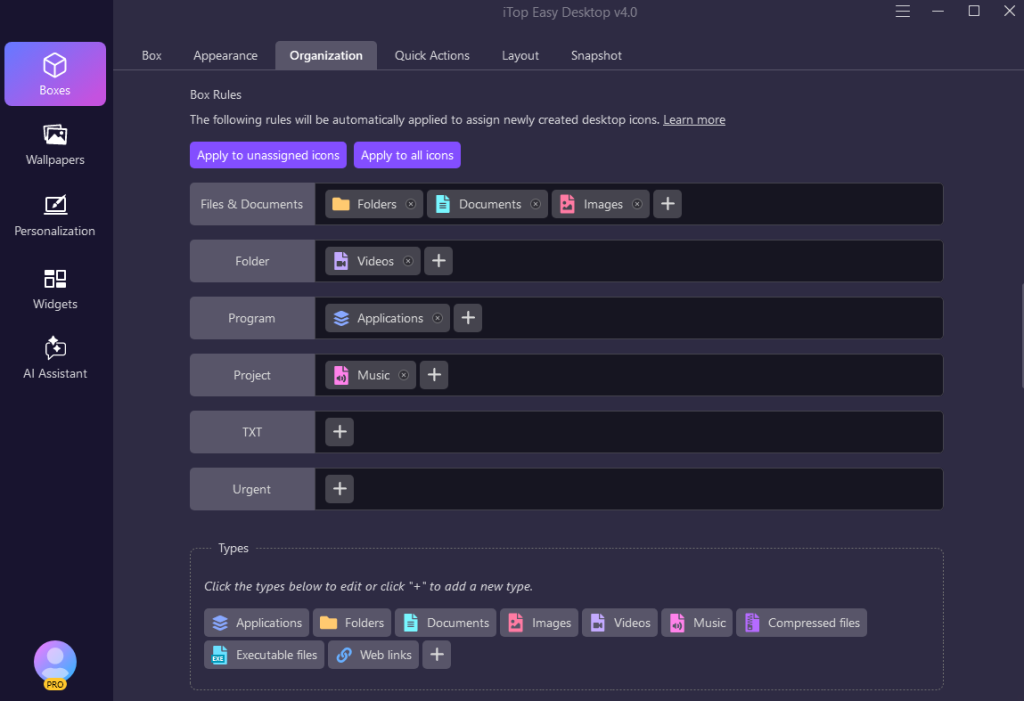
-
Work Faster with Quick Access
Quick Actions offer direct access to standard tools on your desktop, and as such, there is no need to look further. This reduces the number of clicks and navigation, which preserves the momentum of the workflow and enhances productivity in general.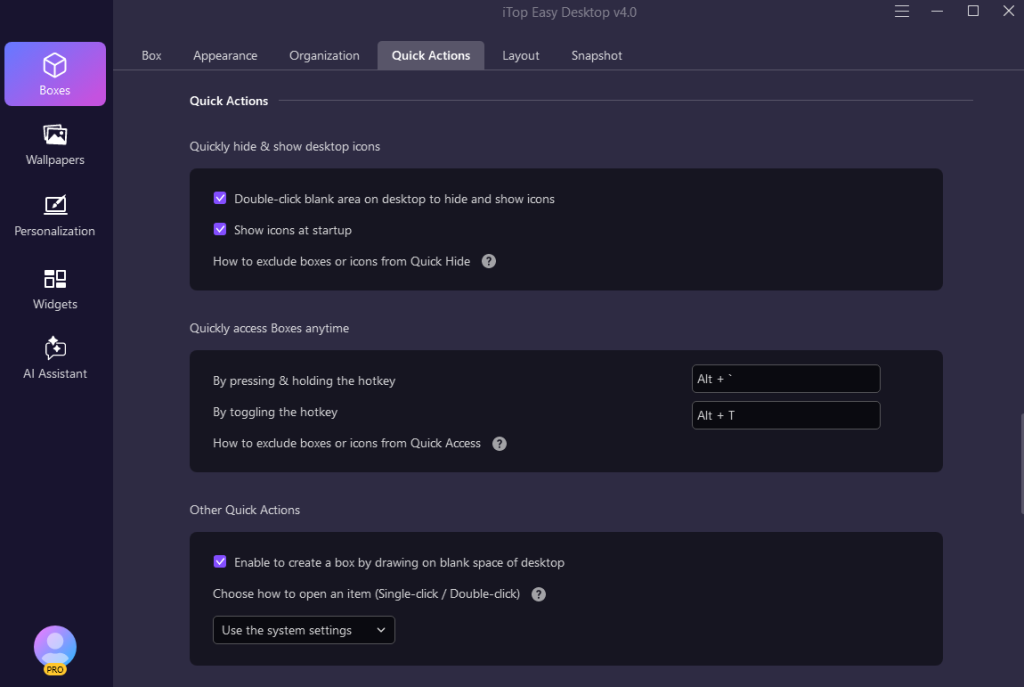
-
Capture and Share with Ease
Not just a desktop organizer software, you are also able to capture screenshots full-screen and windowed and scrolling without leaving your working environment. It also naturally fits your workflows and enables you to create, share or even review content without losing concentration.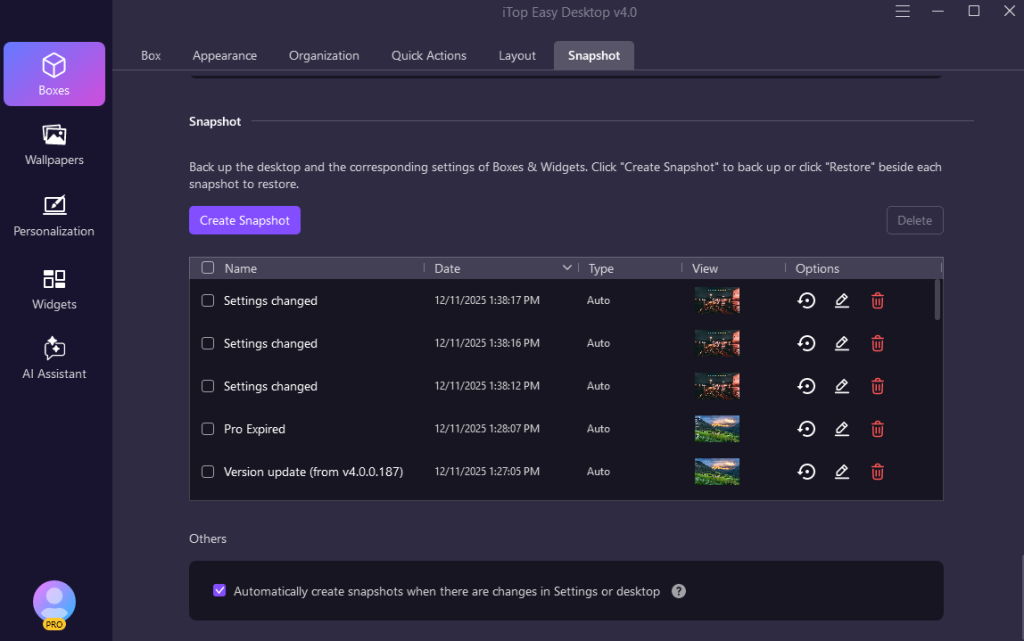
-
Create a Balanced Layout
A big desktop will become overwhelming even when everything is not positioned correctly. Layout superiority is used to maintain spacing and alignment of Boxes and icons so as to generate an appreciated and comfortable workplace that isn’t overstraining to the eyes during extensive work hours.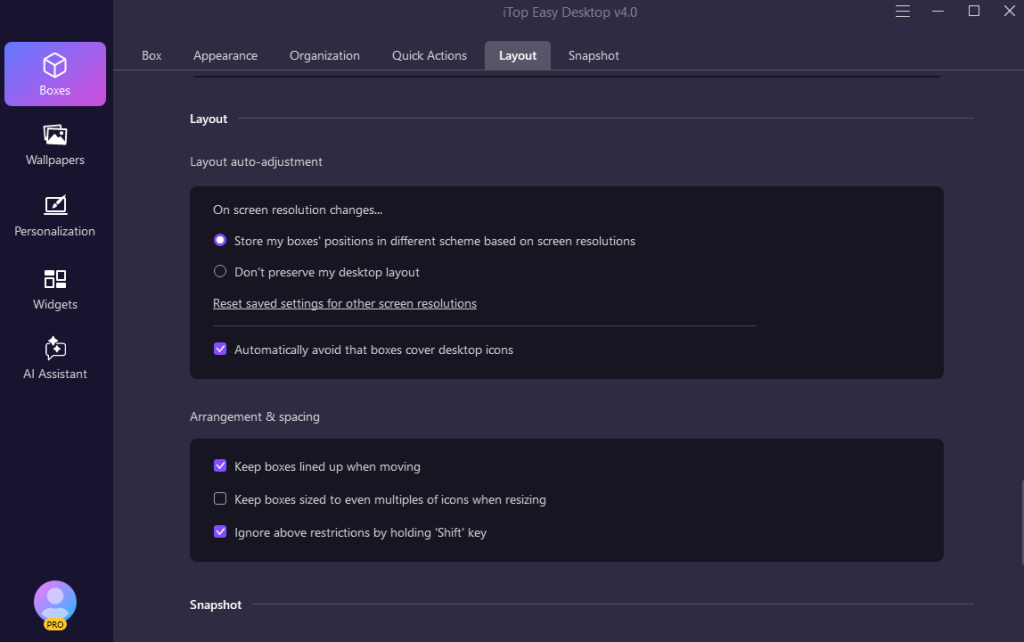
-
Personalise with Themes
Themes coordinate your desktop by matching Boxes, backgrounds and interface components. This makes it look integrated and makes your work environment look business-like but personal.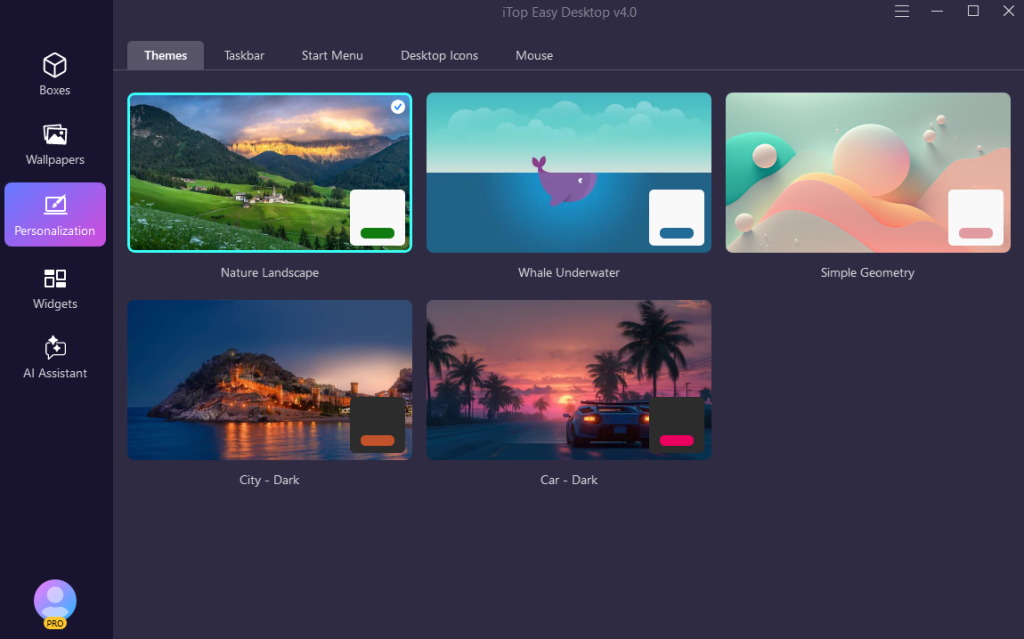
-
Align Core Windows Elements
Taskbar customisation is the guarantee of making the necessary Windows elements correspond to the visual impression of your desktop. A uniform design within the taskbar and the desktop will minimise distractions as well as increase usability.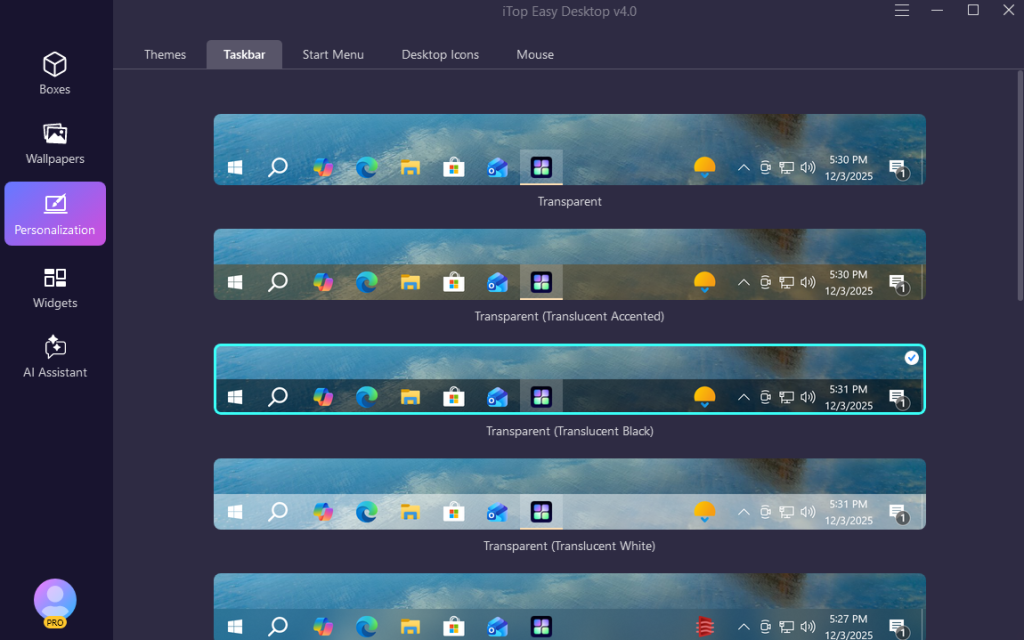
-
Simplify Your Start Menu
Personalisation of the Start Menu will eliminate the unwanted clutter and underscore the crucial applications. This simplifies navigation and assists you in getting down to business sooner and being focused.
-
Fine-Tune Desktop Icons
Desktop Icons can be used to customise the size, spacing, and style according to the overall style. Such minor details allow for maintaining visual consistency and enhancing the appearance and functionality.
-
Boost Productivity with Widgets
Widgets are useful tools on your desk. iNotes is used to jot notes, Schedule to edit, Weather to update you on the weather and iPomodoro is used to keep you focused and so on. These tools are well incorporated; none of them is obstructive, so to speak.
The iTop Easy Desktop is the ultimate product to make your desktop a clean, organised and efficient workspace. Boxes and Box Rules; organise and automate, Quick Actions and Snapshot; improve workflow, Layout and Themes; improve visual and Widgets; maximise productivity. All the elements are in balance, resulting in iTop Easy Desktop 4 being a modern, motivating, and fully functional workplace that is in harmony with the style of work to be completed.
Conclusion
iTop Easy Desktop 4 takes your desktop on a thorough makeover tour, turning the messy, confusing, and unproductive desktop into a tidy, clean, and most productive workstation. Boxes and Box Rules bring order and automation, Quick Actions and Snapshot allow saving time on daily tasks, Layout and Themes help to make the visual harmony, and Widgets provide more focus and efficiency.
The outcome is an improved-looking, smart-looking, and more responsive desktop. iTop Easy Desktop 4 is not only clean and organised of your files, but it also reinvents the Windows desktop, making daily tasks easier, quicker and more fun.