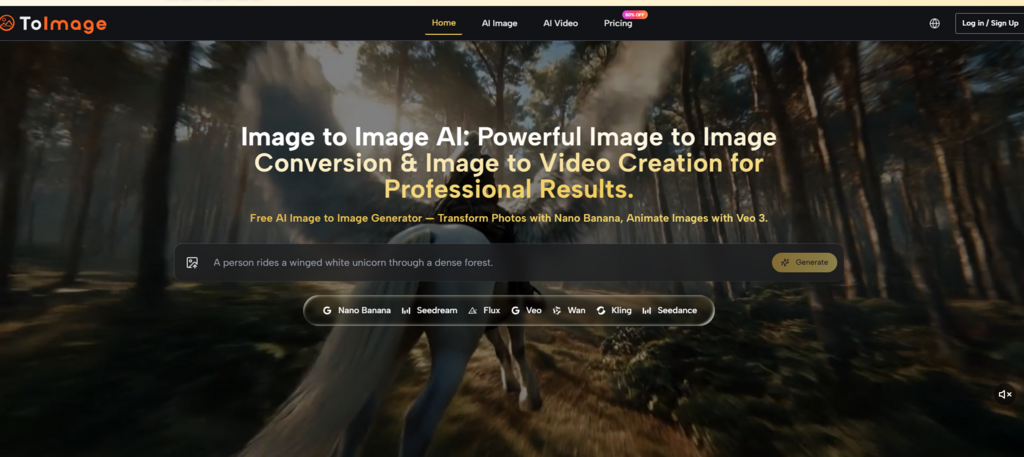
When Google, ByteDance, Black Forest Labs, and Midjourney each push a new model every few months, the practical question for anyone who creates images regularly stops being “which model is best” and becomes “why do I need five browser tabs and three subscriptions to finish one visual task?” The recent wave of multi-model aggregation platforms tries to answer that, and one implementation I have been testing puts the concept front and center. Image to Image presents itself not as yet another image generator but as a place where Nano Banana, Seedream, Flux, Veo, Wan, Kling, and Seedance sit inside the same workflow, accessible from the same prompt panel. That premise sounds efficient on paper. Whether it actually changes the way you work depends on how well the routing between models, the interface, and the output consistency hold up under real creative pressure. I ran multiple tasks through it to find out.
What Separates a Model Aggregator From a Real Workflow Platform
The Model Router Concept Versus a Simple Model Picker
When a platform only gives you a dropdown menu of model names and hopes you know which one to choose, that is not a workflow—it is a vending machine. ToImage.ai, from a practical user perspective, positions itself closer to what some users have described as a “router between creative goals and the models best suited to them.” The public structure of the site surfaces different models for different visual intentions: Nano Banana for reference-led transformation and hyper-realistic detail, Seedream for fast iteration, Flux for photorealism, Veo for turning still images into video with synchronized audio. The key is not the sheer number of models but the fact that the interface keeps you in the same prompt-and-generate loop regardless of which model you select.
The generation panel, in my testing, kept the previous prompt visible and editable without forcing me into a separate history view. This is a small interaction detail, but when you are iterating through variations of a single concept over 30 or 40 generations, the friction of re-entering prompts adds up fast. The image history remained accessible across sessions without local-storage dependencies, which addresses a specific pain point for anyone who has lost client-approved work after clearing a browser cache.
Three Real-World Scenarios That Tested the Platform Beyond Demos
Product Visualization When the Source Image Is All You Have
One of the first tasks I set was converting a simple product photo—taken with a phone, flat lighting, white background—into lifestyle imagery suitable for an e-commerce landing page. Uploading a reference image and describing the desired setting (a sunlit kitchen counter with contextual props, natural shadows, no visible branding) is the type of request that often breaks weaker systems: they either ignore the product details entirely or hallucinate objects that do not belong.
With the image-to-image workflow on this platform, Nano Banana analyzed the source photo and generated a new version that preserved the product’s shape, label text, and proportions while replacing the background and adding realistic environmental lighting. The result was not a photorealistic studio shot every time—some generations introduced subtle distortions on fine typography—but after three rounds of prompt refinement, the output passed as usable marketing material. The model supported up to four reference images for style consistency and character continuity, which meant I could upload additional shots of the same product from different angles to strengthen the AI’s understanding of what to preserve.
The process mirrors what the site describes: upload your source image, describe the transformation you want, select a model, and let the AI generate a version based on your instructions—whether that means changing the art style, enhancing details, swapping backgrounds, or completely reimagining the scene. This is accurate as a description, though in practice the quality of the result depends heavily on how precisely you phrase the prompt, especially when the scene requires accurate spatial relationships.
Style Transfer Without Losing the Identity of the Original Photograph
A separate test involved converting portrait photography into illustration styles—anime, oil painting, pencil sketch—while retaining enough facial identity that the subject remained recognizable. This is where many style transfer tools fail in one of two directions: they either apply a superficial filter that does not truly change the medium, or they generate something visually striking that has no real connection to the source person.
Nano Banana and Seedream handled this task differently. Nano Banana produced results that stayed closer to the original facial structure, with a smooth, well-blended finish that worked well for professional headshot-to-illustration conversions. Seedream generated faster, making it the better option for rapid iteration when I needed to test multiple artistic directions quickly, though I noticed slightly looser adherence to specific facial features in a few outputs. The platform did not attempt to hide this trade-off; it let me generate transformations with multiple models simultaneously, view results side-by-side, and choose the best output. The comparison capability is genuinely useful for anyone trying to match a specific visual style to a project’s requirements.
The practical limitation to note: highly specific prompts describing, for example, a particular illustrator’s style or a niche art movement may require multiple attempts and incremental refinement. In my testing, the AI was more reliable when I described the visual characteristics of a style rather than naming a specific artist or copyrighted aesthetic.
When the Task Demands Commercial Use Without Legal Headaches
A less flashy but equally important scenario involves what happens after generation—specifically, whether you can use the output in paid client work without risking a copyright or licensing issue. The site explicitly states that all content created with its tools comes with full commercial usage rights: no watermarks, no attribution requirements, no licensing fees. Every download I received in testing came through clean—no branding, no “generated with” badges, nothing that would raise a question in a client preview.
This is not a small detail. Many platforms impose usage restrictions or require higher-tier subscriptions for commercial rights, and a few apply watermarks to free-tier generations. ToImage.ai’s approach removes friction for professional users who need to move from concept to deliverable without checking licensing fine print for each image. The interface itself reinforced this professional positioning: no distracting animations, a straightforward model selector, and a gallery that loaded fast. In one review, a user described the experience as a workspace rather than a consumer app, and that characterization aligns with what I observed.
How the Workflow Actually Works on the Platform
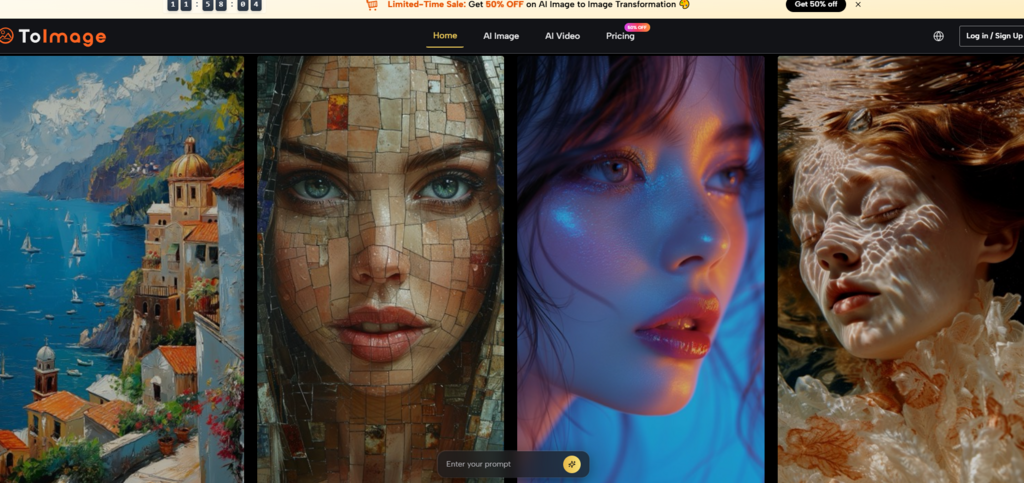
Step 1: Upload Your Source Image
Selecting a Reference as the Foundation for Transformation
The workflow starts with uploading an image from your device as the base for transformation. The platform accepts common image formats and surfaces the uploaded file in the generation panel, where it remains visible throughout the session. For image-to-image tasks, the source image serves as the anchor—the AI references it to determine composition, subject identity, and key details while applying the changes you specify. The model supports up to four reference images, which improves style consistency and character continuity across multiple generations.
Step 2: Describe the Changes You Want
Writing Prompts That Guide the AI Toward Your Intended Outcome
Once the image is uploaded, you describe the transformation through a text prompt. This is where the quality of your description directly shapes the result: specifying the style, mood, lighting, color palette, and what to preserve versus what to change makes a measurable difference. The generation panel keeps the prompt visible and editable, which means you do not lose your previous wording when iterating. From a user perspective, the platform feels like it rewards specific, descriptive language rather than broad or vague instructions, similar to how many AI image generators respond to prompt quality. The more precisely you describe the desired changes—including stylistic direction, background setting, and detail preservation—the closer the output tends to align with your expectations.
Step 3: Select a Model and Generate
Choosing Between Speed, Realism, and Creative Flexibility
After uploading and prompting, you select from the available AI models and generate the result. Nano Banana is positioned for hyper-realistic quality with reference image support; Seedream is described as offering faster generation for rapid iteration; Flux targets photorealism; and Veo handles image-to-video with synchronized audio. The generation typically completes in seconds for image-to-image tasks, with video taking longer due to its computational complexity. The side-by-side comparison feature lets you run multiple models on the same prompt simultaneously and pick the best output, which is useful when you are unsure which model will interpret your instructions most effectively.
How the Platform Compares to Other AI Image Tools in Daily Use
| Dimension | ToImage.ai | Midjourney | Adobe Firefly | Leonardo AI |
| Model access | Multiple models in one interface, no switching required | Single proprietary model | Single model, Adobe ecosystem integration | Multiple fine-tuned models |
| Interface clarity | Clean, no ads, prompt remains visible during iteration | Discord-dependent, limited visual workspace | Polished but subscription prompts are frequent | Feature-rich but can feel dense |
| Commercial rights | Full commercial use, no watermark, stated on site | Depends on plan tier | Included with paid subscription | Varies by plan |
| Image-to-image precision | Strong reference adherence with Nano Banana; supports up to 4 reference images | Good but prompt-driven rather than reference-anchored | Strong when used within Adobe apps | Good with fine-tuned models |
| Image-to-video | Yes, via Veo 3 with native audio | No native video | Limited video features | Limited motion features |
| Learning curve | Moderate; prompt quality directly impacts results | Steep; Discord interface and prompt syntax | Low within Adobe ecosystem | Moderate to high |
The takeaway from this comparison is not that one platform is universally better. It is that each product optimizes for a different type of creator. ToImage.ai makes the most sense for users who regularly switch between image-to-image transformation, style transfer, and occasional image-to-video work, and who value a clean, ad-free workspace more than the absolute bleeding edge of photorealism in a single model.
What the Platform Does Not Solve Yet
Despite the efficient workflow, there are real limitations worth acknowledging. The quality of the output remains heavily dependent on the quality of the prompt; vague or imprecise instructions reliably produce mediocre results regardless of which model you select. Complex compositions involving multiple subjects with precise spatial relationships may require several rounds of generation and refinement, and the result is not guaranteed to be consistent across attempts.
Image-to-video generation, while functional with Veo 3, takes longer than image generation and may produce less predictable results depending on the complexity of the motion described in the prompt. The platform does not offer the kind of granular parameter control—seed values, step counts, classifier-free guidance scales—that some advanced users expect from tools like Stable Diffusion. This is a deliberate design choice that keeps the interface approachable, but it means users who want pixel-level control may find the platform’s abstraction layer limiting.
Finally, some models generate faster than others, and the credit cost varies accordingly. If you are running high-volume production, you will want to pay attention to which model you select for each task, as the speed-versus-quality trade-off has a direct impact on both your workflow efficiency and your plan usage.
Who Stands to Benefit the Most From This Approach
Independent creators and small design teams who handle diverse visual tasks—product mockups, social media content, style exploration, occasional short-form video—without a dedicated production pipeline will likely find the platform’s multi-model structure practical. Marketing professionals who need to generate and iterate on ad creative without waiting on photoshoots or design resources may also see immediate value. The ad-free interface and commercial-use clarity make it feasible for client-facing work.
Users who primarily need the highest possible photorealism from a single model, or those who require fine-grained technical control over every generation parameter, may still prefer purpose-built tools. But for everyone in the middle—which is most of us—a platform that treats model selection as part of the creative workflow rather than a separate tool-hopping exercise represents a genuine improvement over the current status quo. The Image to Image AI approach does not promise that one model can do everything. It simply stops pretending that you should have to choose.