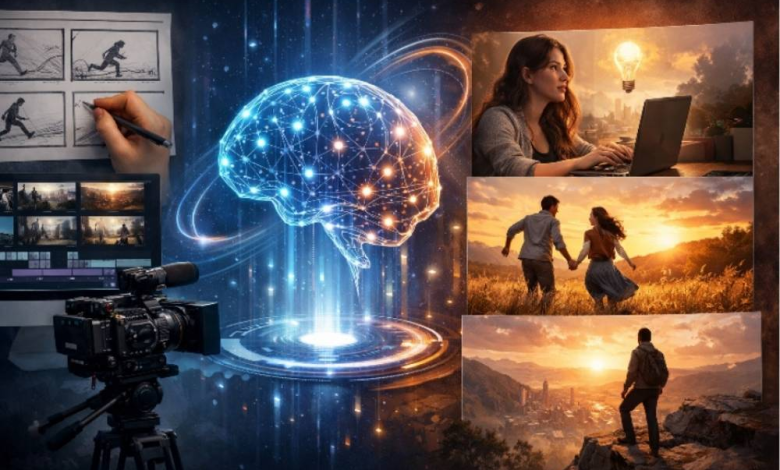
Short-form video content is evolving. What once revolved around quick visuals, trends, or isolated clips is now moving toward something more meaningful. Viewers want stories, even in videos that last less than a minute. A clear flow, emotional direction, and visual continuity now matter just as much as speed or effects.
This shift has created demand for tools that do more than animate visuals. Creators need systems that help them build narratives, not just generate motion. That is where Wan 2.6 stands out. Instead of focusing on single outputs, it is designed to transform simple ideas into short story videos that feel intentional and connected.
In this guide, I will explain how Wan 2.6 AI works, how it improves on earlier versions, and how beginners can experiment with it easily using PixaryAI. The goal is to help creators understand storytelling with AI, not just learn another tool.
Why short videos are shifting toward storytelling
Short videos used to rely on fast cuts and visual surprise to hold attention. While those formats still exist, platforms now reward content that keeps viewers watching longer. Retention improves when people feel curious about what happens next.
Story-driven short videos usually include:
- A starting moment that sets the scene
- A sense of progression or change
- A clear ending, even if subtle
Wan 2.6 supports this structure by treating video creation as a sequence rather than a single output. Instead of generating one static scene, it creates a visual journey. This makes it easier for creators to communicate ideas clearly, even in very short formats.
Turning a simple text idea into a multi-shot story
One of the most practical features of Wan 2.6 text to video is how little input it requires. You do not need a script, storyboard, or technical instructions. A short description of an idea is enough.
For example, you might write a few lines describing a character arriving somewhere, observing their surroundings, and leaving. Wan 2.6 interprets that idea and breaks it into multiple shots. Each shot flows naturally into the next.
Behind the scenes, the system handles:
- Scene separation
- Visual transitions
- Timing and pacing
This process feels much smoother than earlier workflows. With Wan 2.5, creators often had to rewrite prompts several times to achieve continuity. Wan 2.6 reduces that effort by understanding intent rather than relying only on keywords.
The result is a short story video that feels planned, not accidental.
What makes Wan 2.6 different from earlier versions
Version upgrades only matter if they change how people work. Wan 2.6 improves not just visual quality, but also the creative experience itself.
The most noticeable improvement is scene awareness. Wan 2.6 understands that a story unfolds step by step. It maintains visual consistency across scenes, including lighting, environment, and subject positioning. This helps the video feel cohesive from start to finish.
Another key improvement is pacing. Scenes are balanced automatically, avoiding abrupt cuts or unnecessary pauses. This is especially important for creators producing short-form content where every second matters.
Using the Wan 2.6 AI video generator feels more like guiding a creative assistant than managing a technical system. That difference saves time and encourages experimentation.
Creating story-based videos from a single image
Text is not the only way to start. Wan 2.6 image to video allows creators to upload one image and turn it into a narrative sequence.
This approach works well for:
- Designers with concept art
- Photographers exploring motion
- Creators who think visually first
You begin by uploading an image, then describing how the scene should evolve. The description can focus on mood, movement, or progression rather than technical details.
For example, an image of a quiet street can become a short video where lights turn on, people appear, and the atmosphere changes. Wan 2.6 does not just animate the image. It builds a sense of direction.
Compared to Wan 2.5, this process feels more narrative-focused. Earlier versions often emphasized motion effects, while Wan 2.6 emphasizes storytelling.
Describing the final video in simple language
Many beginners assume that better results require complex prompts. Wan 2.6 proves the opposite. Simple descriptions often work best.
You can guide the AI with statements like:
- The scene slowly becomes tense
- The environment reacts to movement
- The ending feels calm and reflective
These instructions give enough context without overwhelming the system. Wan 2.6 fills in the technical details automatically, including transitions and timing.
This simplicity is especially useful for users exploring wan 2.6 online free options. It allows fast testing without a steep learning curve.
Accessibility for beginners and new creators
 Wan 2.6 is designed with accessibility in mind. Beginners do not need editing experience or technical knowledge. The interface encourages experimentation rather than precision.
Access through PixaryAI makes this even easier. Creators can explore Wan 2.6 AI free features to understand how story-based generation works before committing to larger projects.
This accessibility supports consistent creation. When tools are easy to use, creators are more likely to publish regularly, refine their ideas, and develop recognizable styles.
Practical uses for short story AI videos
Story-based short videos can serve many creative and professional purposes:
- Brand storytelling on social platforms
- Visual intros for longer videos
- Educational micro-stories
- Visual support for written content
Because Wan 2.6 video generator outputs feel cohesive, they can be reused across platforms without heavy editing. This flexibility makes the tool valuable for creators managing multiple channels.
Story-focused videos also tend to feel more human. Viewers remember them more easily than disconnected clips, which increases their long-term impact.
Finding the right balance between automation and control
Wan 2.6 automates much of the technical process, but it does not remove creative input. Users can adjust prompts, regenerate scenes, or refine descriptions as needed.
This balance matters. Fully automated systems often produce generic results. Wan 2.6 avoids that by letting creators guide the story while handling execution behind the scenes.
For creators who want both speed and originality, this approach feels practical and sustainable.
Why narrative-focused AI video matters
Storytelling is a fundamental part of how people understand information. Tools that support narrative thinking will always feel more natural than tools focused only on visuals.
Wan 2.6 reflects this understanding. It treats video as a sequence of meaningful moments rather than a collection of effects. This direction suggests how AI video tools are likely to evolve in the future.
Creators who adopt story-based workflows early gain an advantage. Their content feels more intentional, more engaging, and more memorable.
A practical starting point for story-driven creation
Wan 2.6 is an excellent option for beginners who want to create short story videos without technical complexity. Its ability to transform text or images into multi-shot narratives makes it approachable and powerful at the same time.
Using PixaryAI as a testing ground allows creators to experiment, learn, and refine their ideas quickly. Whether you are exploring Wan 2.6 text to video or image-based workflows, the focus remains on storytelling rather than tools.
For creators ready to move beyond simple clips and start building meaningful short videos, Wan 2.6 offers a clear and practical path forward.