Today, visual content plays an important role across digital platforms like social media, websites, online advertisements, and blogs. Whether you are a content creator, marketer, or small business owner, using eye-catching images helps you connect better with your audience.
However, creating high-quality visuals using traditional editing tools can take time and often requires professional design skills. This is why many creators now use an AI image generator to create and enhance visuals automatically without manual editing.
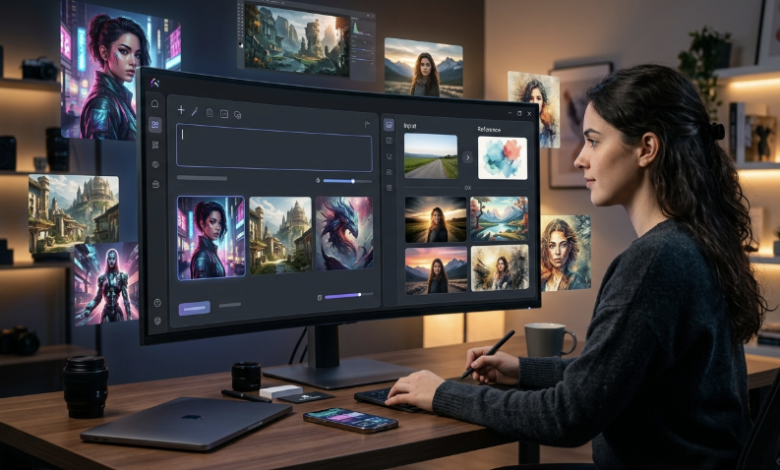
An AI image generator uses machine learning models to analyze patterns in images and generate new visuals or modify existing ones based on user input. These tools can help creators generate completely new images from text prompts or transform real photos by applying stylistic effects, background changes, lighting improvements, and artistic enhancements. Instead of spending hours adjusting layers and filters in traditional software, users can simply upload an image or enter a prompt and let the AI handle the visual processing.
With so many AI-powered tools available online, choosing the right solution can be confusing. Each AI image generator offers different features, workflows, and output quality. Understanding how to evaluate the best option based on your content needs can help you make a smarter decision.
Understand Your Content Needs First
Before selecting an RemixAI AI image generator platform, you should clearly know what type of visuals you want to create.
Ask yourself:
- Do you need images for social media posts?
- Are you creating marketing or promotional visuals?
- Do you want to improve or enhance your existing photos?
- Are you planning to create stylized AI-generated images?
- Do you want to convert images into short AI-generated videos?
Some AI image generators are designed to create entirely new visuals from written prompts, while others allow users to upload real images and apply AI-powered enhancements or transformations such as color correction, background replacement, or visual theme adjustments.
Compare Different AI Image Generation Methods
AI image generators usually work in two main ways.
Text-to-Image Generation
These tools create images from written prompts. You simply describe what you want, and the AI generates a new visual based on your input. This method is useful when you want to create completely new scenes or creative concepts without using existing images.
Image-to-Image Transformation
Some AI image generator platforms allow users to upload existing photos and apply AI-based changes such as:
- Style effects
- Background replacement
- Image enhancement
- Visual theme changes
- Motion effects
This approach is especially helpful for creators who want to improve or restyle their personal or branded images instead of generating new visuals from scratch.
Check Image Quality and Post-Processing Options
Output quality is one of the most important factors when evaluating an AI image generator. The generated visuals should look natural, clear, and ready for digital use without requiring extra editing.
In some cases, AI-generated visuals may include embedded digital markers or synthetic identifiers that are added during the image generation process for tracking or authenticity verification. These identifiers can sometimes affect how the image appears when used across different platforms or marketing materials.
To address this issue, creators may rely on specialized post-processing tools designed to clean synthetic watermarks or embedded markers from AI-generated visuals. For example, an AI Image Synthid Remover can help refine outputs by removing unwanted identifiers while preserving image quality. This additional step improves clarity and ensures the final visual is more suitable for professional use in advertisements, websites, or social media content.
Look for an Easy-to-Use Interface
Not every creator has experience with editing software. A good AI image generator should simplify the content creation process.
Choose tools that offer:
- Easy upload or prompt entry
- Pre-set AI styles or effects
- Quick preview options
- Simple download process
This makes it easier to create professional-looking visuals without technical knowledge.
Consider Speed of AI Image Generation
Content creators often need to produce visuals regularly. A fast AI image generator can help you:
- Create multiple images quickly
- Follow social media trends
- Maintain posting consistency
- Test different visual styles
Faster AI image generation improves productivity and saves valuable time in your content creation process.
Check Creative Flexibility
Some AI image generators allow you to experiment with different styles and visual effects.
Look for features such as:
- Artistic filters
- Background editing
- Themed transformations
- Character effects
- Motion generation from static images
These features help you create engaging and shareable visual content for digital platforms, including options like face swap AI for more personalized and creative visual variations.
Final Thoughts
Choosing the best AI image generator is not about selecting the most advanced tool, but about finding one that matches your content needs and workflow. By checking factors like image quality, ease of use, speed, creative flexibility, and post-processing options, you can select a platform that supports your visual content creation process effectively.
A suitable AI image generator can help you create professional-looking visuals faster and improve your overall digital content strategy.