Netflix is the undisputed leader in streaming, offering a massive library of movies, TV shows, and originals. Its official download feature allows offline viewing, but it comes with limitations like expirations and app lock-ins. Many users want to save content in MP4 format, which is universal, permanent, and playable on any device.
With the advent of AI-powered tools, downloading Netflix content has become smarter, faster, and more efficient. AI can automatically detect video streams, optimize quality, and manage audio/subtitle tracks for the perfect offline viewing experience.
Why Netflix Downloads Aren’t MP4 by Default
Netflix saves downloaded videos in a proprietary, encrypted format rather than MP4. Challenges include:
-
DRM Protection: Widevine encryption ensures only Netflix’s app can play the content.
-
Segmentation: Videos are split into multiple chunks and reassembled during playback.
-
Expiration & App-Lock: Downloads expire and can’t be freely shared.
To get MP4 files, you must capture the video as it’s decrypted or use AI-driven downloaders that automate the process.
AI-Powered Methods to Download Netflix to MP4
Method 1: AI Screen Recording
The most straightforward idea is to simply play the video on your computer and use a screen recorder. However, if you’ve ever tried this, you were likely met with a frustrating black screen.
When you try to record Netflix using most software, the DRM protection kicks in and tells the operating system to block the video, resulting in a recording of the audio but no picture.
Thankfully, there is a well-known workaround for this: disabling hardware acceleration in your web browser. Follow the steps and learn how to screen record Netflix without black screen.
-
Disable hardware acceleration in your browser to avoid black screens.
-
Use an AI-enhanced screen recorder (like OBS Studio with AI plugins) to capture video and audio.
-
AI algorithms can automatically stabilize video, enhance clarity, and remove glitches caused by streaming.
Method 2: AI Netflix Downloaders
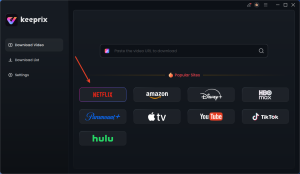
Dedicated AI-powered Netflix downloaders like Keeprix Downloader automate the entire process:
-
Stream Capture: AI detects and decrypts video streams in real time.
-
Smart Quality Optimization: Automatically selects the highest available resolution (up to 1080p).
-
Batch Processing: AI queues and downloads multiple episodes without user intervention.
-
Audio & Subtitle Management: AI recognizes languages and embeds subtitles into the MP4, or saves them as separate SRT files.
Steps to Use Keeprix Downloader with AI Assistance:
-
Install Keeprix Downloader and log in to your Netflix account via its built-in AI-powered browser.
-
Select your movie or TV show. AI automatically analyzes and detects the best quality stream.
-
Configure output settings: MP4 format, video quality, preferred audio, and subtitles.
-
Start the AI-powered download. The software handles encryption bypassing, file merging, and ensures high-quality output.
Benefits of AI in Netflix Downloads
-
Speed: AI speeds up downloads far beyond real-time recording.
-
Automation: Reduces user effort by automatically choosing best quality and organizing files.
-
Enhanced Quality: AI can upscale, stabilize, and optimize video/audio output.
-
Personalization: AI ensures subtitles, audio tracks, and file naming match user preferences.
Conclusion
AI has revolutionized the way we save Netflix content. Whether you use smart screen recorders or AI Netflix downloaders, you can now get high-quality MP4 files that play on any device without expiration limits. AI not only simplifies the process but also improves output quality, making offline viewing seamless, personalized, and permanent.