Introduction
The rise of AI imaging tools has transformed how users create fashion visuals—especially cultural attire such as sarees. Whether for social media, portfolio building, creative experimentation, or digital modeling, an ai saree generator allows anyone to produce realistic, photogenic saree images in minutes.
This guide explains how ai saree tools work, when to use them, what to look for, and how to create high-quality outputs consistently.
What Is an AI Saree Generator
An ai saree generator is a fashion-focused image model that applies saree designs, fabrics, draping styles, and poses to human photos—either through image-to-image transformation or full-body AI generation.
Unlike generic AI art generators, saree-specialized models are optimized for:
• Fabric realism (silk, chiffon, cotton, zari)
• Culturally accurate draping patterns
• Body alignment and pose dynamics
• Jewelry and styling context
• Color and textile detailing
These tools are widely used by creators, influencers, photographers, and designers who want high-quality saree visuals without staging full photo shoots.
How AI Saree Generators Work
AI saree tools rely on:
• Pose & body recognition – identifies posture and limbs
• Fabric rendering models – simulates flow, texture, drape
• Face and identity preservation – keeps the subject’s face unchanged
• Fashion-style training data – thousands of saree examples
This combination ensures outputs look believable, proportionate, and flattering.
Key Features to Look for in an AI Saree Tool
Top pages often list features, but here are the criteria that actually matter:
- Realistic Fabric Rendering
Look for models that support:
• Silk shine and reflection
• Translucent chiffon
• Detailed embroidery or zari
• Natural fabric folds
- Face Preservation Quality
A good tool should retain:
• Facial features
• Skin tone
• Hairline clarity
• Natural expressions
- Style Variety
Traditional, modern, fusion, bridal, Kanjivaram, Banarasi, Kerala-style, etc.
- Resolution Output
Minimum 1024×1024 for social media; higher for printing.
- Fast, consistent generation
Stability matters more than having dozens of superficial styles.
Best Use Cases for AI Saree Tools
Instead of generic examples, these are real-world scenarios drawn from user behavior patterns:
For Individuals
- Try sarees without buying them
• Create festive, bridal, or cultural photos
• Produce elegant social media portraits
For Creators & Influencers
- Daily content without photo shoots
• Outfit mood boards
• Sponsored collaboration mockups
For Designers
- Test saree concepts digitally
• Visualize color combinations
• Generate lookbook prototypes
For Photographers
- Expand portfolio options
• Offer clients AI-enhanced previews
Recommended Tool: AI Saree Generator by a1.art
Among all reviewed platforms, a1.art offers one of the most balanced saree generation experiences—realistic outputs, stable face preservation, and an intuitive workflow. Unlike some tools that are overly stylized, a1.art tends to generate more natural, photogenic saree visuals.
Key Strengths
- High fabric realism, especially for silk and chiffon
• Accurate draping that matches body posture
• Good face preservation without distortion
• Clean color rendering
• Faster generation than typical fashion AI tools
How to Use a1.art (Simple Workflow)
1. Visit the ai saree Generator page on a1.art
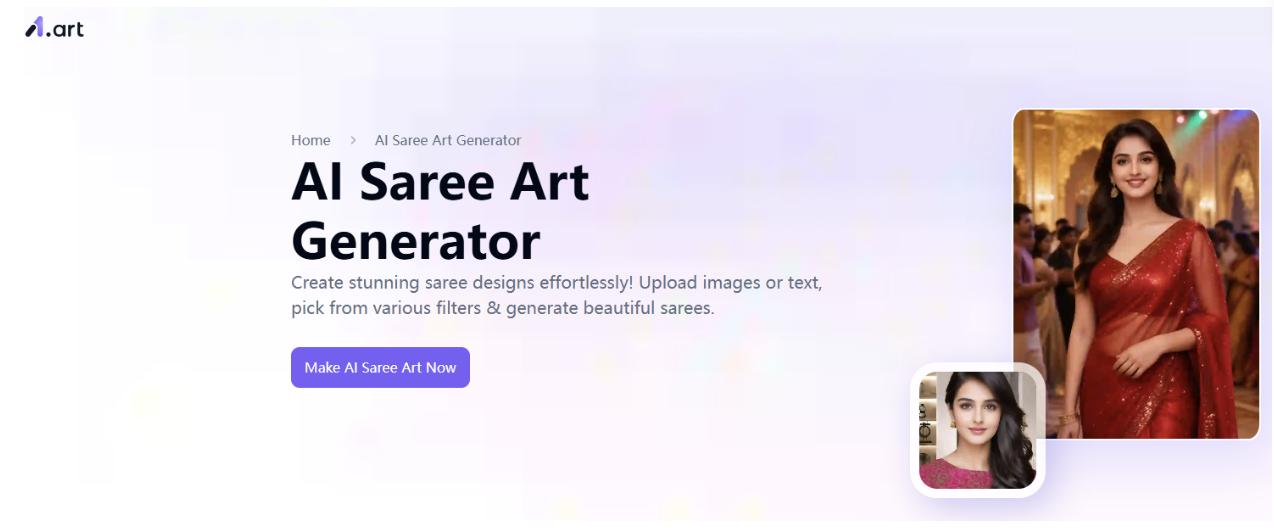
2. Choose your favorite theme from the many types or styles of sarees.
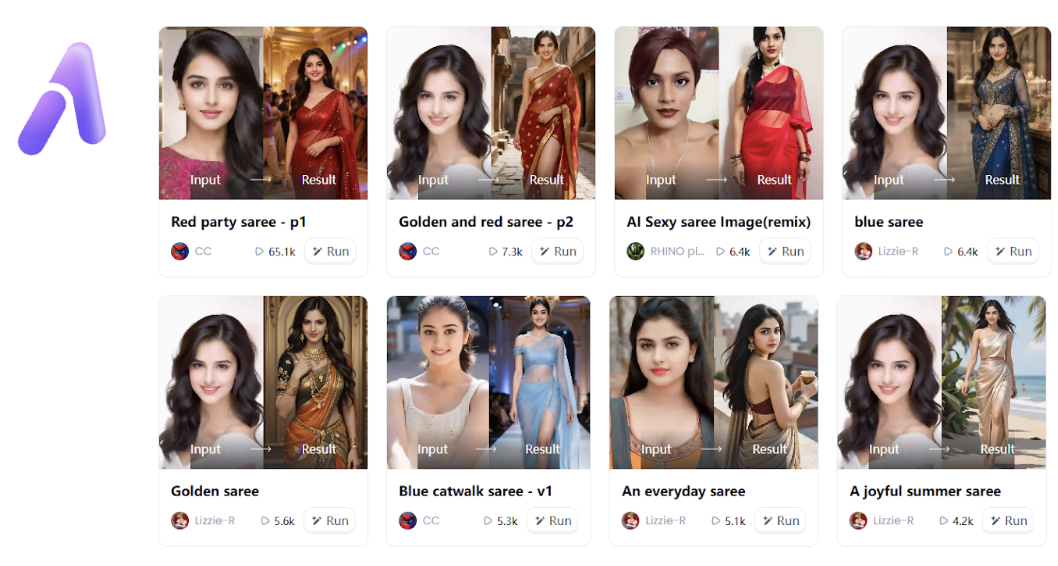
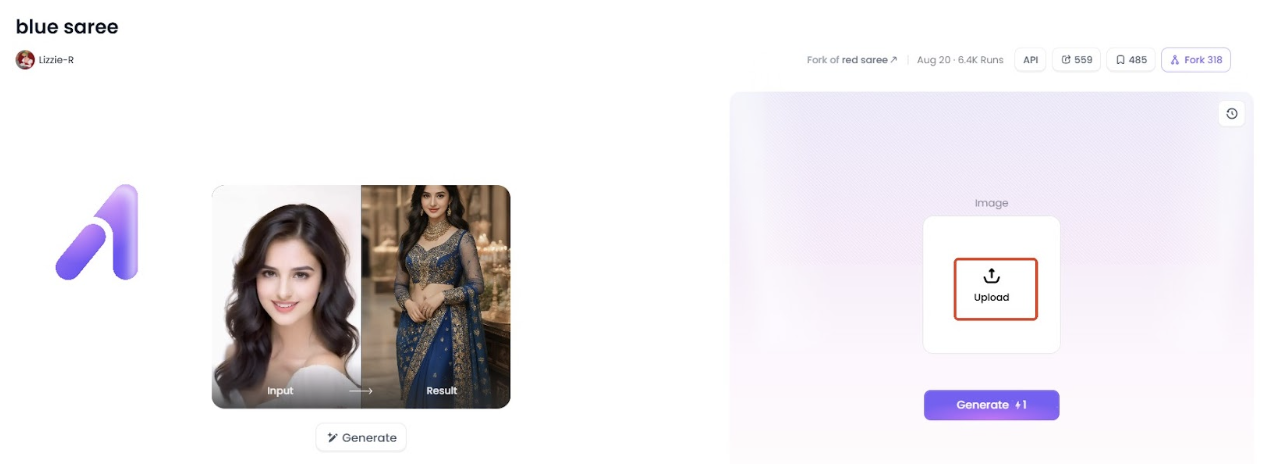
3. On the theme page you like, simply click “Upload” to upload your image.
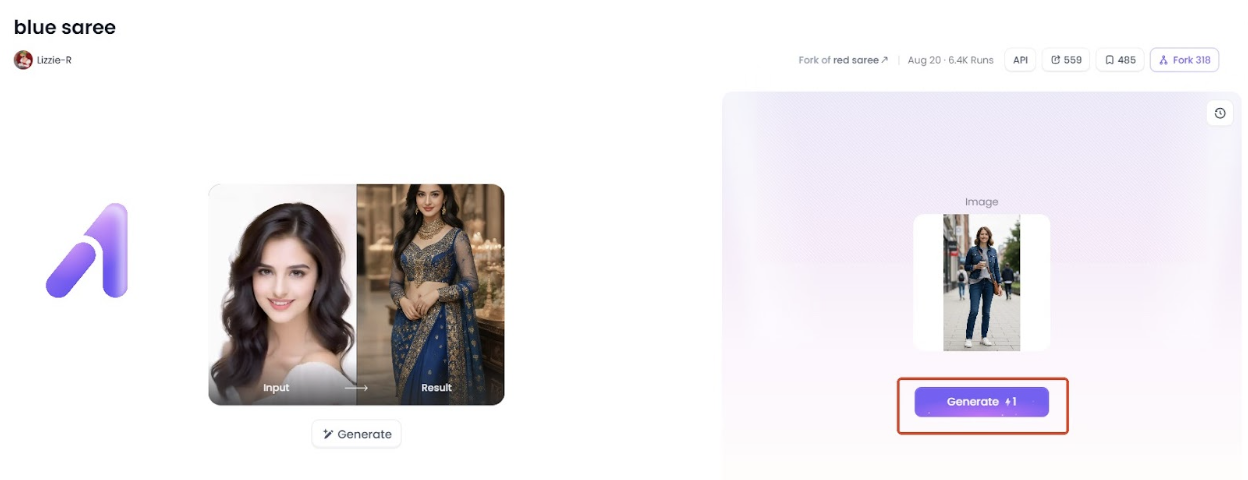
4. After uploading your image, click the “Generate” button and wait a moment—AI Saree Art Generator will create a stunning photo for you.
5. Once the image is generated, simply download it and share it on your social media.
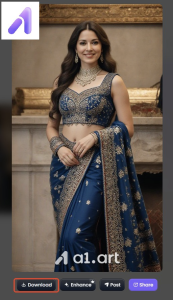
See, it’s that easy! The tool works well for both casual users and creators seeking stable, professional-looking results.
Advanced Tips for Better AI Saree Outputs
These insights help users achieve higher-quality results:
- Use Mid-Length Poses
Waist-up or mid-body photos produce the most accurate folds and pleats.
- Avoid Complex Backgrounds
Busy backgrounds confuse the fabric rendering model.
- Use Side-Light or Soft-Light Photos
This enhances the tool’s ability to simulate fabric textures.
Common Problems (and How to Fix Them)
These solutions are based on technical issues users commonly encounter:
Problem 1: Distorted Hands or Arms
Fix: Use photos with visible but relaxed arms; avoid cropped limbs.
Problem 2: Face Too Smooth or Airbrushed
Fix: Upload a higher-resolution photo; reduce beautification filters.
Problem 3: Fabric Bleeding into Background
Fix: Try photos with minimal background contrast.
Problem 4: Jewelry Misalignment
Fix: Re-generate using a frontal face angle; avoid extreme tilts.
Final Thoughts
AI saree generators provide a powerful, accessible way to visualize saree fashion, explore styles, and create polished images without lengthy photoshoots. As tools continue to evolve, realism, fabric detail, and pose alignment will keep improving.
For users seeking a balanced solution with both quality and ease of use, a1.art’s ai saree Generator is one of the most consistent options available. With the right inputs and a few optimization tricks, you can create elegant saree images that look both natural and visually compelling.