Choosing a new hairstyle is rarely just about liking a reference photo. A cut that looks effortless on one person can feel too heavy, too sharp, or too flat on another because the real decision depends on face shape, hairline, forehead, jawline, neck length, hair density, and personal style. That is why many people leave a salon consultation with several screenshots but still no clear answer.
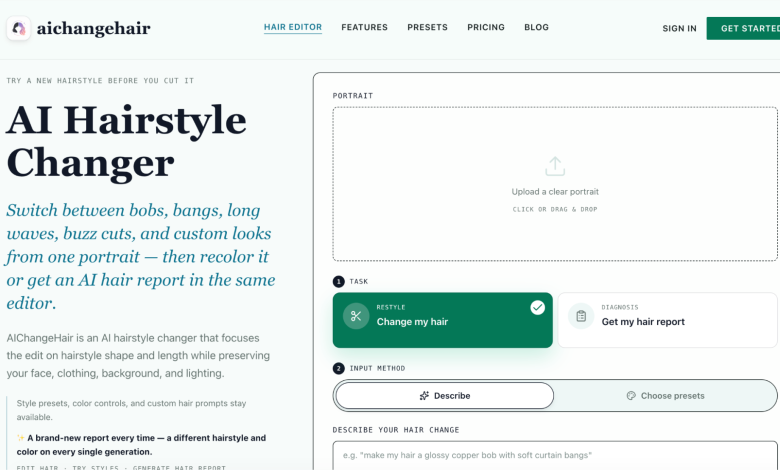
AI hairstyle previews can make that decision easier. Instead of comparing yourself with a model or celebrity, you can upload your own portrait and test styles on your actual face. A focused AI Hairstyle Changer is useful because it lets you explore hair length, bangs, volume, texture, and overall shape while keeping the face, clothing, lighting, pose, and background stable. The goal is not to let AI make the final decision for you. The goal is to create a clearer visual conversation before you cut, color, or style your hair in real life.
Start With a Photo That Shows Your Face Shape
The quality of the preview begins with the source photo. Use a clear portrait taken from the front or a slight three-quarter angle. Your forehead, jawline, cheeks, ears, and current hairline should be visible. This matters because hairstyle choices often change how the face appears. Curtain bangs can soften a forehead. A bob can emphasize the jaw. Long layers can lengthen the face. A pixie cut or crop can make bone structure feel sharper.
Avoid photos with hats, heavy filters, sunglasses, extreme shadows, or hair covering most of the face. If the photo hides the areas a new haircut would reveal, the preview has less useful information. A plain, well-lit portrait gives the AI and your own eye a cleaner starting point.
Compare Shape Before You Compare Color
One of the easiest mistakes is changing everything at once. If you test a new cut, a different color, heavy bangs, and a new texture in the same image, you may not know which change is helping or hurting the look. Start with hairstyle shape first.
Try a few broad families: short crop, pixie, bob, lob, long layers, curtain bangs, side part, soft waves, sleek straight hair, curls, or updos. Look at how each one changes the proportions of your face. Does the style make the face look more balanced? Does it crowd the cheeks? Does it make the jawline look stronger? Does it fit your usual clothing, glasses, makeup, or professional image?
After you find two or three shapes that work, then test color. Color can change the mood of the same haircut, but it should not distract you from whether the structure actually suits your face.
Use AI to Test Bangs, Length, and Volume Separately
Bangs are one of the hardest choices to imagine from a reference photo because a small difference in length or density can completely change the effect. Full blunt bangs can make a face feel more graphic and fashion-forward. Curtain bangs can add softness. Wispy bangs can make a style feel lighter. Side-swept bangs can be easier to grow out.
Length is similar. A chin-length bob, collarbone-length lob, and long layered cut can all frame the face differently, even if the color stays the same. Volume also matters. Flat, sleek hair can make the face look longer and cleaner. More volume around the cheeks can add softness, but too much width may make some faces feel rounder.
Testing these elements in separate rounds helps you avoid judging the wrong thing. First test length. Then test fringe. Then test texture and volume. Save the results that feel realistic, not only the ones that look surprising.
Add Hair Color After the Cut Direction Feels Right
Once a hairstyle shape feels promising, color becomes easier to evaluate. A warm brunette may make a soft layered cut feel natural. Platinum or silver can make a short crop feel more editorial. Copper, cherry, pink, or hidden color accents can add personality, but they may also demand more maintenance.
If color is part of the decision, use an AI Hair Color Changer after you have narrowed the haircut direction. Test colors on the same chosen style so the comparison stays fair. Look for realistic highlights, shadows, strand detail, and a stable face. If the tool changes your facial features while changing the hair, the preview may be fun, but it is less useful for a real decision.
Turn Previews Into Better Salon Notes
AI previews work best when they become conversation material, not a rigid instruction sheet. Bring two or three images to a stylist and describe what you like about each result. Maybe one image has the right length, another has the right bangs, and a third has the right color warmth. A stylist can translate those preferences into a cut that works with your real hair texture, growth pattern, density, and maintenance habits.
This is especially important for short hair, bangs, bobs, and major color changes. A generated preview does not know everything about cowlicks, curl shrinkage, bleaching history, or how often you are willing to style your hair. But it can make the first conversation much more specific than saying, “I want something different.”
Think About Maintenance Before You Commit
A hairstyle can suit your face and still be wrong for your daily life. Before choosing a final direction, ask practical questions. Will the look need heat styling every morning? Does it require frequent trims? Will the color fade quickly? Does the fringe need daily shaping? Will the style still look good on casual days, not only in the best preview?
This is where AI can help you compare options calmly. You may discover that the boldest look is exciting but high-maintenance, while a slightly softer version gives you most of the visual change with less effort. Creators, salons, stylists, and beauty teams can also use the same process for planning multiple looks. For heavier usage, the AIChangeHair pricing page explains the available credit and high-resolution options.
Use the Preview as a Decision Aid, Not a Guarantee
AI can show possibilities, but it should not replace real-world judgment. A good preview should preserve your identity, respect the original lighting, and make the hair look attached to the head rather than pasted on. Still, hair texture, styling skill, salon technique, and product routine will affect the final result.
The best workflow is simple: start with a clear portrait, test hairstyle shape first, compare bangs and volume separately, add color only after the cut direction works, and use the best images as notes for a professional conversation. When you use AI this way, choosing a new hairstyle becomes less like guessing from someone else’s reference photo and more like evaluating realistic options on your own face.