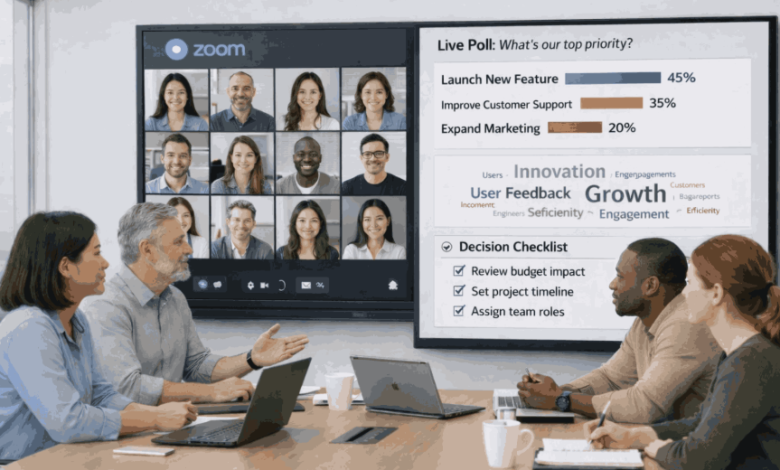
Hybrid meetings can be cluttered. Some people are in the room. Others join via Zoom or Webex. A few people speak. Many people stay quiet. Notes get overlooked. Decisions are unclear.
In 2026, team-based structures help fix this. When work is owned by small teams, meetings become shorter and clearer. And when you use an interactive presentation tool, people can join in fast—by voting, typing, and sharing ideas in real time. That makes hybrid meetings feel fair for everyone, not only the loudest voices.
This guide shows how team-based structures improve hybrid meetings and how you can run them step by step.
What are team-based structures?
A team-based structure is a way of working where:
- People work in small teams (groups or squads).
- Each team owns a clear goal
- Teams decide faster without waiting for many approvals
- Meetings focus on outcomes, not updates
In a team-based structure, you do not need one big meeting for everything. You run smaller, smarter meetings for each team—and only bring people together when it truly helps
Why hybrid meetings fail more often than in-person meetings
Hybrid meetings fail when there is a gap between people in the room and people online.
Common problems include:
- People talk more in a room because they can read faces faster
- Remote people feel invisible and stop sharing
- Updates take too long and leave no time for decisions
- It is hard to know what the group thinks
- No clear owner for next steps
Hybrid meetings need structure. Team-based work gives that structure.
How team-based structures make hybrid meetings better
1) Clear ownership reduces meeting noise.
When each team owns a goal, meetings become focused:
- The right people attend
- The topic stays narrow
- Decisions happen faster
Instead of everyone meeting for everything, teams meet only for what they own.
2) Smaller teams make it simpler to hear every word.
In big hybrid meetings, many people stay silent. In smaller team meetings:
- It is easier to ask questions
- It is easier to notice when someone is quiet
- People feel safer speaking
3) Team schedules make meetings predictable.
Team-based structures usually follow a rhythm:
- Quick standups
- Weekly planning
- Review meetings
- Retrospectives
This rhythm reduces confusion. People know what the meeting is for.
4) Decisions improve when feedback is fast
Hybrid meetings work best when feedback is visible. This is where an Interactive Presentation software helps. You can collect input in seconds:
- Polls for quick choices
- Word clouds for ideas
- Q&A for questions
- Short quizzes to check understanding
This allows teams to make decisions without lengthy arguments.
How a live presentation supports team-based hybrid meetings.
A good hybrid meeting does not involve talking more. It is about facilitating collaborative thinking inside the team.
An interactive presentation helps by giving the group clear moments to respond.
It supports:
- Fast alignment: “Do we agree?” (Yes/No poll)
- Better clarity: “What is unclear?” (Q&A chat)
- Better ideas: “One word: what should we fix?” (word cloud)
- Fair decisions: “Pick the top priority” (ranking)
- Better follow-through: “Who owns this?” (simple check-in)
This works across modern video collaboration platforms and hybrid workspaces, where video, shared canvases, and live interaction exist in one flow. No one needs to fight for time to speak.
Step-by-step: How to run a better team-based hybrid meeting in 2026
Step 1: Start with one clear goal
- By the end of this meeting, we will decide on one thing:
Examples:
- Choose the top 2 sprint priorities
- Agree on the next customer segment
- Fix the top 3 blockers
If you cannot write the goal in one line, the meeting is too broad.
Step 2: Invite the right people only
Use a simple rule:
- Invite people who own the work
- Invite people who remove blockers
Team-based meetings work best when the group is small and accountable.
Step 3: Use a short agenda and show it
Keep the agenda simple:
- Context (2 minutes)
- Options (5 minutes)
- Group input (5 minutes)
- Decision and owners (5 minutes)
When people see the flow, they relax. They participate more.
Step 4: Run one interaction every 8–10 minutes
This is where an interactive presentation tool makes a big difference.
Use small chat like:
- Poll: Which option should we pick?
- Rating: How confident are we? (1–5)
- Word cloud: What is the biggest risk?
- Q&A: What question do you still have?
These moments keep your attention focused while decreasing side conversations.
Step 5: Make decisions visible
Do not end with Let’s think about it.
Do this instead:
- Show the decision on screen
- Confirm it with a quick poll
- Assign one owner per action
Hybrid meetings improve when decisions are clear and written.
Step 6: Verify the AI-generated summary
In 2026, hybrid meetings should not end with manual notes.
Most video collaboration platforms now generate:
- A written meeting summary
- Action items with owners
Your job as a team is simple:
- Review the AI summary on screen
- Confirm decisions are captured correctly
- Edit ownership or deadlines if needed
End with one confirmation question:
“Is the AI summary accurate?” (Yes/No)
Hybrid meeting formats that work best for team-based structures
Huddle (10–15 minutes)
Use for:
- Daily standup
- Fast blockers
- Quick alignment
Keep it simple:
- What changed?
- What is blocked?
- What support is needed?
Decision meeting (20–30 minutes)
Use for:
- Priorities
- Trade-offs
- Approvals
Use interaction to avoid lengthy disputes.
- Poll for options
- Ranking for priorities
- Q&A for concerns
Review and learning meeting (30–45 minutes)
Use for:
- Sprint review
- Demo
- Feedback
Use interaction to collect feedback fast:
- What worked? (word cloud)
- What should we change? (open response)
Common mistakes to avoid
- Too many people in one meeting
- No clear goal
- One person talks the whole time
- Remote people are ignored
- No visible decisions
- Too many tools at once
Keep the meeting simple. Keep the interaction light but steady.
Conclusion
Hybrid meetings in 2026 are most effective when teams have defined goals and meet with purpose. Team-based structures reduce noise, improve focus, and allow for quicker decision-making. When you add a presentation, engagement on Zoom and Webex improves—so everyone, not just the strongest people, can give ideas.
If you want yourmeetings to feel calmer and more useful, start small: pick one meeting, add one interaction moment, and make one decision visible.
FAQ
1) What is a team-based structure in simple words?
A team-based structure means work is done by small teams with clear goals. Each team owns results, not just tasks. This reduces confusion and helps meetings stay focused because the team meets only when it supports the goal.
2) Why do hybrid meetings feel harder on Zoom or Webex?
Hybrid meetings are harder because people in the room can talk faster and read each other better. Remote people often feel left out. Clear structure and short interaction moments help everyone join in more equally.
3) How does an interactive presentation tool help in meetings?
An interactive presentation tool lets people respond in real time. They can vote, type ideas, and ask questions quickly. This helps the group make decisions faster and makes quiet team members feel safe to participate.
4) How often should I add interaction in a hybrid meeting?
A simple rule is once every 8–10 minutes. Use a quick poll, a one-word prompt, or a short rating question. Small moments work better than big activities because they feel natural and do not slow the meeting.
5) What is one easy change I can try in my next hybrid meeting?
Start with one clear goal and end with a visible decision. Add a quick poll to choose the next step. This one change improves focus and makes it easier for both in-room and remote people to stay aligned.