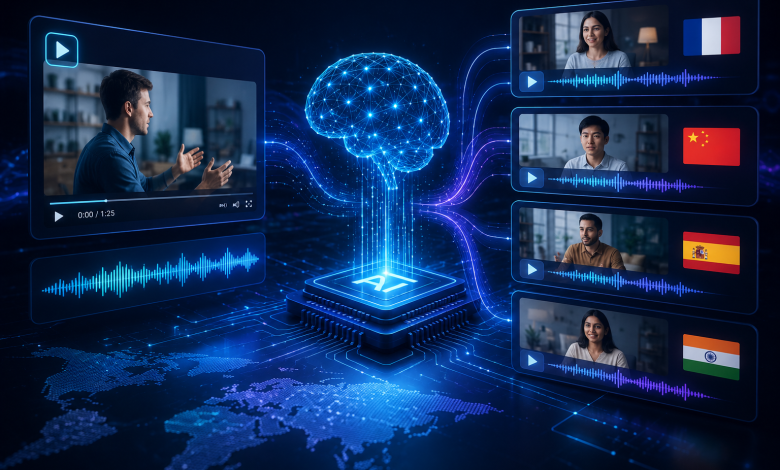
Machine translation of text has been “good enough” for over a decade. Video is a different challenge entirely — it isn’t just words, it’s timing, tone, background noise, and often multiple speakers talking over each other. That combination is exactly why “ai translate youtube video” and “youtube video translator ai” have become common searches: people have already tried text-only translation tools and found them insufficient for spoken, timed content. This piece looks at what’s actually happening under the hood when an AI translates a video, and walks through a live example using AI Video Translator, a free browser-based tool built around exactly this problem.
Text Translation vs. Video Translation: A Different Problem
Translating a paragraph of text is a single-step transformation: source language in, target language out. Translating a video requires solving three distinct sub-problems in sequence, and getting any one of them wrong breaks the final result:
- Transcription accuracy. The system first has to convert spoken audio into an accurate text transcript — a task complicated by accents, background music, cross-talk, and audio quality.
- Translation fidelity. The transcript then has to be translated in a way that preserves meaning, not just literal word choice — idioms and technical terminology are common failure points.
- Timing synchronization. Translated text is often longer or shorter than the source language, which means subtitle timing has to be recalculated so lines still match what’s being spoken on screen.
An AI system that only solves step two — the part most people associate with “translation” — isn’t actually useful for video. That’s why the tools that work well in this space are built as end-to-end pipelines rather than a translation API bolted onto a video player.
Walking Through the AI Pipeline in Practice
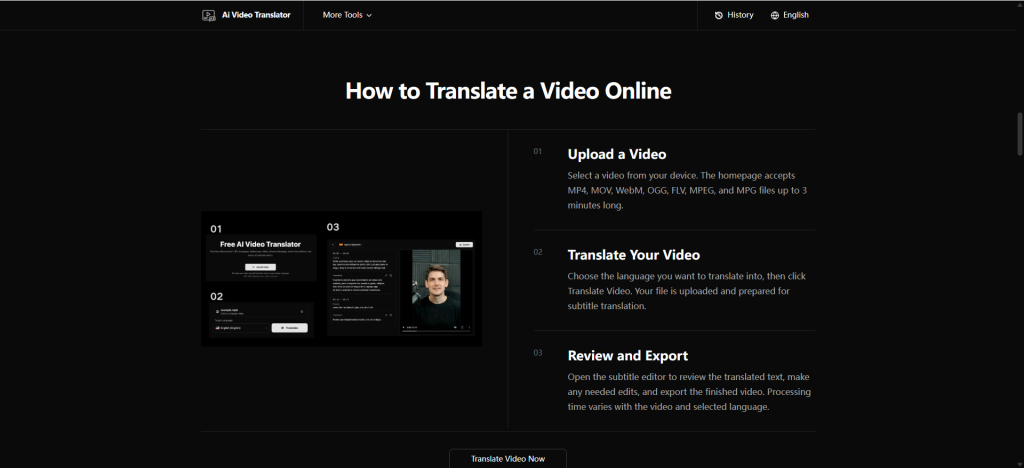
Here’s how that three-step problem plays out as an actual user workflow with AI Video Translator:
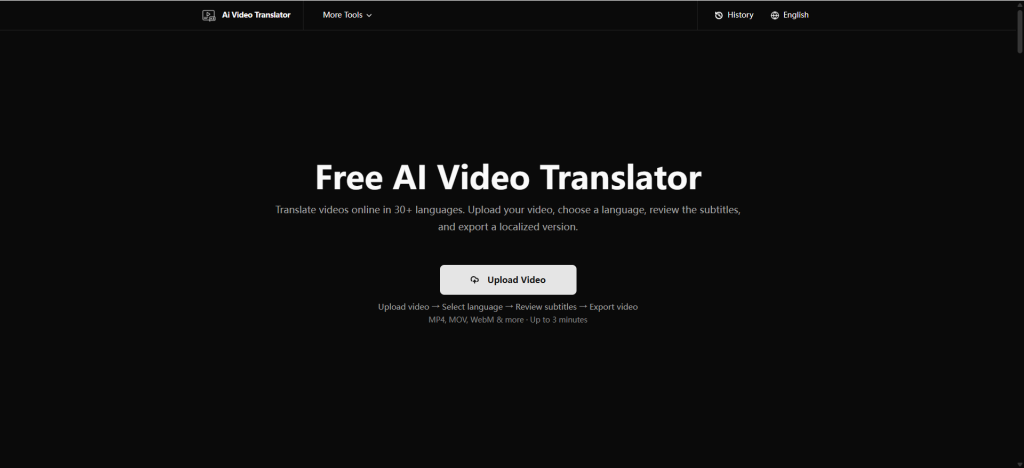
Upload. The tool accepts MP4, MOV, WebM, OGG, FLV, MPEG, and MPG files up to 3 minutes in length. This is the transcription-input stage — the cleaner the source audio, the more accurate the resulting transcript.
Translate. After selecting a target language from more than 30 options and clicking “Translate Video,” the file is processed: speech is transcribed, translated, and time-aligned automatically.
Review and export. This is the step that separates a genuinely useful AI translation tool from a novelty. The subtitle editor surfaces the translated text mapped against the video timeline, letting a human catch and correct anything the model got wrong — a mistranslated idiom, a misheard name, an awkward timing gap — before the final video is exported.
That review stage matters more than it might seem. Automatic speech recognition models are remarkably capable, but they aren’t infallible, particularly with proper nouns, industry jargon, or heavily accented speech. Treating the AI output as a strong first draft, not a finished product, is the difference between a translation tool that’s genuinely usable and one that quietly ships errors.
Why 30+ Languages Matters More Than It Sounds
Supporting dozens of languages isn’t just a marketing checkbox — it reflects how translation models actually work. Neural machine translation systems are trained on language pairs, and the amount of available training data varies significantly between, say, English-Spanish and less commonly paired languages. Broad language coverage means the underlying model has been trained (or fine-tuned) across a wide enough set of pairs to produce usable output for niche language combinations, not just the handful of high-resource languages that dominate most translation benchmarks.
As one concrete example, translating video content into Spanish is one of the more common use cases given the size of Spanish-speaking audiences worldwide, and it follows the identical upload-translate-review pipeline through the Spanish video translation tool.
Where the Technology Still Has Limits
It’s worth being direct about where AI video translation currently falls short, because overselling accuracy erodes trust in the category:
- Overlapping speech and heavy background noise still degrade transcription quality, which cascades into translation errors downstream.
- Idioms and culturally specific references frequently require human judgment that a model can approximate but not guarantee.
- Very short clips (under 3 minutes on most free tools, including this one) reflect current processing constraints rather than an arbitrary limit — longer videos require more compute and more careful chunking to keep translation and timing accurate.
None of this makes the technology less useful — it just means the editable review step isn’t optional. Any workflow that skips straight from upload to final export without a human check is trading accuracy for speed in a way that usually isn’t worth it.
How to Evaluate Whether an AI Translation Is Good Enough
For teams deciding whether to adopt an AI video translation workflow, it helps to have a concrete checklist rather than a vague sense of “the translation looked fine.” A few practical checks worth applying to any AI-translated video before publishing:
- Read the subtitles without watching the video first. If the translated text doesn’t make sense as standalone writing, the translation likely needs editing regardless of how well it’s timed.
- Spot-check proper nouns. Names of people, products, and places are the most common failure point for automatic speech recognition, and errors here are easy to miss if you’re only skimming.
- Confirm subtitle timing against fast speech. Sections with rapid dialogue are the most likely place for timing drift, since translated text length rarely matches the source language exactly.
- Check for dropped content. Occasionally a phrase or sentence gets skipped entirely rather than mistranslated, which is harder to catch than an obvious wording error.
Running through this kind of checklist during the review-and-export step turns AI video translation from a “hope it’s right” process into a “verify it’s right” process, which is the difference that actually matters for anything being published externally.
What Comes Next
The trajectory here mirrors what happened with text translation over the past ten years: accuracy keeps improving, latency keeps dropping, and the tools keep getting more accessible to non-technical users. What’s changed most recently isn’t the core AI capability — speech recognition and machine translation are mature technologies — it’s the packaging. A free, browser-based tool that handles the entire upload-to-export pipeline in one place removes the friction that used to require stitching together three or four separate services.
Conclusion
“How does AI translate a YouTube video” is really three questions stacked on top of each other — transcription, translation, and timing — and the tools that answer all three well are the ones actually solving the problem people are searching for. As these pipelines keep maturing, the realistic expectation isn’t a fully autonomous, zero-review translation process; it’s a fast, accurate first draft that a human can refine in minutes instead of hours. That’s a meaningfully different value proposition than pure machine translation, and it’s why AI video translation has become its own category rather than a feature bolted onto existing translation tools.