Most AI video tools work the same way: type a prompt, hit generate, hope for the best. You’re not directing anything — you’re gambling on whatever the model decides to give you.
Higgsfield AI was built to fix that. It calls itself “the ultimate AI-powered camera control for filmmakers and creators,” and it’s one of the few platforms that actually backs up the claim. Instead of a single text box, you get a full production ecosystem: access to the best video and image models on the market, a cinematography-grade control layer on top of them, a character-consistency system that actually works, and a massive library of one-click content tools.
This review breaks down what Higgsfield does, what it costs, where it shines, and where it falls short — based on the platform’s current pricing, features, and real user feedback.
Get Up to 30% Off Higgsfield AI (Here’s How)
Before we get into the breakdown, here’s the part most reviews bury at the very bottom: Higgsfield’s annual billing cuts the price significantly — savings that range from 21% off on the Pro plan up to 30% off on the Scale plan, depending on which tier fits your workload.
👉 Grab the discount here → Click Now To Get Up to 30% Off Higgsfield AI
This is the only place this link appears in the entire article, so if you know you want in, this is the moment to take it. Otherwise, keep reading — and just scroll back up here when you’re ready.
What Is Higgsfield AI?
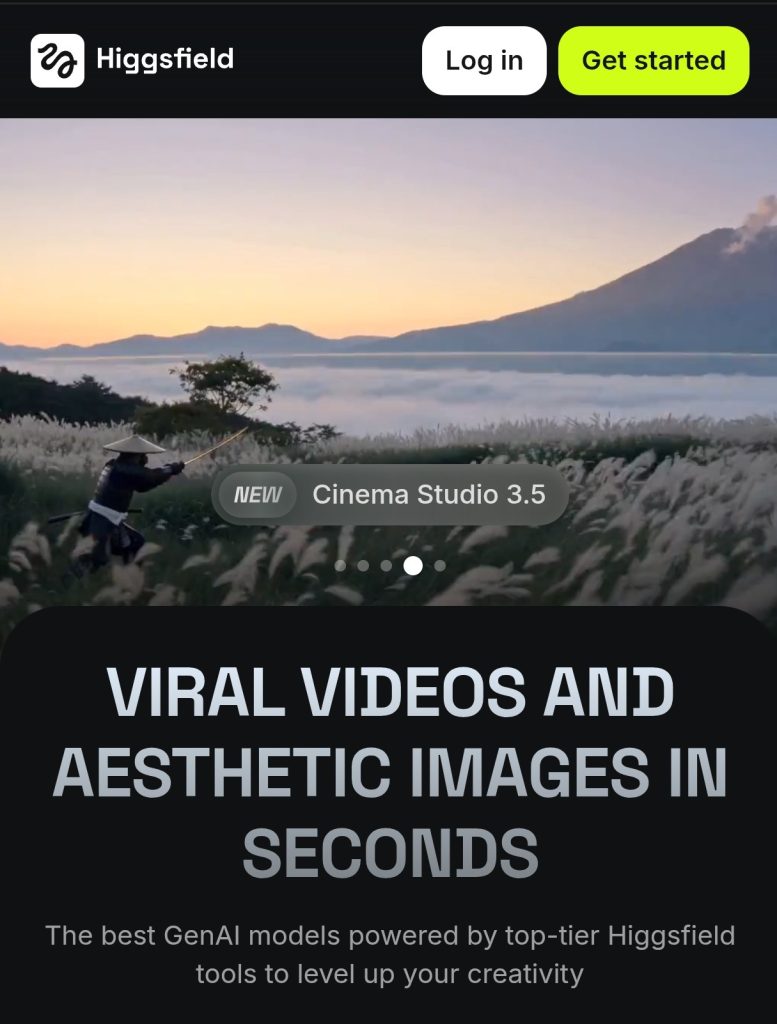
Higgsfield AI is an all-in-one AI media production platform founded in 2023 by Alex Mashrabov, formerly the Director of Generative AI at Snap Inc. It works as two things at once:
- A model developer. Its own Soul series handles fashion and portrait-style image generation, while Nano Banana is built for fast, sharp 4K images.
- A model aggregator. It gives you access to the industry’s strongest video engines — Sora 2, Google Veo 3.1, Kling, Wan, Seedance, and MiniMax Hailuo — all under one interface and one credit system.
What separates it from raw model providers and simple “generate” apps is the professional control layer sitting on top: Cinema Studio for cinematography, Soul ID for character consistency, Motion Control for real camera direction, and a library of 70+ visual effects. It’s used by filmmakers, marketing agencies, e-commerce brands, and social creators alike.
How Does Higgsfield Work?
The platform separates your creative input from the AI engine doing the rendering, which is why outputs feel more directed than most competitors:
- Input. You start with a prompt, reference image, video clip, saved character (Soul ID), or a Moodboard style reference.
- Logic check. Before generation, Higgsfield’s reasoning layer checks your request for physical plausibility — this is what keeps fabric, liquid, and complex motion from looking rubbery or broken.
- Model routing. Based on your settings, the platform sends your request to the best-fit engine — Kling for cinematic realism, Sora 2 for longer narrative sequences, Veo for photorealistic physics, and so on.
- Refinement. After generation, it upscales to 4K and applies targeted fixes like flicker stabilization, skin enhancement, and relighting.
The result feels less like “prompt and pray” and more like an actual production workflow.
Higgsfield AI Key Features
Here are some Higgsfield AI most memorable features:
- Cinema Studio
Cinema Studio is Higgsfield’s professional AI filmmaking workspace. Instead of simply typing a prompt, you can direct the scene like a real filmmaker. Choose camera lenses (such as 16mm, 35mm, 50mm, or anamorphic), lighting styles, camera types, color grading, mood, and film effects before the video is generated. Because these settings are built into the generation process, the results look much more realistic and cinematic than applying filters afterward.
- AI Director (Mr. Higgs)
Mr. Higgs is a built-in AI co-director. Instead of manually writing long prompts, you can describe your idea in plain English. It can break your story into scenes, recommend camera angles, choose lighting, improve prompts, and even create a complete shot list automatically.
- Motion Control
Higgsfield gives you professional control over camera movement. Use the 3D Directional Sphere to create your own camera path or choose from more than 70 cinematic camera movements, including dolly, crane, orbit, truck, pan, tilt, FPV drone, handheld, bullet time, crash zoom, and many others. This makes AI videos feel like they were filmed by a real camera operator.
- Soul ID
Soul ID creates a permanent identity for your AI character. Once created, the same face, hairstyle, facial features, and overall appearance remain consistent across different images, videos, outfits, poses, and environments. This solves one of the biggest problems in AI generation—characters changing from one scene to the next.
- Soul Cast
Soul Cast lets you build complete AI actors instead of just generating random faces. You can choose the character’s genre, era, age, physique, clothing, personality, and unique features such as scars, freckles, or tattoos. The same actor can then appear consistently throughout an entire project.
- AI Influencer Studio
Create a virtual influencer that never changes. Your AI influencer can appear in unlimited outfits, locations, and situations, making it ideal for brands, businesses, and content creators who want a consistent digital personality.
- Popcorn (AI Storyboarding)
Popcorn is Higgsfield’s AI storyboard tool. Before generating videos, it helps you plan every shot in sequence while keeping characters, camera angles, colors, lighting, and visual style consistent across the entire story.
- Image-to-Video
Turn any image into a moving video. Higgsfield intelligently adds realistic facial expressions, body movement, camera motion, and environmental animation while preserving the original subject.
- Draw-to-Video
Sketch an idea or edit part of an image, and Higgsfield transforms it into an animated video. This gives creators much greater control over the final result than relying on text prompts alone.
- Start & End Frame Generation
Provide the first frame and the last frame of a scene, and Higgsfield generates everything that happens between them. This is perfect for creating smooth transitions and cinematic storytelling.
- Marketing Studio
Marketing Studio is designed specifically for businesses. Simply paste a product link or upload product images, and Higgsfield automatically creates complete advertisements, including scripts, scenes, product shots, AI presenters, and social-media-ready videos.
- URL-to-Ad
One of Higgsfield’s most powerful marketing tools. Paste the URL of a product page, and the AI automatically extracts product details, writes a script, plans the shots, and produces a finished promotional video with very little manual work.
- UGC Builder (UGC Factory)
Create realistic user-generated content without hiring actors. A single photo can become a talking person who speaks naturally, gestures realistically, and promotes your product like a genuine customer.
- Product Placement
Place products naturally inside AI-generated scenes. Instead of photographing products in different locations, Higgsfield inserts them realistically into videos while matching lighting, reflections, and perspective.
- Lipsync Studio
Automatically matches a person’s mouth movements to spoken audio with impressive accuracy. It supports dubbing, translations, multilingual videos, and talking AI characters.
- Talking Avatar
Bring portraits to life by making them talk with realistic lip movement, facial expressions, blinking, and natural head motion.
- Voice Generation & AI Dubbing
Generate realistic AI voices, translate speech into different languages, and automatically synchronize lip movement so the translated version still looks natural.
- Multi-Reference Generation
Upload several reference images at once so the AI can combine faces, clothing, hairstyles, poses, backgrounds, or products into one consistent result. This provides much better control than using only one reference image.
- Draw to Edit & AI Editing
Edit existing images using simple prompts. Remove unwanted objects, replace backgrounds, change clothing, add new elements, or modify specific parts of an image without recreating everything from scratch.
- Inpainting & Outpainting
Inpainting lets you erase or replace parts of an image, while Outpainting expands the image beyond its original borders, allowing you to create larger scenes naturally.
- Video & Image Upscaling
Improve the quality of low-resolution images and videos. Higgsfield sharpens details, reduces noise, and increases resolution to produce cleaner, more professional-looking content.
- Collaboration Workspace
Multiple team members can work on the same project together. Characters, locations, props, prompts, and storyboards can all be shared, making collaboration much easier for agencies and production teams.
- Reusable Elements
Save characters, props, and locations as reusable assets. Instead of recreating them every time, you can insert the same elements into future scenes while keeping them visually consistent.
- Access to Multiple AI Models
Higgsfield combines many leading AI models into one platform. Users can create content with models such as Veo, Kling, Wan, Flux, GPT Image, Seedance, Gemini, Grok Imagine, and others without switching between different websites or applications.
- 80+ One-Click AI Apps
Higgsfield includes more than 80 specialized AI tools that perform complex tasks with one click. These include Face Swap, Product Placement, Click-to-Ad, Virtual Try-On, AI Headshots, Fashion Factory, Beauty Enhancement, Lipsync Studio, Talking Avatar, Product Reviews, Tutorials, TV Spot generation, and many other tools for creators and marketers.
Higgsfield AI Pricing
Higgsfield runs on a tiered subscription plus a credit system — credits get spent per generation, and cost varies by model, resolution, and length. Here’s the current lineup on annual billing (with monthly-billing price for comparison):
- Basic — $9/month. 120 credits/month. No annual discount at this tier.
- Pro — $23/month annually ($29/month billed monthly). 21% off, saving $72/year. 600 credits/month, full model access, commercial rights.
- Max — $59/month annually ($79/month billed monthly). 25% off, saving $240/year. 1,800 credits/month — Higgsfield’s own “best value” pick for regular production use.
- Team — $65/seat/month annually ($79/seat monthly). 18% off, saving $168/seat/year. 5,000 shared credits, built for teams of 2–9 with SSO and priority rendering.
- Scale — $150/seat/month annually ($215/seat monthly). 30% off, saving $228/seat/year — the deepest discount on the page. 12,500 shared credits, for teams of 5–15.
- Enterprise — custom pricing. Custom credit pools, dedicated capacity, SLA, and volume rollover for large organizations.
One reality check worth knowing: a single premium video generation (Sora 2, for example) can burn 50+ credits on its own. On Basic, that’s most of a month’s allocation in one clip. If you plan to use the top-tier models regularly, Pro is the realistic starting point — not Basic.
Is Higgsfield AI Free?
There’s a limited free tier that lets you test the interface with a small daily credit allowance, watermarked exports, and access to a restricted set of models — premium engines like Veo and Sora 2 are locked behind paid plans. It’s genuinely useful for kicking the tires, but not something you can build real production output on. For anything beyond casual testing, you’ll want a paid plan.
Do Higgsfield Credits Roll Over?
No — monthly subscription credits reset at the end of your billing cycle and don’t carry forward. Add-on credit packs work differently: they’re a one-time purchase that expires 90 days after purchase and doesn’t auto-renew. If your workload is bursty rather than steady, credit packs on top of a lower tier are often more economical than permanently upgrading.
Does Higgsfield AI Have an App?
Yes. The Diffuse app (iOS, with Android available in select regions) gives you a streamlined version of the platform built for on-the-go, social-first creation, including daily free credits separate from the web platform. The full Cinema Studio experience, though, is still best used on desktop.
Does Higgsfield Have an API?
Yes — a Cloud API and Python SDK are available for developers who want to build Higgsfield’s generation, Soul ID injection, and editing capabilities directly into their own apps or automation pipelines. Common use cases include automated social content pipelines, e-commerce product visualization, and A/B testing content variants at scale.
Higgsfield Customer Service
Support runs through two channels:
- Email ([email protected]) — handles billing, refunds, and technical issues.
- Discord — the faster option for practical, workflow-specific help, with an active community of power users and the core team.
There’s no live chat on any tier currently, which is worth factoring in if you’re working against a deadline.
Is Higgsfield Good?
Higgsfield currently holds a 4-star TrustScore on Trustpilot across thousands of reviews. The praise is consistent: strong output quality, fast generation, a wide model selection, and — notably — a good track record of refunding credits when something breaks. The recurring complaints are also consistent: the pricing structure changes often and can feel confusing, premium-model credit costs add up quickly, and the interface can overwhelm new users in the first session or two.
Higgsfield Pros
- Unmatched character consistency through Soul ID
- Access to Sora 2, Veo, Kling, Wan, and Seedance under one subscription and one credit system
- Cinema Studio gives you real cinematographer-level control, not a gimmicky filter set
- Noticeably fewer physics/motion artifacts than most competitors
- Genuinely useful mobile app, not an afterthought
- 70+ effects and 80+ one-click content Apps in a single platform
- Frequent model and feature updates that add value to an existing subscription
Higgsfield Cons
- Cinema Studio has a real learning curve for first-time users
- Premium models consume credits fast — budget-conscious users need to plan around this
- No live chat support on any plan
- Pricing and promotions change often enough that it’s worth double-checking the live page before you buy
- Most clips run 10–30 seconds, so longer projects mean stitching multiple generations together
Is Higgsfield Worth It?
If you’re producing high-volume social content, UGC-style ads, or need a consistent character across a campaign, yes — Soul ID and the Apps library alone can justify the cost against what a real shoot would take. If you’re a casual user who wants the occasional impressive clip without investing time in learning the tools, a simpler platform will serve you better. The honest test: if you know your cost per usable output and the math works for your volume, Higgsfield earns its subscription.
Higgsfield AI FAQs
Does Higgsfield have Sora 2 and Veo 3.1? Yes — both are available on paid plans, alongside Kling, Wan, and Seedance, all under the same credit system.
Can I use Higgsfield-generated content commercially? Yes, commercial rights are included on paid plans. The free tier does not include commercial rights.
Is Higgsfield better than Runway or Kling standalone? It depends on what you need. Higgsfield’s advantage is breadth — one subscription covering multiple top-tier models plus a cinematography control layer and character consistency. If you only need one specific model with deep native editing, a standalone tool might be simpler. For most creators who want flexibility, Higgsfield covers more ground.
How do I cancel my Higgsfield subscription? Cancellation is managed from your account dashboard. Downgrades typically take effect at the start of your next billing cycle, so you keep access to your current tier through the period you already paid for.
Does Higgsfield offer discounts? Yes — annual billing brings meaningful savings across every tier, up to 30% off on the higher plans. If you scrolled past it, it’s covered right after the intro above.
Is Higgsfield safe to use for client or brand work? The platform maintains content-safety filters across all integrated models and includes commercial usage rights on paid tiers, making it suitable for agency and brand production work.
What’s the difference between the Pro and Max plans? Pro covers full model access and commercial rights at a lower credit ceiling (600/month). Max roughly triples that (1,800/month) and is built for creators regularly running premium models like Sora 2 or heavier Cinema Studio sessions.
Final Verdict
Higgsfield earns its reputation not from one standout feature but from doing more things well at once than most competitors attempt — multi-model access, real cinematography controls, and character consistency that actually holds up across scenes. The credit economics require some discipline, and the learning curve on Cinema Studio is real, but for creators and brands producing content at any real volume, it’s one of the strongest all-in-one options available right now.
If you haven’t grabbed the annual discount yet, it’s waiting for you right after the intro — scroll back up before it slips your mind.
But for making it to the end here’s your link to grab a discount:
→ Click Now Get Up to 30% Off Higgsfield AI