Design teams rarely struggle because they lack ideas. What slows them down is how long it takes to turn those ideas into something others can actually respond to.
In architecture, interior design, and product visualization, early concepts often stall in translation. A sketch may capture direction, but not enough detail for review. A reference image may suggest a mood, but not a structure teams can work with. As a result, much of the time goes into reworking visuals so they can be understood, rather than testing whether the idea itself works.
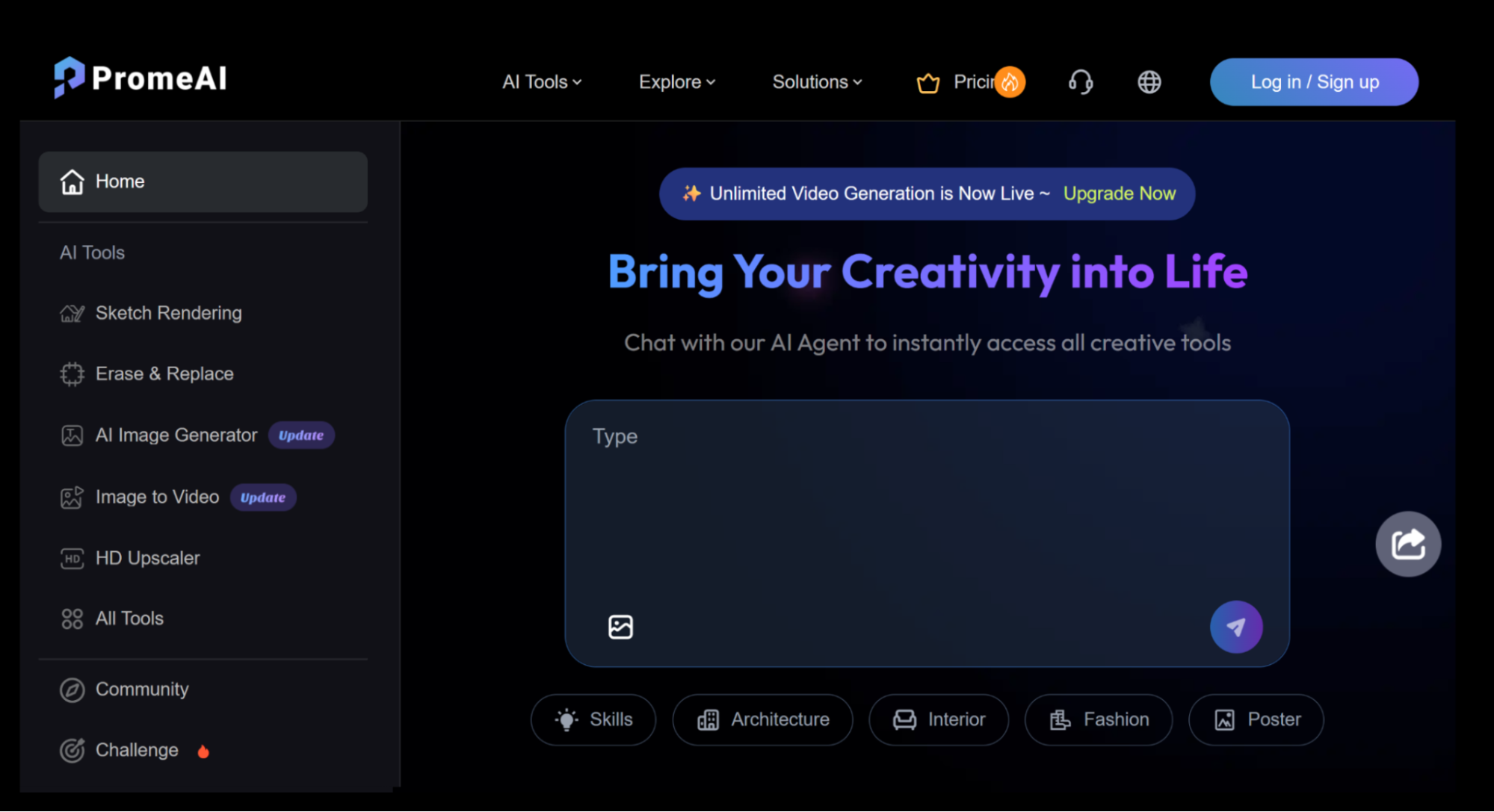
This is why many teams are starting to rethink how visual work is structured. Instead of separating sketching, rendering, and editing into disconnected steps, they are moving toward more integrated workflows that support faster back-and-forth changes and clearer communication. Platforms like PromeAI’s design tools reflect this shift—not as standalone generators, but as part of a broader effort to make visual work easier to move forward.
 Testing Design Direction Earlier with AI Sketch Rendering
One of the most noticeable changes in recent workflows is how rendering is used much earlier in the process.
Instead of waiting until the final stage, teams now use AI sketch rendering to explore direction while ideas are still flexible. Rough drafts, line drawings, or simple geometry can be quickly turned into reviewable visuals, making it easier to compare options without committing to full production.
In architectural workflows, this often begins with a simple massing model or a hand-drawn sketch. Designers can then generate several visual variations to explore facade treatments, materials, or lighting conditions side by side. What used to require multiple rounds of modeling and rendering can now happen earlier, when changes are still easy to make and decisions carry less risk.
This also changes how teams communicate internally. Instead of discussing abstract ideas or rough sketches, they can react to visuals that are already close to a realistic outcome. This reduces ambiguity in feedback and helps align expectations earlier in the process.
In some cases, teams also work in the opposite direction—using techniques like turning photos into sketches to simplify real-world references. This is especially useful when working from site photos, where extracting structure matters more than preserving every visual detail. It allows designers to quickly move from observation to interpretation, without getting stuck in unnecessary detail.
 Refining Existing Visuals with Image-to-Image AI
This is usually where projects slow down the most.
After the first draft, the challenge is no longer creating options, but adjusting what already exists. In most workflows, designers are not starting over—they are making small, targeted changes while trying to keep everything else consistent.
This is particularly clear in e-commerce workflows. A product image may already be approved in terms of composition, but still needs adjustments for different contexts—new backgrounds, lighting refinements, or variations for seasonal campaigns. Rebuilding the entire image each time is inefficient and often unnecessary.
For example, a brand might need ten variations of the same product visual for different regions or campaigns. The base image remains the same, but colors, environments, and lighting need to shift. Without controlled editing, this quickly becomes repetitive production work.
This is where image-to-image AI becomes more useful, with features like region rendering for targeted edits, erase & replace for quick retouching, image variation for generating consistent alternatives, and so on. It allows designers to modify specific areas without breaking the overall composition, making it easier to respond to feedback without resetting the work. Instead of generating endless variations, teams can focus on improving what is already close to final.
In practice, this kind of control often matters more than speed. The ability to make precise adjustments without losing consistency is what keeps projects moving forward smoothly.
Improving Output Quality with AI Image Upscaling
Even when the direction is clear, the output is not always ready to use.
Design teams often end up with visuals that work conceptually but still need improvement before they can be presented or delivered. The image may be slightly blurred, missing detail, or not at the right resolution for its intended use.
This stage is especially important for client-facing work. A concept that looks acceptable in an internal review may not meet the standard required for presentation or publication. Without refinement, teams often have to revisit earlier steps just to improve quality.
This is where refinement tools become essential. AI image upscaling and enhancement can improve clarity, restore detail, and prepare visuals for real-world use—whether for client presentations, marketing materials, or product listings.
Without this step, earlier progress does not fully carry through. Teams may still need to redo work just to meet output requirements, which reduces the benefit of a faster workflow. In many cases, the difference between a usable asset and an unusable one comes down to this final stage.
Building Workflows That Support Better Decisions
The real shift is not about using more AI tools, but about how they are used across the process.
When teams can explore ideas earlier, adjust visuals without restarting, and bring outputs to a usable state more efficiently, the entire workflow becomes easier to manage. Less time is spent reworking assets, and more time is spent moving projects forward with confidence.
What changes most is not just speed, but how decisions are made. Teams are no longer forced to commit too early or revisit work too late. Instead, they can evaluate options at the right moment, when feedback is still useful and changes are still manageable.
The real advantage is not faster output, but knowing earlier what is worth moving forward.
In practice, the most effective workflows are the ones that stay close to how design work actually happens. AI becomes valuable not when it replaces the process, but when it supports it—helping teams move from rough ideas to confident decisions with less friction along the way.