BeatViz is a strong choice for independent musicians who want to turn a finished song into a complete AI music video, while Seedance 2.5 is better suited to longer generated sequences, Kling 3.0 emphasizes controlled cinematic shots, and MiniMax H3 offers flexible multimodal video generation. The distinction matters: Seedance 2.5 supports up to 30 seconds per generation, Kling 3.0 reaches 15 seconds, and MiniMax H3 generates clips of 4–15 seconds. Completing a three-minute song requires more than extending the duration of an individual shot.
The real challenge in full-length AI music video production is coordinating three things: musical synchronization, visual consistency, and timeline assembly. A five-second clip can look convincing on its own. A complete video must connect dozens of visual decisions to the same song without losing its characters, pacing, or creative direction.
For independent musicians, the most useful question is no longer which AI model produces the most impressive individual scene. It is which production workflow can turn an existing audio file into a finished film that can be reviewed, revised, and released.
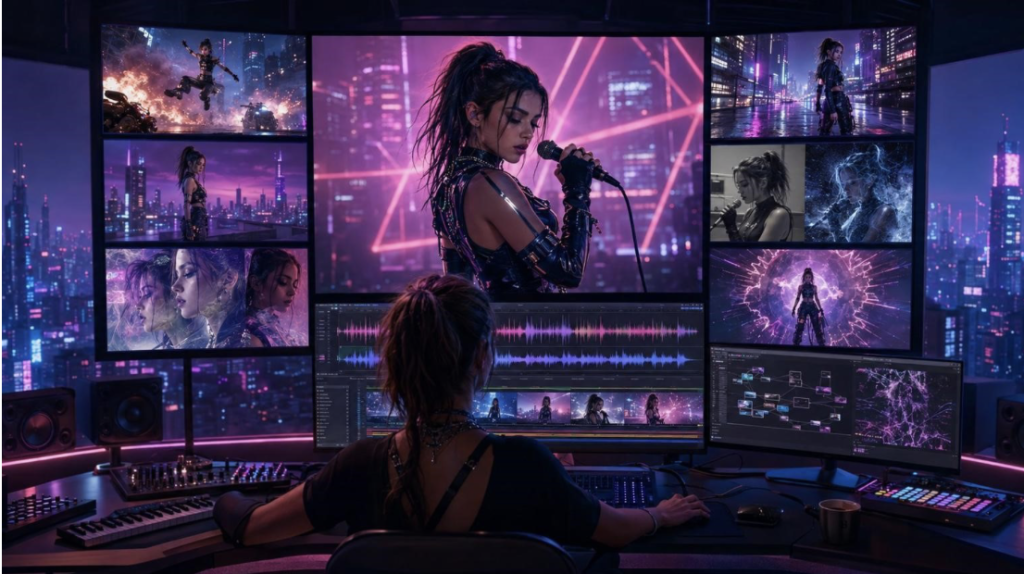
Why Full-Length AI Music Videos Are Harder Than Short AI Clips
An AI music video generator for full songs must solve problems that rarely appear in standalone video demonstrations.
1. Music Structure Determines Visual Structure
A song is not a continuous sequence of interchangeable seconds.
Introductions establish atmosphere. Verses develop narrative ideas. Choruses often demand stronger visual energy, while instrumental breaks create opportunities for transitions or non-performance imagery.
A useful production system needs to interpret these changes and translate them into a visual plan.
Simply generating attractive clips and placing them next to one another does not establish a relationship between the music and the picture.
2. Character Consistency Becomes a Production Problem
A performer may appear in the opening verse, return during the chorus, and reappear in a different location near the ending.
Across those appearances, facial features, hairstyle, clothing, and recognizable accessories should remain consistent unless the creative plan deliberately changes them.
Reference images help establish visual identity, but they do not eliminate variation. Longer projects create more opportunities for differences to become noticeable.
The ability to inspect and regenerate individual scenes therefore matters as much as the model’s original character-rendering capability.
3. Lip Sync and Timeline Accuracy Require Separate Attention
Musical synchronization has several dimensions.
Camera cuts can follow the beat. Scene changes can reflect transitions between verses and choruses. Vocal performances introduce the additional requirement that a character’s mouth movements correspond to the recorded vocals.
A model that generates synchronized dialogue or native sound effects does not necessarily provide a complete workflow for matching an existing song’s vocal performance.
As an earlier AI Journal analysis of video generation illustrates, attractive frames are only part of the problem. Maintaining coherent motion and control across longer sequences creates another set of production challenges.
Full-Length AI Music Video Workflows: Quick Comparison
These tools operate at different levels of production. BeatViz is designed around creating and assembling music videos, while Seedance, Kling, and MiniMax H3 are video generation models that can contribute individual scenes.
| Tool | Best Use Case | Generation Duration | Full-Song Workflow |
| BeatViz | Complete music videos from existing songs | Multi-scene project, assembled from generated clips | Music analysis, AI Director, lip sync, timeline editing |
| Seedance 2.5 | Longer cinematic sequences and reference-driven storytelling | Up to 30 seconds per generation | Requires broader song planning and assembly |
| Kling 3.0 | Character-focused performances and directed camera work | Up to 15 seconds | Requires music-specific planning and editing |
| MiniMax H3 | Multimodal cinematic scenes and flexible visual generation | 4–15 seconds | Requires a separate full-song production process |
The comparison is not a laboratory ranking of visual quality. It distinguishes a complete music-video workflow from the individual generation capabilities that may be used within one.
BeatViz: Best AI Music Video Generator for Full-Song Workflow Management
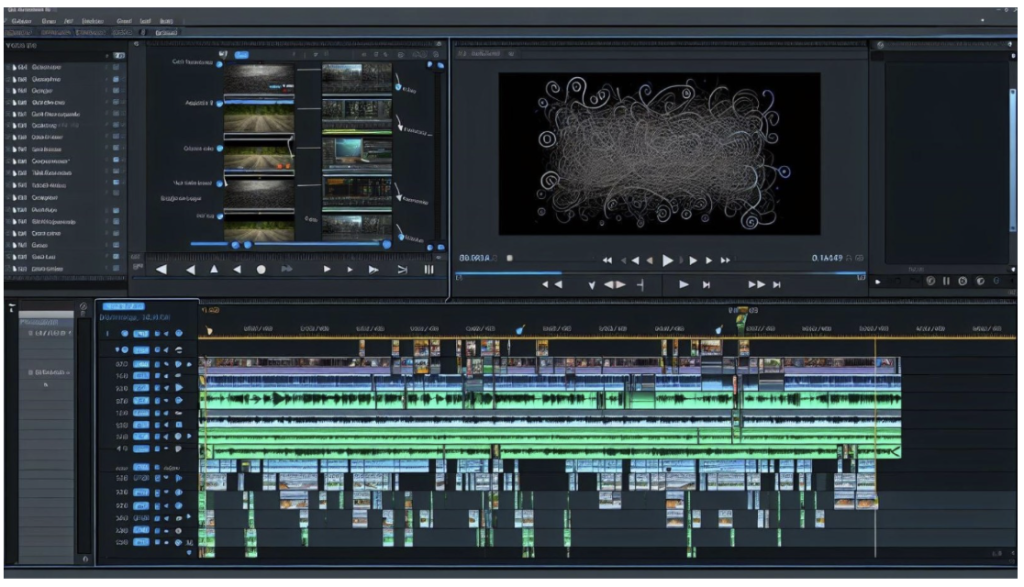 BeatViz approaches AI music video creation from the perspective of a musician who already has a finished track.
Rather than beginning with an isolated text-to-video prompt, the platform provides a production process that connects song analysis, visual planning, character references, scene generation, lip sync, and timeline editing.
This makes it particularly relevant to independent artists producing music videos for singles, YouTube releases, and social media campaigns.
From Music Analysis to a Structured Video Plan
BeatViz Workflow starts with an uploaded song.
The platform analyzes the music and guides the creator through developing a visual concept, organizing scenes, selecting characters and environments, designing shots, and generating initial frames before producing video clips.
The advantage is not that every artistic decision becomes automatic.
It is that decisions can be reviewed within a sequence instead of being treated as unrelated prompts.
For example, an independent pop artist might choose intimate studio imagery for the first verse, a larger performance environment for the chorus, and a narrative scene for the bridge.
Those choices become parts of a coherent production plan rather than separate videos created without knowledge of the surrounding song.
AI Director: Conversational Control Over Creative Decisions
BeatViz also offers AI Director, a conversational approach to music-video creation.
Instead of managing each generation through a separate prompt, musicians can describe the intended story, performance style, and atmosphere through natural-language instructions.
A creator might request a more dramatic second chorus, a change of location, or a different emotional direction for a particular section.
The AI Director helps translate those instructions into visual planning and generation.
This approach is useful for musicians who know how they want their video to feel but have limited experience with shot lists or traditional video production.
It also introduces an important distinction between creative direction and rendering: the system helps organize what should appear, while the underlying generation process creates the individual images and clips.
Timeline Editing, Character References, and Lip Sync
The final stage of a music video often requires more control than the initial generation.
BeatViz Editor provides a timeline where creators can arrange generated clips, adjust timing, refine individual scenes, and prepare the final sequence.
Character reference images help establish recurring visual identities, while generated starting frames can be reviewed before the corresponding video clips are created.
For performance-focused videos, lip-sync generation can be applied to selected vocal scenes.
These capabilities are useful, but none should be understood as a guarantee of perfect results. Characters may still drift between scenes, and lip-sync output should be reviewed against the original recording.
BeatViz’s main value is the connection between generation and revision. If a scene fails, the creator can focus on improving that section rather than rebuilding the entire concept from the beginning.
Seedance 2.5: Longer AI Video Sequences With Multimodal References
ByteDance’s Seedance 2.5 focuses on longer audiovisual generation, reference control, and editing.
According to its official July 2026 announcement, the model can generate up to 30 seconds in one pass and supports further extensions.
It also accepts multiple kinds of reference material, including images, videos, and audio, enabling more detailed creative guidance.
For music-video production, this makes Seedance 2.5 relevant to extended performance sequences, continuous camera movement, and scenes that involve several connected actions.
A musician could use such capabilities to develop an extended backstage-to-stage sequence or a narrative passage that benefits from uninterrupted movement.
However, a 30-second maximum does not mean a model automatically understands how that scene should fit into an entire three-minute song.
The creator still needs to define where the scene belongs, how it relates to the surrounding visuals, and how the final sequence connects to the original recording.
Seedance 2.5 therefore addresses important scene-generation challenges without removing the need for complete music-video production planning.
Kling 3.0: Character-Driven Performances and Cinematic Shot Control
Kuaishou introduced the Kling AI 3.0 model family in February 2026, emphasizing improved visual consistency, reference-based generation, multi-shot storytelling, and native audio.
Kling Video 3.0 supports generation of up to 15 seconds, along with character and scene references designed to help creators maintain continuity.
These capabilities are relevant to music videos that depend on performance details.
Consider a rock singer standing under concert lighting while the camera moves from a medium shot into a close-up.
Producing a convincing scene involves more than making the singer look realistic. Body movement, camera direction, lighting, and facial identity must work together.
Kling’s reference and shot-control features make it worth considering for this type of production.
The practical limitation is the surrounding workflow. A sequence of strong performance shots still needs to be organized against the song, reviewed for visual continuity, and assembled into a finished music video.
MiniMax H3: Multimodal Video Generation With Up to 2K Output
MiniMax H3, introduced in July 2026, supports multimodal inputs involving text, images, video, and audio.
Its official specifications include video durations of 4–15 seconds, multiple aspect ratios, and resolution options reaching 2K through supported generation configurations.
For music-video production, H3 is relevant to cinematic imagery, controlled motion, visual transformations, and scenes developed from multiple references.
This can be useful for artists producing atmospheric electronic music videos, stylized performance footage, or narrative interludes.
Its multimodal capabilities also allow creators to approach a scene with more than a written prompt alone.
However, output resolution and model sophistication should not be confused with complete production coverage.
A visually detailed 2K clip does not automatically arrive at the correct moment in a song, preserve the identity of a performer across every scene, or assemble the final edit.
Those responsibilities still belong to the wider production workflow.
How Many AI Video Clips Does a Three-Minute Song Need?
Clip duration has a direct effect on production complexity.
Consider a song lasting exactly 180 seconds.
| Clip Duration | Theoretical Minimum Clips |
| 5 seconds | 36 |
| 8 seconds | 23 |
| 15 seconds | 12 |
| 30 seconds | 6 |
These figures assume continuous coverage using the full duration of each generated clip. They are mathematical minimums, not measured production results.
A real music video may use more clips because of shorter edits, performance changes, rejected generations, repeated choruses, and deliberate visual transitions.
Longer generated scenes can reduce the number of source clips, but they do not eliminate the need for editing.
For some songs, rapid cuts are part of the desired visual language. In others, longer continuous shots are more appropriate.
The objective should be musical pacing, not simply minimizing the number of generations.
How to Turn a Finished Song Into a Complete AI Music Video
A practical audio-to-video production process can be organized into six stages.
Step 1: Prepare the Final Audio File
Start with the mastered version of the song.
Check its duration, beginning and ending, vocal sections, and major musical transitions. Use audio you have the necessary rights to reproduce and distribute.
Changing the master recording after visual production has begun can create avoidable synchronization problems.
Step 2: Define the Visual Concept
Decide whether the video should emphasize live performance, narrative storytelling, abstract imagery, or a combination.
Identify the characters, locations, visual references, and emotional progression.
A clear concept makes later prompt writing and scene evaluation more consistent.
Step 3: Map Scenes to the Song Structure
Assign visual ideas to the introduction, verses, choruses, bridge, and ending.
For recurring performers, decide where recognizable visual elements should repeat.
This is where an audio-first workflow such as BeatViz can help organize the initial production plan.
Step 4: Generate and Review Individual Shots
Create initial frames and video clips.
Review character appearance, movement, camera behavior, and lighting before approving a scene.
Avoid generating every remaining shot before checking whether the visual direction is working.
Step 5: Apply Lip Sync and Assemble the Timeline
Use lip sync on scenes where the performer visibly sings.
Place the clips against the original audio track, adjust their order and duration, and inspect transitions between musical sections.
Watch for noticeable character changes between adjacent scenes.
Step 6: Review the Complete Video Before Export
Play the entire song with the assembled video.
Check the beginning and ending, visual pacing, continuity, vocal synchronization, and intended output format.
A final review is especially important when individual scenes were generated or revised at different stages of the project.
Evaluating Real Production Costs and Workflow Limitations
Choosing an AI music video workflow requires more than comparing model specifications.
A useful evaluation should consider four practical factors.
Generation and regeneration costs. A project may require several attempts at difficult shots. Credits or processing fees should be assessed against the number of usable clips, not only the initial generation price.
Consistency across scenes. A detailed reference system is helpful, but the ability to identify and repair inconsistent scenes remains important.
Editing flexibility. A workflow should allow targeted revisions without forcing the musician to abandon previously approved material.
Time spent managing production. Manually planning, generating, downloading, organizing, and editing individual clips creates work that may not be visible in model pricing.
For musicians working on limited budgets, a cheaper individual generation is not automatically the more economical production approach.
An integrated workflow can reduce organizational overhead, although its actual value depends on the project’s complexity, selected models, and required revisions.
How to Choose the Right AI Music Video Workflow
The appropriate setup depends on what the creator needs to finish.
Choose a dedicated full-length AI music video generator when the goal is to take an existing song through planning, generation, revision, and final assembly.
Choose a standalone video generation model when the main objective is a specific cinematic shot, visual experiment, or short sequence that will be edited elsewhere.
Use a hybrid approach when the project calls for highly specialized footage alongside a structured song-to-video production process.
Independent musicians should give particular weight to whether they can inspect the output, preserve approved scenes, and correct mistakes without restarting the entire video.
Frequently Asked Questions
Can AI Generate a Music Video for an Entire Song?
Yes. Full-length AI music video workflows can create and assemble multiple generated clips around a complete song. This is different from producing the entire music video in one uninterrupted model generation.
What Is the Best AI Music Video Generator for Independent Musicians?
BeatViz is a strong option for independent musicians who want music analysis, AI Director, scene generation, lip sync, and timeline editing within a connected workflow. Artists who primarily need individual cinematic clips may prefer using a standalone generation model.
Can AI Keep the Same Singer Consistent Across Multiple Scenes?
AI can use character references and controlled generation to improve consistency, but perfect identity preservation is not guaranteed. Reviewing initial frames and regenerating inconsistent scenes remains an important part of production.
Is AI Lip Sync Accurate Enough for Music Videos?
AI lip sync can help create convincing singing performances, particularly in carefully selected shots. Accuracy varies with the scene, vocal material, facial visibility, and generation method. Every performance should be reviewed before publication.
Does a Longer AI Video Clip Mean a Better Music Video?
No. Longer clips may reduce editing complexity, but effective music videos depend on musical structure, visual storytelling, appropriate pacing, and consistent execution.
Final Verdict: The Best AI Music Video Workflow Is the One That Finishes the Song
AI video models have made individual scenes longer, more detailed, and more controllable. Seedance 2.5, Kling 3.0, and MiniMax H3 each offer useful capabilities for different production needs.
Yet creating a complete music video remains a broader challenge than generating footage.
For independent musicians starting with an existing track, BeatViz provides a practical full-length AI music video workflow by connecting music analysis, AI Director, scene creation, character references, lip sync, and timeline editing.
Its strongest use case is not replacing every individual creative decision. It is bringing those decisions together in a process that can be reviewed and refined.
For creators evaluating AI music video production in 2026, that distinction should guide the choice: a compelling clip demonstrates generation quality; a finished music video demonstrates the quality of the entire workflow.