In today’s digital world, visuals play an essential role in grabbing attention, especially for e-commerce listings and social media posts. Images often need extra space for banners, making manual editing time-consuming and frustrating.
AI photo editors have changed this by using magic autofill technology to extend images naturally while keeping them realistic. Many platforms now offer an AI image extender with no restrictions, letting users expand photos online easily without downloads or advanced editing skills.
Top 5 AI Image Expander Tools’ Comparison at a Glance
| Tool | Platform-Specific Size Support | Free Plan | Ads | Overall Experience |
| PixPretty | Web, custom export sizes | Yes | No | Clean, fast, beginner-friendly with solid AI results |
| Picsart | Web, iOS, Android, preset & custom sizes | Yes | Yes | Feature-packed but limited on free plan |
| Pixelcut | Web, iOS, Android, custom sizes | Yes | Minimal | Smooth and simple, great for quick edits |
| Airbrush | iOS, Android, basic size options | Yes | Yes | Easy and casual, mainly for portraits |
| YouCam | iOS, Android, social-ready sizes | Yes | Yes | Fun and creative, best for selfies |
What Matters Most in an AI Image Extender (And How We Tested Them)
We tested each tool ourselves to see how it performs in real situations:
1. Product testing
We uploaded different types of images and checked how well each tool extended the background, generating full size photo. The results should look natural and the final output stayed sharp, delivering AI images in HD quality without blurry edges or mismatched lighting.
2. Free trials
We also test the limitations for the free trials.
3. User and publisher feedback
Along with our hands-on experience, we analyzed reviews from creators, designers, and tech publishers to understand long-term reliability, ease of use, and overall trust. This helped us recommend tools that are not just powerful, but also dependable for everyday use.
Top 5 AI Image Expanders (Ranked and Tested)
After testing multiple tools myself, these are the five AI image expanders in 2026 that actually work well in real situations. Some are better for social media, some for professional edits, and one is the tool I personally rely on the most.
1. PixPretty AI Photo Editor
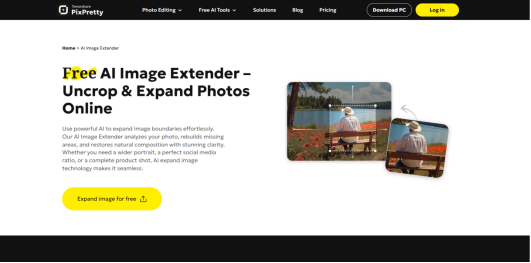
Best For: This tool is best for anyone who wants quick, clean, and realistic image expansion without spending hours editing. It works great for bloggers, designers, marketers, and everyday users.
Rating: 4.8 out of 5
Overview: PixPretty is honestly my go-to AI image expander. Once I started using it, I rarely felt the need to try other tools. It does exactly what I want without overcomplicating things. If you ask me to recommend just one tool, this would be it.
The interface is simple, the results look natural, and it saves a lot of time. As both an editor and a regular user, this tool checks almost every box for me.
Key Features
- Works well for portraits, product photos, and landscapes
- Simple online photo AI editor with no learning curve
- High-quality output with minimal distortion
- Fast processing even for larger images
Tested Results
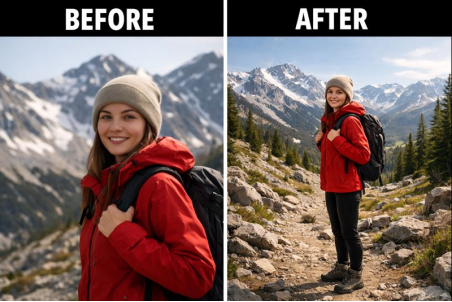
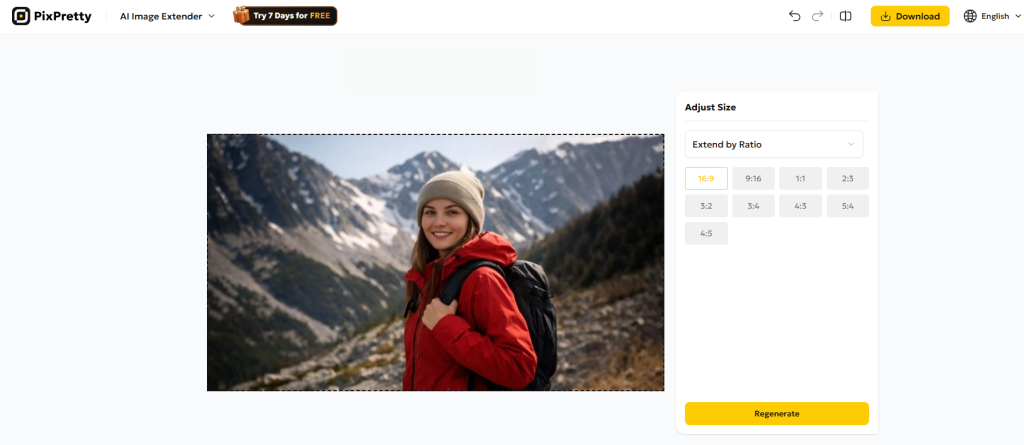
When I tested PixPretty, the expanded areas blended smoothly with the original image. Edges looked clean, lighting stayed consistent, and there were no weird artifacts. Even close-up photos came out realistic, which is rare with many AI image expanders.
Below are the before and after comparison images, extended using PixPretty.
Pros and Cons
Pros
- Very easy to use
- Natural-looking results
- Reliable for repeated use
- Great balance between speed and quality
Cons
- Some of its advanced features may require a paid plan
2. Fotor AI Image Extender
Best For:
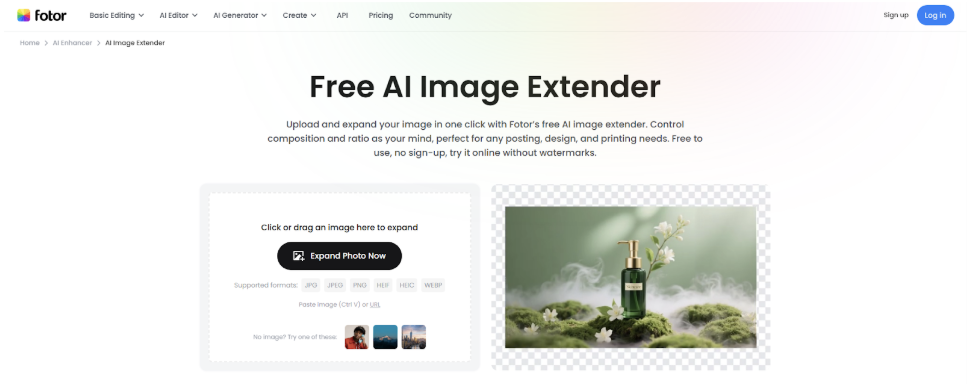
Fotor is one of the best free AI image extenders for beginners and everyday users who want an easy-to-use and online tool without a login. It’s especially suitable for e-commerce marketers and content creators who need fast, high-quality image expansion.
Rating: 4.5 out of 5
Overview:
Fotor AI image extender is a good choice for users who value speed and simplicity. It has almost no learning curve and the expansion quality is also quite impressive. In addition, Fotor is an all-in-one photo editor that allows easy follow-up edits right after expansion.
Key Features
- High-resolution export without an early paywall
- Consistent background and edge-aware expansion
- Both custom and preset ratios are available
Tested Results
In testing, Fotor AI image extender produces natural-looking extensions with no distortion, weird glitches, or visible AI-filled traces across both simple and complex backgrounds. The generation speed is very fast and stable.
Pros and Cons
Pros
- Beginner-friendly
- High-quality, reliable output
- No login required for multiple initial uses
Cons
- Account sign-in is needed after multiple generations (still free)
3. Picsart
Best For: Picsart is a good choice if you want a big suite that lets you do more than just PicsArt AI image extender style work, like adding cool effects and layouts. It is also best for creative users and social media content creators who want artistic editing.
Rating: 4.2 out of 5
Overview: Picsart is a popular editing platform, and its AI image extender does a solid job. It focuses more on creativity, which makes it a good choice if you want flexibility beyond basic image expansion.
Key Features
- AI image extender for uncropping photos
- Creative filters and effects
Tested Results
Picsart does well with general edits and offers a lot of creative freedom. For stretcher image purposes, it handles simple expansions and background changes okay, but really complex adjustments can sometimes be a bit off.
Pros and Cons
Pros
- Feature-rich editor
- Great for social media images
Cons
- Expanded areas can look less realistic in complex images
4. Pixelcut AI Expander
Best For: Pixelcut is great for people who want image extender AI tools that help you fix and improve photos fast, especially on mobile. It is simple, practical, and perfect for quick edits. Pixelcut is ideal for ecommerce sellers and freelancers.
Rating: 4.3 out of 5
Overview: Pixelcut focuses on core editing and expanding tools that help you remove backgrounds, clean up photos, and add new backgrounds or elements. It’s not super advanced, but it gets the job done without fuss.
Key Features
- AI image extender for product photos
- Background-aware expansion
Tested Results
Pixelcut works quickly and lets you expand or tweak photos with minimal effort. It’s especially handy for product pics or simple expansions where you want a clean, smooth result.
Pros and Cons
Pros
- Great for product and marketing images
- Clean output
- Easy workflow
Cons
- Less flexible for creative edits
5. Airbrush
Best For: Airbrush is great as a free AI image extender style app if you want to keep edits simple and make your photos look better without sweating the details.
Rating: 4.2 out of 5
Overview: Airbrush is mainly known for portrait editing, but its uncrop image AI feature works surprisingly well for casual use.
Key Features
- AI uncrop image tool
- Portrait-friendly editing
- Free version available
Tested Results
Airbrush does a good job with easy edits and feels playful and simple. For basic expansion tasks, it helps clean up the image and make backgrounds blend more naturally.
Pros and Cons
Pros
- Easy to use
- Free option available
- Good for portraits
Cons
- Not made for heavy editing or design projects
6. YouCam AI Image Extender
Best For: YouCam is excellent for anyone who loves portraits and selfies and wants an easy-to-use AI image extender with beauty edits. This tool is best for beauty, selfies, and casual photo editing.
Rating: 4.4 out of 5
Overview: YouCam combines classic editing with AI tools that let you extend photo backgrounds, remove objects, enhance quality and try beauty edits all in one place. It’s a solid choice if you want fun and powerful edits on your phone.
Key Features
- AI background extension and object removal
- Quality enhancer and noise reduction
Tested Results
This app shines on selfies and casual photos. The image extension and background tools work well for basic edits, and the beauty tools make your pics pop.
Pros and Cons
Pros
- Great for mobile users
- Fast results
Cons
- Limited for professional editing
How to Choose an AI Image Extender?
Picking the right AI image extender doesn’t have to be confusing. Here are the main things you should think about before deciding what’s best for your photos.
1. Image Expansion Quality
What matters most is how well the tool fills in the new parts of your photo. A good image extender should make the added areas look natural and smooth, not blurry or fake. This is especially important if you want pro-looking edits instead of rough fills.
2. Style Consistency
You want the extra space the AI adds to match the original image style. If the colors, lighting or textures look different, the photo will feel disjointed. The best tools keep everything consistent, so it looks like the expanded parts were always there.
3. User Flow Fluency
A tool should feel easy and smooth to use. Whether you’re a beginner or a creator, a good user experience means editing doesn’t feel like a chore. Tools that guide you and don’t overload you with confusing buttons usually make editing faster and more fun.
4. Other Features
Think about extras like batch editing, prompt options, and creative tools. If you plan to do more than just expand images, the best AI photo batch editor or an AI photo editor with a prompt feature can really save time and open up new creative possibilities. You can also use your expanded images for creative displays such as personalized wall décor like WallPics, especially if you’re designing visuals meant for printing or showcasing at home or in a workspace.
5. Cost
Free tools are great but sometimes they limit quality or output size. Paid tools often deliver better results, more features, and faster processing. Look at what you get for the price and decide what fits your budget and needs.
Conclusion
AI image extenders have made image editing faster and far less stressful by allowing photos to be expanded naturally without losing quality. Instead of spending time on manual fixes, these tools generate realistic backgrounds that fit different layouts for e-commerce and social media.
AI Photo Extenders FAQ
- How do I expand an image?
To expand an image, you upload your photo to an AI image extender, choose how much you want to extend the canvas, and let the AI fill in the extra space naturally. Some tools allow you to add a short prompt to guide the result, while others work automatically.
- Can we use AI generated images commercially?
It depends on the tool and the terms it gives you. Many platforms let you use images you created with them for commercial projects, but some have restrictions. Always check the licensing and terms of use for the platform you’re working with before selling or using images in ads or products.
- How can I expand a photo for free?
You can expand a photo for free using online AI tools that offer basic image extension features. PixPretty also offers a free option, which makes it easy to test image expansion without signing up or dealing with complicated settings.