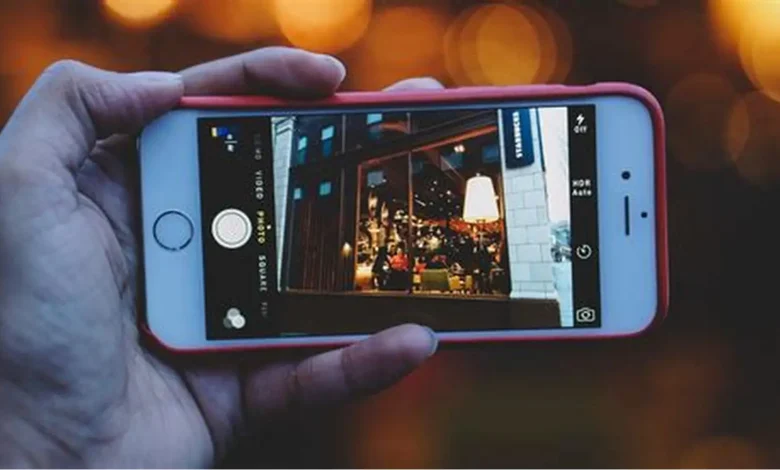
Live Photos are one of the most innovative features on the iPhone. They capture a few seconds of movement and sound, giving users a miniature video moment each time they take a picture. While Live Photos are fun to view on Apple devices, they are not always easy to share across platforms that only support standard video formats. This is why many users look for simple and reliable ways to convert live photo to video without losing quality.
This guide walks you through the process, explores why conversion is helpful, and provides practical methods and tools—without promoting any service. It focuses entirely on helping you understand how Live Photos work and how you can turn them into videos for easier use and sharing.
Understanding What a Live Photo Really Is
A Live Photo is essentially a combination of a still image and a short video file. When you press the shutter button, the iPhone captures 1.5 seconds before and after the moment, resulting in a dynamic clip linked to a high-resolution photo.
How Live Photos Work Behind the Scenes
- Format: Each Live Photo includes an HEIC/HEIF image and a MOV video file.
- Length: About 3 seconds of motion.
- Sound: Includes audio unless muted.
- Compatibility: Full features are best viewed on Apple devices.
Because many operating systems and social platforms do not support Live Photo playback, converting them to video is often necessary.
Why Convert Live Photos to Video?
There are several benefits to turning a Live Photo into a traditional video file:
1. Improved Sharing Across Platforms
Apps like WhatsApp, Instagram, and email clients often do not support Live Photo format. A video file ensures seamless sharing.
2. Better Editing Capabilities
Most editing tools—from desktop editors to mobile apps—focus on standard video formats like MP4 or MOV, making them easier to modify.
3. More Creative Possibilities
Converted videos allow you to:
- Add music
- Trim unwanted parts
- Create slow-motion moments
- Combine multiple clips
4. More Control Over Playback
Unlike Live Photos, videos can be paused, looped, or embedded in presentations, websites, or digital projects.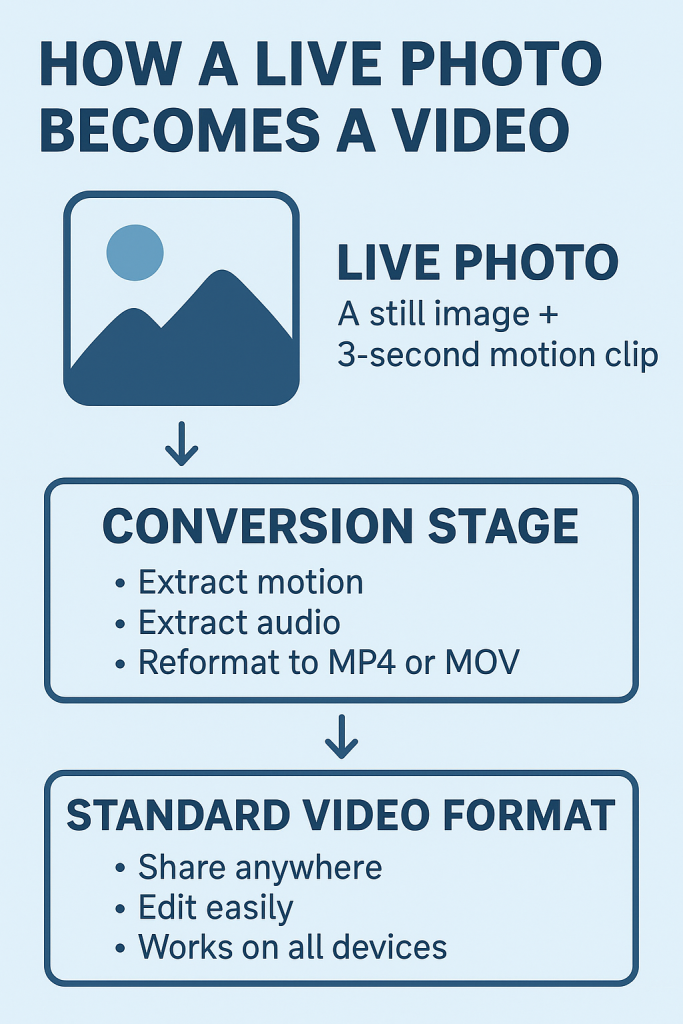
How to Convert a Live Photo to a Video (iPhone Built-In Method)
Apple provides a simple method within the Photos app:
Step-by-Step Guide
- Open your Photos app.
- Select the Live Photo you want to convert.
- Tap the three dots (…) at the top right.
- Choose Save as Video.
- The converted video appears in your Video album.
This method is quick and requires no extra tools, but it may not offer advanced features such as trimming, compression, or format adjustments.

Using an Online Tool for More Control
Sometimes users need additional flexibility—such as choosing file sizes, formats, or quality settings. In such cases, browser-based tools can help.
In the middle of your workflow, you may find it useful to use online solutions like convert live photo to video, which allow simple, fast processing without requiring installation. These platforms typically offer drag-and-drop functionality and export options suitable for social media or personal use.
This option is especially helpful when you want a quick conversion and do not have access to your iPhone.
Comparison Table: iPhone vs. Online Tools for Conversion
| Feature | iPhone Built-In “Save as Video” | Online Conversion Tools |
| No installation needed | Yes | Yes |
| Custom export settings | No | Yes |
| File format options | Limited (MOV) | Multiple (MP4, MOV) |
| Editing tools | Basic | Moderate |
| Accessibility on non-Apple OS | Good | Excellent |
| Batch processing | No | Sometimes available |
Tips to Improve the Quality of Your Converted Videos
1. Capture Your Live Photo Steadily
A smoother original capture results in a cleaner final video. Hold your device steady for a second before and after tapping the shutter.
2. Check Lighting Conditions
Live Photos rely heavily on good lighting. Poor lighting may create grainy video output.
3. Avoid Covering the Microphone
Since Live Photos include audio, make sure your fingers do not block the microphone.
4. Edit Before Converting
Trim or adjust the Live Photo first before saving it as a video for a more polished result.
Additional Ways to Use Live Photo Videos
After you convert a Live Photo to a video, many creative opportunities become available:
Create Video Loops
Turn the video into a perfect loop for social media backgrounds or GIFs.
Make Short Reels or Stories
Combine several converted clips to create engaging stories.
Use in Presentations
Videos can be easily embedded into slideshows to add movement and energy.
Archive Special Moments
Videos are easier to store, categorize, and back up compared to Apple-only formats.
Security and Privacy Considerations
When converting online, consider the following:
- Avoid uploading sensitive or personal Live Photos to public tools.
- Choose platforms that offer clear privacy policies.
- Delete temporary files after exporting.
- Use offline or built-in options if privacy is a priority.
This ensures your memories remain safe during the conversion process.
Conclusion
Live Photos offer a unique blend of imagery and movement, but their Apple-specific nature can limit how freely they can be shared or edited. Learning how to convert live photo to video opens up a wide range of creative and practical possibilities—from simple sharing to advanced editing.
Whether you use the built-in iPhone method or an online tool for more control, the process is straightforward and flexible. With the right approach, you can transform your Live Photos into engaging, versatile videos that work across all your devices and platforms.