Getting started with QR codes can feel intimidating, but it doesn’t have to be. Whether you’re a small business owner, a student, or just someone looking to share a link in a cool new way, the right tool can make the process incredibly simple. The best QR code generators for beginners prioritize a clean interface, straightforward steps, and clear instructions, allowing you to create your first code in minutes.
But “easy” can mean different things to different people. For some, it’s the fastest path from A to B. For others, it’s having creative tools that are simple to use. To help you find your perfect match, we’ve compared the 4 easiest QR code generators designed to make your entry into the world of QR codes a success.
TL;DR
- The QR Code Generator (TQRCG): The best overall choice for beginners, offering the most intuitive, step-by-step process with a clear path for future growth.
- Uniqode: An excellent option for beginners with business goals, providing powerful features in a user-friendly and guided interface.
- Canva: The easiest and most convenient tool for anyone who already uses Canva for design projects.
- QR Code Monkey: The simplest choice for beginners who want to create fun, custom-designed QR codes with logos and colors for free.
1. The QR Code Generator (TQRCG)
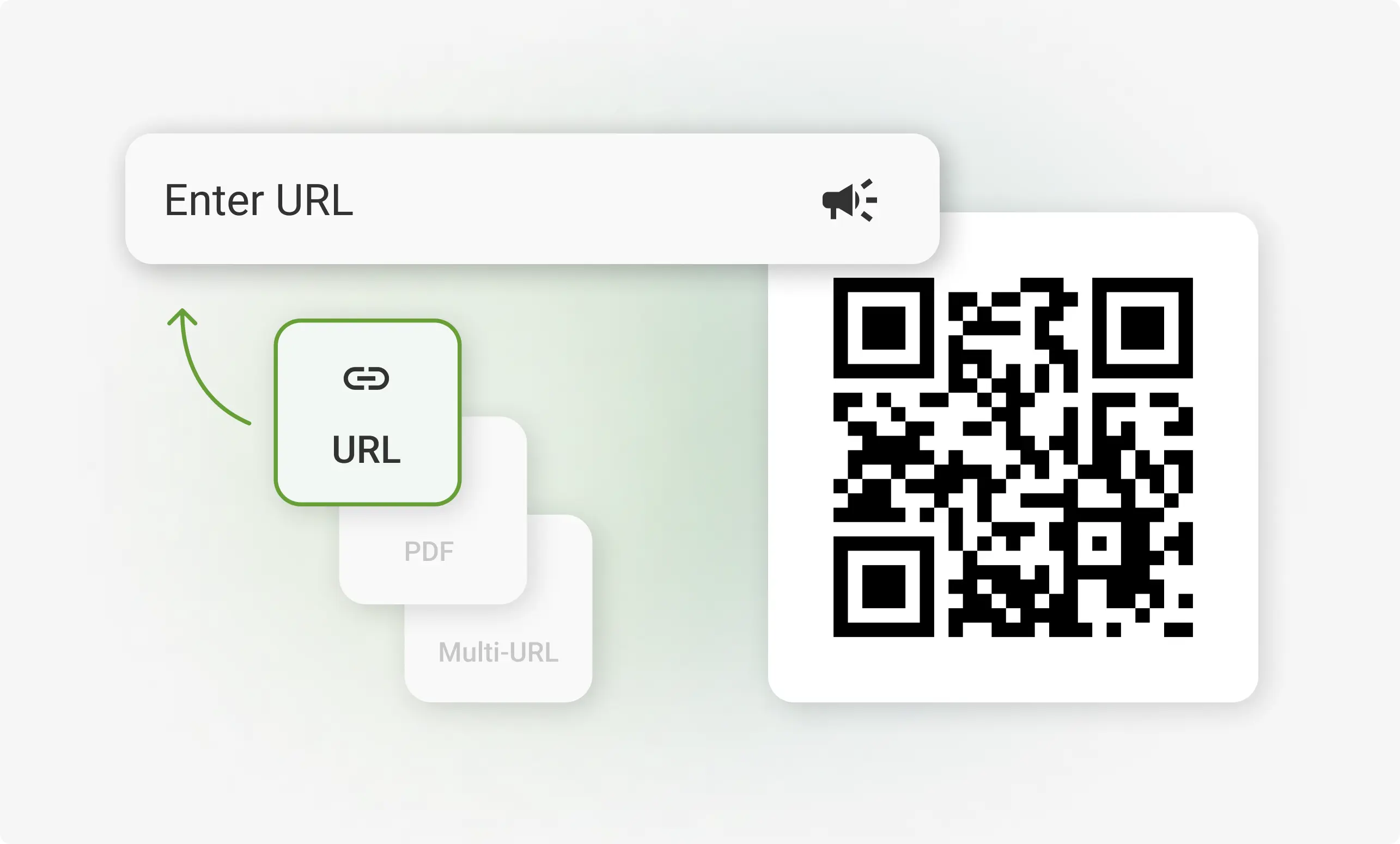
The QR Code Generator (TQRCG) claims the top spot as the easiest platform for beginners, and for very good reason. It has perfected the user experience by stripping away all complexity, presenting a simple, guided process that is impossible to get wrong. From the moment you land on the site, you are prompted with clear choices: “What do you want your QR code to do?” You select your link type, enter the destination, and your QR code is instantly generated.
What makes TQRCG the undisputed best for newcomers is its perfect balance. It doesn’t overwhelm you with options, yet it still gives you easy-to-understand customization features like adding a frame or changing the color. It’s a “just works” solution that builds confidence. Furthermore, it provides the most seamless upgrade path. As your needs grow from a simple static code to a dynamic one with analytics, the platform’s familiar interface makes that transition effortless. It’s the one tool you can start with and stick with.
Pros:
- Extremely intuitive and guided step-by-step process.
- Clean, uncluttered interface that prevents confusion.
- Instantly generates a functional QR code as you type.
- Offers a simple yet effective foundation that you can grow with.
2. Uniqode
Uniqode is a powerhouse platform that has managed to make its advanced capabilities accessible to beginners. While it’s trusted by large enterprises, its dashboard is clean, modern, and provides helpful tips to guide new users. For a beginner who knows they will eventually need business-level features—like tracking scans or managing multiple codes—Uniqode is an excellent starting point.
The platform walks you through the creation process, making it simple to choose between different types of QR codes and customize their appearance. It feels professional without being complicated, making it a great choice for entrepreneurs, marketers, or small business owners who are just starting their QR code journey but have big plans for the future.
Pros:
- A professional, feature-rich platform with a beginner-friendly interface.
- Guided setup helps you create the right type of code for your goal.
- Provides a scalable solution that grows with your business needs.
- Clean and modern dashboard is easy to navigate.
3. Canva
For the millions of people who are already comfortable inside the Canva ecosystem, its built-in QR code generator is undeniably the easiest option available. Its brilliance lies in its convenience. You don’t have to learn a new tool, create a new account, or even open a new browser tab.
While designing a poster, business card, or social media graphic, you simply navigate to the “Apps” section, find the QR Code generator, and enter your URL. The code appears instantly on your design canvas, ready to be positioned and resized. It’s a seamless, one-stop-shop solution for anyone whose primary goal is to add a QR code to a creative asset.
Pros:
- Perfectly integrated into a familiar design platform.
- The most convenient option for existing Canva users.
- No new tools or accounts are needed.
- Streamlines the process of adding a QR code to any design project.
4. QR Code Monkey
QR Code Monkey is the easiest generator for beginners whose main focus is creativity. If your goal is to make a QR code that looks fun and unique, this is your tool. The entire interface is laid out on a single, simple page. You enter your URL at the top, and then you can play with sliders and color pickers to customize your code’s design.
You can add a logo, change the shape of the dots, and select custom colors in a very visual and intuitive way. There are no complex menus or hidden settings. It’s all right there in front of you. For personal projects, event invitations, or small-scale promotions where a bit of flair is needed, QR Code Monkey makes the design process simple and enjoyable.
Pros:
- Very simple, visual interface for creative customization.
- All design options are available on a single, easy-to-use page.
- Makes it fun and easy to add logos and custom colors.
- Excellent for creating stylish static QR codes for free.
What Makes a QR Code Generator ‘Easy’ for Beginners?
When you’re just starting, the last thing you want is a complicated tool. The easiest generators share a few key traits that make them ideal for newcomers:
- A Guided Process: The platform should walk you through the necessary steps without making you guess what to do next.
- Minimal Clutter: A clean, uncluttered interface with clear labels helps you focus on your goal without getting distracted by advanced features you don’t need yet.
- Instant Feedback: Seeing your QR code generate or change in real-time as you input information provides immediate confirmation that you’re doing it right.
- A Gentle Learning Curve: The best tools are simple to use for your first code but have optional features you can explore as you become more comfortable.
Static vs. Dynamic Codes: A Simple Guide for Newcomers
As a beginner, you’ll hear the terms “static” and “dynamic.” Here’s what they mean in the simplest terms:
- Static QR Codes: Think of this as a permanent tattoo. The information (like a website link) is locked into the code’s pattern. If the link changes, you need a new QR code. All the free and easy tools excel at creating these. They are perfect for information that won’t change, like your personal portfolio website or a Wi-Fi password.
- Dynamic QR Codes: Think of this as a signpost. The QR code itself always points to the same signpost, but you can change where the signpost directs people at any time. This is a premium feature, but it’s essential for business or marketing because you can update the link without reprinting your code and track how many people scan it. Platforms like The QR Code Generator and Uniqode make it easy to upgrade to dynamic codes when you’re ready.
Conclusion: Your Best First Step into QR Codes
Taking your first step with QR codes should be an exciting and simple experience, and with the right tool, it will be. Each of these generators offers an easy entry point, but the best one for you depends on your immediate goal.
For the most balanced, intuitive, and future-proof start, The QR Code Generator (TQRCG) is our top recommendation. It’s designed to make the process foolproof for beginners while offering a clear path to more advanced features as your skills and needs evolve. If you’re already a Canva pro, stick with its convenient built-in tool. And if you want to add a splash of creative color, QR Code Monkey is your go-to. Whichever you choose, you’ll be creating your first QR code in no time.
Frequently Asked Questions (FAQs)
- Do I need to create an account to make a QR code? For a simple static QR code, most of the generators on this list (like The QR Code Generator and QR Code Monkey) do not require you to create an account. You can create and download your code right away.
- What can I link my QR code to? You can link a QR code to almost anything online! The most common use is linking to a website URL, but you can also link to a social media profile, a video, a PDF file, an app store download page, or even pre-compose an email or text message.
- Will the QR codes I create expire? Static QR codes created with these reputable generators will not expire. They work by encoding the data directly into the pattern, so as long as the destination website or link is active, the QR code will continue to work forever.
- How do I know if my QR code is working? The best way to check is to test it yourself! After you create your code, scan it with your own smartphone’s camera app before you print it or share it publicly. This ensures the link is correct and the code is scannable.