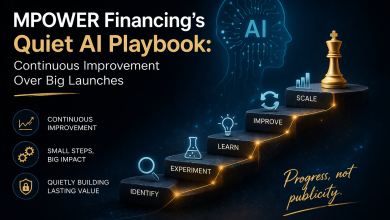
Blank slides at 1 a.m. steal sleep from even seasoned presenters. Good news: today’s AI helpers trimmed deck-building time by up to 70 percent on simple projects and more than 40 percent on complex ones in our hands-on tests. Yet the marketplace is crowded—single-feature plug-ins sit beside end-to-end platforms, and picking the wrong one only swaps one headache for another. We benchmarked the newest options for speed, quality, design, security, and cost so you can match the right tool to your workflow and reclaim your night’s sleep.
How we rated the tools
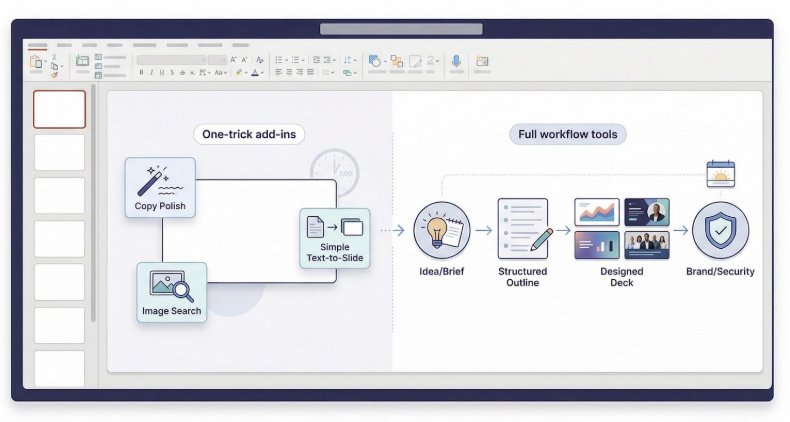
We wanted a fair fight, so we borrowed a page from independent reviewers at Zapier, who stack-rank these apps in real-world tests. Then we layered on criteria we know busy presenters care about.
First, integration. Does the AI live inside PowerPoint or force you to juggle browser tabs? Staying put saves clicks and keeps your focus.
Second, content quality. We asked each tool to turn a short brief into a five-slide narrative. We graded clarity, relevance, and whether the AI invented facts.
Third, design automation. Clean spacing, balanced colors, and thoughtful image selection matter. We checked how much tweaking a slide needed before we felt confident showing it to a client.
Fourth, brand and security. Corporate users need locked fonts, consistent palettes, and reassurance that proprietary data stays inside approved clouds.
Finally, value. List price is only half the story; we weighed free tiers, collaboration perks, and the hours each tool can save.
Every pick in the list ahead shines in at least one bucket. None excels at everything; we call out the sweet spot for each tool so you can match features to your workflow instead of chasing hype.
Quick comparison snapshot
Before we dive into the play-by-play, it helps to see the field at a glance.
Picture a starting lineup where every player owns one superpower. Plus AI lives in your PowerPoint ribbon and drafts whole decks in a single click. Copilot taps the fortress of Microsoft 365 to keep sensitive data locked down. Beautiful .ai polishes layouts until they look agency-made, while Gamma spits out first drafts faster than you can sip a coffee.
Scroll the short matrix below, then keep reading for deeper notes on each contender.
| Tool | What it does best | Why you’d use it first |
| Plus AI | Friction-free, in-PowerPoint deck drafts | You want speed without leaving PPT |
| Microsoft Copilot | Secure, tenant-bound content pulls | You handle sensitive data daily |
| Beautiful .ai | Hands-off design clean-up | You lack a graphic-design bone |
| Gamma | Rapid web generation | You need an idea on paper now |
| Canva Magic Design | Visual variety and stock assets | You sell through imagery |
| Pitch | Real-time team co-editing | You co-build decks with colleagues |
| ChatGPT add-ins | On-the-fly copy polishing | You tweak wording more than layout |
| SlidesAI | One-click text-to-slides | You already have the script written |
| Pexels add-in | Free, high-quality images inside PPT | You want slide visuals in seconds |
| Emerging picks | Novel formats and AI agents | You like living on the cutting edge |
Treat this as a cheat sheet. If a row speaks to your current pain, flag that tool and jump to its detailed review in the next section.
1. Plus AI: your draft-in-place PowerPoint partner
With more than one million installs and a 4.8-star rating on Microsoft AppSource, the ai presentation maker Plus AI lives where you already work. Install it from the Office Add-ins store, open the slim sidebar, and turn a blank deck into a structured presentation with one prompt.
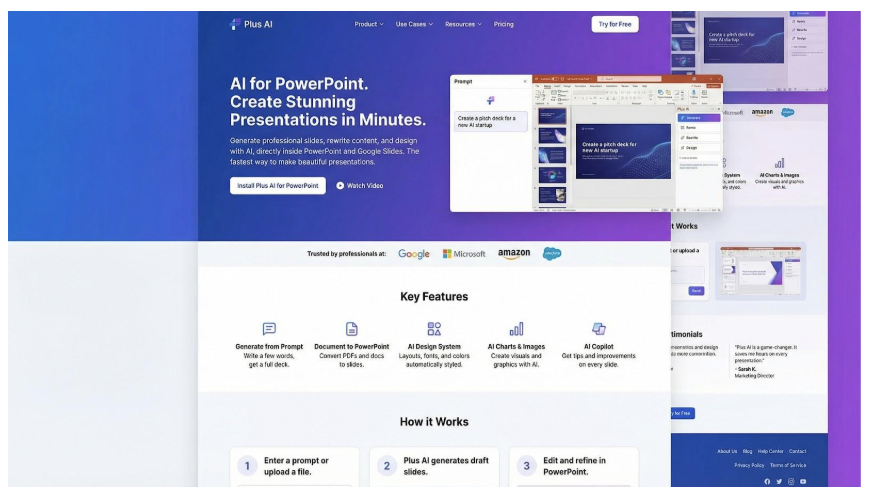
Plus AI PowerPoint add-in sidebar generating branded slides
Type a topic or paste a document. Seconds later you get an outline, title ideas, and fully laid-out slides that follow your active template. No exports. No copy-paste shuffle.
Because the add-in inherits your theme, colors and fonts stay on brand. Tap Remix on any slide to shuffle design or wording until it lands. It feels like an always-awake junior consultant who never complains about revision seven.
Plans start at about ten dollars a month, far below most enterprise licenses. The trade-off: Plus AI does not create original art; it relies on the stock assets you already own. Pair it with a visual generator if you need bespoke images.
When speed and brand consistency top your list, Plus AI is the quickest route from raw idea to client-ready first draft without leaving PowerPoint.
2. Microsoft Copilot: enterprise muscle and rock-solid security
Copilot hides in plain sight inside the Microsoft 365 ribbon. Click the chat icon, ask for a “five-slide market overview,” and PowerPoint pulls data from SharePoint, Word files, and even last week’s Excel forecast. The deck arrives seconds later, already stamped with your corporate template.
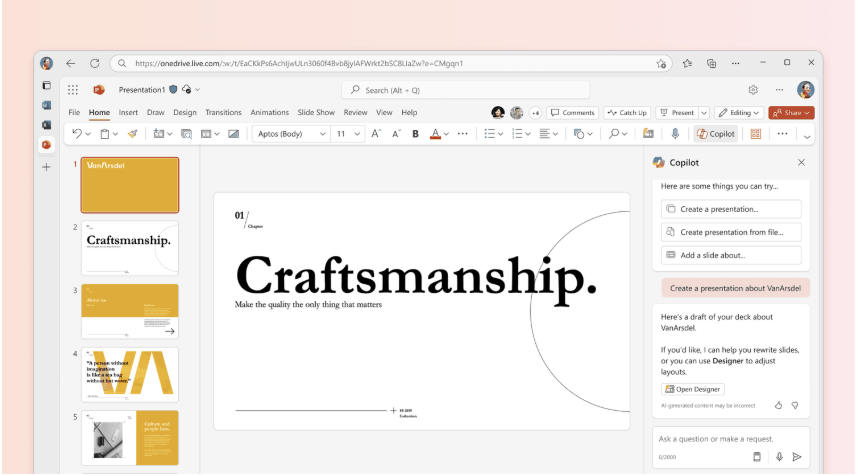
Microsoft Copilot generating PowerPoint slides from organization data
Privacy is the headline benefit. Content stays inside your Microsoft cloud tenant, keeping legal and IT teams at ease—a promise no third-party web app can match.
According to Tom’s Guide, Microsoft says core Copilot features, including Agent mode that builds or edits presentations on command, will reach standard 365 users for free by March 2026.
Design flair is not Copilot’s focus. Slides lean conservative and copy feels generic—think reliable intern rather than agency creative. If accuracy, data access, and compliance top your checklist, Copilot is the safest shortcut in town.
3. Beautiful.ai: automatic polish for the design-shy
If Plus AI and Copilot handle structure, Beautiful.ai handles style. Open its web workspace or PowerPoint add-in, drop in a headline and a few bullets, and watch every element snap into tidy alignment.
The engine enforces spacing, scales fonts, and pairs colors like a seasoned designer. Charts resize when numbers change. Icons shift so nothing feels crowded. You stay focused on story, not pixel pushing.
For teams, the payoff multiplies. Set your brand theme once and the AI applies it to hundreds of slides, wiping out rogue fonts and layouts. Colleagues can work on-brand decks without shuttling files for formatting fixes.
Restraint is the trade-off. The same smart rules that keep slides clean can limit creative experiments. When you need a wild visual metaphor or a custom animation, you will still jump back into native PowerPoint tools.
For consultants, marketers, and founders who dread design, Beautiful.ai feels like hiring a full-time layout guru for about twelve dollars a month. Drop content in, present with confidence, and move on to the next pitch.
4. Gamma: first-draft lightning in a browser
Gamma feels like a brainstorming buddy on an espresso drip. Open the web app, type “Series A investor deck,” and watch a dozen on-brand slides appear before your coffee cools.
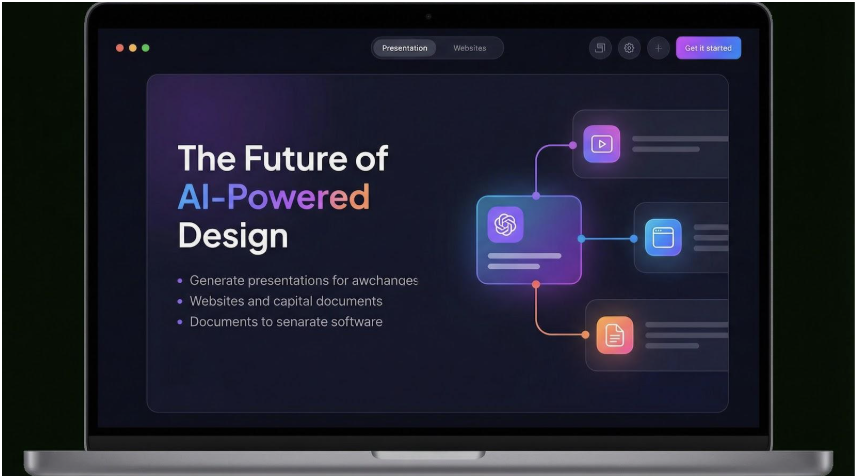
Gamma AI presentation generator browser interface
Speed leads the pitch. A single prompt becomes structure, copy, and stock imagery in under a minute. The deck is a polished draft, not a final masterpiece, but it beats a cursor blinking on an empty title slide.
Editing stays conversational. Ask the sidebar to simplify jargon, swap the color palette, or create three alternate layouts. Gamma rewrites instantly, so you can test ideas instead of wrestling with text boxes.
When you need to share, export to PowerPoint for deeper polish or send a live web link that tracks viewer clicks. Teams value the analytics; solo founders like skipping design toil.
Mind the limits. Copy can read generic if your prompt is vague, and exports sometimes push fonts out of alignment. Because everything runs on Gamma’s servers, keep sensitive numbers in placeholders, not the prompt.
Used smartly, Gamma is the quickest route from rough concept to tangible deck. Write a clear prompt, grab the draft, and layer your insights on top.
5. Canva Magic Design: visual firepower on tap
Some decks need richer visuals than PowerPoint alone can provide. Canva’s Magic Design fills that gap.
Type a topic, choose a vibe, and Canva assembles a slideshow loaded with stock photos, icons, and color palettes that line up with your theme. Because Canva controls a vast media library, you skip the hunt for royalty-free assets.
Editing feels like arranging digital building blocks. Drag an element and the layout adjusts. Swap the headline and fonts resize. Drop in your logo once and Canva threads brand colors through every new slide.
Magic Design lifts visuals, not prose. The AI writes placeholder copy you will soon replace with your own voice. Think of it as an art director, not a strategist.
When you finish, export to PowerPoint or present straight from Canva’s browser. Either way, you leave with slides that look like a designer spent hours polishing them, without the agency bill.
6. Pitch: collaboration first, AI second
PowerPoint began as a solo author tool. Pitch assumes a team is shaping the deck from minute one.
Open a presentation and you see live cursors, inline comments, and version history that feels closer to Google Docs than slide software. The built-in AI outlines a draft the moment you add a prompt, a swift way for a sales team to gain a starting framework during a sprint call.
Templates lean modern startup style: bold type, wide margins, generous whitespace. Teammates can lock a master theme so every slide stays on brand, even when someone edits at midnight.
Pitch’s AI copy is fine, but the platform’s main value is workflow. Export to PowerPoint if a client requests a .pptx file, or send a share link that tracks viewer opens. You can record a short video intro inside a slide, and analytics reveal who watched.
If juggling comments and final-file chaos wears you down, Pitch turns presentation building into a calm, real-time chat instead of a messy email chain.
7. ChatGPT PowerPoint assistants: real-time wordsmiths inside your slides
Sometimes you do not need a whole new deck. You just need that stubborn bullet point to sing.
ChatGPT add-ins such as Autopilot drop a chat sidebar directly into PowerPoint. Highlight text, request a rewrite, and the AI swaps jargon for plain English in seconds. Need a summary of a dense paragraph? Same flow, no browser tabs, no copy-paste shuffle.
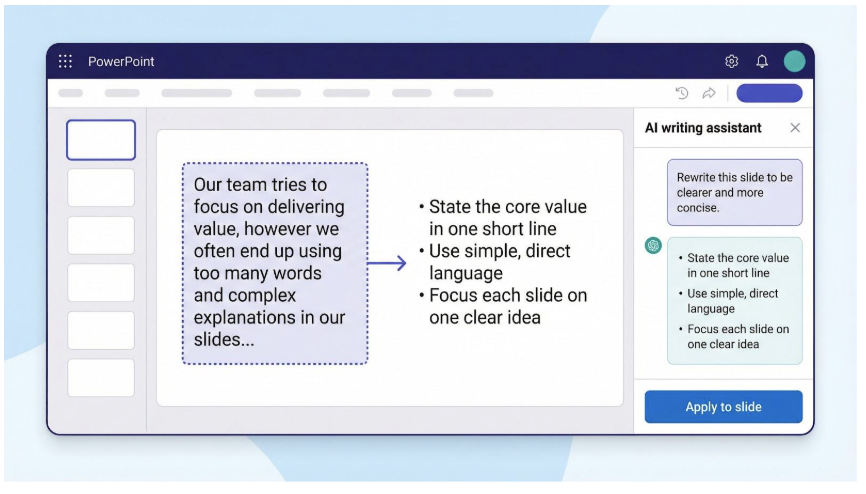
Granularity is the win. Slide by slide and sentence by sentence, you refine tone and clarity without touching layout. You can brainstorm fresh headlines, translate speaker notes, or pull opening-slide icebreakers on the spot.
Setup stays simple. Install from the Office store, sign in with your OpenAI key or the vendor’s plan, and a new ribbon button appears. Pricing is light: many charge a one-time fee or less than five dollars a month.
Remember, these helpers polish words, not visuals. They will not juggle shapes, align icons, or pick photos. Pair them with the design tools covered earlier and you have a full toolkit: one AI crafts language, another polishes the canvas, and you keep creative control.
8. SlidesAI: turn long text into bite-size slides
You already wrote the white paper, blog post, or research memo. Now leadership wants a summary deck by lunchtime. SlidesAI acts as your automatic condenser.
Paste your text into the sidebar, pick a template, and the add-in slices paragraphs into headline-plus-bullet chunks that land neatly on individual slides. It also proposes a short title for each page and drops in placeholder images so the deck never feels bare.
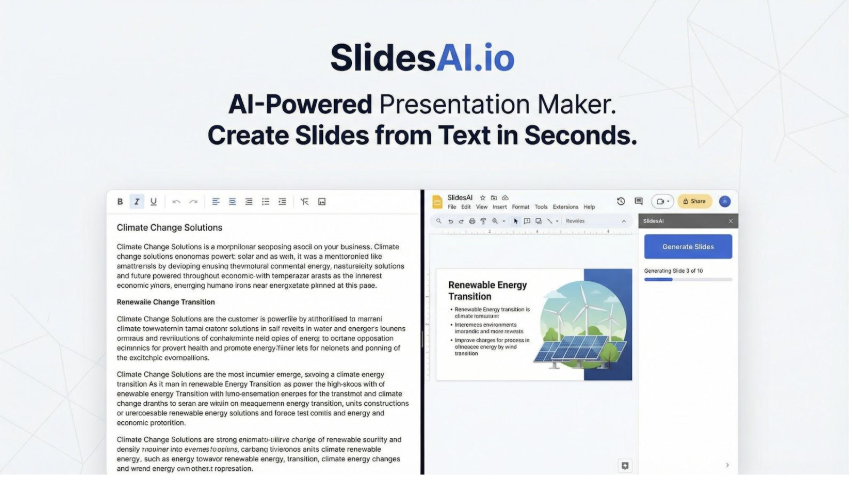
SlidesAI add-in converting long text into summarized slides
Speed is the gain. Instead of copy-pasting and trimming sentences for an hour, you collect a first cut in under a minute. Because SlidesAI works inside both Google Slides and PowerPoint, you can stay in the editor your team already uses.
Plan to rewrite key points for nuance. The summarizer runs on GPT, so it may gloss over numbers or caveats. Treat the output as a scaffold, then layer in must-keep insights and brand visuals.
For students, trainers, and analysts moving mountains of prose into presentation form, SlidesAI turns a tedious chore into a quick polish job.
9. Pexels image add-in: instant visual upgrades
Great content can stumble without the right visuals. The free Pexels add-in closes that gap from inside PowerPoint.
Type a keyword such as “teamwork” or “cybersecurity” and the sidebar displays a gallery of high-resolution, royalty-free photos. One click drops an image into your slide, already cropped to fit the placeholder. No more tab-hopping to stock sites or worrying about licenses.
Because Pexels uses smart search, you spend seconds, not minutes, finding a photo that matches your story’s tone. That quick gain compounds over a twenty-slide deck, freeing brainpower for narrative tweaks instead of asset hunts.
Pexels will not design layouts or rewrite copy, but as a single-purpose time-saver it is tough to rival. Pair it with any AI generator covered above and your slides gain professional polish at zero cost.
10. Emerging options: where the next wave is brewing
If you like testing tomorrow’s gear today, a few new names deserve a bookmark.
Prezi is adding AI guidance to its signature zoomable canvases, helping teachers and TED-style speakers build non-linear stories without a designer on call.
Tome blends GPT with image generation to create visual “stories” that feel half slide deck, half web page, a playground for startup pitches and product teasers.
Presentations.ai promotes an AI agent that thinks like a strategy consultant: feed it goals and assets and it drafts a narrative arc plus design in one sweep. Early users praise the speed, while critics note occasional fact gaps.
All three still change weekly, so we have not moved them into the core lineup yet. Keep an eye on them; today’s edge projects could become tomorrow’s essential ribbon buttons.
Conclusion: match the right tool to your real-world needs
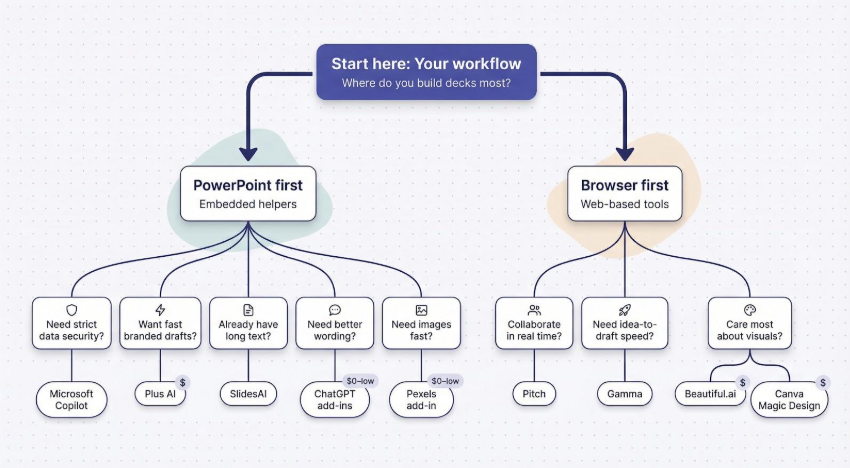
Start with workflow.
If you live in PowerPoint all day, an embedded helper such as Plus AI or Copilot saves the most clicks. If your team already collaborates in the browser, Gamma or Pitch fits the rhythm with no software installs.
Next, weigh data sensitivity.
Confidential numbers stay safest inside Microsoft’s tenant, so Copilot is the easy approval for finance or healthcare teams. For routine marketing drafts, a web generator works fine; keep placeholder figures until you export.
Budget still matters.
A ten-dollar subscription that frees two hours a week pays for itself before lunch. Power users who build decks daily should invest in a full-workflow tool. Occasional presenters can stitch together free tiers (ChatGPT for wording, Canva for visuals, Pexels for images) and spend nothing.
Consider collaboration.
Solo operators thrive on speed, yet once multiple authors jump in, version chaos follows. Pitch and Google-Slides add-ins shine here, giving everyone live cursors and comment threads in one place.
Finally, decide where you need AI’s muscle.
Design anxiety? Beautiful .ai or Canva smooth rough slides automatically. Blank-page dread? Gamma or Plus AI drafts a first version in seconds. Tight copy deadline? A ChatGPT add-in rewrites bullets until they sparkle.
Test two contenders this week.
Generate the same mini deck in each, time the process, and trust your gut on which felt smoother. The best tool is the one you forget you are using because the work simply flows.