Faxing isn’t stuck in the past—it’s just found a new home in your phone. Busy professionals and small businesses know that sending a fax can still be a daily necessity, even with slick messaging apps and massive file-sharing services everywhere. Choosing the best fax app means you can send or receive secure documents right from your pocket, without tracking down clunky office machines or standing in line at a store.
With more people working remotely or managing teams on the go, digital fax tools are quietly becoming a game changer. Whether it’s handling signed contracts while juggling meetings, sending urgent paperwork to clients before lunch, or keeping sensitive info protected, a reliable fax app just makes life easier for people who need it. Who ever thought faxing would be this simple?
Key Features to Look For in the Best Fax App
Choosing the right fax app can make work feel lighter and faster. People want an app that removes barriers, keeps sensitive information safe, and syncs with other digital tools they already use.
User Experience and Accessibility
A great fax app should be easy to understand right out of the gate. The interface needs to be clean—nobody wants to squint at confusing menus or get lost in endless taps and swipes. Simplicity is key, especially for anyone working remotely or bouncing between job sites.
Apps like Municorn Fax let users send faxes straight from a phone, tablet, or laptop with just a few taps. Accessibility features—like large text, voice control, or screen readers—can make a big difference for users with specific needs.
And when it comes to files, being able to snap a photo of a paper doc and send it as a fax right away? Game changer. Plus, instant notifications save everyone from that classic “Did it go through?” anxiety.
A good app also saves contacts and recent faxes, so people can send follow-ups in seconds without hunting for info. If someone can’t fax easily from wherever they are, it’s just not the best app for them.
Security and Compliance
When you’re sending business contracts, medical records, or legal paperwork, privacy is non-negotiable. The best fax apps use strong encryption, both while files travel to and from the device (“in transit”) and while sitting safely in storage (“at rest”).
There’s often a compliance checklist to think about. For those in healthcare or finance, it’s important the app meets standards like HIPAA or GDPR. Look for features like password-protected faxes, audit logs, and automatic history deletion; these keep sensitive data out of the wrong hands.
When talking about security, don’t overlook user authentication. Multi-factor authentication (MFA) is more than just a buzzword: it stops unwanted access before it ever happens. Everyone loves convenience, but not at the expense of safety.
One more thing—regular updates show the developer is serious about security and isn’t letting old bugs linger. A secure fax app should make users feel confident, not anxious, every time they hit send.
Integration with Cloud Services
Faxing isn’t (just) about the fax anymore. People want to pull a file from Google Drive, Dropbox, or OneDrive, send it, and never worry about formatting or compatibility. The best fax apps make this process feel natural, like sending a regular text.
Cloud integration means faxes get archived automatically—no more digging through email or stacks of paper. With Municorn Fax, for example, storing a record of sent and received faxes is a breeze. That’s handy for small teams and busy professionals alike.
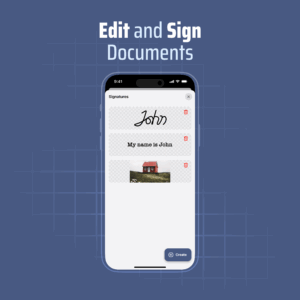
Some apps offer digital signatures built right in. Users can sign, send, and store documents without printing or scanning a thing. Saving documents to the cloud also speeds up collaboration. Team members—even across different locations—can review or send follow-ups on shared documents easily.
Compatibility with common workplace tools rounds out the list. Whether uploading a file from Slack, sharing through Google Workspace, or archiving via Microsoft Teams, a top-tier fax app fits into the digital workflow without missing a beat.
1) Municorn Fax App – top choice for iPhone faxing
Municorn Fax App stands out as a dependable option for those who fax from their iPhone. It’s straightforward—open the app, type in a phone number, and your document is on its way. No extra hardware, no complicated steps.
At work or at home, users can send high-quality digital faxes without a trip to the office store. Some say it’s even faster than finding a working printer, which, let’s be honest, can be its own adventure.
The app integrates cleanly with Contacts and lets users scan or import files in seconds. For people who juggle paperwork—think small business owners or busy professionals—it saves time each week.
Municorn Fax App supports sending to over 90 countries. People who need international faxing won’t be left scratching their heads. The design is simple, but it does what it’s supposed to do—no fuss, just fax.
2) Dropbox Fax – best free faxing option
Dropbox Fax nails the basics for anyone who needs to send a quick fax—free, simple, and available online. There’s no fussing with old hardware or searching for a printer that still has paper loaded. Anyone with a smartphone or a laptop can get started, and honestly, that convenience is hard to beat.
Users get a small batch of free pages each month, which works well for most casual needs. Signing up is straightforward, and those security-conscious folks will appreciate that faxes are encrypted during transmission. For bigger projects or busier weeks, paid plans open the door to more pages and a couple of extra features.
Digital signatures are a nice touch, especially in a pinch when printing isn’t an option. Teams can also benefit by sharing access, making Dropbox Fax handy for remote work or unexpected last-minute paperwork.
3) eFax – comprehensive features with e-signatures
eFax brings faxing into the smartphone age—with its app letting users send and receive faxes right from their phone or tablet. No need for an old-school fax machine cluttering the office; everything’s digital and easy to access anytime, anywhere, even on the go.
One part that stands out? Built-in e-signature capabilities. People can sign documents with just a fingertip or upload a saved signature, streamlining what used to be a real headache for anyone dealing with contracts or official forms.
Users also get secure cloud storage for all their faxes, which means finding old documents is a breeze. And honestly, with mobile notifications and options for custom fax cover pages, it feels a bit like getting a fax upgrade without trying too hard.
4) MyFax – reliable service for business use
MyFax stands out for businesses needing a consistent fax solution. Trusted by many, it makes sending and receiving faxes from a computer, phone, or tablet feel almost like sending a quick email—no fuss, no wait. The simple interface is a breath of fresh air for anyone tired of tricky setups.
Plans start at around $12 a month, which might sound modest, but it covers all the basics most teams need. There are no setup fees or lengthy contracts to get caught up in, which is a relief if you need to ramp up or down on short notice.
Some users mention stability as a strong point—missed faxes aren’t really a thing. The mobile app also makes a solid companion for anyone working on the go or from a kitchen table on a rainy day.
5) FaxBurner – easy fax sending from mobile
FaxBurner stands out for mobile users who need faxing without any hassle. Users can send and receive faxes right from their phone, and the setup only takes a minute. No wires, no paper jams, and—let’s be honest—no hunting for an office fax machine.
Some people like how fax messages come straight to their email, keeping work life a little organized. FaxBurner even offers a free fax number plus options to sign or mark up faxes using the app.
Anyone who travels a lot or juggles remote work knows how useful that is. With a few taps, the task is done, and there’s no scrambling for extra tech support. For teams used to juggling too many tasks at once, FaxBurner helps them stay on track.
6) Faxium
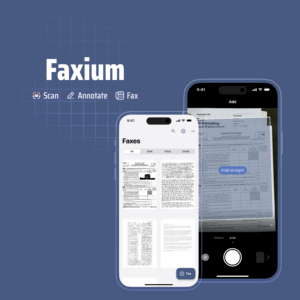
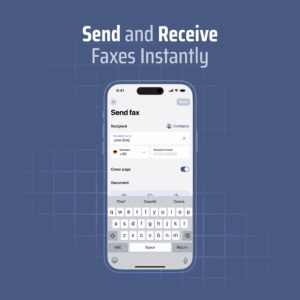
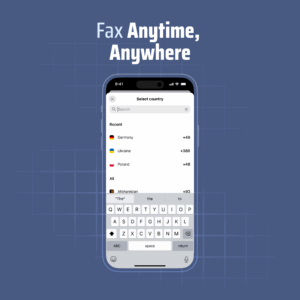
Faxium is a super convenient mobile app that lets you send and receive faxes from your phone — anytime, anywhere, no bulky fax machine needed. Available on both the App Store and Google Play, it’s a great option for anyone who needs to fax documents quickly and securely.
The app was built with busy professionals in mind, especially in industries like healthcare, finance, and insurance, where faxing is still common. With a built-in scanner and support for different file types like PDFs, images, and text, you can easily upload a doc, add a number, and send it off in seconds.
Faxium also offers a free trial so you can test everything out before committing. If you’re looking for a simple way to fax from your phone, this one’s definitely worth a try.