Turn your static images into cinematic animations with these powerful image to video AI tools.
It used to be the case that animation software could be complex and take hours of keyframing to get the photos animated.
This, combined with the learning curve, turned most people away from it. Now, one photo can be converted into a completely animated moving video clip in no time sometimes seconds.
The last few weeks, I’ve gone deep on the image to video AI space, testing anything from character animation platforms to general purpose generators.
The technology is much more matured than it was a few months ago, and there something for every content creator, digital artist or marketer wanting to animate their images.
In 2026, check out my selections for the top image to video AI generators.
The best image to video AI generators at a glance
| Tool Best for Starting price |
| SoulGen AI | AI character animation with over 95% consistency | $12.99/month |
| Runway | Advanced generative controls and creative tools | Free for 125 credits |
| Kling AI | Realistic human motion physics | Free tier available |
| Luma Dream Machine | Photorealistic, artistic animations | Free tier available |
| Google Veo 3 | End-to-end video creation with audio | $19.99/month |
| OpenAI Sora | Text-to-video with community sharing | $20/month (ChatGPT Plus) |
| Pika Labs | Quick, stylized animations | Free tier available |
| Wan AI | Long-form narrative videos | Free tier available |
| Higgsfield | Precise camera and motion control | Free tier available |
| HeyGen | Avatar-based video with lip sync | Free plan available |
What makes a great image to video AI generators?
Before jumping into the list, here’s what I evaluated:
- Output quality: How realistic and fluid is the motion? Can it handle complex movements?
- Character consistency: Does the subject maintain their identity throughout the video—same face, same features, no morphing?
- Speed: How long does generation take?
- Ease of use: Can beginners figure it out without reading documentation for hours?
- Customization: How much control do you have over camera movements, animation style, and video length?
- Pricing: Is it accessible for individual creators, not just enterprise budgets?
With those criteria in mind, let’s get into it.
1. SoulGen AI — Best for AI character animation with unmatched identity consistency
SoulGen AI (Web)
SoulGen AI pros:
- Industry-leading 0.96 ID consistency score
- Generates fully animated videos in under 5 minutes
- Resolution up to 2048×2048 pixels
- No complex software installation required
SoulGen AI cons:
- Free tier is limited to one credit per day
- Focus primarily on character and portrait animation
If you’ve ever tried to animate character images made with AI, you’ll know what I mean if I say: The face was supposed to stay the same, but what is going on?
With each frame, the subject’s hairstyle, identity, and gazelessly’ position change drastically.
This something I noticed in various movies that began filming during the COVID pandemic. So annoying, man!
SoulGen AI animation is better than any product I have tried earlier to solve this problem.
Their proprietary Dynamic Feature Disentanglement (DFD), and Deep Facial Fusion (DFF) technologies work on the pixel-level for facial features.
Your ID remains consistent across all frames, camera angles, transitions, and scene changes without any distortion.
You get an ID consistency score of 0.96, which is pretty much the best in the industry (I have yet to come across a competitor who beats that).
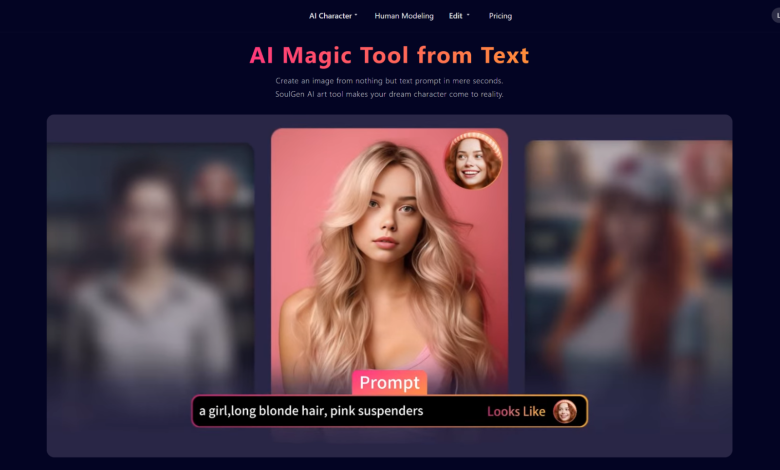
The process modifies looks as follows: A character image (previous AI-face, cosplay image or original photo or art) is uploaded. Next, it creates an animated video using SoulGen AI.
Imagine your character with many facial expressions, spontaneous eye movements, subtle body gestures, and so on.
These devices offer HD video with cinematic-like motion effects such as ultra zoom, pan, and tilt, similar to DSLR cameras. AI video generation takes place quickly.
This is important for creators who focus on character customization and want more variety for selection.
The platform runs completely in the browser, requiring no GPU, no downloads software: just upload, generate, and download.
SoulGen AI Price: This platform has a free tier that watermarks your output, plus you only get a single credit each day.
The Pro Plan, which costs $12.99/month or about $7.58/month if you subscribe annually at $90.99, offers 100 monthly credits, HD output, no watermarks, and a priority queue. It costs 10 credits to generate a video, of each 5 seconds.
SoulGen creates animations for everything.
Your character looks the same consistently through use of reference photos.
A virtual influencer can be built, animated content can be made from AI art, or OCs can be made alive. In addition, adjustments can be done on facial features and other backgrounds.
2. Runway — Best for advanced generative tools and creative experimentation
Runway (Web, iOS)
Runway pros:
- Extensive toolset including Aleph for video transformation
- Strong character consistency with Gen-4
- Quality learning resources through Runway Academy
Runway cons:
- Steep learning curve for advanced features
- Can be expensive for heavy use
Runway feels like a creative playground. Every time I revisit, there’s something new—and the Gen-4 model brought substantial improvements to image-to-video consistency and motion dynamics.
The standout feature for image-to-video work is the ability to upload a starting image and animate it with detailed prompts. Runway’s camera controls let you specify movement direction, zoom, and pacing, while the model handles everything from subtle facial animations to full-body motion.
What truly sets Runway apart is Aleph, their video transformation engine. Upload existing footage and completely reshape it—change angles, swap environments, alter lighting. It’s like having infinite reshoots without returning to set.
Runway price: Free for 125 one-time credits. Paid plans start at $12/month for 625 monthly credits.
3. Kling AI — Best for realistic human motion physics
Kling AI (Web)
Kling AI pros:
- Exceptionally realistic movement, especially for human subjects
- Multiple image input support for better consistency
- Strong control over output style
Kling AI cons:
- Generation can be slower than competitors
- Queue times during peak hours
Kling AI has quickly become a favorite for creators who need natural-looking human motion. When converting portrait images to video, Kling’s physics engine produces movements that feel authentic—weight shifts, subtle breathing, realistic head turns.
The Kling 2.5 Turbo model balances speed and quality well, while the Master mode pushes output quality further at the cost of generation time. I found the multi-image input feature particularly useful for maintaining character consistency across clips.
Kling AI price: Free tier with limited daily generations. Paid plans available for increased access and priority processing.
4. Luma Dream Machine — Best for photorealistic and artistic animations
Luma Dream Machine (Web, iOS)
Luma Dream Machine pros:
- Stunning visual quality with high fidelity
- Excellent for both photorealistic and stylized content
- Intuitive interface
Luma Dream Machine cons:
- Shorter maximum clip duration
- Limited control over motion specifics
The visual quality of images produced by Luma’s Dream Machine is impressive within the industry.
The outputs are cinematic in nature and have painterly characteristics, making them suitable for use in creative/artistic projects.
When looking for creative visuals or promotional material, or a conceptual animation, choose Dream Machine. It’s as easy as uploading a photo and entering the motion you need.
Luma Dream Machine price: Free tier available with limited generations. Paid subscriptions unlock additional features and faster processing.
5. Kittl AI — Best for turning images and designs into engaging motion visuals
Kittl AI (Web)
Kittl AI pros:
1. AI-powered image-to-video generation from simple prompts or static visuals
2. Integrated design editor for combining images, typography, and branding
3. Fast rendering with ready-made motion styles and effects
4. Works fully in the browser with no software installation required
5. Great for marketers, designers, and content creators
Kittl AI cons:
1. More focused on creative visuals than cinematic storytelling
2. Advanced motion customization is still evolving
If you’ve ever created a great design or AI image and wished you could instantly turn it into a short animated video, Kittl AI solves that problem beautifully.
The platform allows users to transform static images, illustrations, or AI-generated visuals into dynamic motion content with just a few clicks. Instead of learning complicated video editing software, you simply upload or generate an image, apply motion styles, and export a ready-to-share video.
What makes Kittl unique is its all-in-one creative environment. Users can generate images using AI, add typography, logos, icons, or branding elements, and then animate the entire design into a short video suitable for social media or promotional content.
The animation system intelligently adds motion such as zoom, pan, layered transitions, and subtle object movement to bring designs to life. This approach helps creators produce professional-looking motion graphics without timelines, keyframes, or advanced editing skills.
The platform runs completely in the browser, which means there is no GPU requirement, no downloads, and no complex setup. Users simply generate their visual, apply animation, and export the final video for marketing, social media, or branding.
Kittl AI Price: Kittl offers a free plan with limited credits and export capabilities. Paid plans unlock higher-resolution outputs, additional AI credits, advanced motion features, and priority processing for faster video generation.
Kittl AI works especially well for social media marketers, designers, entrepreneurs, and creators who want to quickly transform images or design concepts into eye-catching video content.
Instead of switching between multiple tools for image generation, graphic design, and video editing, Kittl brings everything into a single workflow where ideas can move from concept → design → animated video in minutes.
6. Google Veo 3 — Best for end-to-end video creation with native audio
Google Veo 3 (Web)
Google Veo 3 pros:
- Native audio generation including voice synthesis
- High-quality, realistic output
- Integrated with Google’s Flow editor
Google Veo 3 cons:
- Watermark removal requires expensive tier
- No free access
Google’s Veo 3 represents a significant leap in AI video quality. Beyond image-to-video conversion, it generates synchronized audio—background music, sound effects, and even character dialogue with lip-synced speech.
The Flow editor provides a simple interface for stitching scenes together, extending clips, and building complete narratives. If you’re creating content that needs both visuals and audio, Veo’s all-in-one approach can save substantial time.
Google Veo 3 price: Requires Google AI Pro at $19.99/month (watermarked output) or AI Ultra at $249.99/month (watermark-free).
7. OpenAI Sora — Best for community-driven inspiration and remixing
OpenAI Sora (Web)
Sora pros:
- High-quality physical simulation
- Growing community for inspiration
- Seamless ChatGPT integration
Sora cons:
- Currently limited to 720p at 10 seconds
- Watermarked in basic tier
Sora’s strength lies in understanding physics—water flows realistically, objects move with proper weight, and camera movements feel natural. The community feed provides endless inspiration, and you can remix public generations to jumpstart your own projects.
For image-to-video work, uploading a starting image and prompting Sora to animate delivers impressive results, especially for scenes with environmental elements.
OpenAI Sora price: Included with ChatGPT Plus at $20/month. Pro tier at $200/month for higher resolution and longer clips.
8. Pika Labs — Best for quick, expressive animations
Pika Labs (Web)
Pika Labs pros:
- Fast generation times
- Great for social media content
- User-friendly interface
Pika Labs cons:
- Less precise control than competitors
- Motion can be exaggerated in some cases
Pika Labs excels at turning images into short, punchy animations quickly. The platform emphasizes expressiveness—movements tend to be dynamic and engaging, making it perfect for attention-grabbing social content.
The interface is among the most beginner-friendly I tested. Upload, prompt, generate. No steep learning curve.
Pika Labs price: Free tier with limited generations. Paid plans for increased access and features.
9. Wan AI — Best for long-form narrative videos
Wan AI (Web)
Wan AI pros:
- Supports up to 15-second, 1080p HD videos
- Synced audio and visual generation
- Free access option available
Wan AI cons:
- Newer platform with evolving features
- Fewer third-party integrations
Wan AI stands out for supporting longer video generation from images—up to 15 seconds at 1080p. Combined with audio synchronization, it’s well-suited for narrative content where you need scenes to build and develop.
The Wan 2.1 model handles both text-to-video and image-to-video with solid quality and reasonable generation times.
Wan AI price: Free tier available. Premium plans for extended features and priority access.
10. Higgsfield — Best for precise camera and motion control
Higgsfield (Web)
Higgsfield pros:
- Granular control over camera movements
- Adjustable depth and lighting
- Multiple export formats
Higgsfield cons:
- More technical approach than some alternatives
- Takes time to master controls
Higgsfield gives creators fine-grained control over their image-to-video generations. Define camera pan, tilt, and zoom with specific parameters. Adjust lighting and depth independently. Export in various formats optimized for different platforms.
If you need precision over presets, Higgsfield delivers the controls that professional workflows demand.
Higgsfield price: Free tier available. Paid plans unlock additional features.
11. HeyGen — Best for avatar videos with realistic lip sync
HeyGen (Web)
HeyGen pros:
- Excellent voice cloning and lip sync
- Interactive avatar capabilities
- Strong for sales and marketing content
HeyGen cons:
- More focused on talking-head videos than general animation
- Can feel template-heavy for creative work
HeyGen takes a different approach—rather than animating any image, it specializes in creating avatar-based videos with realistic speech. Upload a portrait photo, input your script, and HeyGen generates a talking video with impressive lip synchronization.
For business content, training videos, and personalized outreach, HeyGen’s combination of realistic avatars and voice cloning makes production fast and scalable.
HeyGen price: Free plan available with limitations. Creator plan starts at $29/month.
Final thoughts: Which image to video AI should you choose?
The right tool depends entirely on your use case:
- For character animation with perfect consistency: Start with SoulGen AI. The ID consistency technology is unmatched, and the character customization features make it ideal for anyone creating recurring characters or virtual personas.
- For creative experimentation and advanced tools: Runway offers the deepest feature set for those willing to invest time learning the platform.
- For realistic human motion: Kling AI produces the most natural-looking movement, especially for portrait-to-video conversions.
- For artistic, visually striking content: Luma Dream Machine creates outputs that stand out aesthetically.
- For complete video production with audio: Google Veo 3 handles everything from visuals to synchronized speech.
Most platforms offer free tiers, so I’d recommend testing a few with your actual images before committing to a subscription. The quality jump from 2025 to 2026 has been substantial—what took hours or wasn’t possible last year now generates in minutes with remarkable fidelity.
Image to video AI has finally crossed the threshold from “interesting experiment” to “practical production tool.” The question isn’t whether to use these tools, but which ones best fit your creative workflow.