Making high-quality videos used to be hard work. You needed expensive cameras, powerful computers, and weeks to learn editing software. But things have changed. With Kutt.AI, you can now turn your ideas into stunning movies in seconds. Whether you are a business owner, a content creator, or just someone with a fun story to tell, our AI video generator is built for you. You don’t need any technical skills. You just need an idea. Stop staring at a blank screen and start creating viral content today.
What Is an AI Video Generator?
An AI video generator is a smart tool that creates videos for you. It uses artificial intelligence to understand what you want and builds the video from scratch. In the past, you had to film every scene yourself. Now, the computer does the heavy lifting.
Think of it like having a Hollywood film crew inside your laptop. You act as the director. You tell the AI what to do, and it produces the visuals. This technology analyzes millions of videos to understand how the world looks and moves. Because of this data, it can create realistic lighting, natural movements, and smooth transitions.
For creators on platforms like TikTok or YouTube, this is a game-changer. You can produce more content in less time. You do not need to hire actors or rent a studio. The AI handles the production, so you can focus on the story.
The Power of AI Video Generator From Text
The most popular feature on our platform is the AI video generator from text. It sounds like magic, but it is real technology. You simply type a description of what you want to see, and the AI brings it to life. This is often called “Text-to-Video.”
How It Works
The process is simple. You enter a prompt. A prompt is just a sentence describing your scene. For example, you might type: “A futuristic city with flying cars at sunset.” The AI reads this text. It understands the words “city,” “flying cars,” and “sunset.”
Then, it generates a video that matches your description. The better your description, the better the result. Kutt.AI uses advanced models to ensure the video makes sense. We support top-tier models like Wan 2.6 and Seedance 1.5 Pro. These models are famous for their ability to understand complex prompts and keep the video stable.
Why Text-to-Video Matters
This tool solves a big problem known as “writer’s block.” Sometimes you have a great script, but you have no footage. With an AI video generator from text, you can create the footage you need instantly.
- For Marketers: Create product teasers without shipping products to a photographer.
- For Storytellers: Visualize scenes for a book or screenplay.
- For Social Media: Make weird, funny, or beautiful clips that stop people from scrolling past.
You can create cinematic shots, cartoons, or realistic drone footage just by typing. It saves you money on stock footage subscriptions and gives you something unique that no one else has.
Level Up With AI Video Effects
Generating a video is just the start. To make your content go viral, you need style. This is where AI video effects come in. Kutt.AI offers over 100 different effects that can transform an ordinary clip into something amazing.
Visual Effects (VFX) Made Easy
In traditional movies, special effects take months to make. With AI, you can apply them in one click. You can change the season from summer to winter. You can make objects glow. You can even change the art style of the entire video.
Imagine taking a video of yourself walking down the street. With our AI video effects, you can turn that street into a lava river or a candy land. These effects help your videos stand out on crowded feeds like Instagram Reels or TikTok.
Body Swap and Face Swap
One of the most fun features is the ability to change who is in the video. We offer seamless Face Swap and Body Swap tools.
- Face Swap: You can put your face onto a superhero or a movie character. The AI maps your features perfectly, so it looks realistic.
- Body Swap: You can replace a person in a video entirely. If you want to change the actor in a scene, you don’t need to reshoot.
These tools are great for making memes or personalized greeting videos. They are also used by brands to adapt ads for different regions by changing the models to look like local people.
 Beyond Text: Image to Video and Motion
 Beyond Text: Image to Video and Motion
Sometimes you already have a great picture. You might want to make it move. Kutt.AI is not just a text tool; it is a powerful Image to Video engine.
Bringing Photos to Life
You can upload a static image—like a headshot, a product photo, or a drawing. The AI will animate it. It can make the wind blow through hair. It can make water flow. It adds natural motion to a still moment. This is perfect for e-commerce. A moving product video gets more clicks than a simple photo.
Action Imitation
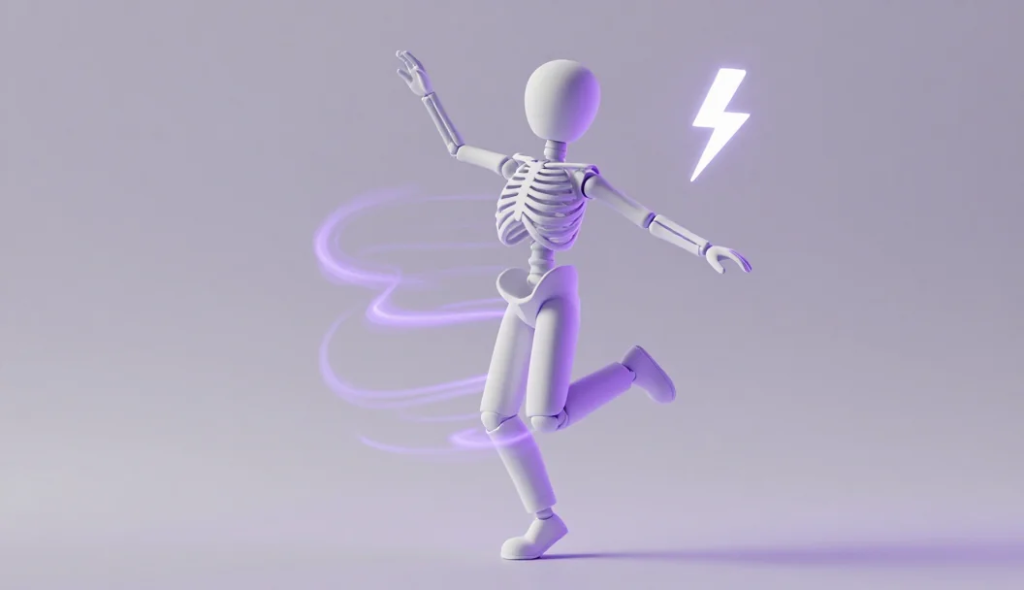
We also have a feature called Action Imitation. This lets you make anyone dance. You upload a photo of a person. Then, you choose a reference video of a dancer. The AI will make the person in the photo copy the moves from the video.
It matches the body language perfectly. You can make your boss breakdance or your grandma do a TikTok trend. This AI motion tool is one of the fastest ways to create entertaining content that people love to share.
Why Quality and Speed Matter
There are many tools out there, but speed is key. Most creators cannot wait 20 minutes for a 5-second clip. Kutt.AI creates videos in under 60 seconds. We know that when you have an idea, you want to see it right away.
HD Resolution
Speed does not mean we sacrifice quality. Every video you export is in High Definition (HD). Whether you choose a square format for Instagram or a widescreen format for YouTube, the picture remains crisp. We support 4K quality content, which is important because social media algorithms prefer high-quality videos.
The Best Models in One Place
We don’t just use one AI brain. We combine the best ones. Our platform integrates strong models like Qwen-Image for layout and Kutt 1.0 for special effects. You can switch between them easily. If you need precise control, you might use Qwen-Edit. If you need cinematic shots, you might use Wan 2.6. You get access to all of them in one simple dashboard.
Who Should Use an AI Video Generator?
You might think this technology is only for tech people. That is not true. It is for everyone.
- Small Business Owners: You need ads but have a small budget. Use AI to make professional commercials.
- Educators: Teachers can make history lessons come alive by generating videos of past events.
- Influencers: Posting every day is hard. AI helps you fill your schedule with high-quality posts.
- Digital Artists: Use AI to expand your art. Turn your drawings into animations.
According to recent trends in digital marketing, videos get 1200% more shares than text and image combined. Using an AI video generator is the smartest way to tap into this trend without spending thousands of dollars.
Conclusion
The world of content creation is moving fast. The old ways of making videos are too slow for today’s social media pace. An AI video generator gives you the speed and quality you need to compete.
With Kutt.AI, you get the power of AI video generator from text, amazing AI video effects, and lifelike motion tools all in one place. You do not need to learn editing. You do not need to buy a camera. You just need to be creative.
We have helped over 1 million creators make more than 10 million videos. The satisfaction rate is 95%. Join them today. Stop letting your great ideas stay in your head. Put them on the screen.
Ready to make your first masterpiece? Try Kutt.AI for free now and see what you can create in seconds.