
In 2026, video content dominates every major digital channel. Platforms like Instagram continue to prioritize Reels, Stories, and short-form videos. As a result, creators and marketers depend heavily on high-resolution visual assets. AI-enhanced editing tools and automated repurposing systems now shape content strategies across platforms. Consequently, demand for intelligent video downloading solutions has increased significantly. Modern AI-powered Instagram video downloaders not only save content efficiently but also optimize file quality, format compatibility, and metadata organization for seamless cross-platform use.
The demand to download instagram video content has increased significantly, especially among content creators, marketers, educators, and researchers who need offline access or inspiration for future projects. At the same time, mobile-first browsing habits have encouraged the rise of lightweight, browser-based tools that require no installation.
Another major trend in 2026 is simplicity. Users want tools that allow instagram reels download by link, without complicated steps, account logins, or software installations. Privacy, speed, and multi-platform compatibility are now key decision-making factors.
Below is a curated list of some of the best Instagram video downloaders in 2026, including online tools, desktop software, browser extensions, and mobile apps.
2. List of Best Instagram Video Downloaders in 2026
1. IGVideoDownloader
Best for: Simple, multi-platform online downloading
IGVideoDownloader is one of the most convenient browser-based tools available in 2026. It operates as an online video & music downloader that supports downloading media from various popular websites such as Instagram.
Key Features:
- Download Instagram Reels, Stories, posts, and videos
- Supports multiple platforms beyond Instagram
- No installation required
- Works on both mobile and desktop browsers
- Fast processing speeds
The tool works through a simple copy-and-paste method. Users can perform an instagram reels download by link in seconds by pasting the URL into the search field. Because it is web-based, it eliminates compatibility issues and system requirements.
Pros:
- Easy to use interface
- No registration required
- Supports both video and music downloads
- Mobile-friendly
Cons:
- Requires an internet connection
- May display advertisements
2. 4K Video Downloader
Best for: High-resolution and bulk downloads
4K Video Downloader remains a powerful desktop solution in 2026. It allows users to download instagram video content in high quality, including HD and 4K formats.
Key Features:
- High-resolution downloads
- Batch download capability
- Cross-platform (Windows, macOS, Linux)
- Subtitle extraction support
This tool is ideal for professionals who archive large amounts of content or require high-definition output for editing purposes.
Pros:
- Excellent video quality
- Bulk download support
- Stable desktop performance
Cons:
- Requires installation
- Premium features require payment
3. SnapDownloader
Best for: Multi-platform creators
SnapDownloader supports downloads from hundreds of websites, including Instagram. It is designed for creators who repurpose content across multiple platforms.
Key Features:
- 900+ supported websites
- 8K resolution support
- Fast download engine
- Built-in format converter
SnapDownloader is suitable for users who frequently download social media videos for editing or archiving.
Pros:
- Wide platform compatibility
- Clean user interface
- Reliable performance
Cons:
- Paid after trial period
- Desktop-based only
4. SaveInsta
Best for: Instagram-specific quick downloads
SaveInsta focuses specifically on Instagram media. It supports Reels, Stories, photos, and videos through a straightforward online interface.
Key Features:
- No login required
- Supports all public Instagram formats
- Web-based tool
Users can quickly download instagram video content by copying and pasting the URL. Its simplicity makes it ideal for casual users.
Pros:
- Free and easy to use
- Works on smartphones
- Fast processing
Cons:
- Limited to Instagram only
- May contain ads
5. Inflact Instagram Downloader
Best for: Business users and marketers
Inflact offers a more professional-grade solution with additional Instagram marketing features beyond downloading.
Key Features:
- Profile-based downloading
- Story and Reel support
- Cloud-based access
- Additional analytics tools
It is particularly helpful for social media managers who need structured content management.
Pros:
- Advanced features
- Suitable for business users
- Cloud functionality
Cons:
- Paid subscription required
- May be excessive for casual users
6. Video DownloadHelper (Browser Extension)
Best for: Browser-integrated downloading
Video DownloadHelper is a browser extension compatible with Chrome and Firefox. It detects downloadable media directly within supported web pages.
Key Features:
- One-click browser download
- Multi-site support
- No need for separate apps
This extension is useful for users who frequently download content while browsing and prefer not to switch tabs or copy links.
Pros:
- Convenient browser integration
- Supports multiple platforms
- Easy to use
Cons:
- Requires installation
- Instagram detection may vary depending on updates
7. iTubeGo
Best for: Advanced format and file management
iTubeGo provides advanced desktop-level downloading capabilities.
Key Features:
- Batch downloads
- Multiple format conversion
- Built-in browser
- Audio extraction support
This tool is suitable for users who need greater control over file formats and storage organization.
Pros:
- Wide format compatibility
- Fast downloads
- High-quality output
Cons:
- Requires paid license
- Desktop-only solution
8. FastSave (Mobile App)
Best for: Android users
FastSave is a popular Android app designed specifically for Instagram media downloads.
Key Features:
- Direct integration with Instagram
- Auto-detect copied links
- Easy sharing and reposting
Mobile-first users appreciate the app’s simplicity and speed.
Pros:
- Optimized for smartphones
- Quick downloads
- Easy interface
Cons:
- Android only
- May contain ads
3. Conclusion – Choosing the Right Instagram Video Downloader in 2026
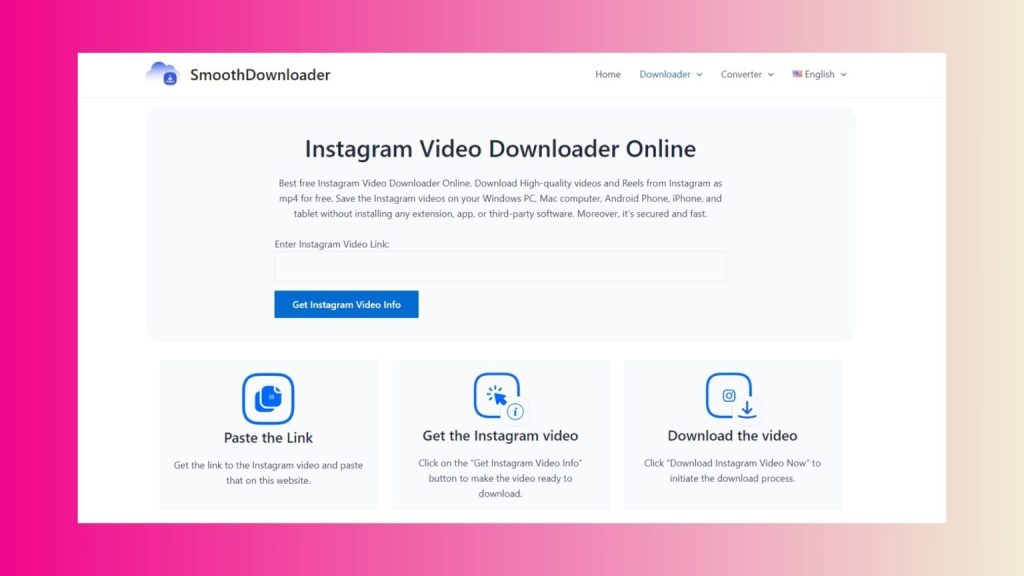
The best Instagram video downloader in 2026 depends on your needs and device preferences:
- For fast, browser-based access: IGVideoDownloader and SaveInsta offer convenient solutions.
- For high-resolution or bulk downloads: 4K Video Downloader and SnapDownloader are strong options.
- For business or marketing purposes: Inflact provides added professional features.
- For browser convenience: Video DownloadHelper integrates directly into your workflow.
- For mobile users: FastSave is a practical Android solution.
Online tools continue to dominate in 2026 due to ease of use and zero installation requirements. IGVideoDownloader, in particular, stands out as a flexible online video & music downloader that supports downloading media from various popular websites such as Instagram, making it suitable for both casual users and content creators.