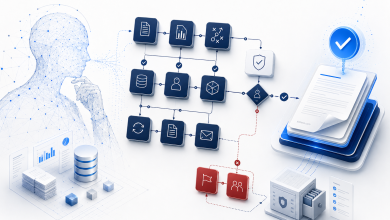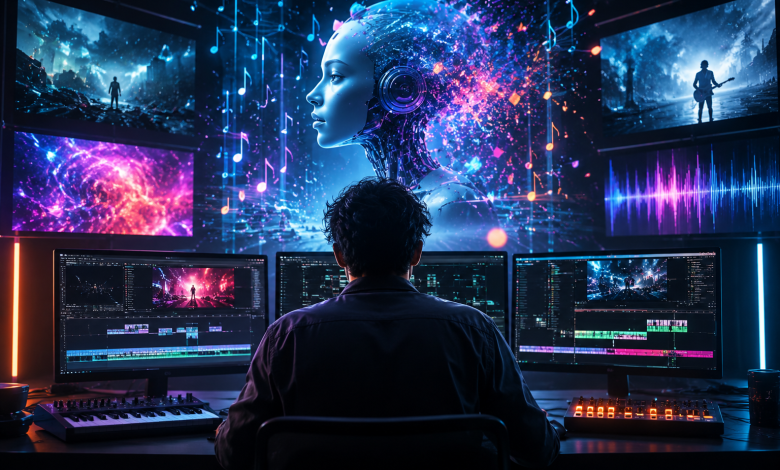
You have finished the track. The master is exported, the cover art is ready, and the release date is already on your calendar.
Then you remember that YouTube, TikTok, Instagram Reels and other discovery platforms are built around video.
For an independent musician, this is often where the release process becomes difficult. Producing the song may be possible from a bedroom studio, but producing a professional music video traditionally requires a director, camera crew, locations, performers, editing software and a much larger budget.
AI video tools appear to solve this problem. However, there is an important distinction that musicians should understand before spending money on credits or subscriptions:
Generating an attractive video clip is not the same as generating a music video.
A general AI video generator may create a beautiful five-second cinematic shot. A true AI music video generator must do more. It should begin with the song, understand its rhythm and emotional direction, create enough visual material for the project and help the artist connect those scenes into a release-ready video.
This comparison looks at four different platforms—BeatViz, Neural Frames, Runway and Pika—to explain which type of workflow is most suitable for musicians in 2026.
Quick Answer: Best AI Music Video Tools by Workflow
| Tool | Best for | Music input | Music awareness | Typical output | Editing requirement | Pricing snapshot |
| BeatViz | Guided, end-to-end music video production | Upload a finished track | BPM, rhythm and emotional-arc analysis | Complete music video projects and social versions | Low to advanced, depending on mode | From $20.70/month billed annually; one-time credits available |
| Neural Frames | Detailed audio-reactive control | Full song upload | Beat, structure, lyrics and stem analysis | Full-length videos, visualizers and lyric videos | Medium to advanced | Freemium; paid plans available |
| Runway | High-quality cinematic video clips | Mainly text, image and video inputs | Music must generally be handled separately | Short cinematic scenes | High for a complete MV | From $12/month billed annually |
| Pika | Short social effects and performance clips | Sound supported in selected features | Limited compared with music-first tools | Short effects, transformations and performance clips | Medium for a complete MV | Free tier; Standard from $28/month billed annually |
These platforms are not necessarily direct substitutes. BeatViz and Neural Frames are structured around music creation workflows. Runway is a broader creative video platform, while Pika is particularly effective for quick, visually striking short-form content.
The feature and pricing snapshot above is based on official product information available in July 2026. BeatViz currently offers three creation systems, 1080p exports in multiple aspect ratios and both subscription and one-time credit options. Neural Frames promotes full-length, audio-reactive videos with stem analysis and 4K export. Runway’s principal video models generate short clips from text or image inputs, while Pika focuses heavily on short effects and sound-driven performance features.
Why an AI Music Video Generator Is Different from a General AI Video Generator
The difference is not simply video quality. It is whether the product understands the workflow of releasing music.
1. The Song Should Be the Starting Point
General video platforms usually begin with a text prompt, reference image or existing video. The user describes a shot such as:
A singer walking through a neon city at night while rain falls in slow motion.
The platform generates that scene, but it may know nothing about the track that will eventually accompany it.
A music-first AI video generator reverses the process. The musician uploads the audio first. The platform can then use information such as BPM, energy changes, mood and song progression to guide visual pacing.
BeatViz, for example, describes a workflow in which the user uploads a track and the platform analyzes its BPM and emotional arcs before generating synchronized scenes. Its one-click mode is designed for automation, while its AI Director and Editor modes provide progressively more control.
2. A Full Song Requires More Than a Good Clip
A three-minute song cannot be represented by a single five-second generation.
Even when the average shot lasts four or five seconds, a complete music video may require dozens of scenes. Those scenes must be generated, reviewed, arranged, synchronized and sometimes regenerated.
This is where many apparently inexpensive tools become costly. The creator may need to generate a large number of short clips, download them individually and then assemble everything in Premiere Pro, CapCut or DaVinci Resolve.
For a filmmaker who enjoys editing, that may be acceptable. For a musician with no video production experience, it can become another full-time project.
Music-first tools reduce this burden by treating the song as one project rather than a collection of unrelated generations.
3. Visual Changes Need to Follow Musical Changes
Music contains more than a steady beat. It has structure.
An intro may require slow, atmospheric visuals. A verse may establish a character or location. A pre-chorus builds tension, while the chorus usually needs a stronger visual payoff. An EDM drop may demand rapid movement, dramatic lighting or faster cuts.
Basic audio-reactive tools may respond only to volume. More advanced platforms can consider rhythm, energy, lyrics, song sections or individual stems such as vocals, drums and bass.
Neural Frames is particularly strong in this area. Its current workflow extracts multiple stems and allows visual parameters to react to different musical elements. That makes it suitable for electronic music, experimental visuals and artists who want detailed control over how the image responds to the mix.
4. Character Consistency Matters Across the Entire Project
A cinematic clip can look impressive even when the character exists for only five seconds.
A music video is less forgiving. If the same performer appears throughout the video, the face, clothing, hairstyle and general identity need to remain recognizable across many scenes.
Reference images, first-frame controls and reusable character designs can improve consistency. BeatViz allows creators to use reference images and first-frame images to guide video generation. Its Editor mode also lets users replace individual clips instead of rebuilding the entire project.
No current AI system guarantees perfect consistency in every generation. Musicians should expect to review scenes and regenerate occasional errors, particularly in complex shots involving multiple characters, hands, fast movement or close-up facial performance.
5. Lip Sync Is a Separate Production Requirement
Making a character move is different from making that character convincingly perform a song.
Music-video lip sync requires the mouth movement to follow vocals rather than generic speech animation. It becomes particularly difficult when the singer moves quickly, turns away from the camera or appears in a wide shot.
BeatViz includes a lip-sync workflow inside its Editor mode. The user selects the relevant portion of the song, defines the character and visual direction, and uses that audio section to guide mouth movement. Runway also provides lip-sync and performance tools, although they operate within a broader video-production environment rather than an audio-first music video pipeline.
How This Comparison Was Built
This is a workflow analysis rather than a claim of controlled laboratory testing.
The comparison is based on publicly available product pages, pricing information, supported inputs, generation duration, editing features, commercial-use information and how naturally each platform fits the process of turning a finished track into a publishable video.
The main evaluation questions were:
- Does the platform begin with audio?
- Does it analyze rhythm or song structure?
- Can it support an entire music video project?
- Does it provide character, reference-image or lip-sync controls?
- How much manual editing is required?
- Can the output be adapted for YouTube, TikTok and Reels?
- What is the likely credit and workflow cost of producing a finished video?
Pricing and model availability change frequently, so creators should always confirm current credit estimates before beginning a long project.
1. BeatViz — Best for a Guided Music-First Workflow
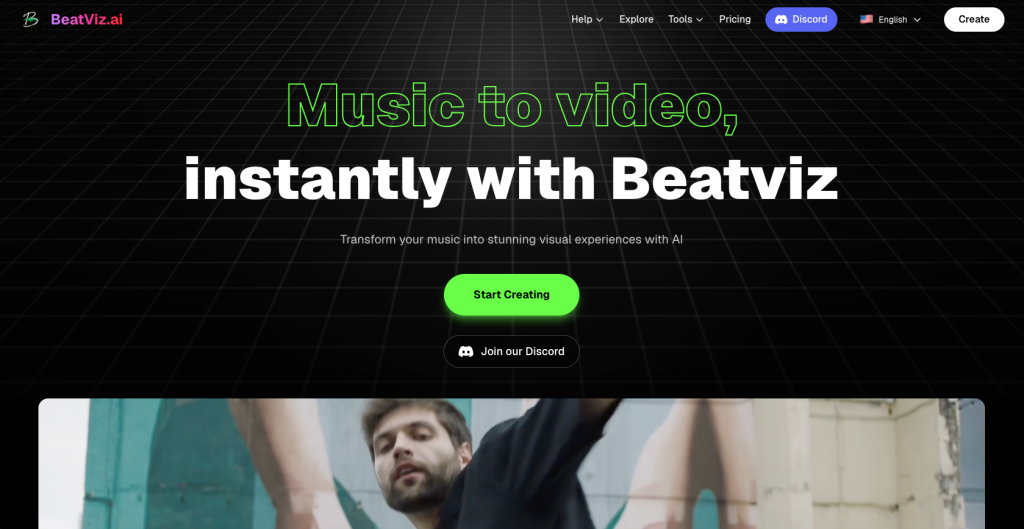
BeatViz is designed for musicians who want the platform to help with both creative planning and production.
Instead of offering only one generation interface, it provides three different workflows.
The One-Click Generator, also called Workflow mode in its tutorials, is the fastest option. A user uploads music, describes the concept and lets the platform analyze the audio, develop scenes and generate the video.
The AI Director Agent, or Chat mode, turns the process into a conversation. It can help develop the visual style, characters, storyboards and shot ideas before generation. This is useful for musicians who have an emotional or narrative concept but do not know how to translate it into production language.
The Custom Editing Studio, or Editor mode, provides a timeline, asset library, image and video generation, first-frame controls, clip replacement and lip sync. This is the most appropriate option for creators who want control over individual scenes.
Key strengths
- Music-first workflow based on an uploaded track
- BPM, rhythm and emotional-direction analysis
- Automated and conversational creation modes
- Timeline-based manual editor
- Reference-image and first-frame controls
- Clip-by-clip regeneration
- Lip-sync support
- 16:9, 9:16 and 1:1 exports
- 1080p export on paid plans
- Commercial-use rights and no watermark on paid plans
Limitations
The credit requirement increases with video length and the number of scenes that must be regenerated. Although Workflow mode reduces manual work, creators seeking precise control will still need to review keyframes and clips.
AI-generated results can also vary. A strong prompt, clear reference image and consistent visual direction remain important.
Pricing
BeatViz’s Basic plan is currently listed from $20.70 per month when billed annually and includes 800 monthly credits. Higher plans increase generation volume, and one-time credit packs are available for users who do not want another subscription. Paid plans include commercial rights, no watermark and multi-format 1080p export.
Best for: Independent artists, Suno or Udio creators and music marketers who want one platform to handle creative direction, scene generation, synchronization and editing.
Not best for: Experienced filmmakers who prefer to build every shot manually in a traditional professional editing environment.
2. Neural Frames — Best for Deep Audio-Reactive Control

Neural Frames approaches music video creation more like a visual digital audio workstation.
The platform can analyze a song’s stems, lyrics, drops and rhythmic structure. Artists can then map different visual behaviors to elements such as drums, bass or vocals.
It also offers multiple workflow levels, including automated generation and more detailed frame-by-frame or timeline control. Current product information highlights full-length music videos, lyric support, character locking and exports for YouTube, TikTok, Reels and Spotify Canvas.
Key strengths
- Detailed audio-reactive controls
- Multi-stem song analysis
- Full-length video workflow
- Lyric-video functionality
- Character-consistency tools
- Access to several underlying AI video models
- Vertical, horizontal and Spotify Canvas output
- Up to 4K export options
Limitations
The platform’s deeper controls can create a learning curve for musicians who only want to upload a song and receive a quick result.
Its strongest features are most valuable when the user understands how different musical elements should affect the visuals. That makes it powerful for advanced creators, but potentially more complex than necessary for a simple promotional video.
Best for: Electronic musicians, visual artists, producers and creators who want detailed control over how individual musical elements influence the video.
Not best for: Users who want the simplest possible workflow with minimal creative decisions.
3. Runway — Best for Cinematic AI Video Clips
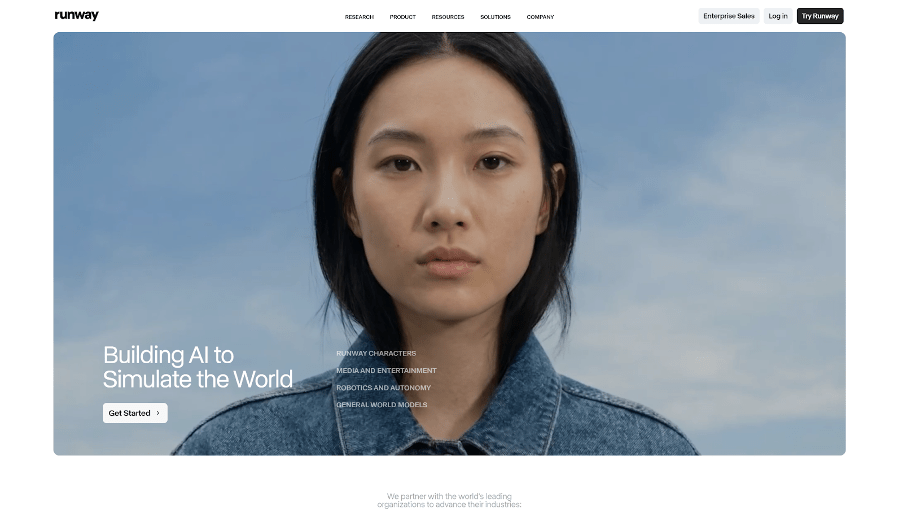
Runway is one of the strongest general-purpose AI creative platforms.
It offers access to multiple video, image, audio and editing models. Features such as reference-based generation, video transformation, performance capture and lip sync make it useful for sophisticated visual production.
For music videos, its greatest advantage is isolated shot quality. An artist can create close-ups, environmental shots, narrative scenes, surreal transitions or cinematic B-roll with a high level of visual control.
However, Runway’s core video-generation workflow is still based largely on text and image inputs. Principal models such as Gen-4 generate clips in short durations, commonly five or ten seconds. A musician building a complete video must plan the shots, generate enough material and synchronize those clips to the song in an editing workflow.
Key strengths
- Strong cinematic image quality
- Large selection of creative models
- Reference tools for characters and locations
- Video editing and transformation features
- Performance and lip-sync tools
- Multiple output aspect ratios
Limitations
- No complete music-first production workflow
- Short generation durations
- Manual shot planning and audio synchronization
- Credit usage can rise quickly across dozens of scenes
- Usually requires external or more involved editing for a full MV
Best for: Filmmakers and visually experienced artists who prioritize individual shot quality and are willing to edit manually.
Not best for: Musicians looking for a fast upload-song-to-finished-video process.
4. Pika — Best for Short Social Effects
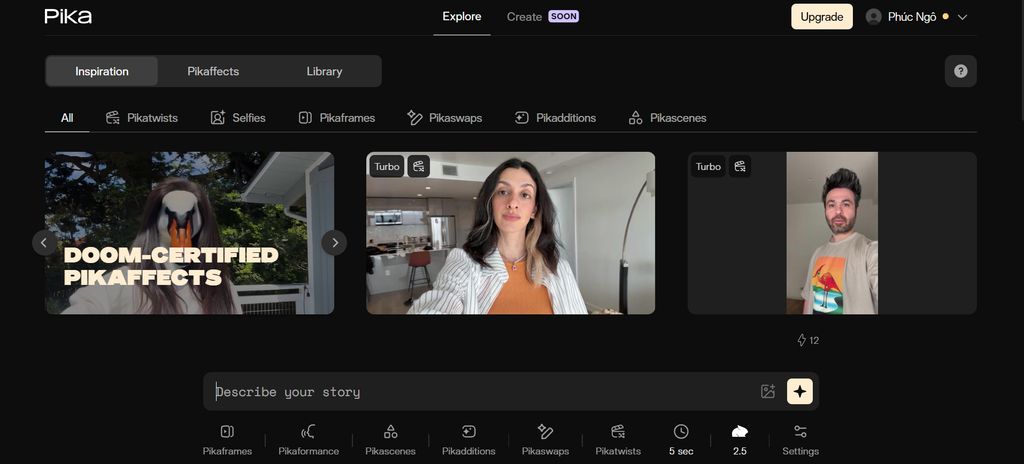
Pika is built around fast, memorable video effects.
Its tools can transform images, add or replace visual elements, create scene variations and produce highly shareable effects. Pikaformance can animate an image to sing, speak or perform using audio, with supported audio durations of up to 30 seconds on paid usage.
This makes Pika useful for a chorus teaser, artist announcement, humorous transformation, social hook or short promotional performance.
However, creating an entire three-minute music video would require many separate generations and manual assembly. Its main value for musicians is therefore promotional content rather than end-to-end music video production.
Key strengths
- Fast short-form video creation
- Distinctive social-media effects
- Image-based singing and performance animation
- Easy experimentation
- Commercial use and watermark removal on paid plans
Limitations
- Primarily designed for short clips
- Limited full-song planning
- No complete music-first storyboard and assembly workflow
- Manual editing required for longer videos
- Repeated generations can consume credits quickly
Best for: TikTok, Reels and Shorts teasers built around one memorable visual moment.
Not best for: Producing a coherent full-length music video from one finished song.
Music-First Tools vs General AI Video Tools
| Creator’s goal | Best tool category | Why |
| Turn one finished song into a complete video | Music-first AI music video generator | Begins with audio and supports the full project |
| Create detailed audio-reactive visuals | Stem-aware music visualizer | Can react to drums, bass, vocals and energy |
| Produce cinematic B-roll | General AI video generator | Strong shot quality and detailed prompting |
| Make a 10–30 second social teaser | Short-form AI video tool | Fast effects and vertical-friendly content |
| Create a performance or singing close-up | Lip-sync or performance tool | Focuses on vocal and facial movement |
| Highlight the words of a song | AI lyric video generator | Prioritizes lyric timing and readability |
The correct choice depends on the intended output.
The problem is not that one category is good and another is bad. They are solving different production problems.
How Musicians Should Choose the Right Workflow
Choose a music-first platform such as BeatViz when you have a finished song, limited editing experience and want one connected workflow for planning, generation, synchronization and export.
Choose Neural Frames when detailed audio responsiveness is the priority and you want visual effects to react to specific elements of the mix.
Choose Runway when you have editing experience and want to produce high-quality hero shots that will later be assembled manually.
Choose Pika when the goal is a quick, visually surprising social clip rather than a complete official video.
Artists should also consider the number of deliverables required for a release. A single campaign may need:
- A widescreen YouTube video
- A vertical chorus teaser
- A short announcement clip
- A Spotify Canvas loop
- Several visual hooks for TikTok and Reels
The most useful AI music video maker is not always the one that produces the most impressive individual frame. It is the one that helps the musician complete all required assets without turning video production into a second career.
Final Verdict
For musicians, the most important development in AI video is not simply better image quality. It is the emergence of tools that understand that music has rhythm, structure and emotional progression.
Runway remains a strong choice for cinematic clips. Pika is highly effective for short effects and social moments. Neural Frames provides some of the deepest audio-reactive controls available to musicians.
BeatViz offers the most balanced workflow for artists who want to move between automation and control. Its One-Click Generator helps beginners start quickly, its AI Director supports creative development, and its Editor allows individual scenes and lip-sync sections to be refined.
The broader lesson is simple:
Do not choose an AI video tool based only on how one demo clip looks. Choose it based on how efficiently it can take your finished song to a publishable release.
Frequently Asked Questions
What is the best AI music video generator in 2026?
The best option depends on the workflow. BeatViz is a strong choice for guided end-to-end creation, while Neural Frames is suited to advanced audio-reactive control. Runway is better for cinematic clips, and Pika is better for short social effects.
Can AI turn a complete song into a music video?
Yes. Music-first platforms can analyze an uploaded song, generate scenes and help assemble them into a longer video. The artist should still review scenes, correct inconsistent generations and confirm that the visual direction fits the music.
What is the difference between an AI music video generator and a music visualizer?
A music visualizer usually creates waveforms, spectrum animations or abstract visuals that react to sound. An AI music video generator can create characters, locations, narrative scenes, performance shots and changing visual sequences across the song.
Can I use an AI music video generator with songs created in Suno or Udio?
Yes. Export the completed audio from the music-generation platform and upload it to a music video generator. The quality of the final video will depend on the audio analysis, visual concept, reference images and scene consistency.
Is Runway good for music videos?
Runway is good for generating cinematic music-video shots. However, musicians usually need to create multiple short clips and synchronize them manually. It is more suitable for creators who already understand editing.
Can AI create lip-synced singing videos?
Several platforms provide lip-sync or performance-animation features. Results are generally strongest with a clear face, stable camera angle and a relatively short vocal section. Complex movement and wide shots remain more challenging.
Can AI music videos be used commercially?
Many paid AI platforms offer commercial-use rights, but terms vary by plan. Creators must also own or license the song, uploaded images, logos and other source material used in the project.
Which format should musicians export?
Use 16:9 for standard YouTube videos, 9:16 for TikTok, Reels and Shorts, and short looping formats for Spotify Canvas. It is usually more effective to create platform-specific versions than to crop one master video automatically.