Instagram makes it easy to save posts, reels, and other content for later viewing, but most users still wonder: can people see what you save on Instagram? The platform’s privacy rules are often unclear, leading to misconceptions about visibility, alerts, and user activity. Many people also ask these questions while looking for safer, more discreet ways to browse profiles—especially when they need to check a private account or stay anonymous.
This is where an Instagram viewer without account login becomes a practical and secure solution. It allows discreet access to posts, reels, highlights, and stories without logging in or exposing actions. Tools like an Instagram comment viewer can also help users explore interactions on posts without revealing their identity, making browsing even more private and convenient.
And while some users may search topics like who screenshots Instagram or other privacy-related concerns, the real focus is understanding how invisible your saving activity truly is. Below, you’ll find a clear breakdown of how saving works and how to maintain complete browsing discretion.
Understanding Instagram Save Privacy: What’s Visible and What’s Hidden
Instagram ensures that your saved posts remain completely private. When you save a post, the action is recorded only for your own account and is not visible to the creator or any other user. No alerts or notifications are generated, and no identities are shared—even with accounts that have analytics tools. Creators can only see total save numbers, never individual users. This rule applies across all formats: single-image posts, carousels, reels, videos, and private saved collections. Your saving activity always stays hidden and confidential.

Does Instagram Notify When You Save a Post?
No. Instagram never notifies creators or users when someone saves their content. Whether you save a picture of a friend, a reel from an influencer, or a post from a private account you follow, the action remains invisible to the content owner.
There are no pop-ups, alerts, or activity logs sent to the creator’s inbox. The saved feature is designed exclusively for user convenience, not creator analytics. Therefore, the worry behind does Instagram notify when you save a post is unnecessary.
Can You See Who Saved Your Instagram Post?
No. You cannot see who saved your Instagram post. Even though Instagram offers insights tools for business accounts, these metrics are limited to engagement totals. The identity of individual savers is always hidden.
Instagram does this to protect user privacy. So even if a post receives hundreds of saves, you will only see the total number. No usernames or profiles appear.
This limitation often leads users to seek external methods to understand audience interest. Instead of unreliable “save checker” apps—which are often unsafe—users can rely on a private Instagram viewer app for more comprehensive, anonymous insights.
Can People See What You Save on Instagram Reels?
No. Saving reels is just as private as saving photos and posts. Instagram does not reveal who saved a reel or added it to their collections. Creators only see total saves, never names.
This rule applies even if:
- The reel is from a public account
- The reel is from a private account you follow
- You save it multiple times
- You include it in a hidden collection
Your interactions remain invisible. But if your goal is not just saving but viewing reels from accounts you cannot access, an Instagram viewer without account login offers a discreet path. Tools like the Peekviewer Instagram viewer allow users to watch reels anonymously even when viewing restrictions exist.
Can People See Your Saved Instagram Collections?
No. Your saved collections are entirely private. No user—including creators, followers, or friends—can see:
- What you saved
- The posts inside each folder
- The category names you created
- How often you save from a certain profile
Your collections act as a private library only you can access. Even if you save posts from people you do not follow, nothing becomes visible to them. This feature allows users to organize content freely without worrying about exposure.
Why Users Look for Anonymous Viewing Tools (And How They Help)
Although Instagram keeps your saves private, the platform is less private when it comes to viewing, accessing stories, or approaching a private account. Whenever you check stories, reels, followers, or highlights, Instagram often reveals your profile name to the account owner. Additionally, if an account is private or you are blocked, you cannot view any content at all.
This is why many users rely on a private Instagram viewer app. These tools help when:
- You want to view someone’s profile discreetly
- You need access to posts or reels without logging in
- You want to stay anonymous when checking stories
- A private account blocks your access
- You’re researching competitors or influencers
- You prefer not to use your personal Instagram account
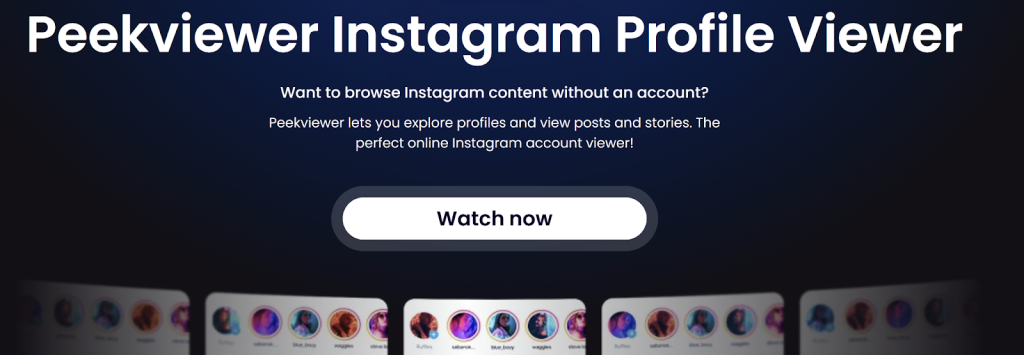
A reliable solution, such as the Peekviewer lets you check an Instagram page viewer feed safely and anonymously—even for private accounts. Many free alternatives fail, load only partial data, or require suspicious logins. In contrast, a secure private Instagram viewer app works smoothly with both private and public profiles and ensures that your identity remains hidden throughout your entire viewing session.
Can People See What You Save on Instagram Stories?
You cannot save stories directly through Instagram’s built-in save feature. However, if you choose to screenshot, download, or privately save a story using your device, Instagram does not inform the story owner. All saved data stays entirely on your device.
If you want to view stories without being listed among viewers or need access to older or private stories, this is where tools like an Instagram viewer without account requirements become especially valuable. They allow you to open stories from public and private accounts without appearing in the viewer list.
Viewing Instagram Profiles Without Being Detected
When you open someone’s profile using your personal IG account, your activity is not entirely private. You may appear in:
- Story viewer lists
- Reels interactions
- Live viewer lists
- Followers’ suggestions
- Mutual connections
Because of this, some users choose external tools to maintain their privacy. A private Instagram viewer app lets you view any Instagram page viewer feed without logging in. Whether you’re checking someone’s followers, looking through highlights, or browsing posts and reels, your actions remain invisible.
An anonymous viewing tool is especially beneficial when:
- You want to explore private profiles
- You want to remain completely undetected
- You want to bypass restrictions or blocks
- You prefer not to expose your personal account
- You conduct industry or competitor research
- You view profiles for safety or parental monitoring
This gives users control that Instagram itself does not offer.
Verdict
Instagram protects the privacy of saved posts, reels, and collections comprehensively. No one can see what you save on Instagram, and Instagram does not notify when you save a post. Whether you save content occasionally or daily, your activity remains invisible to others. However, browsing itself is not always private, and Instagram often reveals viewer identities through story views, profile visits, and engagement lists.
That is why many users choose external tools for anonymous viewing. A private Instagram viewer app,such as the Peekviewer helps you explore Instagram securely, even when accessing private accounts or viewing stories discreetly. Combining Instagram’s built-in privacy with anonymous viewing tools gives users complete control over what they save, what they view, and what remains invisible.