Transform your words into stunning videos with the next generation of AI video technology
You have the perfect idea for a video. A sweeping drone shot over a neon-lit cyberpunk city. A close-up of autumn leaves dancing in the wind. A product demonstration that would normally require an expensive film crew.
But here’s the problem: traditional video production is expensive, time-consuming, and technically demanding.
Welcome to the era of Sora 2 AI video generation.
What is Sora 2?
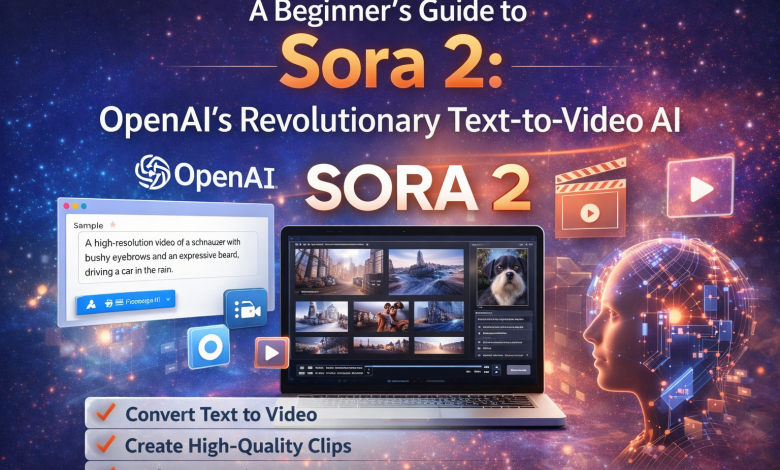
Sora 2, also known as OpenAI Sora 2, is OpenAI’s groundbreaking text-to-video AI model that transforms written descriptions into high-quality, realistic videos. As the successor to the original Sora model, Sora 2 represents a significant leap forward in AI video generation technology.
Unlike simple animation tools or slideshow generators, OpenAI Sora 2 uses advanced machine learning algorithms to understand complex prompts and generate videos with natural motion, consistent characters, and cinematic quality. Whether you’re a content creator, marketer, or filmmaker, Sora 2’s video generation capabilities can help you bring your creative vision to life.

Understanding Sora 2’s Core Capabilities
Before diving into the practical applications, let’s break down what makes Sora 2 so powerful.
Dual Input Modes
Sora 2 offers two primary modes of operation:
Text-to-Video: Describe your scene in words, and Sora 2 generates a complete video from scratch.
Image-to-Video: Upload a static image, and watch Sora 2 bring it to life with realistic motion.
This flexibility means you can either start from pure imagination or animate existing visual assets.
Aspect Ratio Options
Just like choosing the right canvas for a painting, selecting the appropriate aspect ratio is crucial for video creation. Sora 2 supports:
- 16:9 (Landscape): The classic widescreen format, ideal for YouTube, desktop viewing, and traditional video content.
- 9:16 (Portrait): The vertical format dominating mobile platforms like TikTok, Instagram Stories, and YouTube Shorts.
Choosing the right ratio at the start ensures your content is optimized for its intended platform.
Duration and Quality Tiers
Sora 2 offers flexible options to match your needs and budget:
- Video Duration: Choose between 10-second and 15-second clips
- Standard Model: Excellent quality at 720p resolution, starting at 15 credits
- Pro Model: Higher resolution up to 1080p HD for professional use, ranging from 30-90 credits
How to Create Your First Sora 2 Video
Creating with Sora 2 is surprisingly intuitive. Here’s a step-by-step walkthrough:
Step 1: Craft Your Prompt
The key to great results lies in your description. Be specific about:
- Subject and Action: What’s happening in the scene?
- Setting and Environment: Where does this take place?
- Lighting and Mood: What atmosphere are you creating?
- Camera Angle and Movement: How should the viewer experience the scene?
- Style: Cinematic? Realistic? Artistic?
Example prompt: “A slow cinematic pan across a rainy Tokyo street at night. Neon signs reflect in puddles on the wet pavement. A lone figure with an umbrella walks toward the camera. Moody, atmospheric lighting with pink and blue tones.”
Step 2: Configure Your Settings
Select your preferences: – Model version (Standard or Pro) – Duration (10 or 15 seconds) – Aspect ratio (16:9 or 9:16)
If you have a reference image, you can upload it for the Image-to-Video mode.
Step 3: Generate and Iterate
Click generate and let Sora 2 work its magic. Generation typically takes 5-15 minutes for Standard quality and 10-35 minutes for Pro. Don’t be afraid to regenerate with tweaked prompts—experimentation is key to mastering AI video creation.
Practical Use Cases for Sora 2
The applications are virtually limitless, but here are some high-impact scenarios:
Marketing and Advertising
Create compelling product videos, social media ads, and brand content without the overhead of traditional production.
Social Media Content
Generate scroll-stopping content for TikTok, Instagram Reels, and YouTube Shorts. The 9:16 portrait mode is specifically designed for these platforms.
Product Demonstrations
Show your product in action with animated tutorials and explainer videos.
Creative Storytelling
Filmmakers and writers can visualize concepts, create mood boards, or produce short films.
Pro Tips for Better Results
After working extensively with Sora 2, here are insights that will elevate your outputs:
Be Descriptive, Not Vague: Instead of “a beautiful sunset,” try “a golden sunset over the ocean with pink and orange clouds, gentle waves lapping at a sandy beach, warm summer lighting.”
Include Camera Direction: Terms like “slow zoom,” “tracking shot,” or “static wide angle” help Sora 2 understand your cinematic vision.
Specify the Style: Whether you want “photorealistic,” “cinematic film look,” or “anime-inspired,” stating your style preference guides the AI effectively.
Start Simple, Then Add Complexity: Begin with straightforward prompts and gradually incorporate more detail as you understand how Sora 2 interprets your instructions.
What About Failed Generations?
One reassuring aspect of using Sora 2 through platforms like Nano Banana is the no-risk policy: if video generation fails or times out, no credits are deducted. You can safely experiment knowing you’ll only pay for successful results.
The Future of Video Creation
Sora 2 represents more than just a tool—it’s a paradigm shift in how we create visual content. What once required thousands of dollars in equipment, crews, and post-production can now be achieved with a well-crafted sentence.
For beginners, the learning curve is gentle. For professionals, the possibilities are transformative.
The question isn’t whether AI will change video production. It’s already happening. The question is: what will you create first?
Ready to try Sora 2? Visit Weke is an All-in-One platform to start generating your first AI video today.