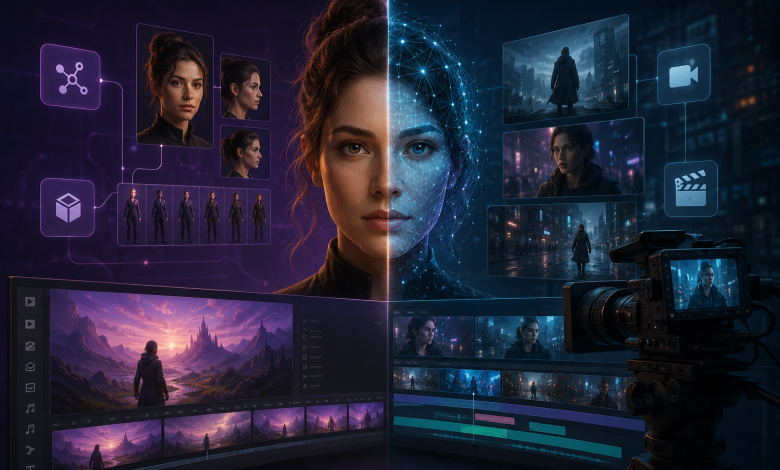
A product shot looks almost finished.
The camera move works. The lighting holds. The pacing feels right. Then, in the final seconds, the product changes shape.
That is where AI video stops being a demo problem and becomes a production problem.
The question is no longer simply which model can make the better-looking clip. It is how much of an existing creative brief survives generation, how continuity holds, and how much useful work remains after the next revision.
Those questions make Seedance 2.5 and Runway Gen-4.5 more useful to compare as production workflows than as demo reels.
This is a feature-based workflow comparison, not a controlled benchmark using identical prompts and assets. Actual results can vary by input material, settings, account access, and review standards.
With that distinction in mind, the comparison begins with what each workflow treats as the basic unit of production.
When the Brief Already Exists
Imagine an agency preparing a product campaign.
The team already has approved product photography, environment concepts, a color direction, motion studies, and an audio mood reference. Much of the creative work has already been done.
The challenge is carrying those decisions into a moving draft without asking the model to reinterpret everything from scratch.
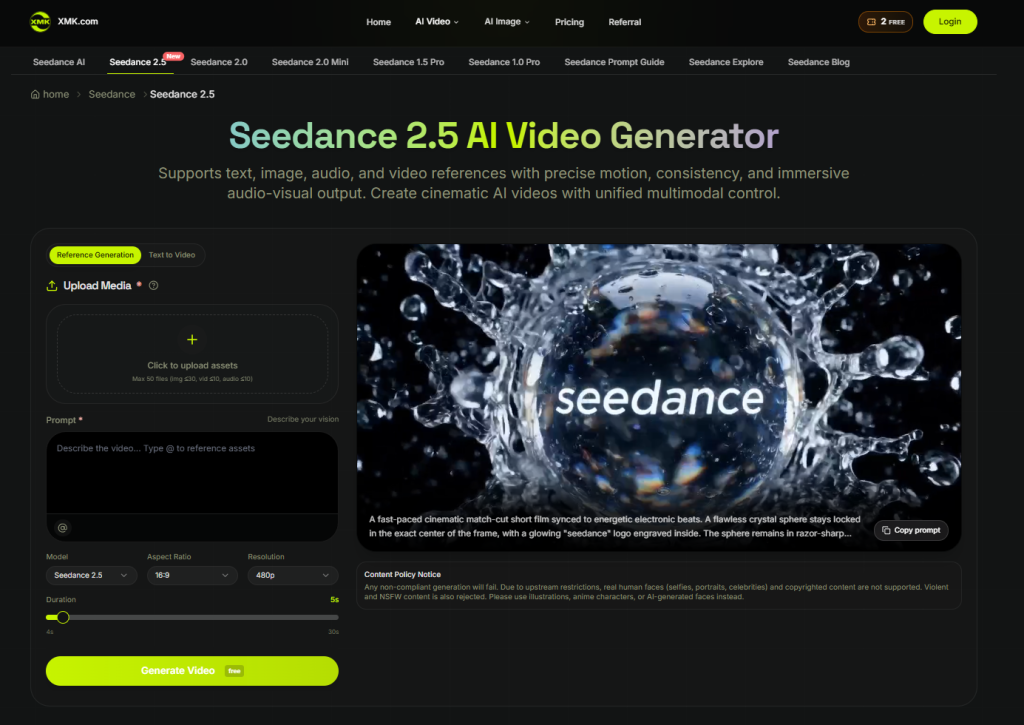
XMK positions seedance 2.5 ai video around a multimodal workflow using text, image, video, and audio references, alongside longer single-pass generation and local re-draw editing.
In this kind of workflow, each reference can have a specific job.
A product image can help anchor the object. Environment material can guide the setting. A motion reference can communicate movement that would be cumbersome to describe entirely in prose. Audio can establish rhythm or mood.
The prompt then focuses on what happens across the scene.
This can be useful when a substantial part of the creative brief exists before generation begins. But more inputs do not automatically create better control. Conflicting references can simply pass unresolved creative decisions to the model.
Gen-4.5 Starts Closer to the Shot
Runway’s current documentation describes Gen-4.5 as supporting Text to Video and Image to Video, with additional input modes listed as coming later. It supports two- to ten-second generations and is designed to follow detailed instructions involving camera movement, action, timing, composition, and changes within a shot.
That makes Gen-4.5 interesting when the production unit is a carefully planned shot.
A team can begin with an approved image or text description and concentrate on the next few seconds: how the camera moves, when an object enters, or how one action leads into another.
This does not make Gen-4.5 a low-reference workflow. In Image to Video, the input image itself can carry substantial information about subject appearance, composition, lighting, environment, and style, while the prompt concentrates more heavily on motion and temporal progression.
Runway also offers reference-based capabilities elsewhere in its platform. The important distinction is that platform-level tools should not automatically be described as direct Gen-4.5 video inputs.
Model capability and platform workflow are related, but they are not the same thing.
Continuity Can Break in More Than One Place
Continuity problems rarely arrive under one label.
A product may change shape between shots. An environment may suddenly feel like a different location. Motion can reset or change direction unexpectedly. Two individually strong clips may still refuse to cut together cleanly.
A reference-heavy workflow can help when continuity depends on carrying established creative decisions into generation.
A shot-focused workflow can help when the team wants tighter control over what happens inside each clip and plans to construct the larger sequence deliberately in editing.
Neither approach makes continuity automatic.
References guide generation; they do not guarantee exact reproduction. Detailed prompts guide action; they do not make generative output deterministic.
Duration Changes How the Work Is Divided
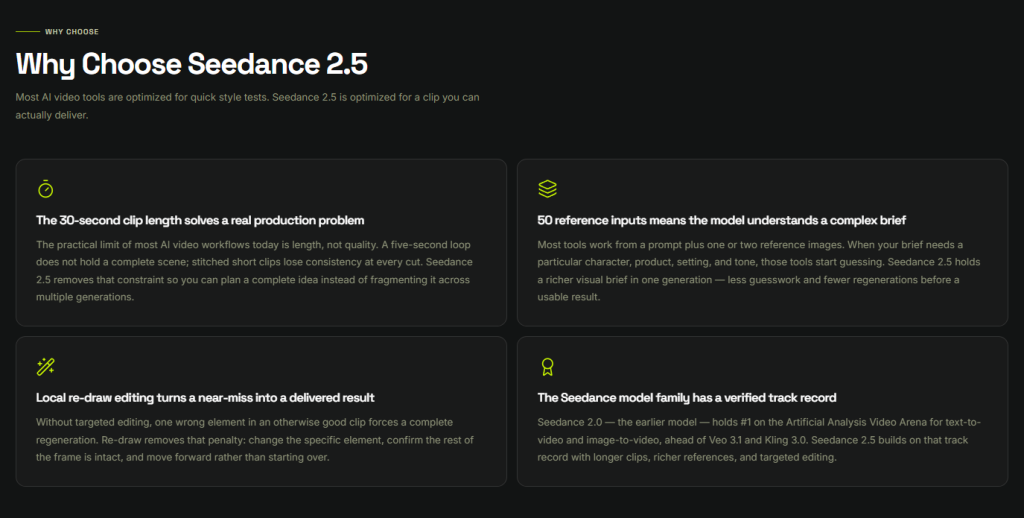
XMK currently describes Seedance 2.5 as supporting up to 30 seconds in one generation.
Runway documents Gen-4.5 generations from two to ten seconds.
Longer does not automatically mean better. The difference changes how a team can organize the work.
A longer generation can hold a setup, development, and reveal inside one draft. A shorter generation encourages the team to concentrate on an individual shot or production beat before assembling the sequence in editing.
For a short campaign sequence, the practical question becomes:
Should we test more of the idea continuously, or construct it from deliberately planned shots?
Available durations, resolutions, and controls can vary by product surface, account, or plan. These figures are best understood as descriptions of the currently documented workflows rather than universal production limits.
Compare the Production Question
A useful comparison starts with the problem the team needs to solve.
| Production question | Best approach |
| Can several visual, motion, and audio references hold together in one longer draft? | Explore Seedance 2.5 |
| Can a short shot follow detailed camera and action instructions? | Explore Runway Gen-4.5 |
| Does the idea need room to develop inside one generation? | Explore Seedance 2.5 |
| Is the sequence being designed and assembled shot by shot? | Explore Runway Gen-4.5 |
| Must a logo, text, product geometry, or factual element remain exact? | Preserve the approved original in post-production |
The final row matters because reference control is not the same as exact reproduction.
Logos can drift. Text can become unreadable. Product geometry can change even when a reference is supplied.
If an element must remain exact, the safer workflow is to keep the approved original outside the generative layer and composite it during final editing.
The Cost of an Almost-Good Generation
This is where the opening example becomes important.
Suppose the product shot is 90% useful. The camera, lighting, environment, and pacing work. Only the product itself becomes inconsistent near the end.
Regenerating everything means putting the successful 90% back at risk.
XMK describes the Seedance 2.5 AI workflow as including local re-draw for targeting elements such as a product, background, or subject.
That gives a team the option to begin with the problem area instead of immediately discarding the complete generation.
It should not be treated as a guarantee that everything around the edited region remains identical. The complete clip still needs review after a local edit.
Runway’s iteration path is organized differently. Its current Gen-4.5 workflow lets users continue working from a completed generation, adjust the prompt, and connect the result with other tools and apps available across the broader Runway platform.
This should not be treated as a direct equivalent of Seedance 2.5’s local re-draw. The two approaches operate at different levels of the workflow.
The useful production question is:
How much good work survives the next revision?
If correcting one problem repeatedly creates new ones elsewhere, the workflow becomes expensive even when individual generations look impressive.
Reference Control Requires Production Discipline
A larger reference package creates an asset-management problem as well as a creative opportunity.
Someone needs to know which file was used, what it was supposed to influence, and which generation it produced.
A lightweight record can be enough:
- Asset ID
- Intended role
- Rights or approval status
- Version
- Shot or generation ID
This turns a useful generation into something the rest of the team can trace and reproduce.
Rights and platform eligibility also need to be checked before an asset enters the workflow.
XMK’s current Seedance 2.5 page states restrictions around real human faces, celebrities, copyrighted content, violent material, and NSFW content. Those restrictions should remain attributed to XMK’s implementation rather than treated as universal rules for every Seedance access point.
Teams also need their own permission to use the material. Internal designs, unreleased products, confidential interfaces, customer information, or other sensitive assets should not be uploaded merely because the team has access to them.
When permission is unclear, an internal experiment can recreate only the necessary structure with generic components and clearly labelled placeholder information. Placeholder material should remain internal and be replaced with approved assets before publication.
Where the Difference Shows Up in Production
The clearest difference between these workflows may be organizational rather than visual.
As XMK currently positions it, Seedance 2.5 starts closer to a multimodal brief: bring more of the existing creative package into a longer generation and then iterate on the result.
Gen-4.5 starts closer to the shot. Text or an input image establishes the starting point, and detailed instructions define what should happen over the next few seconds.
One workflow starts closer to the brief.
The other starts closer to the shot.
Real productions do not have to choose one philosophy for every stage.
A team might first test whether a larger concept holds together, then rebuild the strongest moments as deliberately controlled shots. Another project might begin shot by shot and later discover that stronger reference management is needed to keep the campaign coherent.
The workflow should follow the production problem.
Production Workflow Is the Better Benchmark
AI video demos reward the best-looking generation.
Production rewards something less visible: how much approved work survives the next revision.
A model that produces a spectacular first draft but forces a team to rebuild every near-miss may be less useful than one that fits the way the project is actually organized.
That is why reference control, continuity, duration, and revision cost are more useful when evaluated together rather than as isolated features.
The useful benchmark is not which model makes the best clip.
It is how much creative intent survives from brief to generation to revision to final edit.