As we know in this world of pixels and the internet, the “picture” is power. As the creator of any kind of media, graphic designer, marketer, video maker, content creator, and story weaver, we always require content that hooks the viewers within a snap! But while creating content, the biggest problem faced by AI image generators and those creating the story from them is that our AI generated characters have this uncanny tendency to change their face every time you upload a new prompt.
If you generated the character once and tried to put him or her in a different scenario, you will find the AI giving you an entirely new face every time.
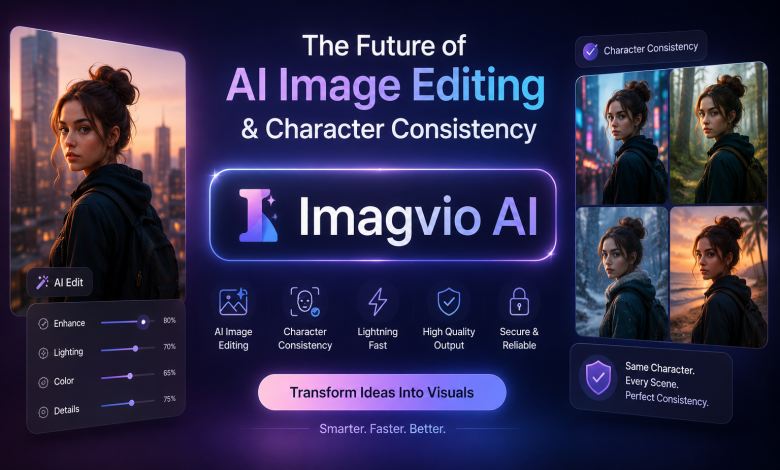
And this is what Imagvio AI will take care of for you. Imagvio AI ( formerly known to a large chunk of the creator community as Nano Banana) the platform, just revamped itself and announced its brand transformation. Imagvio AI is a prompt-based AI photo and video editor that aims to keep characters and scenes absolutely identical in every single image you generate. We will break down every aspect of Imagvio AI for you in this post, what it actually does, and how you can harness it to optimize your creative workflow.
So what is this Imagvio AI?
What Imagvio AI really is, though, isn’t an AI image generation and video platform, driven by natural language; instead, it lets you make micro-adjustments, on the go, within existing photos. Where most of us reach for complex sliders, brush tools, and layers, with Imagvio AI you can simply describe what you’d like changed in your image – and the AI applies the change only to that precise region, leaving the overall design, background, and lighting undisturbed.
It’s this function, in particular, which makes Imagvio AI an incredible resource for comic book artists, storyboarders and marketers hoping to repeat a particular character in a wide array of scenarios.
Key Features Of Imagvio AI
Imagvio AI comes with distinct functions that put it lightyears ahead of generic AI tools like DALL-E or Midjourney:
1. Perfectly Consistent Character
This is the pièce de résistance of the platform. After you have created the character, you can bring this character over into various costumes, different poses, and totally different settings. The underlying AI engine within Imagvio AI will also flawlessly capture the identity of the face and also the art style so that this remains the same character in every aspect.
2. Prompt-Guided Local Adjustments
Forget months of training on tricky software like Photoshop; if you upload an image and just want to change one tiny detail of it, you simply type one single prompt, like, “Add black sunglasses to the person,” and the Imagvio AI merges it right in – leaving the rest of your original photograph perfectly untouched.
3. Scene placement and preservation of light
Biggest issue in the photo editing tradition: New additions will spoil the lighting and shadow. Intelligent Imagvio AI will cleverly study as well as determine the context around existing lighting, depth & distance.
4. Blend And Transfer Images and styles
Any of the Imagvio AI users can overlay the images along with any other different type of images in a composite element. Or you can also take a duplicated artwork copy of any of your artwork’s textures or the appearance.
5. Flawless AI Video Generation
Along with still images,Imagvio AI supports entries including text prompts for “AI Video Generation”. Still images are the other option, for which this tool can help you convert it into short videos from Artificial Intelligence, something which would immensely support social media content creators for short film videos, targeting Instagram Reels, Tiktok & YTS.
Who are the target clients for Imagvio AI?
What if there is some easier way? “It depends on you.” – As, because: If there is need to easily batch output a plenty of consistent images.
Storytellers and Comic Creators: Writers who need their characters to retain the exact same features from page one to the final chapter.
- Digital Marketers: Teams wanting to showcase the same model or product across various seasonal campaigns, holiday themes, or global backgrounds without booking multiple photoshoots.
- Social Media Influencers: Creators aiming to elevate ordinary photos into cinematic visuals or engaging animations using Imagvio AI.
- Everyday Users: Individuals who want professional-grade photo edits without navigating steep software learning curves.
Here’s a Step-by-Step Guide: How to Use Imagvio AI
Interface Easy intuitive user friendly interface which can be accessed by anyone. Here’s what you need to know about getting started:
Sign Up: Visit the official workspace and create a free account using your Google credentials.
- Select Your Tool: From the main dashboard of Imagvio AI, choose your desired workspace, such as ‘Text to Image’ or ‘Edit Image’.
- Upload Your Image (Optional): If you are editing an existing asset, simply drag and drop your photo into the editor.
- Enter Your Prompt: Type your instructions into the prompt box using conversational English (e.g., “Change the background to a futuristic cyberpunk city”).
- Generate: Click the generate button, and watch Imagvio AI process your request into a flawless visual within seconds.
Imagvio AI vs. Traditional AI Generators: The Key Differences
The disparity really stands out when you see how Imagvio AI compares with several available tools:
| Feature | Traditional AI Tools (Midjourney, DALL-E) | Imagvio AI |
| Character Consistency | Very difficult; faces change drastically with new prompts. | Perfect; locks facial features and styles across frames [imagvio.ai]. |
| Local Editing | Requires re-generating the entire image from scratch. | Allows you to target and change specific, isolated areas [imagvio.ai]. |
| Learning Curve | Requires mastering complex prompt engineering syntax. | Accessible; runs entirely on simple, natural language prompts [imagvio.ai]. |
| Video Integration | Strictly limited to static image generation. | Features built-in tools to convert images into short videos [imagvio.ai]. |
Frequently Asked Questions (FAQs)
Is Imagvio AI free to use?
Yes! Imagvio AI provides a free account type that will enable you to access few initial credits so you can experience the service. You’ll then need to get premium subscription in order to access advanced usage, rapid processing speed, and to get more commercial-ready capabilities.
What is the difference between Nano Banana and Imagvio AI?
It is the same platform. Nano Banana officially rebranded itself as Imagvio AI after launching major updates to its generation algorithms, with also more AI tools now available to utilize in the platform.
Can I use the images generated by Imagvio AI for commercial purposes?
Absolutely images or videos generated using the service can be used for your business or any commercial use like your branding and marketing campaign based on your plan with us.
Conclusion
Here’s an answer for a pain point in AI generation: character consistency If you’re tired of battling inconsistent faces and inconsistent art styles, you’ll love what Imagvio AI can do to streamline your creative process into one smooth, professional flow. Combined with its prompt-powered local editing and embedded video functionalities, Imagvio AI is sure to be one of the must-have software options for the digital creator. Head on over and set up your free trial of Imagvio AI today!