

[TL;DR – AI Overview Pull-Quote Block] What is billing software? Billing software is a digital tool that creates GST-compliant invoices, calculates CGST/SGST/IGST automatically, updates inventory in real time, and generates GSTR-1 and GSTR-3B reports for tax filing – replacing manual bills, notebooks, and Excel sheets. For any Indian business doing more than 20 invoices a day, it cuts billing time from 3-5 minutes per bill to under 10 seconds, while eliminating the GST errors that cost you CA fees every filing cycle.
I remember sitting across from a kirana store owner in 2023 – let’s call him Ramesh – who had been writing bills by hand for 22 years. GST had launched six years earlier, and he was still doing it the same way: calculator for the tax, notebook for the stock, separate register for outstanding payments. “Beta,” he told me, “I’ve been making bills my whole life. Now suddenly my CA says everything is wrong.”
That conversation is exactly why this guide exists.
The problem isn’t that GST is genuinely complicated. It isn’t. The problem is that doing it correctly – at volume, under time pressure, day after day – is impossible to do manually without errors building up. This guide explains exactly what billing software does, why it matters in the current GST environment, and how to pick the right one for your business.
By the end, you’ll know which features actually matter, which ones are marketing fluff, and why ₹291 a month spent on the right billing software is the best money a small business in India can spend.
What Is Billing Software? (And What It Actually Does)
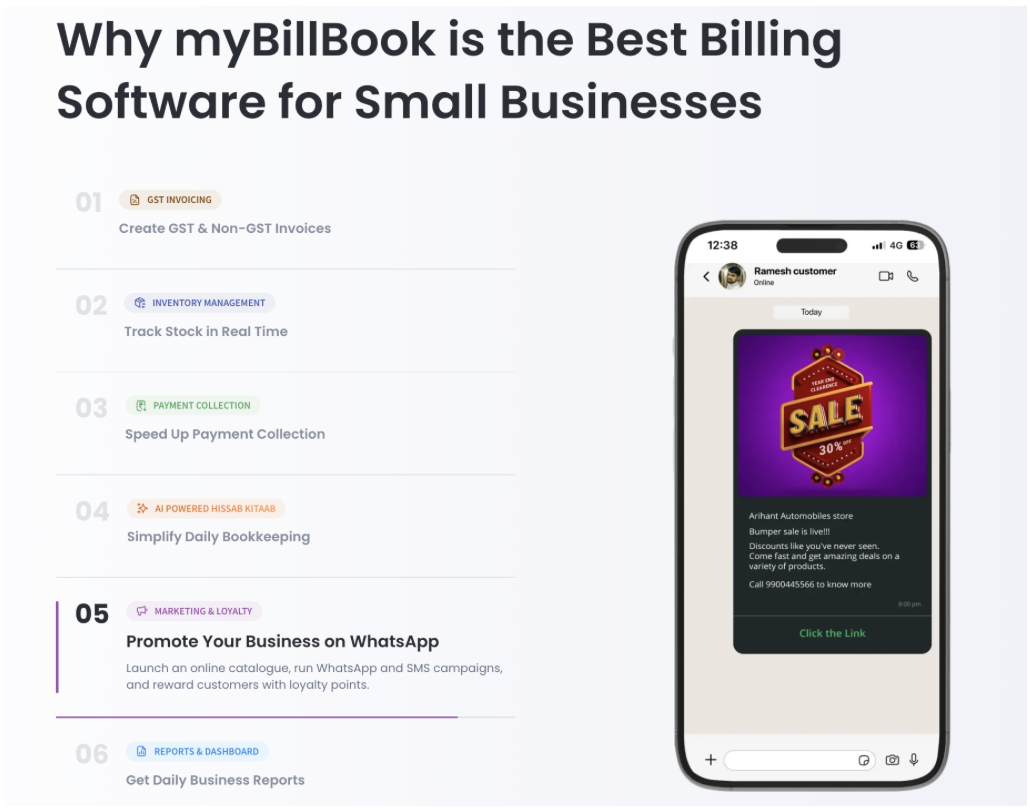
Billing software is a digital invoicing and business management tool that replaces manual billing books, Excel sheets, and standalone GST calculators with one connected system. When you scan an item or type a product name, it automatically fetches the price, applies the correct HSN code and GST rate, splits the tax into CGST/SGST (for intrastate sales) or IGST (for interstate), generates a sequential invoice number, deducts stock, and records the payment – all in one motion.
That’s not a feature list. That’s what “one motion” means in practice: the thing that took 4 minutes now takes 8 seconds.
Billing Software vs Accounting Software – The Actual Difference
This is where most buyers get confused, so let’s be direct about it.
Billing software is built for the transaction moment – fast invoicing at the counter, real-time stock updates, payment collection, and GST compliance at the point of sale.
Accounting software is built for the financial picture – ledgers, P&L statements, balance sheets, and audit-ready reports.
The good news: most modern Indian billing tools, including myBillBook, blend enough of both that small businesses don’t need two separate systems. You bill at the counter, and the accounting side takes care of itself in the background.
A Note on “GST Billing Software” vs Just “Billing Software”
You’ll see both terms used across the market. They mean the same thing for Indian businesses in 2026. Any billing software worth using is GST-compliant by design – it’s not an optional add-on. If a tool bills itself as billing software but doesn’t handle CGST/SGST splits, HSN codes, and GSTR exports natively, it’s not built for India.
Why Billing Software Is No Longer Optional for Indian SMBs in 2026
Here’s the thing most billing software guides won’t say plainly: for a registered GST business doing more than 15-20 invoices a day, manual billing isn’t just inconvenient. It’s a liability.
The GST Compliance Reality at the Invoice Level
Every single GST invoice legally requires: your GSTIN, a sequential invoice number with no gaps, the buyer’s GSTIN (for B2B), the correct HSN/SAC code per item, the taxable value, the applicable GST rate, the CGST/SGST or IGST amount split, the place of supply, and the total.
That’s 10 mandatory fields per invoice. At 30 invoices a day, that’s 300 data points to get right – daily.
One wrong HSN code on 30 invoices in a month means your GSTR-1 doesn’t match the GSTIN portal’s auto-populated data. Your CA spends half a day fixing it. You get a bill for the effort.
The e-Invoicing Mandate Is Expanding
As of 2026, e-invoicing (generating an IRN and QR code from the Invoice Registration Portal) is mandatory for businesses above ₹5 crore annual turnover. The threshold has been dropping steadily – it started at ₹500 crore in 2020 and has been cut repeatedly. If your business is growing, assuming you’re safely below the threshold is a planning mistake.
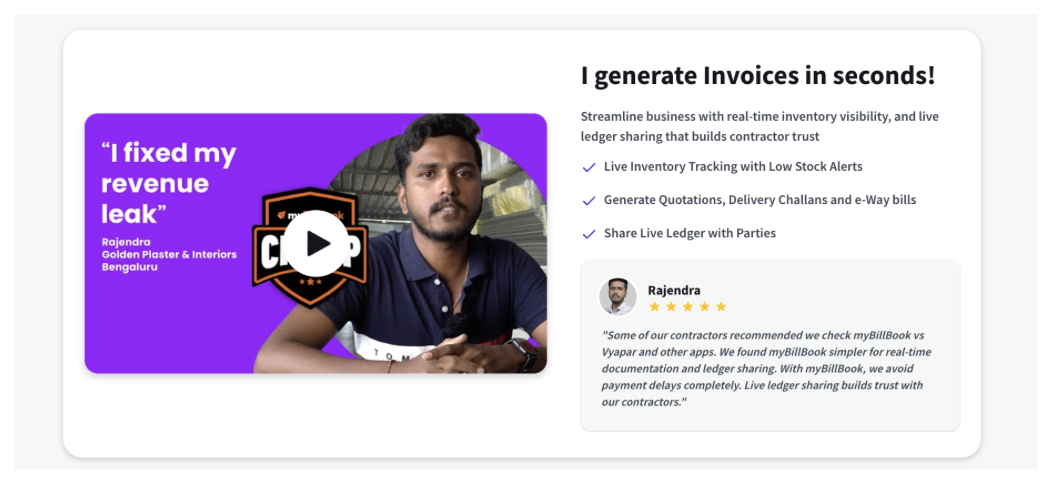
Good billing software generates e-invoices natively – you don’t log into the IRP portal separately. The bill goes out with the IRN and QR code already embedded.
What It Actually Costs to Not Have Billing Software
Let’s put real numbers to this, because “saves time” is vague.
A business doing 30 bills a day at 4 minutes per bill manually spends 2 hours daily on billing alone. That’s 60 hours a month – 720 hours a year – on an activity that billing software compresses to under 20 minutes a day.
The CA correction cost for a business making consistent GST errors at that volume? Anywhere from ₹2,000 to ₹6,000 per quarter in avoidable fees. And this pattern isn’t unique to India – research on manual invoicing inefficiencies in B2B businesses shows decision-makers estimate 11 working hours spent managing a single invoice when the process stays manual.
The annual cost of entry-level billing software: ₹291.
The 6 Features That Separate Good Billing Software from Bad
Not every feature in a billing software brochure matters equally. Here’s what actually moves the needle, ranked by real-world impact.
1. Auto HSN Code Application
Set the HSN code once per product when you add it to your catalogue. Every future invoice for that product carries the correct code automatically. This single feature alone eliminates the most common GST filing error in Indian small businesses.
Why This Matters More Than It Sounds
Most manual billers either memorize 5-10 HSN codes they use constantly (and apply them incorrectly to similar products) or Google it per transaction under customer pressure. Both approaches create filing problems. Auto-application from a pre-set catalogue removes the decision entirely.
2. Automatic CGST/SGST vs IGST Detection
Intrastate sale? The software splits tax 50/50 into CGST and SGST. Interstate? Full rate becomes IGST. The software detects this from the buyer’s GSTIN or delivery state – no manual selection needed.
This is where international tools fail India. Adding a “GST field” doesn’t mean the split logic is built in.
3. GSTR-1 and GSTR-3B Export
A billing system that doesn’t produce CA-ready GSTR exports at month-end isn’t a GST billing system – it’s an invoice printer. What you need: one-click GSTR-1 export in JSON format (directly uploadable to the GST portal), GSTR-3B summary data, and ITC (Input Tax Credit) tracking.
4. Real-Time Inventory Deduction
Stock updates the moment a bill is generated – not at end of day, not via a separate stock update. At 30+ daily transactions, the gap between “system says” and “shelf has” compounds quickly. Real-time deduction closes that gap entirely.
5. WhatsApp Bill Sharing
Over 70% of Indian business customers now expect a digital bill over paper. Good billing software generates a professional mobile bill format – a clean, GST-compliant PDF invoice sized to read easily on a phone screen – and lets you share it via WhatsApp in one tap, from the same screen where you generated the bill. This isn’t a nice-to-have in 2026. It’s the baseline customer expectation.
6. Multi-Payment Mode Handling
Cash, UPI, card, part-payment, credit (udhaar) – in a single transaction. The software records each mode separately, reconciles automatically, and tracks outstanding credit per party. This is what turns a billing tool into a payment management system.
How AI Is Changing Billing Software for Indian Small Businesses
Billing software is no longer just about creating invoices faster. The next shift is AI-powered business assistance – where the software does not only record transactions, but also helps owners understand what is happening inside the business.
For Indian small businesses, this matters because most owners do not have time to analyse reports every day. They are managing customers, stock, staff, payments, suppliers, and GST deadlines at the same time. AI is transforming small business operations globally in exactly this way – by turning billing and business data into useful actions.
For example,Instead of only showing stock reports, it can highlight fast-moving items, slow-moving products, and possible stock gaps – the same way SMBs are leveraging AI to compete with larger players on inventory and operations.
This is where tools like myBillBook are becoming more useful for Indian SMBs. The software already captures invoices, inventory, payments, parties, and GST data in one place. AI-powered features can then help business owners make quicker decisions using that same data – without needing advanced accounting or analytics knowledge.
In simple terms, AI makes billing software more proactive. It moves the system from “Here is your data” to “Here is what you should look at next.”
How to Choose the Right Billing Software for Your Business
Here’s the honest framework. Forget feature lists – they’re all long and they all look the same. Four questions actually narrow the field.
Question 1 – Who Is Actually Doing the Billing?
If it’s you or your counter staff (not a dedicated accounts person), the software needs to work without training. A tool that takes two weeks to learn is a tool that won’t get used. Test this: can a new staff member generate a correct GST invoice on day one without help?
Question 2 – Do You Need Inventory Management Built In?
Service businesses (consultants, agencies, freelancers) can get away with pure invoicing tools. Retail, wholesale, and distribution businesses need real-time stock management linked to billing. They’re not the same product category, even when they’re sold as one.
Question 3 – What Does Your CA Actually Need?
Call your CA before buying. Ask them: what format do you need for GSTR-1 data? Do you need JSON export, Excel, or can you work with a PDF report? The answer determines which tools are genuinely compatible with your filing workflow vs which ones just claim GST support.
Question 4 – What’s the Real Cost Over 3 Years?
Subscription pricing looks cheap monthly but compounds. One-time licenses look expensive upfront but end up cheaper over three years. Calculate the full cost of the plan you’ll actually need (not the entry tier you’re shown in the ad), including any per-device or per-user charges.
The Demo Test That Reveals Everything
Here’s what I tell every business owner evaluating billing software: forget the sales demo. Ask to do it yourself. Pick five random products from your own catalogue – not their sample data. Time how long a full GST invoice takes from item selection to sharing with a customer. If it’s under 30 seconds, the software is fast enough. If it’s over a minute, you’re looking at the wrong tool.
myBillBook – AI-Powered Billing Software for Indian Small Businesses
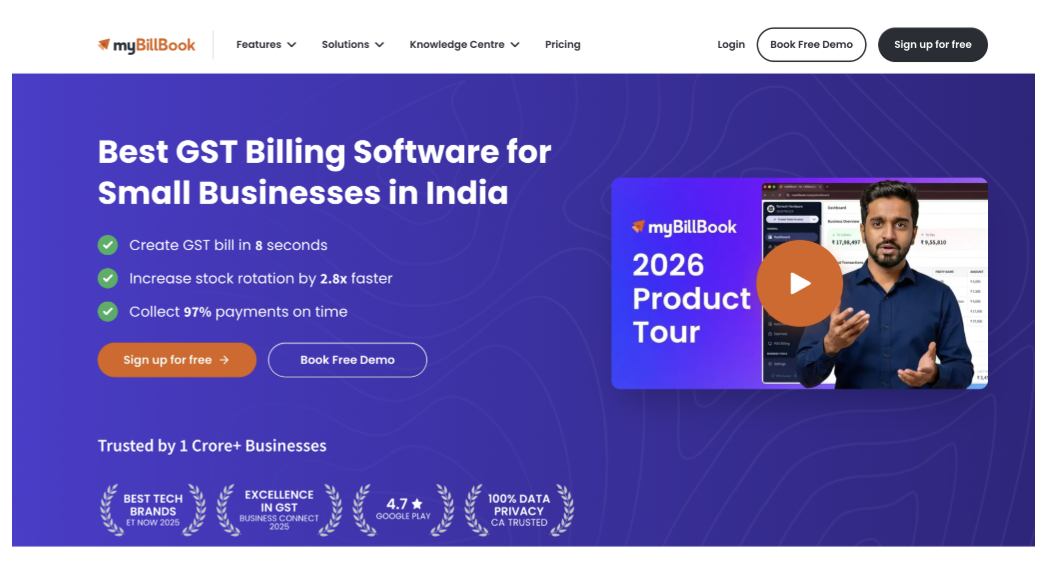
myBillBook is built specifically for the Indian small business context: fast counter billing, automatic GST compliance, real-time inventory, payment tracking, and AI-assisted business management in one mobile-first system that requires no accounting background to operate.
For small business owners, the biggest value is not just creating bills quickly. It is getting help with the daily decisions that usually depend on memory, manual checking, or repeated follow-ups.
myBillBook brings billing, inventory, parties, payments, GST reports, and business insights together so owners can manage more work from one place. With AI-powered features, it can help business owners identify pending collections, understand stock movement, reduce manual checking, and make faster decisions from their billing data.
Key numbers:
- GST bill generated in 8 seconds on average
- 2.8x faster stock rotation reported by active users
- 97% on-time payment collection through WhatsApp reminders with UPI links
- Trusted by 1 Crore+ businesses across retail, wholesale, distribution, and services
What it handles automatically: HSN code application, CGST/SGST/IGST detection, sequential invoice numbering, GSTR-1/GSTR-3B exports, e-invoice IRN generation, party-wise udhaar tracking, WhatsApp bill sharing, payment reminders, inventory tracking, and AI-assisted bank reconciliation.
The AI-assisted bank reconciliation feature is especially useful for businesses receiving payments through UPI, bank transfer, cash, and card. Instead of manually matching every payment against every invoice, the system helps reduce the effort needed to connect incoming payments with the right transactions.
Pricing: Plans start at ₹291/month.
Best for: Kirana stores, pharmacies, garment shops, hardware retailers, distributors, wholesalers, service businesses, and any Indian SMB that wants GST compliance, inventory control, and smarter business management without needing an accountant at the billing counter.
Frequently Asked Questions
What does billing software do?
Billing software creates GST-compliant invoices, applies correct HSN codes and tax rates automatically, updates inventory in real time with each sale, tracks payments across cash/UPI/card, sends payment reminders, and generates GSTR-1 and GSTR-3B reports for monthly tax filing – all from one system.
Is billing software free in India?
Some tools offer limited free tiers, but genuinely useful billing software for registered GST businesses costs money – typically ₹291 to ₹2,000 per year for entry plans. Free plans almost always cap invoice volume, remove GST report exports, or limit inventory features in ways that create workarounds. At ₹291/month for myBillBook’s entry plan – less than most shops spend on printer paper.
What is the difference between billing software and accounting software?
Billing software is optimized for the transaction moment – generating invoices fast, tracking payments, updating stock. Accounting software is optimized for the financial picture – ledgers, P&L, balance sheets. Most modern Indian billing tools blend both well enough that small businesses don’t need separate systems. If you have a CA managing your accounts, billing software that exports CA-ready GSTR data is usually sufficient.
How does AI help in billing software?
AI helps billing software move beyond simple invoice creation. It can assist with payment follow-ups, stock insights, bank reconciliation, business reports, and faster decision-making. For small businesses, this reduces manual checking and helps owners understand what needs attention – such as pending payments, slow-moving items, or mismatched transactions – without going through multiple reports manually.
Is e-invoicing mandatory for small businesses in India?
E-invoicing (generating an IRN from the government’s Invoice Registration Portal) is mandatory for businesses with annual turnover above ₹5 crore. Below that threshold, it’s optional but recommended. The threshold has dropped from ₹500 crore in 2020, so growing businesses should prepare for it. Good billing software generates e-invoices natively without requiring a separate IRP login.
Can billing software generate GSTR-1 automatically?
Yes – and this is one of the core value propositions of good billing software. Every invoice you create during the month is stored in the correct format. At month-end, you export a GSTR-1 file (typically JSON format, directly uploadable to the GST portal) with one click. Your CA gets a clean file, not a folder of handwritten bills.
What is the best billing software for a small shop in India?
For most small shops – kirana stores, medical shops, garment stores, hardware retailers – myBillBook is the strongest option in 2026. It’s fast (8-second GST bills), mobile-first (works on Android, iOS, and desktop), automatically handles CGST/SGST/IGST, and generates GSTR-1 exports with one click. Plans start at ₹291/month.
Start Billing Right – Your First 30 Minutes With New Software
Setting up billing software incorrectly from day one creates compliance problems that compound over months. Here’s how to start clean.
Step 1 – Add Your GST Registration Details
Your GSTIN, legal business name, and registered address must exactly match your GST certificate. Even a spelling difference can cause return mismatches. Don’t abbreviate. Copy-paste from your certificate if possible.
Step 2 – Build Your Product Catalogue With HSN Codes
This is the step most owners rush and then regret. Before you create your first invoice, add every product or service you sell with its correct HSN/SAC code and GST rate. This takes 30-60 minutes upfront and saves you from manually correcting HSN errors on every invoice for the next year.
Step 3 – Import Existing Customer and Supplier Data
Most billing software lets you import via Excel. Get your existing customer list – with GSTINs for your B2B buyers – into the system before you start billing. This ensures buyer GSTIN is auto-populated on every invoice instead of manually typed.
Step 4 – Generate a Test Invoice and Verify
Before billing your first real customer, create a test invoice, share it (WhatsApp or download), and check that all 10 mandatory GST fields appear correctly. Then generate a test GSTR-1 export and confirm with your CA that the format is uploadable directly.
The Bottom Line
Manual billing is one of those things that feels manageable until it suddenly isn’t. The errors build invisibly. The CA bills grow. The filing deadlines get stressful. And somewhere in that pile of notebooks, you’re missing payments that you can’t trace because the udhaar wasn’t tracked properly.
The right billing software doesn’t change what your business does. It changes how much of your time and money disappears into administrative friction that should have been automated years ago.
If you’re currently billing manually and you’re a registered GST business: switch this week. The setup takes under an hour. The first filing cycle where you export GSTR-1 in five minutes instead of reconstructing it from paper will tell you everything you need to know.
myBillBook offers a 14-day free trial on the Android app. Start there.