
Open Source Intelligence (OSINT) tools help you collect and analyze information from public sources. These tools are used by investigators, security professionals, journalists, and researchers to gather data from websites, social networks, public records, and other accessible sources. OSINT tools let you find connections between data points, verify information, and uncover insights that might otherwise remain hidden.
The right tools can make your work faster and more effective. Some OSINT tools are free while others require payment for advanced features. This article covers specific platforms you can use for different types of investigations, along with important legal and ethical guidelines you need to follow.
Understanding how to integrate these tools into your workflow will improve your research capabilities. You’ll learn about options that range from basic search functions to complex data analysis systems.
1) ShadowDragon
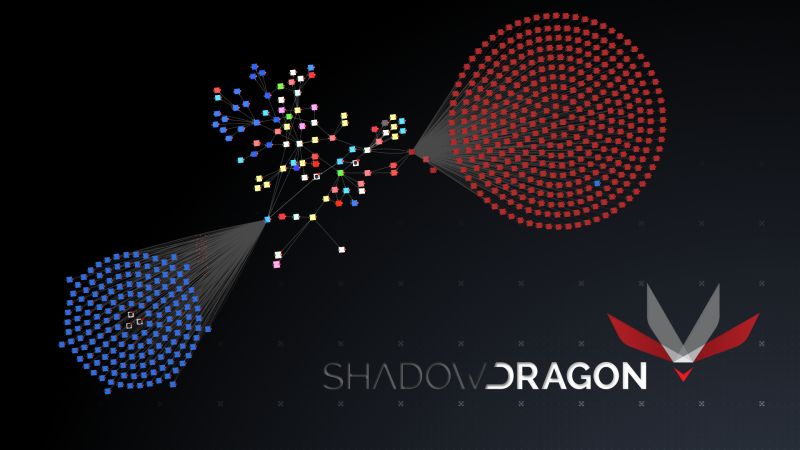
ShadowDragon is a US-based company that provides open-source intelligence software for investigators. The platform, called Horizon, helps you collect and analyze data from over 200 sources including social media, forums, chat rooms, and the dark web.
The tool is built for professional investigators in law enforcement, government agencies, and private companies. You can use it to create detailed digital profiles, track online behavior, and identify connections between people and events.
Key Features
Horizon Identity lets you generate comprehensive digital profiles in seconds. The platform includes link analysis tools, automated data collection, and visualization features. You can work on multiple cases at once and collaborate with your team through the browser-based interface.
Cost
Pricing information is not publicly available. You need to contact ShadowDragon directly for a quote based on your organization’s needs.
Pros
The platform offers fast automated searches across hundreds of data sources. It follows ethical data collection practices and is designed specifically for investigative workflows.
Cons
The tool requires training to use effectively. Pricing may be expensive for smaller organizations or individual investigators.
2) theHarvester
theHarvester is an open-source tool built for gathering information during the early stages of security testing. You can use it to collect data about a target domain from public sources across the internet.
The tool works by searching through search engines, databases, and other publicly available services. It pulls together information that anyone could find but does so quickly and efficiently in one place.
Key Features
You get access to data from over 40 different public sources, including major search engines and specialized databases. theHarvester collects email addresses, subdomains, IP addresses, URLs, and employee names associated with a domain. The tool runs in passive mode, meaning it only gathers information that is already publicly available without directly interacting with the target.
Cost
theHarvester is completely free and open-source. You can download it from GitHub or use it pre-installed in Kali Linux.
Pros
The tool is simple to use and requires minimal setup. It works fast and can gather data from multiple sources in just minutes. You get straightforward results without complicated interfaces.
Cons
theHarvester only collects raw data without visual analysis or relationship mapping. The results depend entirely on what information is publicly available.
3) Shodan
Shodan is a search engine that finds internet-connected devices instead of websites. It scans the entire internet on a regular basis to index devices like servers, cameras, routers, and industrial control systems. You can use it to discover what devices are exposed online and what services they are running.
This tool is valuable for cybersecurity research and security assessments. It helps you find open ports, vulnerable systems, and exposed infrastructure across the internet. You can search by IP address, organization name, or specific device types.
Key Features
Shodan provides internet-wide device discovery and host enumeration. You can search for specific services, ports, and vulnerabilities. The platform offers API access for automated searches and monitoring.
Cost
You can create a free account with limited searches. Paid plans start at around $49 per month for additional queries and features.
Pros
You get access to a massive database of internet-connected devices. The search filters are powerful and help you find specific systems quickly. It updates regularly with new scan data.
Cons
The free version has strict search limits. You need technical knowledge to interpret the results effectively. Some features require paid subscriptions to access.
4) OSINT Framework
OSINT Framework is a free online directory that organizes hundreds of intelligence-gathering tools into clear categories. You can use it to quickly find the right tool for your specific investigation needs.
The framework groups tools by what you’re searching for, like email addresses, usernames, domain names, or social media profiles. This makes it faster to locate relevant resources instead of searching through random lists.
Key Features
You get access to a categorized index of OSINT tools organized by target type. The framework includes tools for investigating people, companies, websites, and technical infrastructure. It provides direct links to each tool without requiring downloads or installation.
Cost
OSINT Framework is completely free to use. Some tools listed within the framework may require payment for advanced features, but the directory itself costs nothing.
Pros
The organization makes finding tools simple and quick. You don’t need technical knowledge to navigate the categories. The framework saves time by grouping similar tools together.
Cons
The framework only provides links without detailed tool descriptions. You need to test each tool yourself to determine its usefulness. Some listed tools may be outdated or no longer functional.
5) Maltego
Maltego is a visual data-mining tool designed for link analysis and relationship mapping. You can use it to investigate connections between people, domains, websites, and digital infrastructure. The platform displays information in an easy-to-read graph format.
This tool collects data from multiple public and private sources. You’ll be able to see how different pieces of information relate to each other through visual diagrams. Maltego works well for threat intelligence, fraud detection, and digital forensics investigations.
Key Features
You get access to graph-based visualization that simplifies complex datasets. The platform supports transforms that automatically gather data from various sources. You can customize your investigations based on specific needs.
Cost
Maltego offers a free community edition with limited features. Paid versions start at professional tier pricing for advanced capabilities and additional data sources.
Pros
The visual interface makes it easy to understand complicated relationships. You can automate data collection through transforms. Multiple data sources integrate into one platform.
Cons
The learning curve can be steep for beginners. Some of the most useful transforms require paid subscriptions. Processing large datasets may slow down performance.
6) SpiderFoot HX
SpiderFoot HX is a cloud-based OSINT automation platform that helps you gather intelligence across multiple target types. You can use it to investigate domains, IP addresses, email addresses, and usernames in one place.
The tool automates reconnaissance tasks that would otherwise take hours to complete manually. It runs continuously in the cloud and sends you notifications when it finds changes to your target’s attack surface.
Key Features
SpiderFoot HX offers over 200 intelligence modules that collect data from various sources. You get multi-user collaboration features and authenticated investigations with two-factor authentication. The platform includes pre-installed third-party tools and a REST API for automation. You can monitor multiple targets per scan and receive alerts through email, REST, or Slack.
Cost
SpiderFoot HX is a commercial product with paid subscription plans. A free open-source version called SpiderFoot exists with fewer features and no cloud hosting.
Pros
You don’t need to manage servers since it’s fully cloud-based. The attack surface monitoring updates you automatically when changes occur. Multiple team members can work together on investigations.
Cons
The commercial version requires a paid subscription. You need to rely on cloud availability for access.
7) Recon-ng
Recon-ng is a web reconnaissance framework written in Python that helps you automate OSINT tasks. It uses a modular structure similar to Metasploit, which makes it familiar if you’ve used other security tools. The framework gives you a command-line interface where you can run different modules to collect information about domains, hosts, and people.
You can use Recon-ng to perform tasks like domain enumeration, email harvesting, and host discovery. The tool pulls data from open sources across the web without directly interacting with your targets. This makes your reconnaissance work faster and more organized.
Key Features
The framework includes independent modules you can load based on your needs. It has built-in database interaction to store and manage your findings. You get command completion and interactive help to make the tool easier to use.
Cost
Recon-ng is free and open source.
Pros
The modular design lets you customize your workflow. It automates repetitive OSINT tasks and saves your results in a database for later use.
Cons
You need to configure API keys for many modules to work properly. The command-line interface has a learning curve if you’re new to terminal-based tools.
8) Hunchly
Hunchly is a browser extension that automatically captures and preserves web pages as you conduct investigations. It works in the background during your browsing sessions, saving everything you view without requiring manual effort.
The tool creates a searchable case file that includes screenshots, source HTML, and metadata from each page you visit. Every captured page receives a hash and timestamp to maintain evidence integrity. This makes your research legally defensible and transparent.
You can organize your findings into different cases and add notes or annotations as needed. Hunchly stores all data locally on your computer for security purposes.
Key Features
Automatic web page capture and preservation, screenshot capability, timestamping and hashing for evidence verification, searchable case files, note-taking and annotation tools, and local data storage.
Cost
Hunchly requires a paid subscription to use.
Pros
The automatic capture feature saves time and ensures you don’t lose important evidence. Your data stays secure with local storage instead of cloud-based systems. The tool provides legally defensible documentation for investigations.
Cons
The paid subscription may not fit all budgets. It only captures what you manually browse, so it doesn’t actively search for information like other OSINT tools.
9) Torchlight (OSINT.place)
Torchlight is a platform designed to streamline your OSINT workflows through automation. The tool uses API-first technology to help you build custom workflows that fit your specific needs. It works with intelligent agents and deterministic automation to reduce manual tasks.
OSINT.place serves as a curated directory of open source intelligence tools. It provides high-fidelity listings that help you find the right resources for your investigations. The platform aims to add an intelligence layer to the open web.
Key Features
The Torchlight Platform offers API-first automation that lets you create custom workflows. You can use intelligent agents to handle repetitive tasks across different applications. The system is designed to work with various OSINT tools and data sources.
Cost
Pricing information is not publicly listed on their website.
Pros
Automation features save time on repetitive investigation tasks. The API-first approach allows for flexible integration with other tools.
Cons
Limited public information about pricing and specific capabilities makes evaluation difficult. The platform may require technical knowledge to set up custom workflows.
10) Amass
Amass is an open-source tool created by OWASP for network mapping and attack surface discovery. You can use it to find subdomains, map external assets, and understand your organization’s digital footprint. The tool combines passive and active reconnaissance methods to gather information.
Security professionals rely on Amass for DNS enumeration and external asset discovery. It pulls data from multiple sources to build a complete picture of network infrastructure. You get detailed insights into both physical and digital assets.
Key Features
Amass offers subdomain enumeration through passive and active techniques. It performs network mapping and integrates open source intelligence gathering. You can conduct in-depth attack surface analysis and external asset discovery.
Cost
Amass is completely free to use. It’s an open-source project available to everyone.
Pros
The tool provides thorough subdomain discovery and network mapping capabilities. You get access to multiple data sources in one framework. It’s actively maintained by OWASP and supported by a strong community.
Cons
Amass has a steep learning curve for beginners. Scans can take significant time to complete. You need technical knowledge to use all features effectively.
Legal and Ethical Considerations
Using OSINT tools requires understanding data privacy laws and identifying legitimate applications. Just because information is publicly accessible doesn’t mean you can use it without restrictions.
Data Privacy Regulations
You must comply with data protection laws when using OSINT tools. The General Data Protection Regulation (GDPR) in Europe sets strict rules about collecting and processing personal information, even from public sources. You need lawful grounds to gather data about individuals, and you cannot process it in ways that violate their privacy rights.
Different countries have different privacy laws. In the United States, you face sector-specific regulations like HIPAA for health data and FERPA for education records. Some states have their own privacy laws that add more requirements.
You should check the legal framework in your jurisdiction before starting any OSINT investigation. Public availability of data does not automatically make it legal to collect or use. You need to document your legal basis for data collection and ensure your methods align with applicable regulations.
Legal Use Cases
OSINT tools serve legitimate purposes across many fields. Law enforcement agencies use them to investigate crimes and track criminal activity. Security teams rely on OSINT to identify threats and protect their organizations from cyberattacks.
Journalists use these tools to research stories and verify facts. Businesses apply OSINT for competitive intelligence and risk assessment. Researchers gather publicly available data for academic studies.
You must limit your use of OSINT tools to lawful purposes. Avoid using them for stalking, harassment, identity theft, or unauthorized access to systems. Even if the information is public, using it to harm others or break laws carries legal consequences. You should obtain proper authorization when conducting investigations on behalf of an organization.
Integrating OSINT Tools into Security Workflows
Security teams need structured processes to turn raw OSINT data into actionable intelligence. Automation reduces manual effort while cross-team collaboration ensures findings reach the right stakeholders quickly.
Automation and Scripting
Manual OSINT collection wastes time and misses critical updates. You should automate repetitive tasks like domain monitoring, social media tracking, and dark web scanning through scripts and API integrations.
Python scripts can pull data from multiple OSINT sources simultaneously. You can schedule these scripts to run hourly or daily, depending on your threat monitoring needs. Popular libraries like Requests, BeautifulSoup, and Scrapy simplify data collection from websites and APIs.
API integrations connect your OSINT tools directly to your SIEM or threat intelligence platform. This creates real-time alerting when new threats appear. You eliminate the delay between discovery and response.
Consider building workflows that chain multiple tools together. For example, you might automatically feed Shodan results into Maltego for relationship mapping, then push high-priority findings to your ticketing system. This reduces the time analysts spend moving data between platforms.
Script your verification processes too. Automated hash checks, domain reputation lookups, and IP geolocation queries help you validate findings without manual effort.
Collaboration Across Teams
OSINT findings mean nothing if they stay trapped in security tools. You need clear channels to share intelligence with IT operations, legal, fraud prevention, and executive leadership.
Create standardized report templates that non-technical teams can understand. Include context about the threat, potential business impact, and recommended actions. Your reports should answer “what does this mean for us” without requiring security expertise.
Set up dedicated Slack channels or Microsoft Teams spaces for OSINT alerts. This lets multiple teams see emerging threats simultaneously. Tag relevant stakeholders based on threat type so the right people respond immediately.
Build a shared OSINT repository where all teams can access historical findings. This prevents duplicate investigations and helps new team members learn from past cases. Wiki-style documentation works well for this purpose.