Why Talking to AI Feels Harder Than It Should
You type something into ChatGPT. The answer comes back generic, way too long, weirdly formal, or completely off the mark. You try again. Still not right. You tweak a few words, get a slightly different version of the same disappointing answer, and eventually give up and do the task yourself.
Sound familiar? That frustration is not actually an AI problem. It’s a prompting problem.
The tool is only ever as good as the instruction you give it. Most people were handed a blank text box one day and expected to figure it out from there. There was no tutorial, no manual, no actual skill being taught. Just a blinking cursor and the vague promise that this thing was going to change everything.
Here’s the good news. Writing strong prompts is a skill you can learn in a single afternoon. The gap between a useless AI response and a genuinely impressive one usually comes down to a handful of small adjustments, none of which require any technical background, coding ability, or prior experience.
This guide walks you through exactly how to do it. By the end, you’ll have a clear framework, real examples, and a set of practice prompts you can copy and use today. And if you ever want a shortcut, tested AI prompts built for everyday tasks are only a click away, though you’ll understand exactly how to build your own by the time you finish reading.
Why Most AI Prompts Fail (And It’s Not Your Fault)
Nobody teaches prompting. There’s no class, no certification, no widely available guide that gets handed out when you sign up. You’re given a text box and told it can do almost anything, then left to figure out the rest on your own.
So most people default to what they already know. They write prompts the same way they type a Google search. Short, vague, keyword-based. Three or four words, hit enter, hope for the best.
The problem is AI is not a search engine. It’s not pulling pre-written answers from a database and showing you the closest match. It’s generating a response in real time based on the instruction you give it. The more direction you provide, the better the response. The less direction you provide, the more AI has to guess what you actually want, and those guesses tend to land somewhere in the middle of average.
Here are the three most common reasons prompts fail:
| Mistake | What It Looks Like | Why It Fails |
| Too vague | Write me an email | No goal, no context, no tone, no audience. AI has to invent all of it. |
| Too broad | Tell me about marketing | The output reads like a textbook entry, not an answer to your actual question. |
| No format | Summarize this article | You get whatever length and structure AI chooses. Usually not what you needed. |
The fix is not about being smarter or more technical. It’s about giving AI roughly the same information you would give a skilled assistant on their first day. You wouldn’t walk up to a new hire and say “write me an email” with zero context and expect a usable result. You’d explain the situation, the goal, the tone you want, and any constraints. AI works the same way.
Once you understand what AI actually needs from you, writing strong prompts stops feeling like guesswork and starts feeling like a simple, repeatable process.
The Anatomy of a Great Prompt
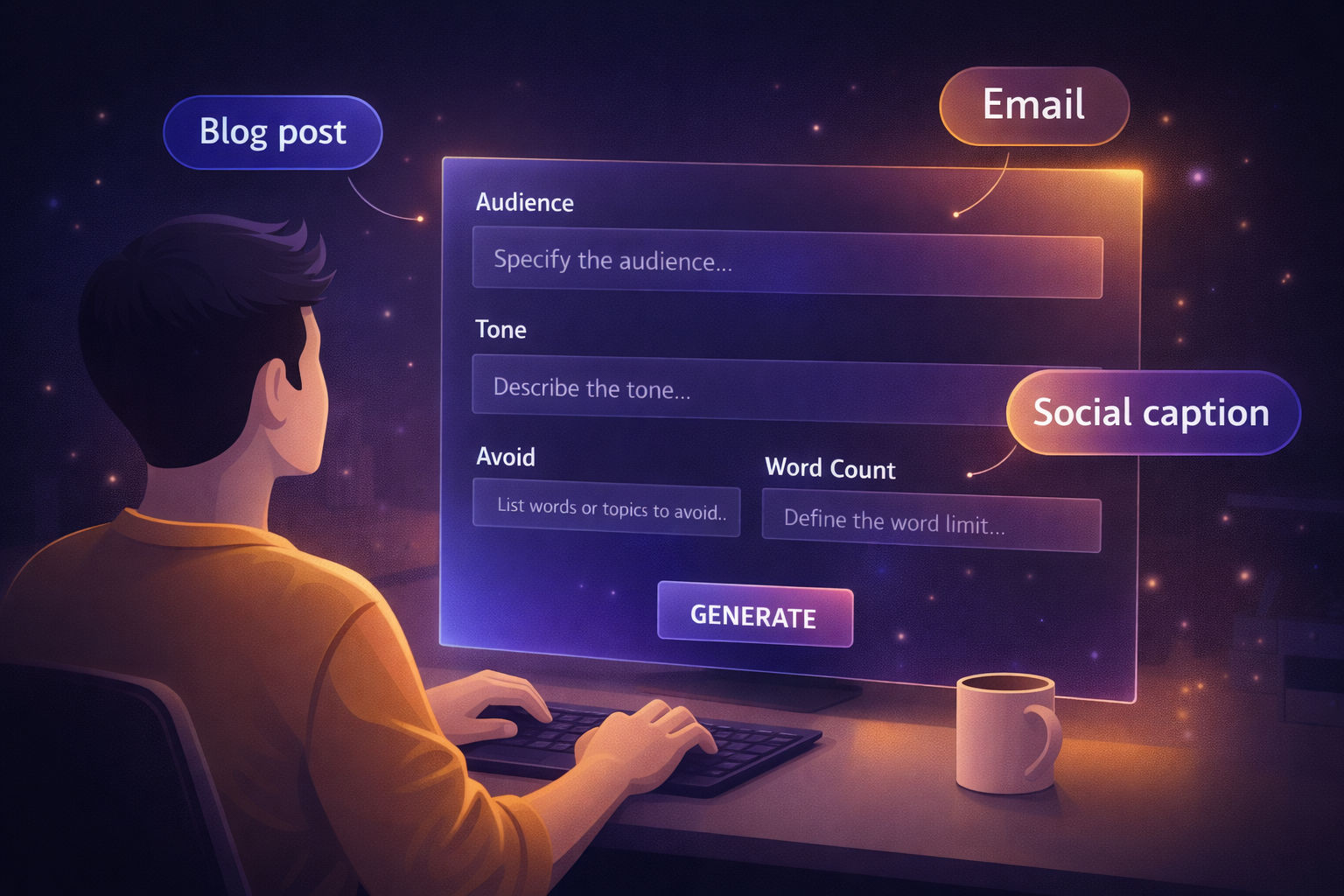
Every strong AI prompt has the same five ingredients. Once you can name them, you can build any prompt in under two minutes. Once you internalize them, you’ll never write a vague prompt again.
Here is the framework:
| The 5-Part Prompt Framework
ROLE + TASK + CONTEXT + FORMAT + CONSTRAINT |
Let’s break each one down.
- Role: Tell AI who it is
You are an experienced email copywriter who specializes in writing for small business owners…
Why this matters: AI performs noticeably better when given a clear role. The role calibrates the tone, the vocabulary, the depth of detail, and even the kind of examples it pulls from. Telling AI it’s a copywriter gets you copywriter-style output. Telling it it’s a financial analyst gets you analyst-style output. The same task with different roles produces completely different results.
- Task: Tell AI exactly what to do
Write a follow-up email… Summarize the key points from this transcript… Create a seven-day content plan for…
Why this matters: Vague tasks produce vague output. A task like “help me with my business” gives AI nothing concrete to work with. A task like “write three subject lines for a re-engagement email to inactive subscribers” gives AI a target it can actually hit.
- Context: Tell AI the situation
My audience is solo founders who are not tech-savvy. They’ve tried other AI tools before and felt overwhelmed…
Why this matters: Without context, AI fills in the blanks with generic assumptions. With context, it tailors the output to your actual situation. Context is the single biggest difference between mediocre and excellent output, and it’s the part most beginners skip.
- Format: Tell AI how to structure the output
Respond in bullet points… Use a numbered list with one sentence per point… Write this as three short paragraphs…
Why this matters: If you don’t specify a format, AI picks one for you. That format is often not what you needed, which means you spend time reformatting the output yourself. Specifying the structure upfront saves you that step every single time.
- Constraint: Tell AI what to avoid or limit
Do not use jargon. Keep it under 150 words. Avoid corporate language. Do not include a sales pitch…
Why this matters: Constraints cut the filler out before AI writes it. Saying what you don’t want is often as powerful as saying what you do want. “Keep it under 100 words and skip the introduction” can transform a wordy, padded response into something tight and immediately usable.
Quick example using all five parts together:
You are a professional business writer (ROLE). Write a follow-up email to a client who hasn’t responded in two weeks (TASK). They originally reached out about a website redesign project, said they were excited, and then went quiet (CONTEXT). Format: short email under 100 words with a clear subject line (FORMAT). Do not use phrases like “just checking in” or “circling back” (CONSTRAINT).
Compare that to “Write a follow-up email,” and you can see why one produces something usable and the other produces something generic.
The Framework in Action with Real Examples
Theory is fine, but the framework only clicks when you see it applied to real tasks. Below are five common situations, each shown with a weak prompt and an expert version. Notice how the expert prompts are not longer for the sake of being longer. Every added word is doing actual work.
| Example 1: Writing an Email
Weak Prompt: “Write a follow-up email.” Expert Prompt: “You are a professional business writer. Write a follow-up email to a potential client who attended a product demo three days ago but hasn’t responded. The goal is to re-engage them without being pushy. Keep the tone warm and direct. The email should be under 120 words. Do not use phrases like ‘just checking in’ or ‘I wanted to follow up.'” What changed: A role was added, the specific situation was explained, the goal was defined, the tone was set, the length was capped, and the clichés were excluded. |
| Example 2: Summarizing Research
Weak Prompt: “Summarize this article.” Expert Prompt: “You are a research assistant. Read the following article and summarize it for a busy executive who has two minutes to read. Pull out the three most important takeaways, note any statistics, and flag anything that seems counterintuitive. Format: three bullet points max, followed by one sentence on why this matters.” What changed: A role, an audience, a specific structure, and clear instructions on what elements to extract. The output goes from generic recap to executive briefing. |
| Example 3: Creating Content
Weak Prompt: “Write a LinkedIn post about productivity.” Expert Prompt: “You are a LinkedIn content writer who specializes in practical, no-fluff posts for professionals. Write a LinkedIn post about one specific productivity habit that most people overlook. Lead with a contrarian hook that challenges a common assumption. Use short paragraphs of one to two sentences. End with a question to drive comments. Target length: 150 to 180 words. Do not use hashtags.” What changed: A specific angle, a hook style, a clear format, a defined length, and a constraint to skip hashtags. The output sounds like a real person wrote it, not a template. |
| Example 4: Planning and Strategy
Weak Prompt: “Help me plan my week.” Expert Prompt: “You are a productivity coach. I’m going to give you my task list and meeting schedule for this week. Organize the tasks by priority using the impact vs effort framework. Flag anything that looks unrealistic given my available time. Suggest what can be deferred or delegated. Format the output as a day-by-day plan with a short note on the top priority for each day. Here is my list: [paste list]” What changed: A specific framework was named, the structure was requested, and the role of the AI was clearly set. The output becomes a real plan instead of a list. |
| Example 5: Learning Something New
Weak Prompt: “Explain machine learning.” Expert Prompt: “You are a patient teacher explaining concepts to someone with no technical background. Explain how machine learning works using one real-world analogy and one simple example from everyday life. Avoid all technical jargon. After the explanation, give me three follow-up questions I could ask to understand this topic more deeply. Keep the total response under 200 words.” What changed: The audience level was set, the teaching style was defined, the jargon was banned, and follow-up questions were requested. The output actually teaches instead of dumping information. |
Notice one more thing across all five examples. None of these prompts require special knowledge. They just require you to slow down for thirty seconds and tell AI what you actually want before hitting enter. That small habit is the entire difference between expert-level output and the generic results most people settle for.
7 Rules That Separate Beginners From Experts
Once you understand the framework, a few additional habits will push your prompting from competent to genuinely strong. These are the small distinctions that experienced prompters do almost automatically.
Rule 1: Be specific about the output, not just the input
Most beginners describe the topic they want to discuss. Experts describe the exact output they want to receive. “Write a post about AI” tells AI the subject. “Write a 150-word LinkedIn post about one specific AI prompting tip, written for beginners, with a contrarian hook” tells AI the finished product. The second one gives you something usable. The first gives you something you have to fix.
Rule 2: Give AI a person to write for, not just a topic
Prompts with a defined audience produce dramatically better results. Always include who will read this, watch this, or use this. “Explain compound interest” produces a textbook. “Explain compound interest to a 25-year-old who has never invested before and finds finance intimidating” produces something that actually helps that person understand.
Rule 3: Tell AI what to avoid, not just what to include
Negative instructions are just as powerful as positive ones. Listing what you don’t want cuts out the filler before AI even generates it. Try adding things like “do not use buzzwords,” “do not include a generic conclusion,” or “do not recommend paid tools.” You’ll be surprised how much cleaner the output becomes.
Rule 4: Use examples inside your prompt
If you want a specific style, paste a short example into the prompt. “Write in a tone similar to this: [example]. Match the sentence length, energy, and directness.” AI is exceptionally good at matching patterns when you give it one to match. This single technique can transform your output more than any other.
Rule 5: Ask for options, not just one answer
Instead of “write me a headline,” try “write five headline options for this article, each using a different angle.” You go from settling for what AI produces to choosing from a range of approaches. The same trick works for email subject lines, intros, hooks, taglines, and almost anything else where the first idea is rarely the best one.
Rule 6: Treat the first output as a draft, not a final answer
The best prompters are not the ones who write a perfect prompt on the first try. They are the ones who refine quickly. When the output is 70% there, just say so. “Good direction. Now make it shorter, remove the second paragraph, and add a stronger opening line.” Two or three iterations will get you to something far better than overthinking the original prompt for ten minutes.
Rule 7: Save the prompts that work
A great prompt is reusable. When you get output that genuinely impresses you, save the prompt that produced it. Over time, you’ll build a personal library of prompts that handle most of your recurring tasks. This is how prompting goes from being a skill to being a system, and how you stop reinventing the wheel every time you sit down to write.
That last rule is also the principle behind AI workflows. Turning individual prompts into repeatable systems that produce consistent results every time. The prompt library is where everything compounds.
How to Refine a Prompt When the Output Misses
Even with a strong framework, your first output won’t always land. That’s normal. The difference between beginners and experts is what happens next. Most beginners get a bad output and blame the AI. Experts get a bad output and diagnose the prompt.
A bad output is actually useful information. It tells you exactly what was missing from your original instruction. Here’s a simple three-step process for fixing it quickly.
Step 1: Name what specifically went wrong
Was the tone too formal? Was it too long? Was the structure off? Did it miss the angle you wanted? Was the level of detail wrong? Be specific. “It’s not good” gives you nothing to work with. “The tone is too corporate and the second paragraph misses my main point” tells you exactly what to fix.
Step 2: Add the missing information
Once you know what went wrong, you give AI the information it needed in the first place. A few examples:
- If the tone was off: “Rewrite this with a more conversational tone, like you’re explaining it to a friend who works in the same industry.”
- If it was too long: “Cut this to 100 words. Keep only the most important point from each section.”
- If the angle was wrong: “This missed the point. The core message I need is [X]. Rewrite with that as the focus.”
- If it was too generic: “Make this more specific. Add concrete examples and remove anything that could apply to any business.”
Step 3: Build the correction into the original prompt
This is the step most people skip, and it’s the one that matters most. Once you’ve iterated through one or two refinements and the output is finally where you want it, go back to your original prompt and add those corrections as upfront instructions. Now you have a much stronger prompt for next time. Do this consistently and every prompt you save gets better, week after week.
Do this consistently and something useful happens. Your prompts stop being one-off attempts and start becoming dependable tools. The refinement you do today saves you the same refinement tomorrow, and the day after that. Most people never reach this stage because they treat every prompt as disposable. The ones who save and improve their prompts are the ones who end up getting genuinely expert results with barely any effort.
Five Prompts You Can Practice With Today
Reading about prompting is one thing. Actually using it is what builds the skill. Below are five copy-paste prompts covering different everyday situations. Open your preferred AI tool right now, try one or two, and notice how different the output is from anything you’ve gotten before.
Practice Prompt 1: Writing a Thank-You Email
You are a professional writer. Write a short thank-you email to a colleague who helped me finish a project under pressure. Keep it genuine, warm, and under 80 words. No corporate language.
Practice Prompt 2: Quick Summarization
Summarize the following text for someone who has 60 seconds to read it. Use three bullet points. Each bullet should be one sentence and capture only the most important takeaway. Here is the text: [paste your text]
Practice Prompt 3: Generating Ideas
You are a creative strategist. Give me 10 content ideas for a [your niche] audience. Each idea should use a different angle. Format: idea title, one sentence describing the hook, and the target reader for that piece.
Practice Prompt 4: Learning a Topic
Explain [topic] to me as if I’m smart but have zero background in this field. Use one analogy from everyday life. Avoid all technical jargon. Keep it under 150 words.
Practice Prompt 5: Daily Planning
Here is my to-do list for today: [paste your list]. Organize it by priority. Flag anything that will take more than one hour. Suggest what I should start with and why.
Try one of these right now while it’s fresh. The framework only becomes second nature once you’ve actually used it a few times.
| Disclaimer: While results will vary depending on the AI tool, the task, and the input you provide, many users find that applying a structured prompting framework noticeably improves the quality and usefulness of the responses they get from AI. |
Frequently Asked Questions
Does the AI tool I use change how I write prompts?
The core framework works across all the major tools, including ChatGPT, Claude, Gemini, and Copilot. Each one has small quirks, but the fundamentals are universal. Start with whatever tool you already have access to, then adjust as you notice patterns in how it responds.
How long should a prompt actually be?
As long as it needs to be, and no longer. A good prompt is complete, not short. Most strong prompts run three to six sentences. If your prompt is one line, it’s almost always missing something. If it’s twelve paragraphs, you’ve probably crossed into overkill.
Can I use these prompts for work tasks?
Yes, that’s exactly what they’re built for. Emails, content, planning, research, learning, idea generation. These are the everyday tasks where prompting saves the most time and produces the biggest difference in output quality.
What is prompt engineering?
It’s the practice of designing and refining AI prompts to produce better, more consistent output. The name sounds intimidating, but everything in this guide is essentially prompt engineering in plain language. You don’t need a degree or a technical background to do it well.
Where can I find more ready-to-use prompts?
If you want a head start, GainTimeAI has a full library of prompts built for common professional tasks. They’re already structured using the framework in this article and tested for real-world use, so you can copy, paste, and adapt them without starting from a blank page.
Conclusion: Prompting Is a Skill, Not a Talent
Here’s the thing nobody says clearly enough. Writing great AI prompts is not a hidden talent reserved for technical people. It’s a learnable skill, and the learning curve is much shorter than most people assume. You’ve already covered more ground in this one article than most AI users ever do.
The difference between a frustrating AI experience and a genuinely useful one almost always comes down to one variable. The quality of the instruction you give it. The framework you now have, the seven rules, the refinement process, the practice prompts. All of it is built around that single idea.
The next step is the one that matters most. Actually use it. Pick one of the practice prompts above, try it today, and notice the difference. Then try another one tomorrow. Within a week, structured prompting will start to feel natural, and you’ll never go back to typing one-line requests and hoping for the best.
And if you ever want to move faster, the how to use AI guides at GainTimeAI give you a shortcut from beginner to confident user, with everything already structured and ready to copy. But you don’t need them to start. You have what you need right here.
| A 30-second challenge before you close this tab
Take the worst prompt you’ve ever typed into an AI tool, the one that gave you a useless answer, and rewrite it using the five-part framework. Role, task, context, format, constraint. Run it again and compare the two results side by side. That single comparison will teach you more than reading another five articles on the subject. |