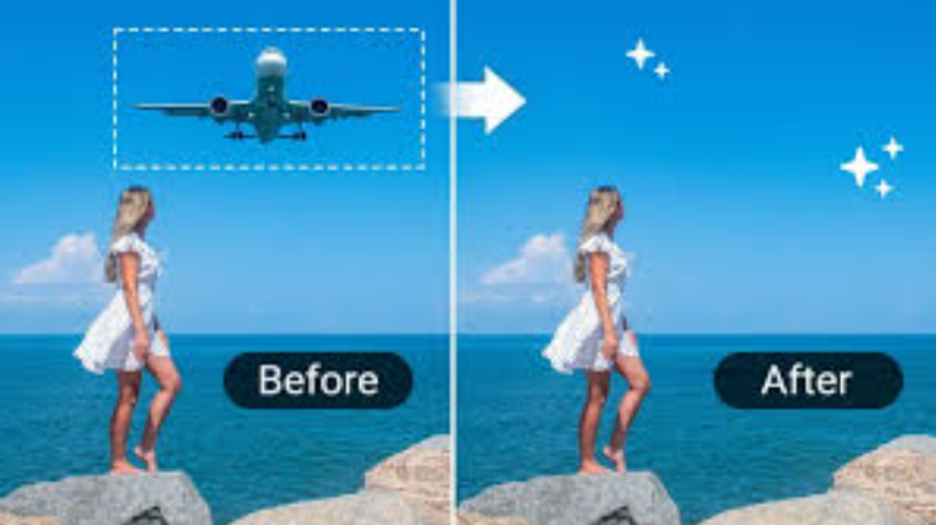
Ever seen yourself taking a picture that was perfect in all aspects and adjust it, but then you notice something in the background that is an eyesore, random people in the frame, or clutter?
Many photographers find it time-consuming to manually delete all these distractions, and sometimes it can create problems with the photos that end up looking unnatural. This is why creators are looking for more intelligent solutions to edit social media images with AI.
Today, creators no longer need to waste hours on complicated software. Using a professional ai object remover online like Media.io can clean up images in no time. In this guide, you’ll find an easy creator workflow for how to quickly create content from raw photos and turn them into a polished, post-ready product in less than a minute.
Why Clean Visuals Matter More Than Ever on Social Media
Social media moves quickly, and first impressions dictate whether users scroll past or pause on your content. Any visual clutter you see in the background can diminish the overall impact of your photo.
When the graphics are cleaned and polished, they tend to work better, as they are more professional and come across as a more interesting focal point. The good graphics can generate more clicks, saves, shares, and interaction on social media, including Instagram, TikTok, and Pinterest.
Brand consistency is also essential for creators and brands, as it fosters trust and develops brand identity over time.
The Creator Workflow: Capture → Clean → Post
To save time and maintain consistency, most creators today have a simple workflow.
Step 1: Capture Content without Overthinking
The number one mistake that creators can make is trying to get a “perfect” shot directly out of the camera. But the reality is, perfect conditions do not occur, particularly when shooting in cafés, on location, at events, or in busy locations. Rather, it is about the elements that truly count: lighting, composition, and the subject itself.
It’s best not to be too concerned about small details in the background, as AI tools can handle fixing them in the future. This approach allows you to shoot more content in the same amount of time, without always having to pause to take another shot. Well, truthfully, it’s a lot less stressful to make content.
Step 2: Clean Your Feed Instantly with an AI Object Remover Online
After you’ve taken your content, the next thing you need to do is remove any distractions before posting. This is where an AI object remover online comes into play, which can completely change your workflow.

Why creators use Media.io?
The reason why Media.io is loved by creators is that it maintains simplicity and speed in the editing process. You don’t have to have a lot of experience with editing pictures or use any advanced software to make your photos look polished.
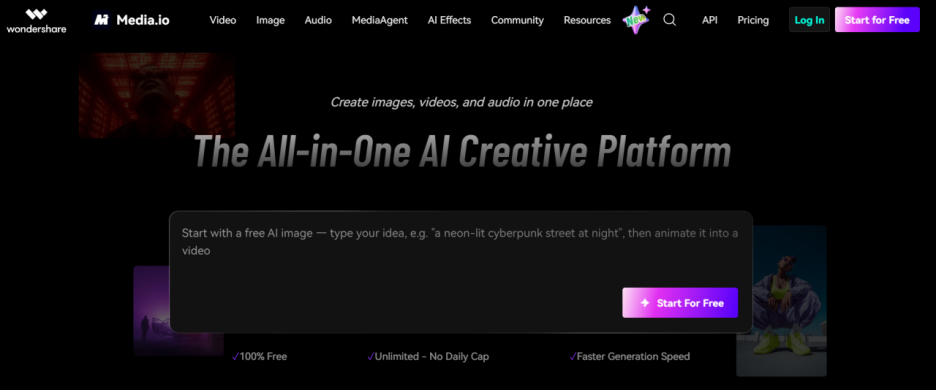
Quickly remove random people, objects, clutter, shadows, or any distraction from your image. The best thing is that the AI automatically creates the background naturally, and your edits won’t look like they have been made by another person.
This can significantly save creators time if they need to edit content regularly.
Step 3: Post Optimized Content That Looks Professional
After you clean up your image, you’ll know the difference right away. Your audience is paying attention to whatever you have to say rather than background noise.
Clean visuals also give your content more of a premium and intentional feel. This will help build your own personal brand and give your feed a more cohesive look over time. Whether you’re a travel creator, influencer, small business owner, or lifestyle blogger, polished visuals help to establish trust with your audience.
Note: If your content is attractive, individuals will be more likely to interact with it.
Real Use Cases: How Creators Use This Workflow
- Creators use AI Object Removal in various ways. To keep a location looking cleaner, travel creators will sometimes get rid of crowds or cars from picturesque videos.
- Influencers use AI object remover to remove cluttered backgrounds from outfit or lifestyle photos.
- Product makers eliminate distractions and keep the focus on the product. These will allow lifestyle creators to keep their feed clean and aesthetic with their overall style.
Whether it’s the niche or not, the objective is generally the same: better-looking graphics and quicker editing.
Why Media.io Is the Ultimate Tool for Clean Social Media Photos
Media.io Object Remover has become a go-to choice for creators due to its speed, simplicity, and quality in a single platform. Want to experience this streamlined workflow? Discover how to remove unwanted objects from photo ai seamlessly with Media.io today.
Final Thoughts
Instead of spending hours editing the photos manually, creators can now get rid of distractions and create professional-looking images in seconds. Media.io is worth a try if you wish to boost your productivity and produce cleaner content in no time with ease.
So, what are you waiting for? Try this tool now and publish quality content daily.
FAQs
Q1: Can AI really remove objects from social media photos?
Yes, AI tools can remove distractions and rebuild the background naturally.
Q2: Do creators use AI for editing photos?
Yes, many creators use AI tools to save time and maintain consistency.
Q3: What is the best AI object remover online for creators?
Media.io is a popular choice for fast, clean, and beginner-friendly editing.