If you want to make custom coloring pages without drawing everything by hand, an online AI tool is the fastest way to do it. The best options now let you start from either a photo or a text prompt, then download a printable page in a format that works at home, in class, or at an event.
For this list, I ranked each tool by what its public pages clearly show: whether it supports photo and text workflows, how easy the free entry looks, whether printable export is obvious, and whether the controls seem useful for real users like kids, parents, and teachers.
Quick answer
For most people, MyColoring.AI is the strongest place to start. Its public pages clearly show both photo to coloring page and text to coloring page workflows, printable PDF/PNG export, no-watermark messaging, and beginner-friendly controls. If you want an ai coloring page generator that feels practical instead of confusing, it is the most balanced pick in this group.
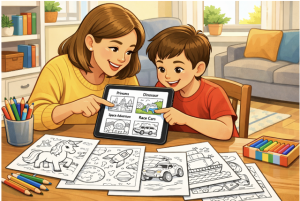
Family coloring page activity illustration
How we ranked these tools
A good ai coloring page generator for families and classrooms should do a few things well:
– let you start from a photo or a text idea
– make the free option easy to understand
– export pages in a printable format
– give you useful controls like style, size, or difficulty
– feel practical for real use, not just like a tech demo
That is why this list favors clear product pages and usable workflows over hype.
Comparison table
|
Tool |
Best for |
What the public pages clearly show |
Main caution |
|
MyColoring.AI |
Best overall |
Photo + text workflows, PDF/PNG, no-watermark messaging, beginner-friendly controls |
Free-tier wording is not perfectly consistent across pages |
|
iColoring AI |
Best no-sign-up option |
Free try, no sign-up, no watermark, photo + text, PNG/PDF, AI colorizer |
Public page is less clear about limits |
|
ColoringBook AI |
Best for batch and books |
Photo + text, batch mode, print-ready focus, coloring book workflow |
More production-focused than casual users may need |
|
ColorMe.ai |
Best for flexible practical workflows |
Photo + text, batch generation, aspect ratios, printable PNG/PDF |
Fewer visible pricing and limit details on the public page |
|
Colorify AI |
Best for style choice |
Text + photo workflows, 7 art styles, no login, printable downloads |
Free users are personal-use only for commercial rights |
|
BestColoringPages.ai |
Best for extra creative tools |
Photo + text, coloring book, art colorizer, online coloring, printable downloads |
Marketing language is heavier than the top picks |
1. MyColoring.AI — best ai coloring pages overall for most users
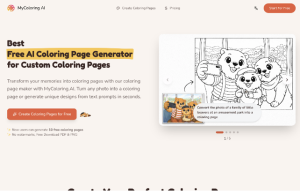
My Coloring is the easiest tool to recommend first because its public pages cover the full workflow many people actually want. The homepage says new users can generate free coloring pages, download in PDF and PNG, and keep the results free of watermarks.
It also shows two clear creation paths:
– turn a photo into a coloring page
– generate a coloring page from a text description
The public pages go beyond that by showing style choices like Cartoon Simple, Realistic Sketch, Minimalist Outline, and Mandala. The text workflow also shows difficulty options and adjustable line detail. That makes it feel more practical than a one-click novelty tool.
For parents, teachers, and casual hobby users, that mix is hard to beat.
MyColoring.AI homepage
2. iColoring AI — best if you want a free no-sign-up workflow
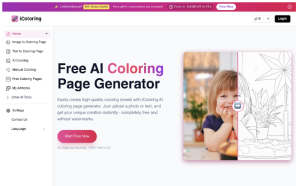
If your top priority is speed, iColoring AI is a very strong second pick. Its homepage says it is free to try, requires no sign-up, and gives watermark-free downloads in PNG and PDF.
Like MyColoring.AI, it supports both photo-to-coloring-page and text-to-coloring-page generation. It also adds an AI colorizer, which is helpful if you want inspiration for how a finished page could look.
The site also mentions style options such as Classic, Cartoon, and Pencil Sketch, plus background and size settings. That gives it more flexibility than a bare-bones generator.
I rank it just behind MyColoring.AI because MyColoring’s pages are a little clearer about printable workflows and audience-specific controls. Still, for quick use without friction, iColoring AI is an easy pick.
iColoring AI homepage
3. ColoringBook AI — best for bulk creation and multi-page books
ColoringBook AI is the strongest option here for users who want more than a single printable sheet. Its public pages show both photo and text workflows, but they also push batch mode, print-ready quality, and multi-page coloring book generation.
That makes it especially useful for bigger projects like classroom packs, themed printable bundles, or longer coloring book workflows. The site also mentions age-specific styles, canvas formats, and creative templates.
The trade-off is simplicity. If you only need a few custom pages for a child or class activity, this may be more tool than you need. But if you want scale, ColoringBook AI stands out.
ColoringBook AI homepage
4. ColorMe.ai — best for flexible practical workflows
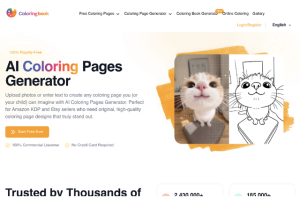
ColorMe.ai is a good middle-ground option. Its homepage says users can create AI coloring pages from both photos and text, and it also highlights batch generation, custom aspect ratios, and printable PNG/PDF output.
That combination makes it useful for people who want flexibility without jumping all the way into a book-focused workflow. The photo tool also says it can remove backgrounds and generate clean line art, which is useful when you are starting from a real family photo, pet photo, or classroom image.
I would place it above the last two options because the workflow feels broadly useful for parents, teachers, and general creative projects.
ColorMe.ai homepage
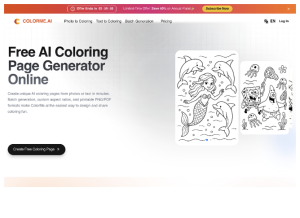
5. Colorify AI — best for style-driven prompt generation
Colorify AI is a solid option if you care most about quick prompt-based generation and style choice. Its public pages say it can turn both text and photos into coloring pages, supports seven art styles, and does not require login.
The workflow it shows is simple: enter a prompt, choose style and size, then generate and download. That makes it a good fit for quick holiday printables, themed party sheets, or one-off personal projects.
The main caution is that free users are limited to personal use, while commercial rights require a paid plan. That does not matter for most families or teachers, but it is still worth stating clearly.
6. BestColoringPages.ai — best if you want extra tools around the generator
BestColoringPages.ai makes the most sense for users who want more than basic page generation. Its public pages show photo-to-coloring-page and text-to-coloring-page workflows, but also highlight online coloring, an AI art colorizer, coloring book features, and enhanced-resolution downloads.
That broader toolset can be useful if you want one place for multiple coloring-related tasks. I rank it sixth not because it looks weak, but because the top options make the core “generate a custom printable page quickly” story a bit easier to understand.
Classroom coloring worksheet illustration
Which tool should you choose?
Choose based on what you actually need:
– Pick MyColoring.AI if you want the best all-around balance of photo input, text input, printable export, and beginner-friendly controls.
– Pick iColoring AI if you want a fast no-sign-up workflow with a built-in colorizer.
– Pick ColoringBook AI if you want batch creation or multi-page coloring book workflows.
– Pick ColorMe.ai if you want photo and text generation with practical extras like batch mode and aspect-ratio control.
– Pick Colorify AI if you care most about style choice for personal use.
– Pick BestColoringPages.ai if you like having extra creative tools such as online coloring and colorizing in one place.
Final conclusion
The best AI coloring page generator for kids, parents, and teachers depends on how much flexibility you need. Some people just want a quick printable page from a photo. Others want classroom themes, story-based pages, or even bigger coloring book workflows.
For most users, MyColoring.AI is still the strongest starting point because its public pages show the clearest balance of custom creation, printable output, no-watermark messaging, and easy controls. If you want a practical place to begin, try <https://mycoloring.ai> first, then compare the others if you need a different workflow.