Are you looking for smarter ways to generate realistic and appealing images for your business or social media without technical expertise? In 2026, advanced AI image generation tools are now available to help you generate images of your choice in minutes. Similarly, image editing is done the same way by simply providing prompts.
If you are confused about which AI tool should be used for designing, e-commerce, or social media. Here we will discuss the 10 best AI image generation tools 2026 that have been put to the test for quality, ease of use, and value to help you find the right fit quickly.
Quick Picks
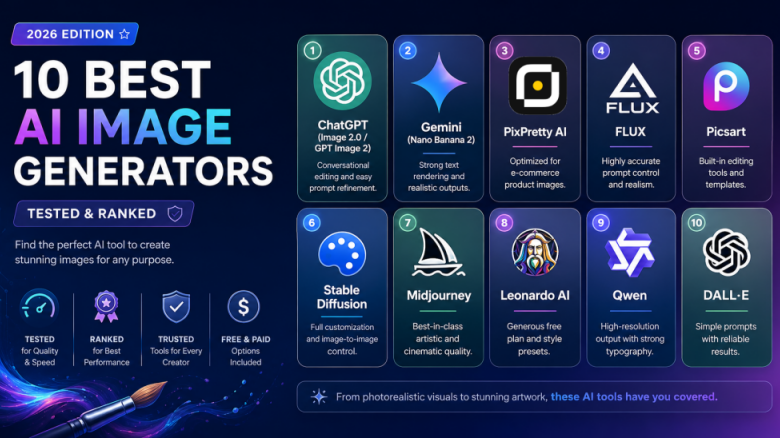
| Name | Free / Paid | Reasons to Stand Out |
| ChatGPT (Image 2.0 / GPT Image 2) | Free + Paid | Conversational editing and easy prompt refinement. |
| Gemini (Nano Banana 2) | Paid (limited free) | Strong text rendering and realistic outputs. |
| PixPretty AI | Free + Paid | Optimized for e-commerce product images. |
| FLUX | Paid / Open models | Highly accurate prompt control and realism. |
| Picsart | Free + Paid | Built-in editing tools and templates. |
| Stable Diffusion | Free (Open Source) | Full customization and image-to-image control. |
| Midjourney | Paid | Best-in-class artistic and cinematic quality. |
| Leonardo AI | Free + Paid | Generous free plan and style presets. |
| Qwen | Free + Paid | High-resolution output with strong typography. |
| DALL•E | Free + Paid | Simple prompts with reliable results. |
10 Best AI Image Generators
-
PixPretty AI
PixPretty AI image generator is a rapidly growing tool for AI image generation online, without any downloading hurdles. After getting to know about this tool, I checked the reviews on TrustPilot, which motivated me to try it for free at least once. I tried the free version for generating AI images and believe it is one of the successful tools developed by Tenorshare.
The latest update combines GPT Image 2 (for faster, smarter multilingual text rendering) and Nano Banana 2 (for unmatched character consistency) to provide smarter prompt based generation and enhanced realism.
Recommended for: Product listings, Web store design for Amazon seller and Shopify stores…etc
Pros
- 70+ Trending AI prompts on the homepage, with consistent updates
- Integrated with latest models: GPT Image 2 & Nano Banana 2
- a full suite of e-commerce tools: AI Clothes Changer, Batch Editor and goes on
- It offers a free trial and provides clean, fast, marketplace-ready outputs.
Cons
- Limited free trial
- Pay to unlock batch editing
Example Use Case
A Shopify store owner chooses a homepage prompt such as “luxury skincare product on marble background,” uploads their product, and immediately creates a professional listing image themselves.
That makes PixPretty AI the best choice if you want reliable, high-converting product images or speedy promo banners without much effort.
-
ChatGPT (ChatGPT Image 2.0 / GPT Image 2)
ChatGPT has a conversational interface + image generation, so you can generate images step-by-step with refines instead of rewriting prompts from scratch.
Best for: Beginners, bloggers, and marketers.
Pros
- It’s very easy to use AI image generator online.
- Powerful Editing and Iteration.
- Good rendering of text in images.
Cons
- Limited advanced controls.
- Not the most artistic output.
Example Use Case
A blogger churns out featured images and continues to refine them by saying “make it brighter” or “add text overlay”, without starting over.
-
Gemini
Gemini (Nano Banana 2) stands for high realism and accurate text placement, perfect for branded visuals and is also known as AI image generator from image.
Best for: Marketers and ad designers.
free ai image generator
Pros
- Excellent photorealism inside.
- It is a free AI image generator with the ability to handle text in images very deeply.
- Strong prompt understanding by the model.
Cons
- The premium features are locked, and requires payment to access them.
- Smaller creative community.
Example Use Case
A digital marketer can create ad banners with concise product text and correct branding in a matter of seconds.
-
Quillbot
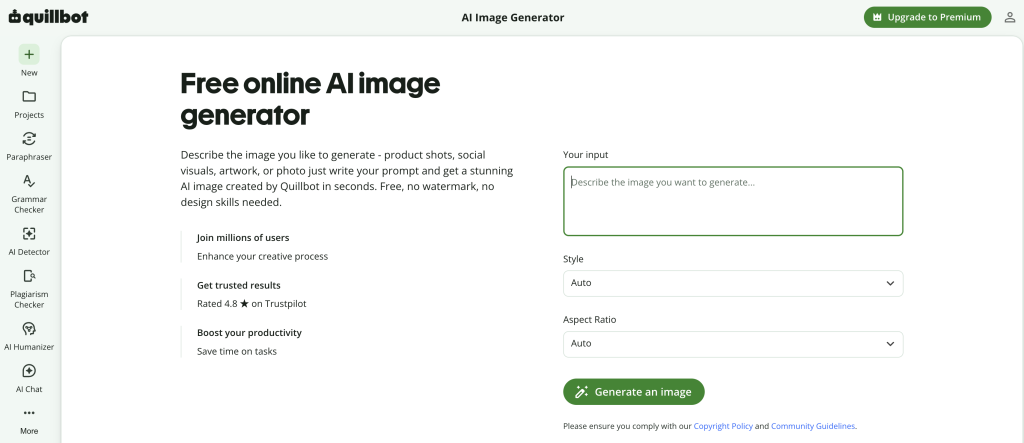
Quillbot’s AI image generator turns text prompts into photorealistic images, illustrations, and digital art without requiring design experience. Users can choose a visual style and aspect ratio, create images for blogs, social media, presentations, or marketing, and continue refining the result with QuillBot’s image editing tools.
Best for: Bloggers, marketers, educators, and content creators.
Pros
- Simple, beginner-friendly workflow
- Multiple styles and aspect ratios
- Free daily image generations with no watermark
- Integrated tools for editing and refining images
Cons
- Free image generation has a daily limit
- An account is required to view and download images
Example Use Case
A blogger creates a wide-format featured image from a short description, selects a suitable visual style, and then refines the background or lighting before publishing.
-
FLUX
FLUX is becoming more popular due to its precision and control, and the output is often closer to your prompt exactly as compared to other tools.
Best for: Professionals, designers
Pros
- Accurate outputs.
- Realism of high-quality.
- Prompt control is good.
Cons
- Learning Curve.
- May need to set up.
Example Use Case
A designer makes realistic brand mockups with precise lighting and layout needs.
-
Picsart
Picsart combines AI generation with built-in editing tools, making it a complete design platform.
Best for: Social media creators
Pros
- Easy drag-and-drop interface.
- Built-in templates and effects.
- Quick editing tools.
Cons
- Average image realism.
- Limited advanced AI features.
Example Use Case
An Instagram creator designs posts, adds effects, and generates visuals in one app.
-
Stable Diffusion
This is an open-source AI image generator, allowing users to have full control over the models and outputs.
Best for: Developers and advanced users.
Pros
- The Stable Diffusion is fully customizable.
- Free and open-source.
- Powerful image-to-image capabilities.
Cons
- Requires technical setup.
- It is not beginner-friendly.
Example Use Case
A developer creates a custom AI tool to generate branded images with trained models.
-
Midjourney
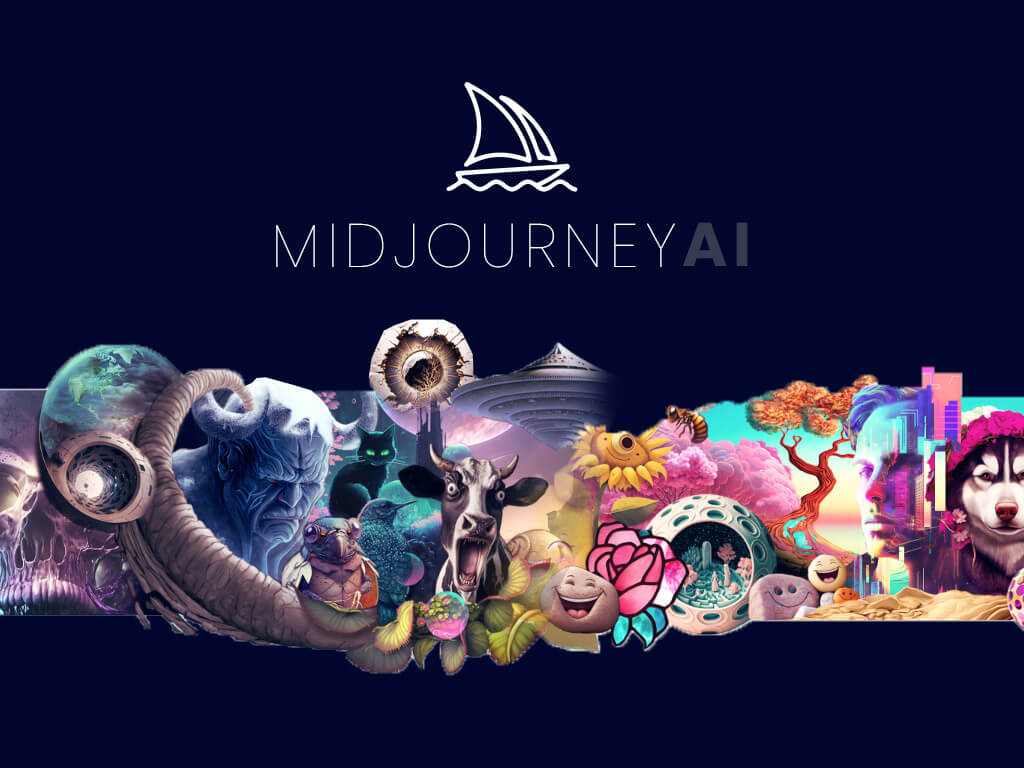
Midjourney is renowned for cinematic and artistic image quality and is sometimes the best option for visually stunning output.
Ideal for: Artists, designers, and creatives.
Pros
- Best artistic output in a renderer.
- Rich textures and lighting.
- Unique style of visuals.
Cons
- Only paid value.
- Prompt learning required.
Example Use Case
A YouTuber who makes thumbnails that grab attention with dramatic lighting and painterly effects.
-
OpenArt
OpenArt AI Image Generator is an all-in-one creative workbench that brings the top image models under a single workflow. Instead of subscribing to multiple tools, users can switch between GPT Image 2, Nano Banana 2, Nano Banana Pro, Seedream 4.5, Seedream 5.0 Lite, Wan 2.7, Recraft V4, and Kling Omni inside one editor, with shared credits and the same reference upload across every model. The platform also adds practical helpers most generators leave out: reference photo upload for character consistency, Camera Angle Control, Image Upscale, Image Replace, and a built-in prompt enhancer.
Best for: Creators, marketers, and small businesses who want one subscription that covers product shots, social posts, character art, and concept work without juggling separate accounts.
Pros
- Access to leading image models in a single editor, including GPT Image 2 and Nano Banana 2.
- Reference photo upload keeps faces and products consistent across generations.
- Built-in tools for upscaling, inpainting, camera angle control, and prompt rewriting.
- Active community gallery with thousands of remixable prompts and templates.
- Free daily credits plus an affordable paid plan starting at a few dollars a month.
Cons
- Heavier feature set takes a session to learn compared to single-purpose tools.
- High-end models consume more credits per image on the free tier.
Example Use Case
A Shopify store owner uploads a product photo, types “lifestyle shot on a marble kitchen counter, soft morning light, shallow depth of field,” picks Seedream 4.5 for the first pass, then switches to Nano Banana 2 to refine the label text, and finishes by running Image Upscale for a print-ready hero banner. The same session also produces matching Instagram tiles and an ad variant, all without leaving the workbench.
-
Leonardo AI
This tool provides the right level of free access and output quality, particularly for creative assets.
Ideal for: Games and indie developers
Pros
- Leonardo AI offers a generous free plan.
- Style presets available.
- Consistent outputs.
Cons
- Slower generation at times.
- Premium needed for full features.
Example Use Case
A game developer quickly creates character designs and environment assets.
-
Qwen
It is becoming a solid choice for high-res and typography-heavy images.
Best for: Advertisers and content creators.
Pros
- Sharp high-resolution images.
- Strong text rendering.
- Fast performance.
Cons
- Qwen has limited integrations.
- Smaller ecosystem.
Example Use Case
An entrepreneur designs marketing posters with legible text and clear branding.
-
DALL-E
This one is the earliest AI image generator with a simple prompt and decent results.
Perfect for: Regular users and bloggers.
Pros
- Dall-E is user-friendly to operate.
- Excellent for conceptual visuals.
- Consistent results.
Cons
- It is not as advanced as newer tools.
- Limited control options.
Example Use Case
A writer on the content creates blog images and concepts on the fly.
-
Fashion Diffusion AI
- End-to-end fashion design suite, not just image generation
- Virtual try-on with diverse AI models across ethnicities, ages, and body types
- Converts hand-drawn sketches into photorealistic renders
- Replaces costly physical photoshoots and fabric sampling
- Niche focus — not suited for general-purpose image creation
- Some advanced features require a paid plan
Difference Between Paid and Free Tools
The free tools are beneficial if:
- You are new and experimenting with different tools to find the best one for your needs.
- You have a very limited usage.
- You are trying to grip onto prompts.
Paid tools are beneficial if:
- You need them consistently on a daily basis, like for an E-Commerce store for product images.
- You offer services to your clients.
- You require commercial rights.
Conclusion
You will find numerous AI image generation platforms when searching online. The best image generator is the only one that perfectly fits your needs. For example, ChatGPT and PixPretty are easy wins for beginners. For extensive controls, FLUX and Stable Diffusion are the best, as they provide deep control.
When it comes to quality, Midjourney is the most appropriate one. Start with a free tool first and try a few prompts. If it provides what you want, then upgrade it for more consistency and commercial-worthy results.
FAQs
-
Are there free AI-image generator tools available?
Yes, there are several tools available. For example, ChatGPT offers daily free trials for image generation. PixPretty also offer free trials for new users.
-
How to Choose the Best AI Image Generator?
Consider the extent of controls you need, and choose the image generator based on the image style or type. This will help you easily identify which one is best for you.
-
Which AI image generator is best for product photos?
PixPretty AI is best suited as an online web-based tool for E-Commerce and product images.
-
Which tool is best for realistic images?
ChatGPT, Gemini Nano Banana 2 and FLUX are the best options for realistic image generation.