

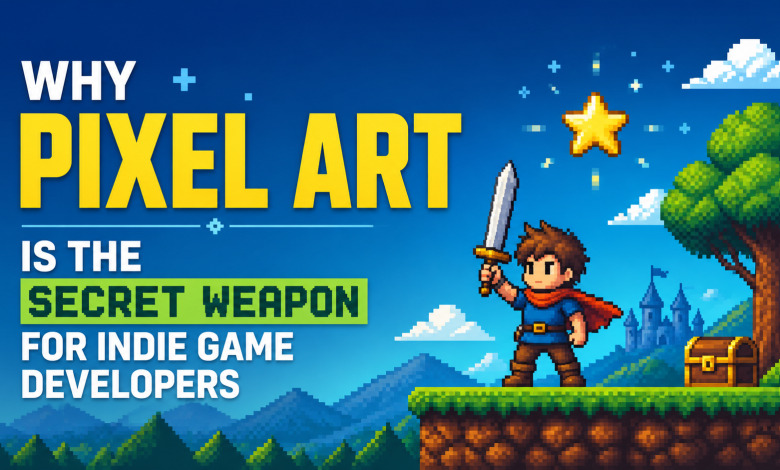
Let me say something that might sound controversial: some of the best-looking indie games ever made were built on a canvas smaller than your thumbnail.
I’m talking about 16×16 pixel art sprites. Tiny grids. Blocks of color that, from a distance, somehow become a character you care about, a world you want to explore, an enemy you genuinely fear. If you’ve never tried pixel drawing yourself, the whole thing seems like magic. Once you sit down and do it, you realize it’s something better than magic, it’s a learnable skill with an absurdly high return on time invested.
That’s exactly why so many indie developers have quietly made pixel art their secret weapon. Not because it’s easy. Because it’s smart.
The Real Reason Pixel Art Dominates the Indie Scene
Here’s a truth nobody in game development talks about enough: most indie games never ship. They die in development, usually not because the developer ran out of passion, but because they ran out of time, money, or both while trying to build something too ambitious.
Pixel art doesn’t fix that problem on its own. But it helps in ways that genuinely matter.
When you commit to working on a pixel art grid, you’re putting a productive constraint on your project. You can’t endlessly fiddle with a 32×32 pixel art character sprite the same way you can get lost tweaking a 3D model for weeks. The small canvas forces decisions. You pick your colors, you place your pixels, and at some point the thing is either working or it isn’t, and you move on.
That speed matters enormously when you’re one person, or two, trying to build an entire game in your evenings and weekends.
And then there’s the skill gap issue. Most indie developers are programmers first. They’re not trained illustrators. Learning to create pixel art is a much more realistic goal than learning to sculpt convincing 3D characters or paint detailed textures. With pixel art, you’re working in a medium where constraints carry half the workload for you. The grid is already there. You just fill it.
What the Workflow Actually Looks Like
Pixel art enters the game development process earlier than most people expect, and it stays longer.
In the first weeks of building something new, you need art that communicates without being precious. Nobody wants to spend three days on a character design that might get scrapped when the core mechanic doesn’t feel right. This is where a simple pixel art maker earns its keep. You rough out a character, maybe 10×10 pixel art if it’s just a test, slightly larger if you need more legibility, drop it into your engine, and start playing with movement and physics. The art looks rough, but it’s yours, and it’s functional.
Once the game starts feeling like a game, you upgrade. Most indie developers find a comfortable middle ground around 16×16 pixel art for smaller objects, enemies, and UI icons (heart pixel art for health displays is a classic use case), and 32×32 pixel art for main characters and anything the player spends a lot of time looking at.
The jump from 16×16 to 32×32 is interesting. Suddenly you have room for eyebrows. For the suggestion of cloth folds. For a character silhouette that reads differently whether they’re happy or exhausted. The pixel art drawing process gets slower, but so does the player, they start noticing things.
Environmental tiles, backgrounds, UI panels, these come last and take longer than expected. By this point though, you’ve built up enough muscle memory with your pixel art style that the work flows more naturally. You have an established palette. You know your rules. New assets feel like additions to a family rather than starting from scratch each time.
On Tools: What You Actually Need
The honest answer is that you don’t need much.
Aseprite is the go-to for serious pixel art animation work, it’s cheap, purpose-built, and the indie community swears by it. If you’re not ready to spend anything, LibreSprite does most of the same things for free.
But before any of that, there’s real value in just starting somewhere low-friction. When you’re at the ideation stage, sketching out what a character might look like, experimenting with a color palette, figuring out whether a concept has legs, installing and learning new software is friction you don’t need.
This is why browser-based tools like FileReadyNow’s Pixel Art Maker exist and why they’re genuinely useful. It’s a free pixel art creator online, you open it, you get a grid, you start making pixel art. No project setup, no file management, no tutorial required. For quick ideation, for sharing a rough concept with a collaborator, or for a developer who just wants to see if they can actually do this whole pixel art thing before committing to a proper tool, it removes every excuse not to start.
The “Is It Cheating?” Question
Every pixel art developer has heard some version of this. “Oh, pixel art, so you didn’t have to bother with real graphics?”
It’s frustrating, mostly because it gets things completely backwards.
In most visual mediums, you can hide weak fundamentals behind detail and complexity. Add more shading, more texture, more visual noise, and a lot of problems become harder to spot. On a pixel art grid, there’s nowhere to hide. If a character’s proportions are off at 32 pixels tall, they’re obviously off. If your color choices don’t work, no amount of extra pixels is going to save you.
What pixel drawings do offer is a more immediate feedback loop. You see your mistakes faster, fix them faster, and develop your eye faster than you might in other mediums. That’s not a shortcut, that’s just a different learning curve.
And the ceiling is much higher than people assume. Look at the work in Hyper Light Drifter, Octopath Traveler, or Eastward, pixel art games where the artistry is genuinely jaw-dropping. Nobody looks at those and thinks “it must have been easy.”
The Budget Reality Nobody Mentions
Indie game development has a financial reality that most tutorials gloss over, and it directly shapes why pixel art makes sense for so many developers.
Commissioning original 3D character art, modeled, rigged, and ready to animate, can run anywhere from a few hundred to several thousand dollars per character. For a game that needs dozens of enemy types, NPCs, and a playable cast, this math becomes painful very quickly.
Pixel art assets cost significantly less. Not because the artists are less skilled, but because the medium is faster to produce. A skilled pixel artist can complete a character sprite sheet in a fraction of the time it takes to build equivalent 3D work.
For a solo developer bootstrapping their first commercial game, this difference isn’t abstract, it’s the difference between finishing the game and running out of money in year two.
If You’re Thinking About Starting
The best advice is embarrassingly simple: just open a pixel art online tool right now and draw something.
Set the canvas to 16×16. Try to make a recognizable face. It’ll probably look terrible. Do it again. Try a tree, a sword, a coin. At some point something will click, you’ll understand intuitively how to suggest a shape with just a few pixels, how a single well-placed highlight changes everything, how a limited color palette isn’t a restriction but a relief.
From there, move up to 32×32 pixel art and give your character some personality. Try 3D pixel art with a fake isometric perspective if you’re feeling ambitious, it’s a rabbit hole, but a genuinely fun one.
The community is also welcoming in a way that bigger creative scenes often aren’t. Reddit’s r/PixelArt, Lospec’s palette database, and countless tutorials dedicated to pixel art drawing have made this one of the best-documented creative skills on the internet. You will not run out of things to learn.
The Bottom Line
Pixel art is not a consolation prize for developers who couldn’t afford something better. It’s a deliberate choice made by people who understand what actually ships versus what stays in a folder labeled “someday.”
It’s fast to learn, honest about its constraints, and capable of extraordinary things in the right hands. The indie games that have genuinely moved the industry forward, the ones people still talk about years later, are disproportionately pixel art games. That’s not a coincidence.
If you’ve been sitting on a game idea because you don’t think you can handle the art side, pixel art might be exactly what removes that excuse. Open a pixel art maker, start on a blank grid, and see what you make.