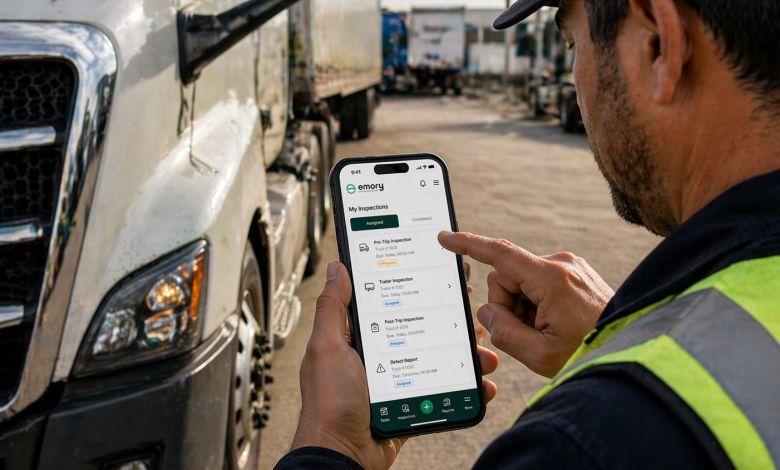
Most logistics operations inspect their vehicles.
Very few can prove it.
That gap – between inspections happening and inspections being verifiable – is exactly where audit failures occur. And in our experience working with logistics teams across fleet sizes, the problem is almost never the drivers.
It’s the workflow.
This guide walks you through exactly how to build a vehicle inspection workflow that doesn’t just satisfy a daily checklist – but produces audit-ready evidence every single time, without adding friction to your operations.
What Does “Audit-Ready” Actually Mean for Vehicle Inspections?
Before the steps, let’s be specific – because “audit-ready” gets used loosely.
An audit-ready vehicle inspection workflow is one where every inspection produces four verifiable outputs:
- Identity – who conducted the inspection, tied to a named login, not a signature
- Time – an automatic timestamp the driver cannot manually edit
- Location – GPS coordinates at the point of submission
- Evidence – photographs at each checkpoint, embedded with metadata
If your current workflow cannot produce all four of those outputs for every single inspection, you are carrying audit risk right now – even if your drivers inspect every vehicle every day.
Why Do Most Inspection Workflows Fail Audits?
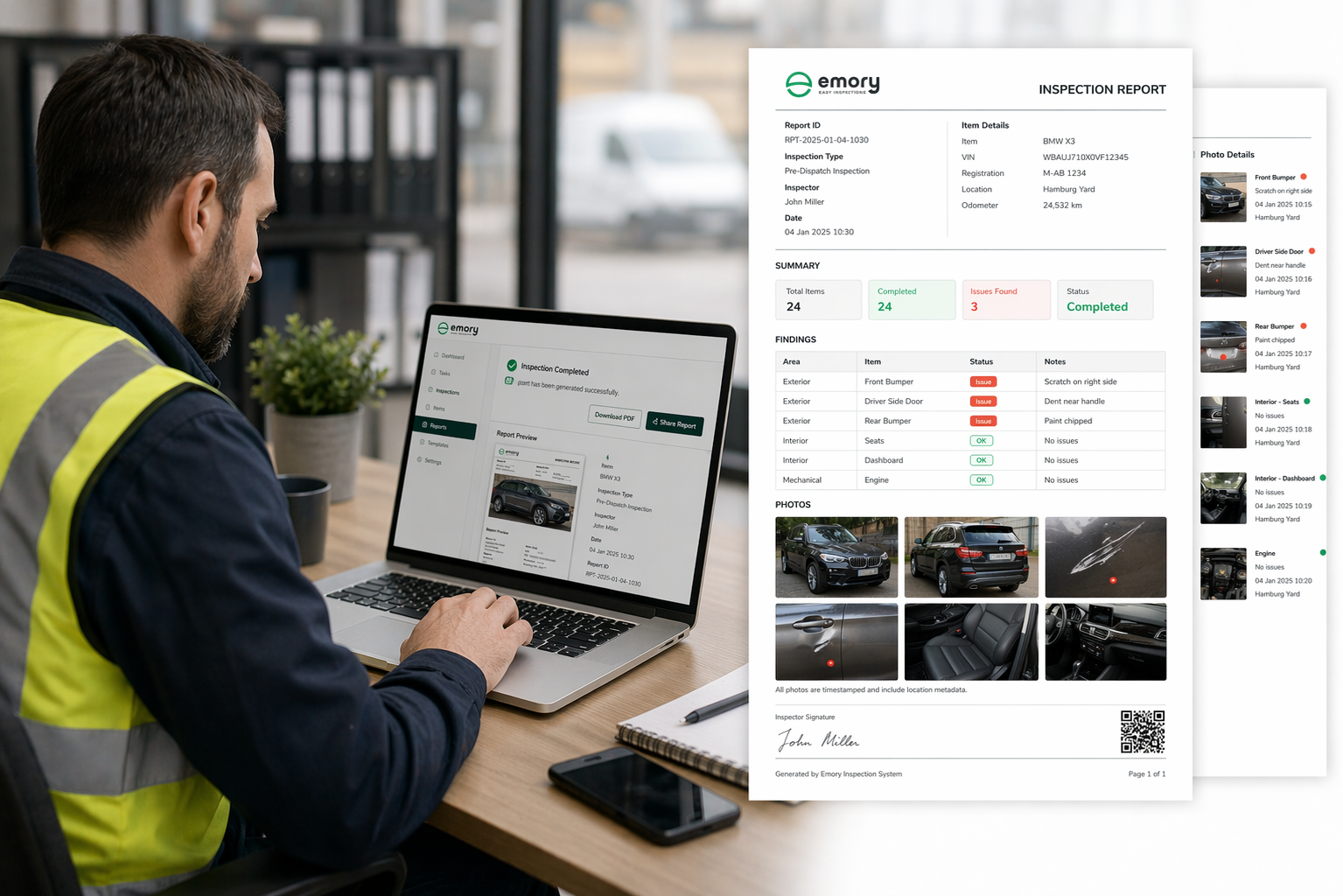 We have seen logistics teams with excellent safety cultures still get their inspection data rejected. Here is why it keeps happening.
The data exists but it cannot be proven. Paper forms and manually completed spreadsheets tell you what was inspected. They cannot tell you where, when, or by whom in any way an auditor can independently verify.
Photo evidence is optional, so drivers skip it. Any inspection software that makes photo capture a suggestion rather than a requirement will produce inspection records with gaps. Gaps are liabilities.
Fault data disappears into informal channels. A driver flags a fault. He texts the depot manager. The depot manager sorts it. Nothing is logged. Three months later an auditor asks what happened to that fault and there is no record. That is a compliance failure – not because the fault was ignored, but because the resolution was invisible.
Data lives in too many places. Inspection records in one app, maintenance logs in a spreadsheet, driver communications in WhatsApp. Auditors need one source of truth. Fragmented data signals a fragmented process.
Checklists are inconsistent across drivers and vehicles. When two drivers inspect the same vehicle category using different checkpoints, auditors flag it as a process failure. Inconsistency implies the inspection was not standardized – which means it was not controlled.
The 7-Step Framework for Audit-Ready Vehicle Inspection Workflows
Step 1 – Build category-specific inspection templates and lock them
 Start here. Everything else depends on this.
A heavy goods vehicle, a refrigerated truck, a last-mile delivery van, and a passenger-carrying vehicle do not share the same inspection requirements. Lumping them into a single checklist creates gaps in coverage and inconsistencies across submissions – both of which auditors flag immediately.
Build a dedicated template for each vehicle category in your fleet. At minimum, each template should cover:
- Exterior condition – bodywork, lighting, tyres, mirrors
- Braking system – pads, fluid levels, response
- Engine and fluid checks – oil, coolant, power steering fluid
- Safety equipment – fire extinguisher, first aid kit, warning triangle, high-visibility vest
- Cargo area and load security
- Driver documentation – licence validity, vehicle registration, insurance
Once your templates are built, lock them. Drivers should not be able to skip sections, reorder checkpoints, or modify fields during a submission. If your inspection software allows this, your checklists are not controlled – and uncontrolled checklists are not defensible.
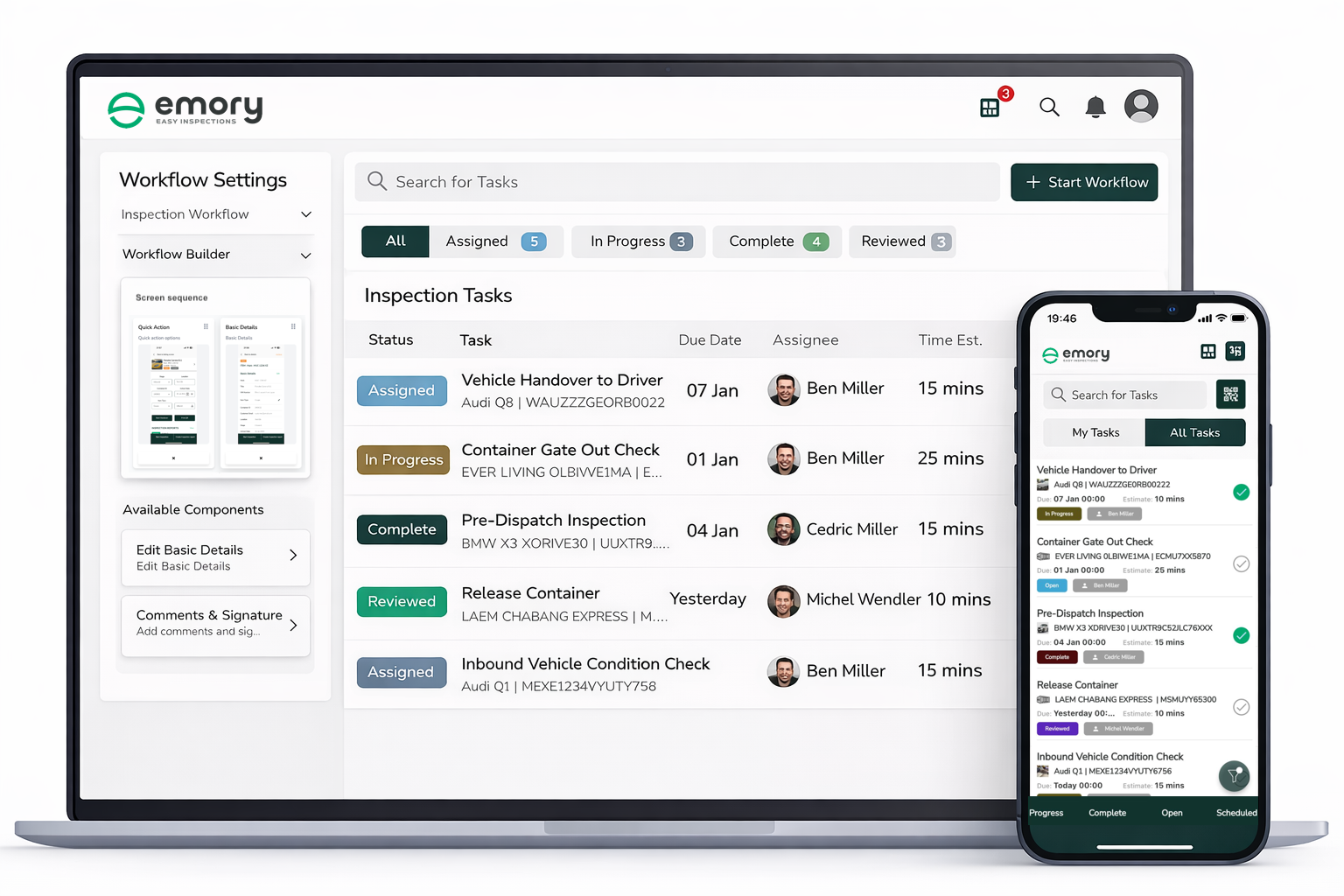
Step 2 – Assign inspections digitally with named accountability and due times
 This single change eliminates the most common audit gap in logistics operations.
Verbal assignment – “tell the driver to check the truck before he leaves” – is invisible. There is no record that the instruction was given, no record of who was responsible, and no record of whether it was completed on time.
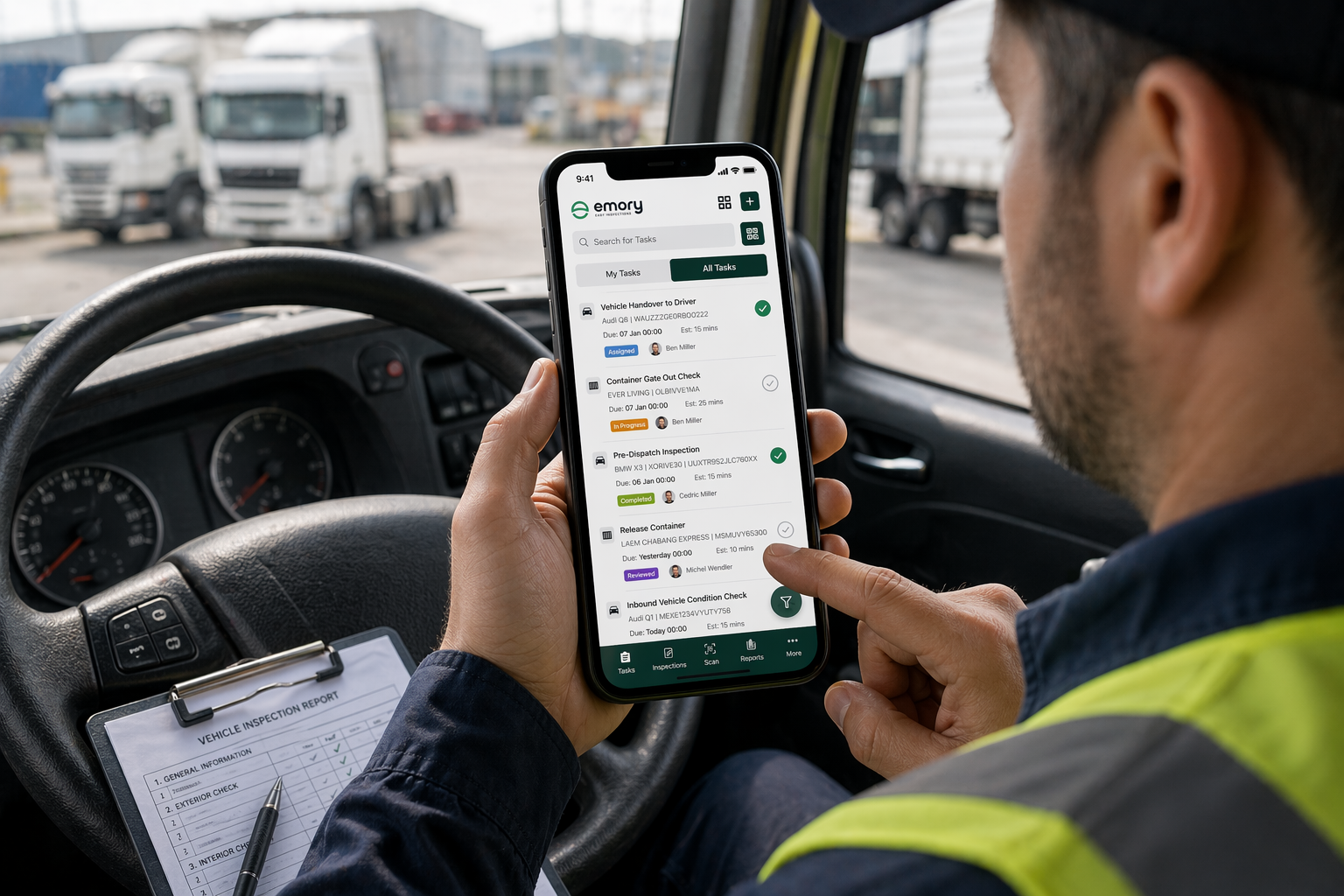
Digital assignment creates a complete accountability trail from the moment a task is issued to the moment it is submitted. Your fleet management system should log:
- Which inspection was assigned
- Which driver it was assigned to
- The required completion window
- Whether it was completed on time, late, or missed
When an auditor asks “who was responsible for the pre-trip inspection on vehicle X on this date” – this is the record that answers that question definitively.
Step 3 – Make photo evidence mandatory at every high-risk checkpoint
 This is the most important single change most logistics teams can make to their inspection workflow.
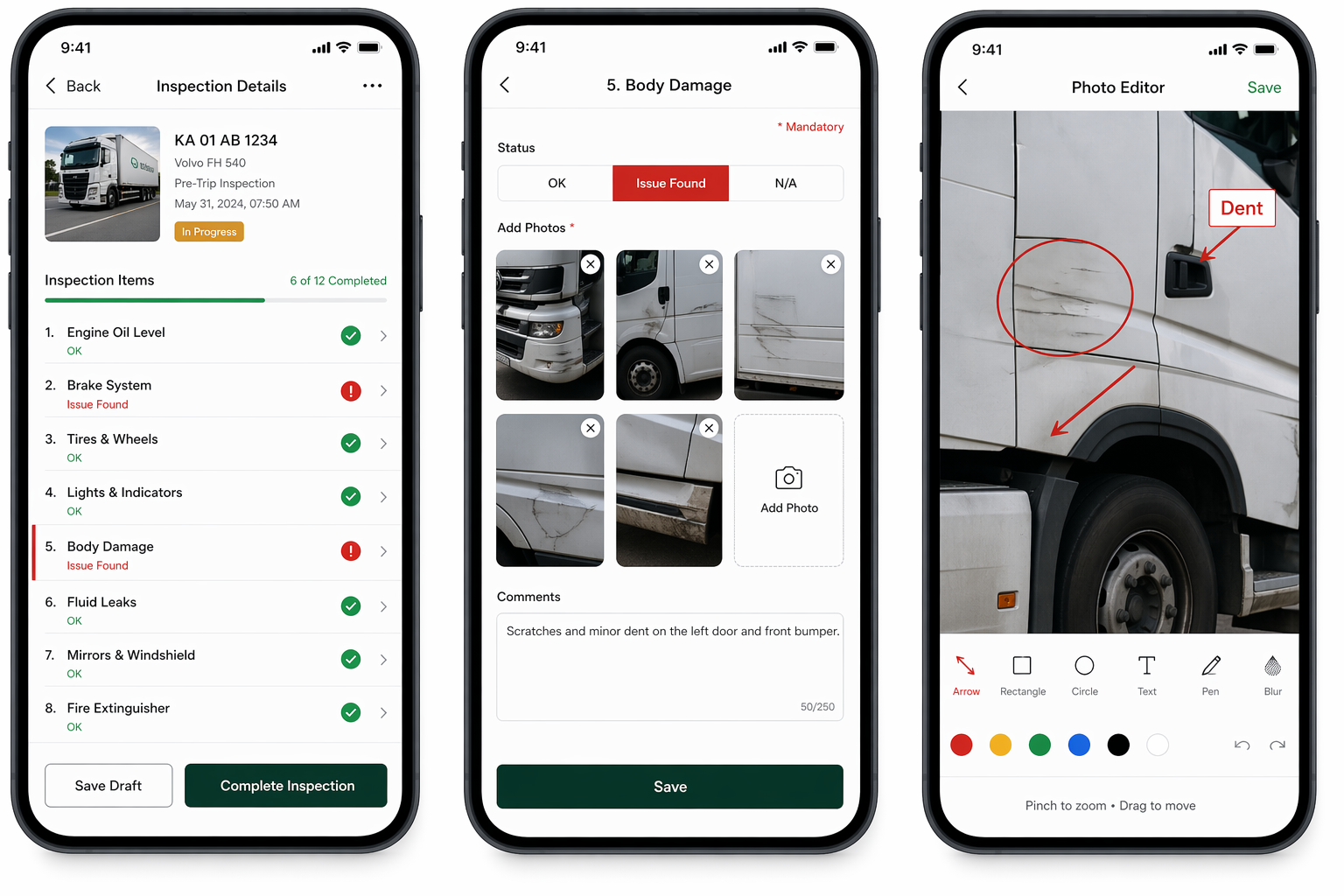
Text-based condition notes are not evidence. A driver writing “tyres in good condition” tells an auditor nothing verifiable. A time-stamped photograph of each tyre, embedded with GPS coordinates and tied to the driver’s login – that is evidence.
The best digital vehicle inspection apps enforce photo capture at the checkpoint level. The driver cannot proceed to the next section without completing the required photo. No photograph, no submission. That is the standard your workflow should meet.
Emory: Elevating Digital Inspections to New Heights
Watch out: Many inspection apps make photo capture optional or allow it to be toggled off at the admin level. If yours does, this is not a feature – it is an audit liability. Turn mandatory photo capture on immediately and keep it on.
Step 4 – Enable offline inspection capability with automatic sync
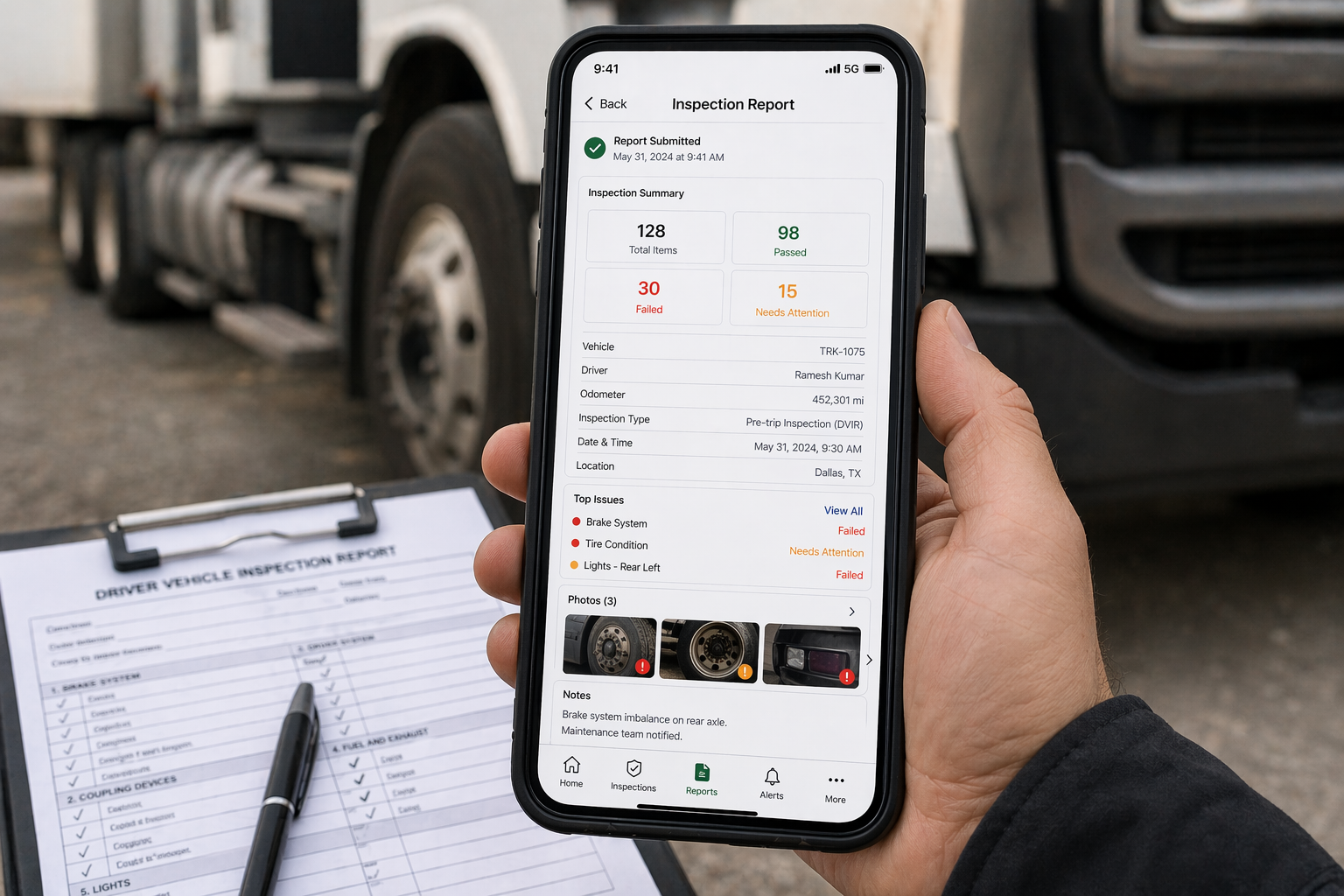 Here is a problem that most inspection software vendors understate:
Logistics operations do not happen in areas with reliable connectivity. Loading bays, rural depots, port terminals, cross-border checkpoints, and remote distribution centres frequently have weak or no signal.
If your inspection app requires an active internet connection to submit, drivers in those environments face a choice between submitting an incomplete record when they get a signal or skipping the inspection entirely. Neither outcome is acceptable for a compliant workflow.
Your vehicle inspection platform must function fully offline – capturing photos, GPS coordinates, timestamps, and completed checklists – and sync automatically the moment connectivity is restored. Without this, your inspection data has geographic gaps that are invisible in your reporting but visible to an auditor reviewing records against GPS telematics data.
Step 5 – Build automatic fault escalation into the workflow
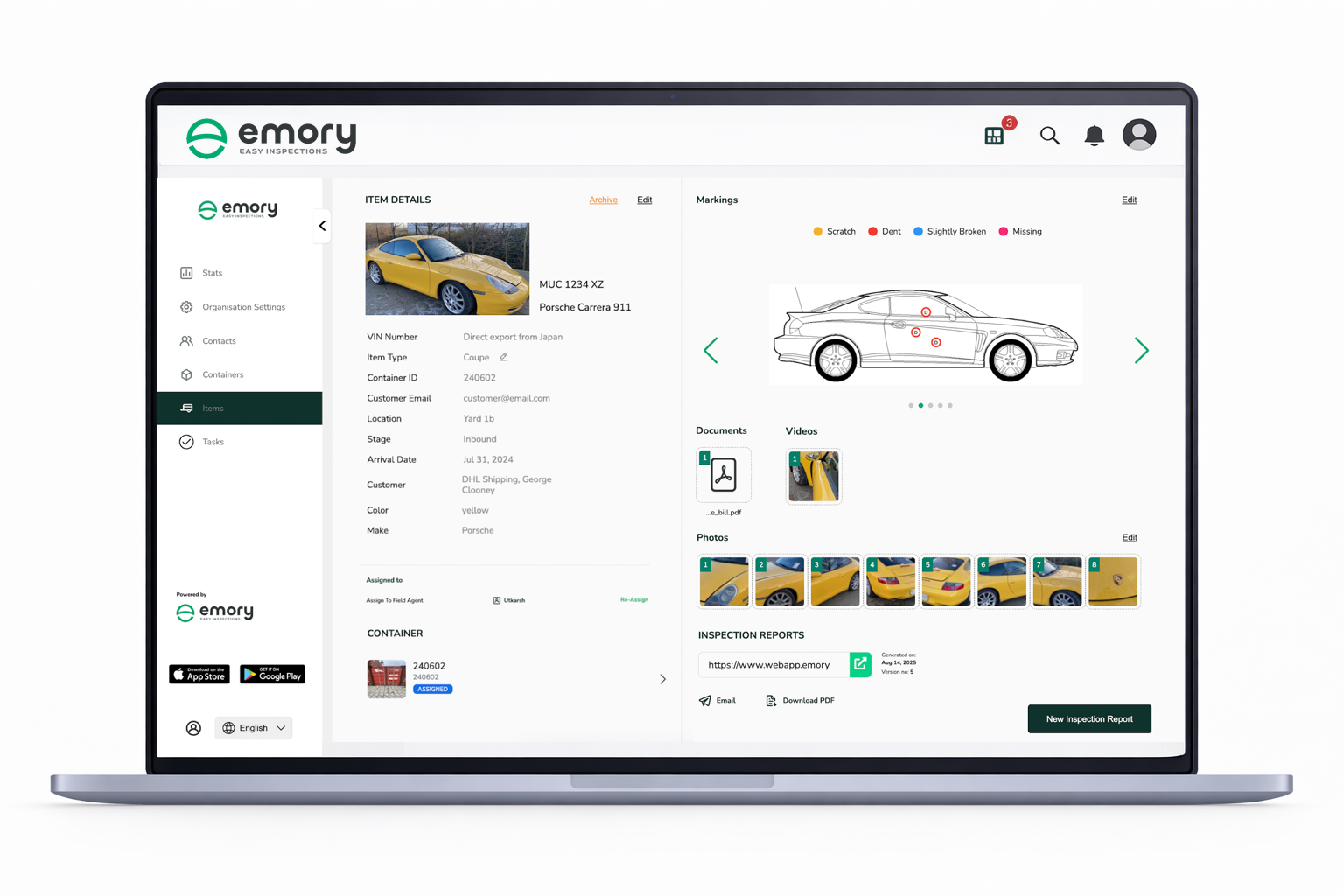 Finding a fault is the easy part. What happens after the fault is found is what auditors look at.
An inspection workflow that flags a fault but then relies on informal escalation – a phone call, a text message, a note left in the cab – is not a controlled process. There is no record of when the fault was reported, who was notified, when the vehicle was taken out of service, who performed the repair, or when it was cleared for return to operation.
Your workflow needs to handle every one of those steps automatically:
- Fault flagged → fleet manager receives an automatic real-time notification
- Vehicle restricted → dispatch is blocked until the fault is resolved and a re-inspection is completed
- Resolution logged → repair details, responsible party, completion timestamp, and photographic evidence are all captured in the same system
This closed-loop process is what transforms your inspection workflow from a daily paperwork exercise into a genuine compliance and safety management system. And it is exactly what auditors look for when they want to understand how your operation responds to vehicle defects.
Step 6 – Centralize all inspection data in a single searchable dashboard
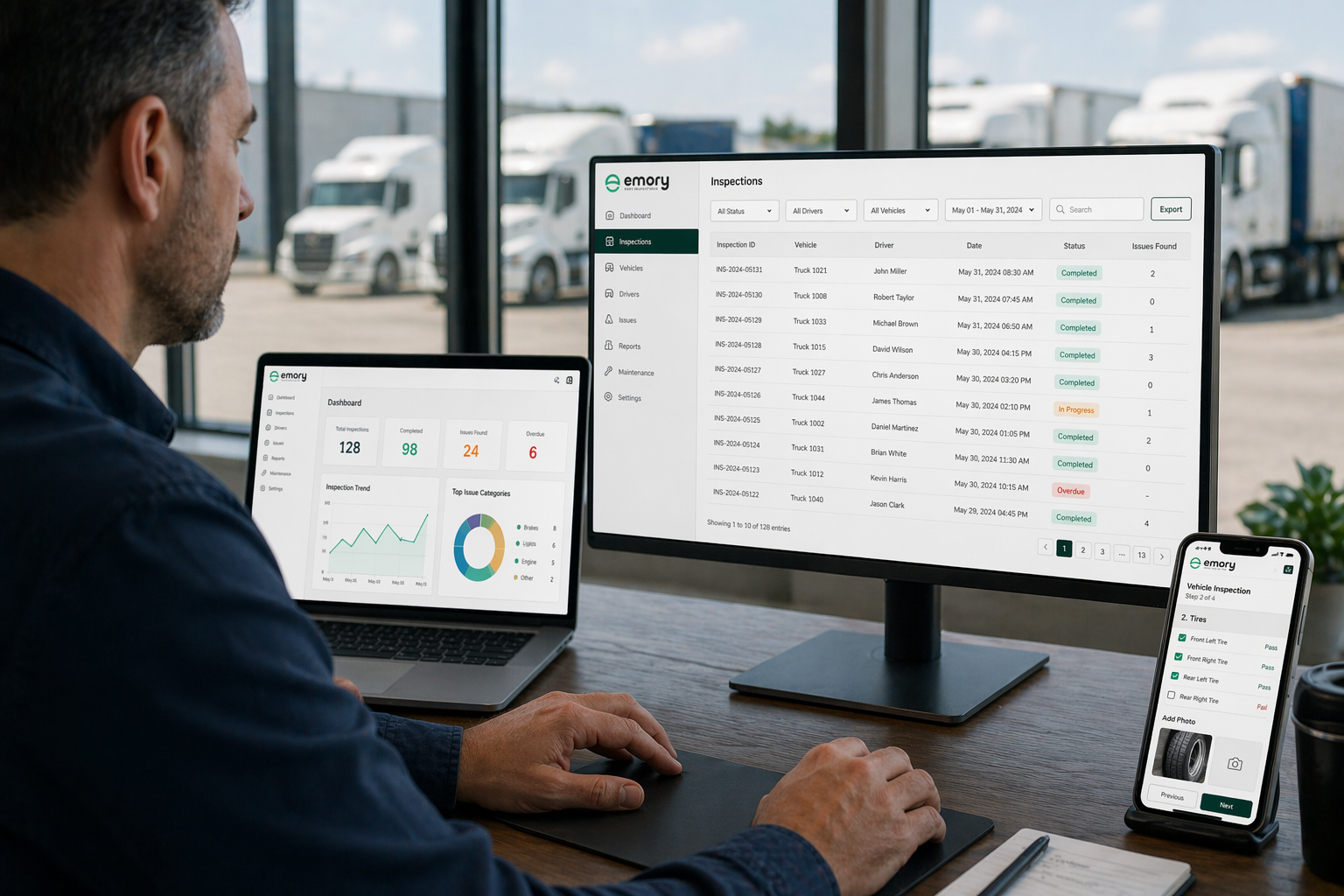 Audit readiness is not just about capturing the right data. It is about being able to retrieve it quickly, completely, and without gaps.
If your fleet manager needs to pull together inspection records from three different systems, cross-reference a spreadsheet, and search through email chains to produce an audit report – your data architecture is a risk, not an asset.
Every inspection your operation conducts should flow automatically into a centralized dashboard. That dashboard should allow your team to:
- Pull a complete inspection history for any vehicle across any date range in seconds
- Filter records by driver, depot, vehicle category, inspection type, or fault status
- See outstanding faults, overdue inspections, and completion rate gaps in real time
- Export a full audit-ready report – with all supporting photos and metadata – in minutes
When an auditor requests documentation, your answer should never be “give us a few days to pull that together.” It should be a download link.
Step 7 – Run a structured internal compliance review every month
 The logistics teams that consistently pass regulatory, insurance, and internal audits are not getting lucky. They are running monthly internal reviews that find and close gaps before any external auditor does.
Your monthly review should look at four things:
Completion rates by driver. Which drivers are consistently completing inspections on time? Which are late or missing submissions? Patterns here indicate training issues, workflow friction, or deliberate avoidance – all of which need addressing before they become audit findings.
Fault patterns by vehicle. If the same vehicle is flagging the same fault type repeatedly, that is a maintenance signal, not an inspection signal. Your inspection data should inform your maintenance schedule.
Inspection timing against expected windows. Pre-trip inspections submitted at 11am for a vehicle that left the depot at 6am are a red flag. Your data should make these discrepancies visible automatically.
Data completeness. Are photo fields being completed at every checkpoint? Are GPS coordinates embedding correctly? Are offline submissions syncing without data loss? A monthly check of data quality prevents small technical issues from becoming large audit gaps.
Choosing the Right Digital Vehicle Inspection App for Logistics
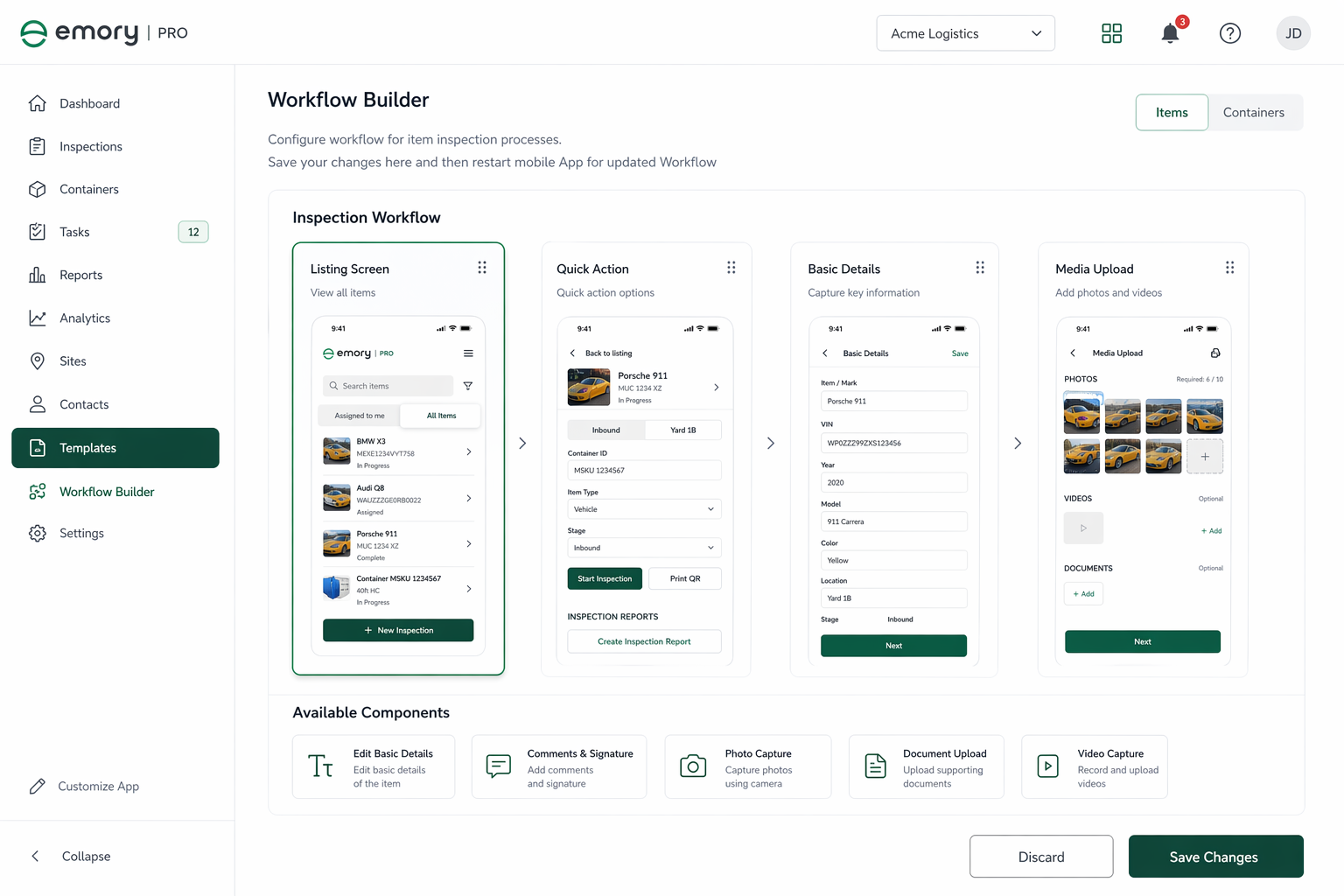 Not all inspection apps are built for the compliance requirements of commercial logistics.
Consumer-grade or generic inspection tools typically lack GPS-embedded photo capture, structured offline sync, automated fault escalation, and the kind of centralized reporting that produces audit-ready records at fleet scale.
When evaluating a digital vehicle inspection platform for logistics, these are the non-negotiable capabilities:
Mandatory photo capture – not optional, not toggle-off-able. Required at the checkpoint level.
Automatic GPS and timestamp embedding – applied to every submission, every time, without driver intervention.
Full offline functionality – complete inspections without connectivity, sync without data loss.
Automated fault escalation – real-time notifications, dispatch restriction, closed-loop resolution logging.
Centralized fleet dashboard – complete visibility across all vehicles, all depots, all drivers.
One-click audit export – full inspection history with photo evidence, exportable in minutes.
Emory Pro is built specifically for logistics teams that need all of these capabilities in a single platform. From pre-trip checks to post-delivery condition reports, every inspection is captured with the evidence depth that makes records defensible under regulatory, insurance, and customer audit requirements.
https://www.youtube.com/watch?v=wAy3kL4m90I
Key Takeaways
If you take nothing else from this guide, take these five points:
Most inspection data fails audits not because inspections were skipped, but because the data captured cannot be independently verified. GPS, timestamps, and mandatory photo evidence are the minimum standard for defensible records.
Verbal assignment and informal fault escalation are invisible to auditors. Every step in your workflow needs a digital trail – from assignment through resolution.
Offline capability is not optional for logistics operations. If your inspection app cannot function without connectivity, your data has geographic gaps.
Centralized data with one-click export is what makes audit preparation a ten-minute task instead of a three-day scramble.
Monthly internal reviews close gaps before external auditors find them. Build the review into your operations calendar and treat it as seriously as any external audit.
Frequently Asked Questions
What makes a vehicle inspection workflow audit-ready?
An audit-ready vehicle inspection workflow captures four verifiable outputs for every inspection: the identity of the driver conducting the inspection, an automatic timestamp that cannot be manually edited, GPS coordinates at the point of submission, and photographic evidence at each checkpoint with embedded metadata. Workflows that rely on handwritten records, optional photo capture, or informal fault escalation cannot produce this standard of evidence.
What is the best digital vehicle inspection app for logistics companies?
The best digital vehicle inspection apps for logistics operations combine mandatory GPS-tagged photo capture, full offline functionality, automated fault escalation, centralized fleet dashboards, and one-click audit reporting. Purpose-built platforms designed for commercial fleet compliance outperform generic inspection tools for operations that face regulatory, insurance, or customer audits.
Why do vehicle inspection reports get rejected by auditors?
The five most common reasons are missing timestamps, no GPS location data embedded in submissions, absence of mandatory photo evidence, inconsistent checklists across drivers and vehicle categories, and inspection data stored across disconnected systems. Auditors require a complete and verifiable chain of evidence – any gap in that chain is a basis for rejection.
Can drivers complete vehicle inspections without an internet connection?
Yes, with the right inspection software. Purpose-built digital vehicle inspection platforms include offline mode that allows drivers to complete full inspections – including photo capture, GPS logging, and checklist completion – without connectivity. Data syncs automatically when connection is restored, ensuring no records are lost and no inspections are skipped due to poor signal.
How does automated fault escalation improve logistics compliance?
Automated fault escalation creates a documented resolution trail that is visible to auditors. When a driver flags a fault, the system automatically notifies the fleet manager in real time, restricts the vehicle from dispatch until the fault is resolved and re-inspected, and logs the full resolution – including who performed the repair, when it was completed, and photographic evidence of the resolved condition. This closed-loop process replaces informal escalation channels that leave no audit trail.
How often should logistics fleets conduct internal compliance audits?
Monthly internal compliance reviews are the minimum recommended frequency for commercial logistics operations. These reviews should examine inspection completion rates by driver, recurring fault patterns by vehicle, inspection timestamps against expected operational windows, and overall data quality including photo completion rates and GPS accuracy. Teams that conduct regular internal reviews consistently outperform those that only prepare for scheduled external audits.
What is the difference between a paper-based and digital vehicle inspection system for logistics?
Paper-based inspection systems capture what was inspected but cannot verify when, where, or by whom in any independently auditable way. Digital vehicle inspection systems automatically embed timestamps, GPS coordinates, and driver identity into every submission, enforce mandatory photo evidence at the checkpoint level, and centralize all records in a searchable dashboard with export capability. For logistics operations subject to regulatory or insurance audits, paper-based systems carry significant compliance exposure.