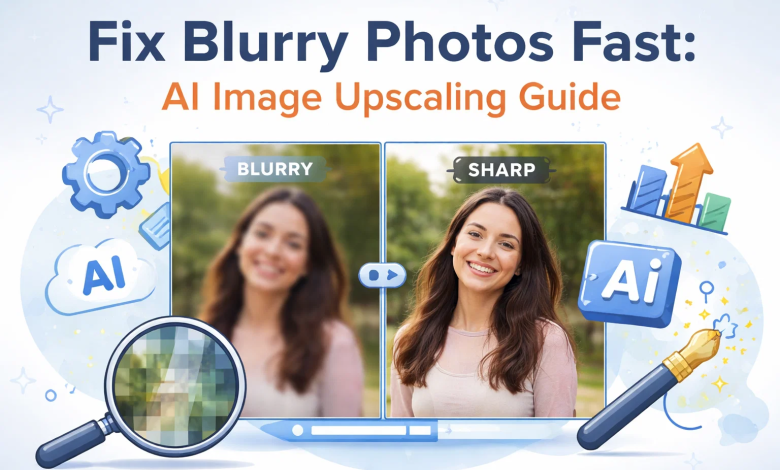
Why are your photos always blurry or pixelated when you zoom in or even request to print them? This normally occurs due to low image resolution, and conventional resizing methods do not increase the actual image size but rather stretch the pixels. The situation of sharing pictures online or working professionally when clarity is the main concern, but quality is ruined in a short span, is also troublesome for many users.
The upside is that AI image upscaling provides an intelligent, valid solution. Rather than just magnifying an image, AI cuts and reconstructs lost information based on patterns, textures, edges and fine details, much like an intelligent being would. This gives even old or low-resolution photos a sharper, more detailed appearance. Regarding social media, printing, or design, AI tools enhance these processes quickly, easily, and efficiently for everyone.
What Is AI Image Upscaling?
Machine learning-based AI image upscaling reconstructs missing details to improve image quality, in addition to increasing resolution, unlike conventional image resizing, which only stretches the image into a larger size and lower quality. Here’s how AI enhances image quality:
- AI compares images to precisely recreate lost details.
- It sharpens edges and textures to enhance clarity without generating aggressive artifacts.
- Sophisticated codes minimize noise and grain and retain significant visual components.
- AI increases color and contrast in order to come up with brighter and realistic images.
- The machine learning models make the results appear natural rather than excessive.
Traditional Resizing vs AI Upscaling
Traditional Resizing
The old resizing methods merely expand the existing pixel count by expanding them. This results in the blurring of edges, loss of clarity and pixilation. It does not put any additional information in it, and therefore the quality of the image becomes smaller as the size becomes bigger.
AI Upscaling
AI upscaling does an intelligent analysis of the image based on trained models. It anticipates the appearance of what the details are supposed to be and recreates the same. It leads to a better quality of images, textures, and clarity even after enlarging the image by many times.
Best AI Image Upscaler Tools to Try
Now, let’s explore the best AI image upscaler tools in detail:
Adobe Super Resolution
Adobe Super Resolution is an impressive image enhancement tool within Adobe Camera Raw that will increase the image resolution and stay detailed. It is an AI-advanced method of improving textures and edges. It has RAW editing, detail sharpening, smooth connection with Lightroom, and non-destructive editing to unblur an image, making it the right choice of the photographers who require the quality of the results produced by the high-profile software without losing the original information. Moreover, it is compatible with the Adobe ecosystem, which simplifies and accelerates editing by both novices and experts.
Pros:
- Good quality of professional output.
- Support of seamless Adobe ecosystem.
- Works with RAW files
Cons:
- Needs Adobe subscription.
- Heavy system requirements
Topaz Gigapixel
Topaz Gigapixel is a priced product with the ability to upscale as much as 600 percent. It provides face recovery, batch processing, AI noise reduction as well as a variety of AI models to various types of images. It is ideal when a photographer requires maximum details restoration in portraits and landscapes. Fine control of the sharpening and detail settings is also possible through the software which makes it a preferred software in high-end image enhancement tasks.
Pros:
- Good result of face detail recovery.
- Tolerates enormous upscaling.
- Various enhancements in AI.
- Batch processing available
Cons:
- Expensive one time cost
- Slower on low PCs
Let’s Enhance
Let’s Enhance is a simple online application that enhances pictures with the least effort. It also has auto color correction, smart upscaling, noise reduction, and cloud processing. It is perfect for new users and for eCommerce users who require high quality and quick results in an install-less manner. It is also capable of bulk processing of images, making it applicable in business cases where a company handles several product images.
Pros:
- Easy, user-friendly design.
- No installation required
- Rapid cloud computing yields.
- Good for product images
Cons:
- Limited free credits
- Needs internet connectivity.
ESRGAN
ESRGAN (Enhanced Super Resolution GAN) is a widely used, open-source AI model most commonly applied to enhance images at a high level. It offers deep learning reconstruction, personalized model assistance, sharpness in detail, and texture recovery. It is also popular among developers and advanced users who want complete control over image processing. Its flexibility allows users to train or apply custom models to specific image styles and achieve very detailed results.
Pros:
- Free and open-source.
- Extremely personalized AI models.
- Very good re-creation of texture.
- Strong community support
Cons:
- Needs technical expertise.
- No simple user interface
Waifu2x
Waifu2x is an AI upscaler that is simple and initially trained on anime images. It provides noise cancelling, anime, high speed processing and web access. It is also good in simple pictures and illustrations where one cares about clean edges. It is popular among beginners because it is easy and quick to use, and people do not need to have complicated settings or installations.
Pros:
- Free and easy to use
- Great for anime images
- Fast online processing
- Good noise reduction
Cons:
- Limited for real photos
- Fewer advanced features
Leawo Photo Enlarger
Leawo Photo enlarger is a simple desktop application that is used to enlarge images with preservation of quality. It has batch enlargement, intelligent sharpening, color correction and easy to use interface. It is applicable in users who desire a fast offline image enhancement tool in basic image enhancement. The software is aimed at being simple, which makes it easy to use by the users who do not favor complex AI software.
Pros:
- User friendly software that is easy to use.
- Allows processing batch images.
- Operates without being connected to the internet.
- Simple clean interface
Cons:
- Poor sophisticated AI functionality.
- Not as strong as high-quality tools.
UpscalePics
UpscalePics is a web-based artificial intelligence (AI) application that specializes in fast image enhancement. It offers drag and drop feature, image denoising, batch image operations and API access to developers. It can be used in quick upscaling applications and business applications. Tool is particularly useful to the users who do not require excessive software installation and a complicated set-up.
Pros:
- Fast and easy online tool
- Supports bulk image uploads
- Has API access by developers.
- No software was required.
Cons:
- Limited free usage
- Internet required for use
AI Upscaling Setting Explanation
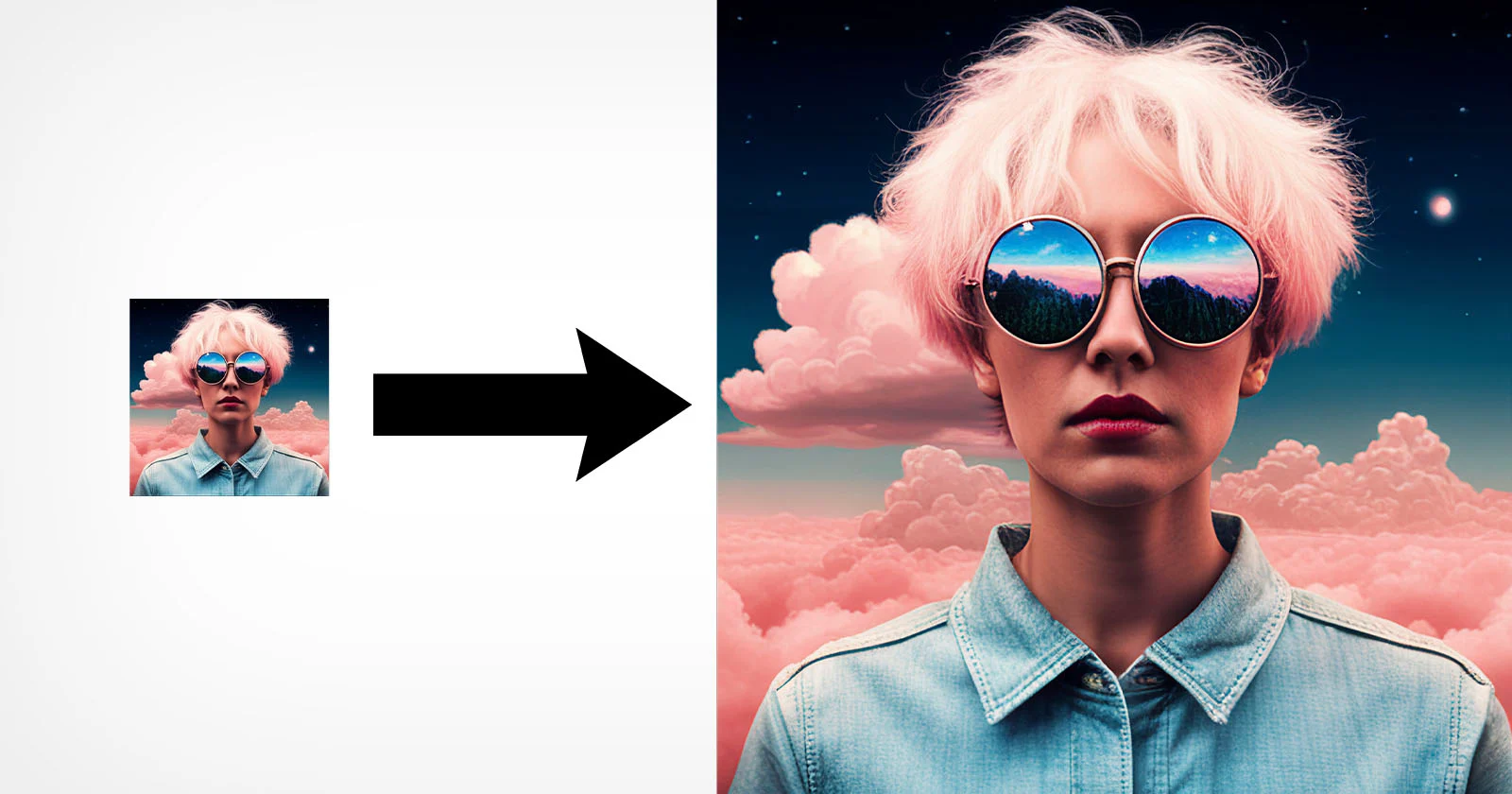 Selecting the appropriate settings is another factor to achieve the optimal outcome of AI upscaling. Correct adjustments can be used to strike a balance between the quality, file size, and clarity depending on the image type and the intended use.
Choose 2x, 4x, 8x and Their Impact
The upscaling levels such as 2x, 4x or 8x are used to limit the extent to which the image size is upscaled. The less extreme levels such as 2x do not alter natural details and can be used to make minor enhancements. The enlargement at higher levels such as 8x can radically increase the size of images however can also add artificial textures when overdone. The selection of the appropriate scale would also hinge on what you are ultimately going to do with it: web, print or editing.
Balance Denoising and Deblurring
Denoising is used to remove grain and undesired noises, whereas deblurring is used to sharpen edges and enhance clarity. Excessive denoising produces soft images and excessive sharpening results in artificial edges. The presence of a balanced environment provides the picture with a clean but comprehensive image without losing its natural look.
Output Format (PNG vs JPEG)
PNG format does not compress the images and thus the quality of the pictures are optimally editable and can be printed with high quality. JPEG works to shrink files making them smaller which is more web-friendly but can diminish quality. The selection of the correct format is based on your preference on quality or file size.
Conclusion
It is easier than ever to enlarge and clean up blurry images as well as enhance the quality of images with help of AI image upscaling without the necessary level of expertise. It is capable of restoring details, sharpening textures, and improving resolution by a significant margin with the help of clever algorithms. It should be noted, though, that AI is not unlimited. It is not able to restore severely damaged photos completely and it can even generate artificial elements.
Copyright is also another consideration that is involved in improving images that are not yours. Always apply AI tools in a responsible and ethical manner. With the proper application, AI upscaling may be an effective tool in the hands of photographers, designers, and regular users who would desire a sharper and brighter image, more professional in appearance.