As a video creator who’s worked with musicians across genres, I’ve put nearly every major AI music video creation tool through its paces over the past few months. The category has matured fast — but most platforms still weren’t designed with musicians in mind. They generate impressive clips, but turning those clips into an actual music video with proper audio sync, lyric overlays, and platform-ready exports still demands hours of manual work on your end.
After running real tracks through each platform, here are the six tools worth knowing about in 2026 — ranked by how well they actually serve musicians.
Quick Comparison
| Tool | Audio-Reactive | Lip Sync | Scene Planning | Long-Form | My Score |
| Freebeat | 10/10 | 10/10 | 9/10 | 9/10 (6 min) | 9.4/10 |
| Neural Frames | 10/10 | 6/10 | 7/10 | 7/10 | 8.2/10 |
| Kaiber | 7/10 | 5/10 | 6/10 | 6/10 | 6.8/10 |
| Runway | 4/10 | 6/10 | 4/10 | 4/10 | 6.0/10 |
| Kling | 3/10 | 3/10 | 3/10 | 6/10 | 5.2/10 |
| Pika | 4/10 | 6/10 | 3/10 | 3/10 | 5.0/10 |
How to Choose an AI Music Video Creation Tool
1. Freebeat — Best Overall AI Music Video Generator
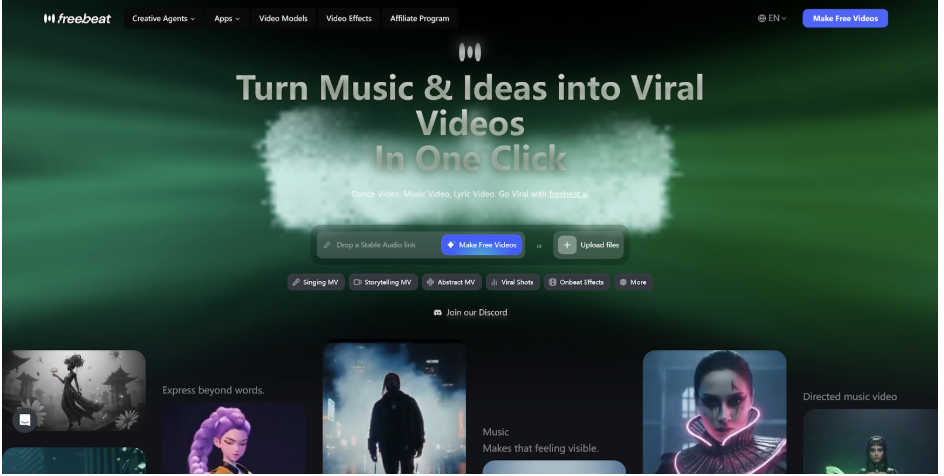
Freebeat is the closest thing I tested to a true music video machine. Most tools split the problem: some handle audio-reactive visuals, others handle clip generation, and you’re left stitching them together in an editor. Freebeat combines both — audio-reactive generation with director-style scene planning — into a single workflow.
What works well
- Audio intelligence that actually reads the song. The AI Music Video Generator analyzes tracks at four levels — BPM, individual beats, bars, and full song structure — and uses that map to plan the shot sequence before generating a single frame. Cuts land on beats. Visual intensity builds with the chorus. The drop actually lands. Compare this side-by-side with other tools and the difference is immediately visible.
- Seamless Suno integration for instant music video creation. Paste a Suno link and Freebeat extracts the audio, runs structural analysis, and starts building a synchronized video — no downloading, no format conversion. For artists whose music production lives in Suno, the whole pipeline runs with a single link as the handoff. The same applies to Udio, YouTube, TikTok, SoundCloud, and direct file uploads.
- Lip sync performance is the most consistently believable I tested for singing. The difference between “AI clip with a face” and “an artist performing on camera” is noticeable from the first output. Character consistency holds across scenes through a dedicated avatar system — upload your own image, use presets, or build custom avatars — with up to two characters per video.
- The all-in-one multimodal creator studio puts everything a music release needs in one workspace: a built-in audio visualizer for Spotify Canvas and Apple Music, a free album cover generator with animated streaming options, lyrics video with karaoke-style timing and .LRC export, dance video generator, lip sync video, AI image editor, and access to the latest models including PixVerse, Veo, Kling, and Wan. Full tracks up to 6 minutes, export in 16:9, 9:16, and 1:1 at defualt 1080p.
Where to keep in mind
- More setup options than simpler tools. Because Freebeat covers the full creation workflow — avatar system, lyric editor, visualizer, and more — there’s a short onboarding curve before you’re navigating it fluently. It’s not complex, but it’s not a single-button tool either.
| ✅ Pros | ❌ Cons |
| Genuine audio intelligence — BPM, beat, bar, full song structure | More setup options than simpler tools |
| Best-in-class lip sync for singing performance | Short learning curve to explore all creation modes |
| All-in-one: MV, lyrics, album art, visualizer in one workspace | |
| Native Suno and Udio integration | |
| Full-length support up to 6 minutes | |
| Free plan available, no credit card required |
My score: 9.4/10 — The only tool that feels built for music video production end-to-end.
2. Neural Frames — Best for Pure Audio-Reactive Visualizers
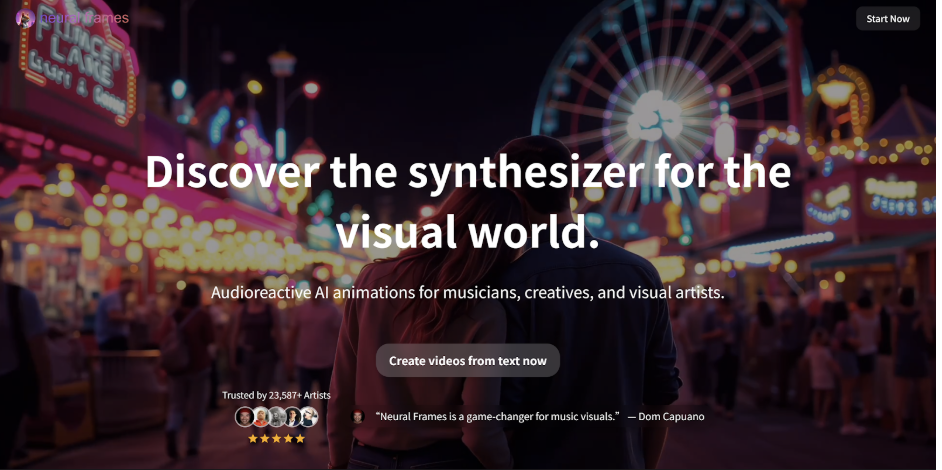
Neural Frames has built one of the strongest reputations in the audio-reactive AI video space, and for good reason. The platform analyzes your track’s stems — separating drums, bass, and vocals — and drives visual animation from those specific frequency signals. The result is visuals that don’t just follow the beat, they respond to it with genuine precision.
What works well
- Stem-level audio reactivity is unmatched. No other tool in this list separates your audio into drums, bass, and vocals and drives the visual animation independently from each signal. For abstract music visualizers — especially electronic, ambient, and experimental genres — this produces a tightness between sound and image that’s immediately noticeable.
- Autopilot workflow gets you to a draft fast. Upload a track, choose a style direction, and Neural Frames generates a sequence that follows the music’s structure in around 10–15 minutes. Multiple AI models are available including Kling, Seedance, and Runway, giving you real flexibility over visual output style.
Where it falls short
- Performance visuals and lip sync are not its strength. Neural Frames is clearly optimized for abstract visualizers over artist performance scenes. If your goal is a video where a character convincingly sings the track on screen, the output won’t feel performance-ready. It’s a visualizer tool, not a music video director.
- Long-form structure can feel like connected segments rather than a directed MV. The platform generates visuals that react well to music, but the narrative coherence across a full 3-minute track requires more manual adjustment than Freebeat’s storyboard-first approach. Scene planning is there, but you’ll be doing more of the creative direction yourself.
| ✅ Pros | ❌ Cons |
| Best-in-class audio reactivity — stem separation drives visuals | Limited performance-style or lip sync output |
| Autopilot workflow gets to a draft in ~10 minutes | Long-form can feel like segments rather than a directed MV |
| Multiple AI models: Kling, Seedance, Runway | Scene planning requires more manual work for narrative flow |
| Lyric video generation available | Free trial limited to 20 seconds |
| From $19/month |
My score: 8.2/10 — The strongest pure audio-reactive visualizer available. Falls behind Freebeat when performance visuals and full MV structure are the goal.
3. Kaiber — Best for Creative Experimentation
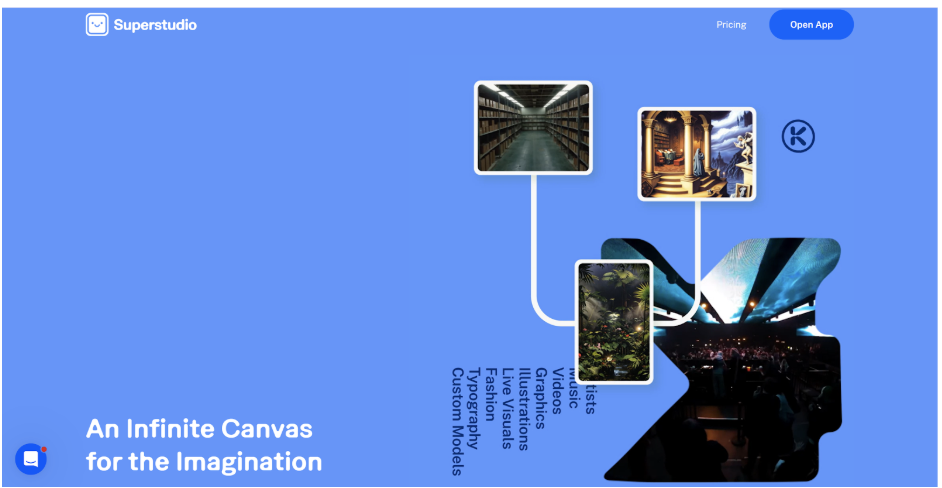
Kaiber has genuine credibility in this space — it contributed to Linkin Park’s “Lost” visual, and the platform has evolved into a legitimately interesting creative environment. Think of it as an infinite canvas where you layer AI-generated images, video clips, and animations and explore how they interact with audio.
What works well
- The infinite canvas is genuinely flexible. Unlike tools that lock you into a linear timeline, Kaiber’s Superstudio lets you build and rearrange visual concepts non-linearly. For artists who think in mood boards and visual references rather than shot lists, this environment suits the creative process well.
- Beat Sync works and covers the basics. Drop in audio and media files, choose a template like High Energy or Cinematic, and Kaiber aligns elements to the detected BPM. For looping visualizer content and short abstract clips in genres like ambient, psych, or experimental electronic, the output has a distinctive character that’s hard to replicate with other tools.
- Access to premium AI models. Superstudio integrates Luma, Veo, Kling, Runway, Flux, and others, which means you’re not locked into a single generation style. For artists who like to experiment across different visual aesthetics, this breadth is real value.
Where it falls short
- Manual assembly is still on you. Kaiber generates compelling visual material, but building a cohesive music video from that material requires significant manual work — selecting which clips connect, managing transitions, ensuring the final edit holds together as a complete watch. There’s no storyboard generation or song-section awareness to handle that automatically.
- No free plan, and the learning curve is real. Entry starts at $29/month, and the canvas interface takes time to navigate fluently. For musicians who want to get a video out quickly, this combination of cost and setup friction is a genuine barrier.
| ✅ Pros | ❌ Cons |
| Flexible infinite canvas for creative exploration | No storyboard generation or song-structure planning |
| Real beat sync with BPM detection | Manual assembly required for full MVs |
| Access to premium models (Luma, Veo, Kling, Runway) | No free plan — starts at $29/month |
| Great for abstract and experimental aesthetics | Lip sync not a core focus |
My score: 6.8/10 — Right for artists who treat visual experimentation as the creative process. Too hands-on for consistent weekly release output.
4. Runway ML — Best for Cinematic Clip Quality
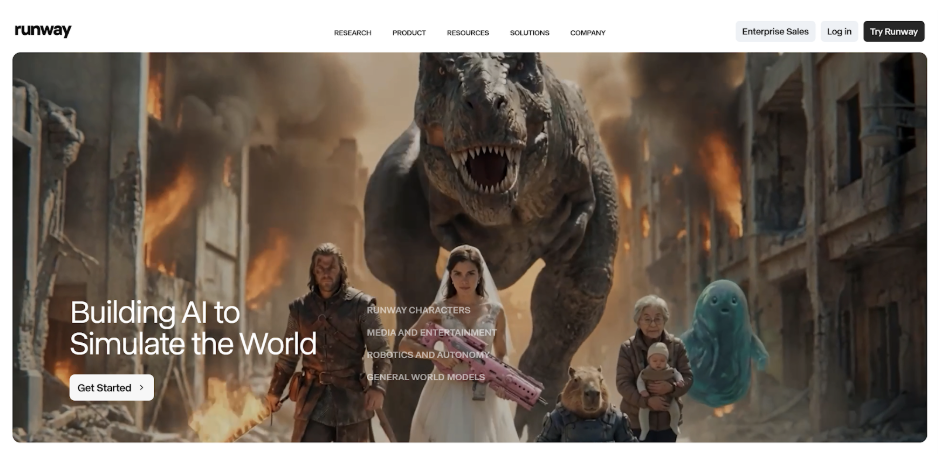
Runway‘s Gen-4 model produces some of the most technically impressive AI video output available. Cinematic lighting, realistic motion physics, high-fidelity character rendering — at the individual clip level, the quality is hard to match. The platform has partnerships with Lionsgate and is used in UCLA’s Film program.
What works well
- Clip quality is the best in this category. If you need a single, cinematic-looking AI video clip — detailed lighting, realistic motion, consistent character — Runway produces results that other tools genuinely struggle to match. For short narrative scenes or visual concept work, this quality ceiling matters.
- Camera motion control is precise. Runway gives you real directorial control over panning, trucking, orbiting, and other camera movements. For creators who think in cinematography terms and want to art-direct individual shots, this level of control is rare in AI video tools.
Where it falls short
- No audio integration — music is added manually. There’s no BPM detection, no beat analysis, no song-structure awareness. You generate clips from text prompts, export to a video editor, manually time cuts to your track, overlay lyrics separately, and reformat for each platform. That’s a full traditional post-production workflow.
- The 16-second clip cap is a real problem for full songs. Covering a 3-minute track means managing dozens of individual segments, maintaining visual consistency across all of them, and manually ensuring every cut lands where you want it. At $35/month for the Pro plan, you’re paying for clip quality — but the music video assembly is entirely on you.
| ✅ Pros | ❌ Cons |
| Best cinematic clip quality in the category | No audio-reactive generation at all |
| Exceptional character consistency across scenes | Requires external video editor to build a full MV |
| Precise camera motion control | 16-second clip cap creates major assembly overhead |
| Strong creative freedom for narrative visuals | Not designed for musicians or music workflows |
My score: 6.0/10 — Outstanding for filmmakers. The wrong tool for musicians who want the video to follow the music automatically.
5. Kling — Strong Model, No Music Integration
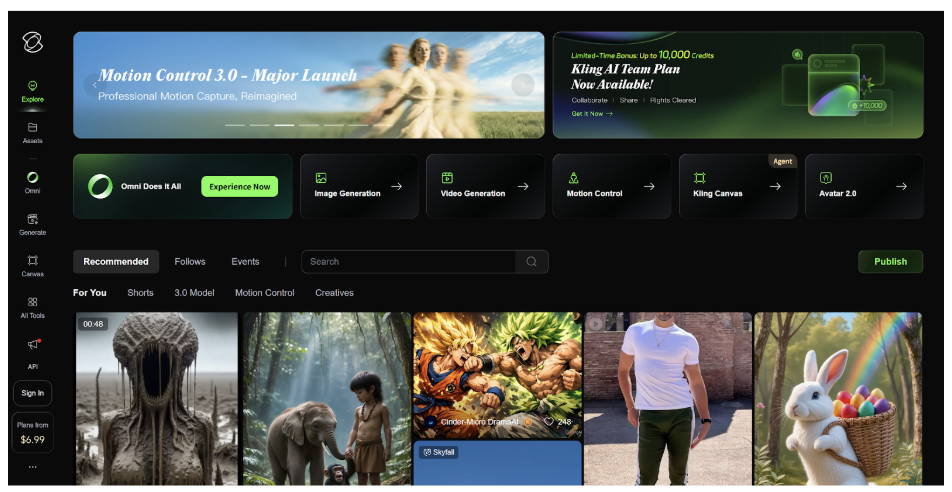
Kling has real momentum in the text-to-video space. Motion physics and character consistency are handled well for up to 2-minute durations, the free tier is accessible, and clip quality is competitive. For standalone clips from text prompts, it’s a solid and cost-effective option.
What works well
- Accessible free tier with competitive quality. Kling’s free plan gives you real output — not just watermarked previews — making it one of the most accessible ways to generate AI video clips without committing to a paid subscription. Clip quality is competitive with tools that cost significantly more.
- Strong motion physics for up to 2 minutes. For standalone clips that need convincing movement — objects, characters, environments — Kling handles physics and motion consistency better than most tools at this price point.
Where it falls short
- Zero music integration. There’s no BPM detection, no song-structure awareness, no beat sync, and no lyric generation. Scenes are described in text, clips are generated, and the track is added separately. Music and visuals have no creative relationship during the generation process. The gap between raw clips and a synced music video is entirely a manual editing problem.
| ✅ Pros | ❌ Cons |
| Accessible free tier | Zero music integration — no BPM, beats, or audio analysis |
| Competitive clip quality for the price | Fully manual assembly required for any music video |
| Good for up to 2-minute clips | Not designed for musicians |
| Strong motion physics |
My score: 5.2/10 — A capable general text-to-video model. Irrelevant to audio-first music video creation.
6. Pika — Best for Short Social Clips
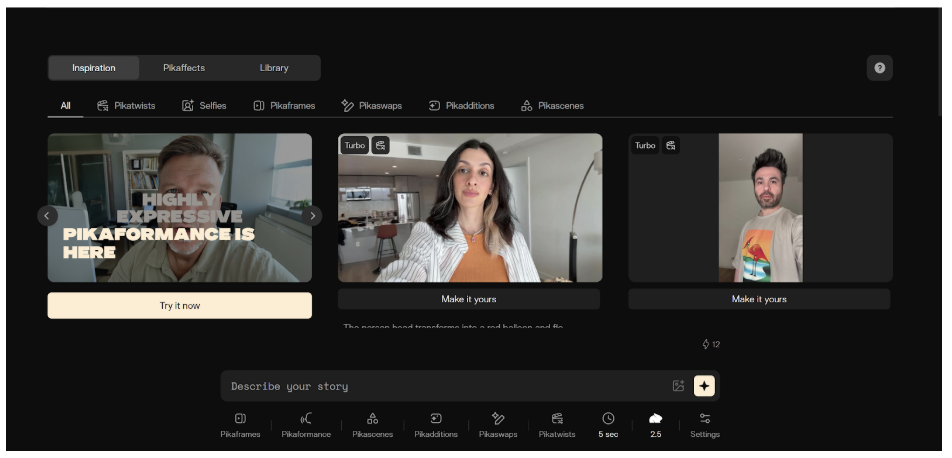
Pika‘s strength is speed and stylization of short-form content. For 15-to-30-second teaser moments around a release, the turnaround is fast. The Pikaformance model adds hyper-realistic lip sync for short clips, which is genuinely impressive for social content.
What works well
- Fast turnaround for short social assets. If you need a teaser clip, a visual hook, or a promo snippet for a release, Pika generates styled short-form content faster than most alternatives. For the specific job of creating 15-to-30-second social assets around a drop, it’s efficient.
- Pikaformance lip sync is impressive at short lengths. For social clips where you need a character to convincingly deliver a few bars, the Pikaformance model produces hyper-realistic facial animation that holds up well at TikTok and Reels scale. It’s a genuinely good feature of what it’s designed to do.
Where it falls short
- Not designed for full music video production. Audio sync is minimal, longer content is difficult to manage, and there’s no accounting for musical structure at any stage of the workflow. Building a full music video in Pika means generating many short clips and stitching them manually — the same overhead problem as every other general text-to-video tool.
| ✅ Pros | ❌ Cons |
| Fast short-clip generation | Short clip generation only — no full MV workflow |
| Pikaformance lip sync is impressive for social clips | No audio-reactive generation or song structure integration |
| Strong stylization for social teasers | Requires manual editing to build anything longer |
| User-friendly interface | Free tier too limited for weekly release content |
My score: 5.0/10 — Useful for social clip assets around a release. Not a music video tool.
Why Freebeat is the Best AI Music Video Creation Tool for Musicians
After testing all six tools as a working music creator, the answer is clear. Every other platform here is a video generation tool that musicians can adapt — with manual effort. Freebeat is the only one built specifically for music video production from the ground up.
Here is why:
- Audio-first generation. BPM, beats, bars, and full song structure drive every visual decision — cuts land on beats, drops actually land.
- Seamless Suno integration for instant music video creation. Paste a link, get a synchronized video — no downloading, no converting.
- Best-in-class lip sync. Over 90% accuracy for singing performance, stable character identity across scenes.
- All-in-one multimodal creator studio. MV, lyrics video, audio visualizer, free album cover generator, Spotify Canvas — one workspace, one workflow.
For a musician or content creator who wants to go from a finished track to a complete release visual package — music video, lyric video, album cover, streaming visuals, social clips — without switching platforms, Freebeat is the only tool in 2026 that makes that a single workflow.