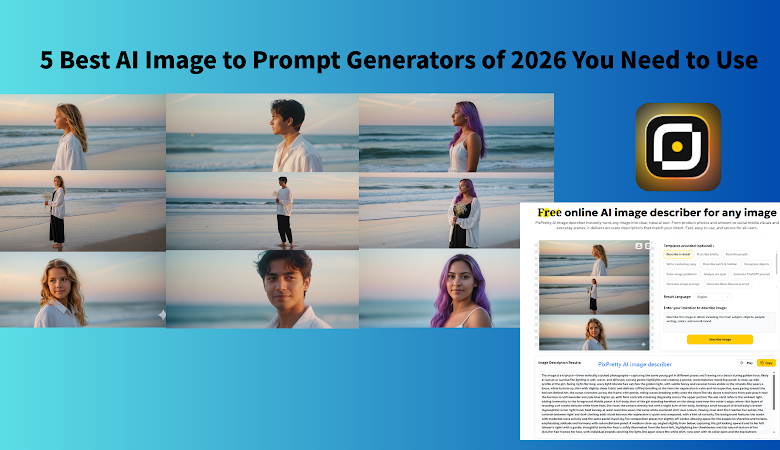
Do you see a stunning AI image but struggle to describe it? In 2026, the granularity of a prompt directly dictates the realism of the output. Whether you’re a curious beginner or a seasoned designer, a top-tier AI image-to-prompt generator is your shortcut to creative mastery. We’ve reviewed the top 5 tools to help you find your perfect digital muse.
What is an AI Image to Prompt Generator in 2026?
AI Image to Prompt Generator, also called AI Image Describer, is a tool that uses AI Deep Visual Analysis to describe an image to text, including AI-generated prompts, the history of the image, best seller point ect text information. It’s no longer just a basic tagger. Modern AI Image Describers leverage AI Deep Visual Analysis to decompose images into high-fidelity prompts, historical context, and even commercial selling points.
For AI image beginner: Essential for reverse-engineering prompts from complex masterpieces.
For E-commerce/Social creator: Perfect for batch-editing product features and generating consistent brand visuals.
Best AI image Prompt Generator of 2026
Tool 1. Using Gemini AI to generate Image-to-prompt/Text (Free)
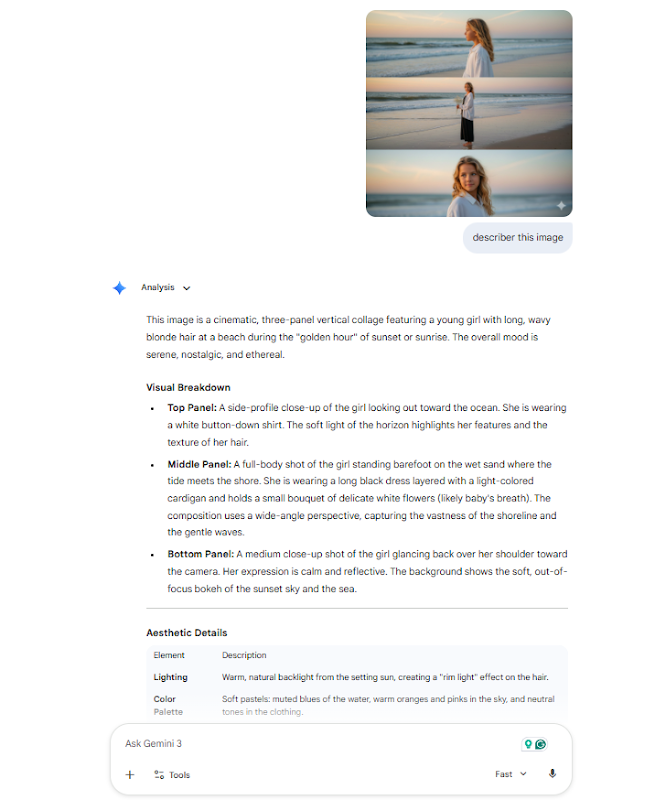
Gemini is the go-to for many beginners. Uploading images to let Gemini analyze them to provide prompts is a common practice for most beginners in AI image generation. It tends to generate long, narrative-style descriptions. Backed by Google’s global knowledge graph, it dominates in identifying landmarks, species, and cultural contexts.
Gemini tends to generate long, descriptive text and supports generating images from prompts, simplifying the process. However, when interpreting complex reference images, you need to refine the prompts through extensive “dialogue.” If you want to quickly and in batches obtain image prompts, Gemini may not be a very convenient tool.
I uploaded a photo from which I wanted the hints, and Gemini provided the hints within 10 seconds. It achieved 90% replication, but there was still a slight error in describing the character’s movements. After multiple hints, I finally generated a similar image, a process that took nearly 3 minutes.
Pros of Gemini image prompt generator:
- Supports natural language refinement;
- Generates preview images directly in chat
Cons of Gemini image prompt generator:
- Requires multiple dialogue rounds for complex images.
- Lacks batch processing support
Tool 2. Using ChatGPT to generate Image-to-prompt/Text (Free)
ChatGPT’s core strength lies in its “collaboration.” It doesn’t just describe; it “understands” your intent. You can act like a director, asking it to change lighting (e.g., “Monet style”) or simplify backgrounds, and it executes precisely.
However, the descriptive words provided by ChatGPT often have a distinct “GPT tone” (such as frequent use of words like stunning, intricate, and vibrant), lacking detailed descriptions.
Prompt for a popular three-panel portrait from ChatGPT:
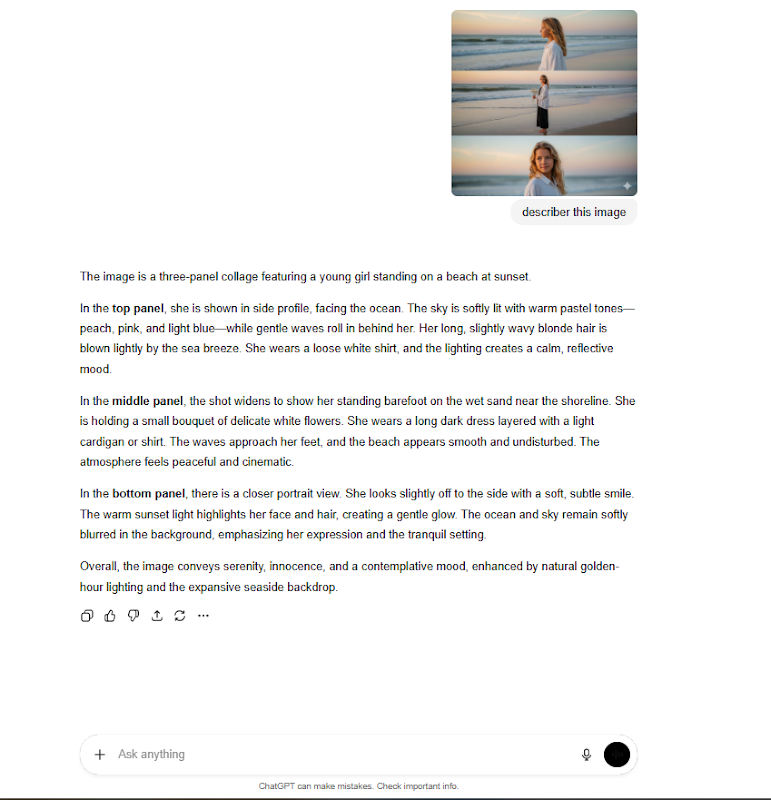
“The image is a three-panel collage featuring a young girl standing on a beach at sunset.
In the top panel, she is shown in side profile, facing the ocean. The sky is softly lit with warm pastel tones—peach, pink, and light blue—while gentle waves roll in behind her. Her long, slightly wavy blonde hair is blown lightly by the sea breeze. She wears a loose white shirt, and the lighting creates a calm, reflective mood.
In the middle panel, the shot widens to show her standing barefoot on the wet sand near the shoreline. She is holding a small bouquet of delicate white flowers. She wears a long dark dress layered with a light cardigan or shirt. The waves approach her feet, and the beach appears smooth and undisturbed. The atmosphere feels peaceful and cinematic.
In the bottom panel, there is a closer portrait view. She looks slightly off to the side with a soft, subtle smile. The warm sunset light highlights her face and hair, creating a gentle glow. The ocean and sky remain softly blurred in the background, emphasizing her expression and the tranquil setting.
Overall, the image conveys serenity, innocence, and a contemplative mood, enhanced by natural golden-hour lighting and the expansive seaside backdrop.”
Pros of ChatGPT image to prompt:
- Chat-to-Edit: Refine images through natural conversation
- Beginner Friendly: ChatGPT can automatically expand it into a high-fidelity technical prompt with details on lighting, lens, and style.
Cons of ChatGPT image to prompt:
- Over-simplifies complex artistic requests into ChatGPT AI visuals.
- Lack of Fine-Grained Control, like batch edit, multiple results.
- Generates one image at a time, taking up to a few seconds
Tool 3. Using a vertical image-to-prompt PixPretty AI image describer to generate Image-to-prompt/Text (Free)
As the dark horse of 2026, PixPretty AI image describer is the best AI image describer in 2026, which skips the complex dialogue in favor of a minimalist “upload-and-generate” workflow.
PixPretty AI image describer interface typically only has an upload box and a generate button, with no dialog box to distract you, making it suitable for “lightning-fast” tasks that require quick results. If you want to quickly get high-quality keyword suggestions, PixPretty AI image describer might be able to help you.
Key Highlights:
1. Toggle Focus: Users can choose to describe people, clothing, composition, or background specifically.
2. High-quality & Ultra-Fast: 3-second generation with batch support for up to 50 images.
3. Easy to use and intuitive functionality to turn any picture into an accurate text description that your AI model can understand.
4. Low Friction: No-login required; high efficiency with URL pasting
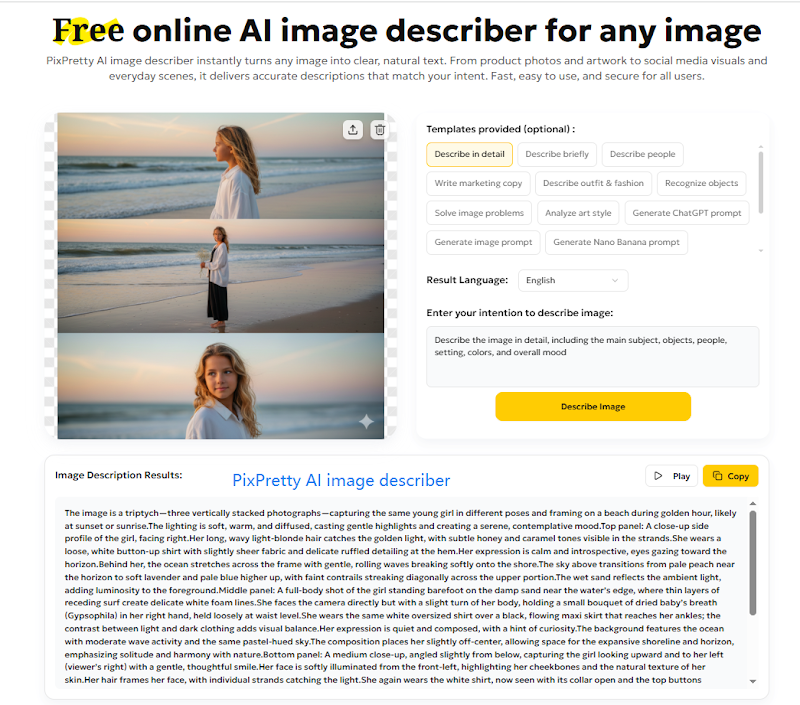
How to use PixPretty AI image describer to generate any image Prompt in 2026?
Step1. Click PixPretty AI image describer and upload the image you want
Step2. Choose the prompt you want to get, like” describe the detail,” or “Generate Flux prompt.”
Step3. Wait for seconds, copy the generated prompt to use.
Best for: Social content creator, AI image beginner, Cross-border e-commerce, AI art creation, batch tagging.
4. Using Claude to generate the image prompt
Claude is most reliable when handling images with business charts, technical documents, or complex layouts. It rarely “hallucinates” and offers a structured, professional descriptive style.
Pros: Highly stable; precise extraction of text and numbers.
Cons: Less artistic than ChatGPT; not ideal for overly emotional or abstract prompts
5. ImageDescriber Online tools: The Lightweight Ready-to-Go Plugin
ImageDescriber Online Tool is more like a sophisticated plugin specifically designed for “image-to-text” conversion. Many of these websites support directly pasting image links for parsing, and even offer simple batch upload functions, which are extremely efficient when processing e-commerce detail pages or large material libraries.
But unlike ChatGPT, you can’t fine-tune the results by asking follow-up questions. If you think the generated prompt is “too dark,” you usually have to re-upload or manually modify the generated text.
Who Needs an AI Image Describer in 2026? (User Profiles & Tool Matching)
| Feature | Winner | Who needs it? | Why? |
| Speed & Efficiency | PixPretty | AI image beginner; E-Commerce & AI Creator | 3-second image to prompt generation and batch picture processing. |
| Complex Logic | ChatGPT | Concept artists and designers | Best for “modifying” an image via conversation. |
| Fact-Checking | Gemini | Researchers & Analysts | Deepest integration with real-world data/landmarks. |
| Technical Accuracy | Claude | UX/UI Designers & Web Developers | Highest reliability for charts and business docs. |
| Quick Access | ImageDescriber | simple AI image editor | Great for simple, one-off URL parsing. |
Conclusion
The bridge between a fleeting idea and a visual masterpiece is no longer manual labor—it’s intelligent description. Whether you prioritize the lightning-fast batch efficiency of PixPretty AI image describer, the creative collaboration of ChatGPT, or the structural precision of Claude, 2026 offers a tool for every creator’s unique DNA. Ready to take your AI image generation to the next level? Don’t let a great visual go to waste. Head over to your favorite one and start experimenting with Edit With AI today.