The new wave of image models brings sharper detail, better typography, and edit-in-place workflows. These five tools all offer a free way to try them before you buy.
How we picked
- Image quality & prompt fidelity (faces, hands, text, composition)
- Editing tools (erase/replace, outpaint, region edits, upscalers)
- Control (styles, reference images, seeds, character consistency)
- Speed & reliability (latency, queues, batch jobs)
- Free plan usefulness (enough credits to do real work)
- Privacy/licensing (public vs. private generations, commercial use)
1) DeeVid AI Image Generator — Best all-around studio for creators
What stands out
- Two strong modes: text-to-image for first drafts; image-to-image for style transfer and controlled changes.
- Editing inside the canvas: brush to erase or replace objects, extend a canvas, and refine only the area you select.
- Style & reference controls: upload a style or sample image to lock color palettes, lighting, or design language; reuse seeds for consistent series.
- Batch & variations: request multiple angles/sizes in one go; keep or discard variations quickly.
- Workflow niceties: history panel, versioning, simple aspect-ratio presets, quick upscalers.
Free plan / trial (typical)
- Daily credits or a short trial—enough to prototype several ideas and a few edits. Private exports may require an upgrade.
Best for
- Solo creators, product shots, social images, creative ads, and quick “edit this area only” tasks.
Try this prompt
“Lifestyle product photo, matte ceramic mug on oak desk, soft window light, 35mm perspective, shallow depth of field, two colorways side-by-side, add a small sprig of eucalyptus.”
2) Google Gemini 2.5 Flash (Nano Banana) — Fastest chat-to-image iteration
What stands out
- Chat + image loop: describe, generate, then “talk” your way to fixes (lighting, angle, palette) without leaving the thread.
- Inline edits: ask to remove an object, change text, or try a new layout and it regenerates just the changed parts.
- Reference-aware: drop a style image or palette; reuse cues for a series.
- Strong for comps: quick concepts, thumbnails, and mood boards at speed.
Free plan / trial (typical)
- Daily usage limits inside the chat app; good for brainstorming and several refinement passes.
Best for
- Storyboards, campaign sketches, quick client options, and social visuals.
Try this prompt
“Four thumbnail concepts for a cozy café poster: warm palette, readable headline space, latte art close-up, friendly sans serif vibe, include negative space for copy.”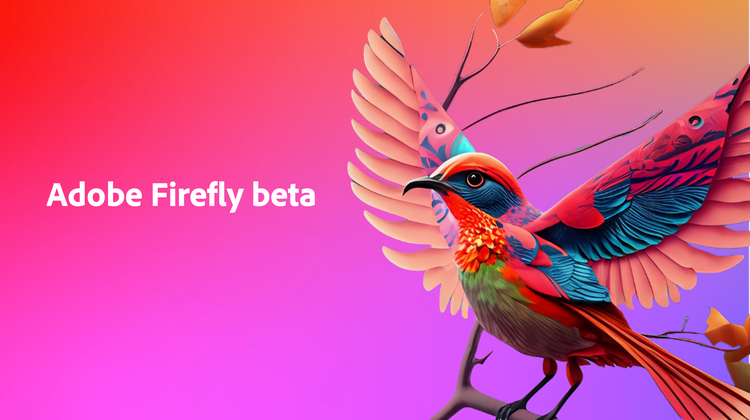
3) Zoviz — One of the Best AI Image Generators for Branding-Ready Visuals
What stands out
- Brand-focused AI images: As one of the best AI image generators for branding, Zoviz specializes in producing clean, high-quality visuals — icons, symbols, abstract shapes, logo-ready graphics, and identity concepts that are immediately usable.
- User-friendly interface: Built for simplicity, Zoviz lets anyone generate polished images without design experience. Everything is organized, intuitive, and fast to use.
- Full customization control: After generating an image, you can fine-tune colors, shapes, styles, lighting, and composition, giving you complete control over the final output.
- Consistent visual style: Zoviz’s AI ensures that your generated images maintain a clear, cohesive aesthetic — ideal for creators who want branded sets of visuals or matching series.
- Instant export options: Download ready-to-use graphics for social posts, websites, branding mockups, product visuals, and more.
Free plan / trial (typical)
- Users can explore unlimited generations and design previews for free. High-resolution downloads and brand-ready exports require a paid upgrade.
Best for
- Creators, founders, designers, and marketers who want clean, professional visuals without chaotic or overly “AI-art” aesthetics. Perfect for branding images, social templates, product visuals, icons, and logo-style concepts.
Try this prompt
“Minimalist brand icon in soft gradient tones, smooth geometry, clean lighting, high contrast, modern aesthetic, suitable for logo or product branding.”
4) Adobe Firefly — Creative Cloud’s brand-safe workhorse
What stands out
- Deep CC integration: Photoshop/Illustrator/Express with generative fill, expand canvas, background swap, and text effects.
- Content credentials: attaches provenance data for teams that care about audit trails and brand safety.
- Precise region control: lasso what to change and keep the rest intact; great for composite work.
- Typography tools: reliable text effects and layout-friendly rendering.
Free plan / trial (typical)
- Monthly generative credits that reset; heavier features consume more credits. Private, higher-res output sits on paid plans.
Best for
- Designers already in CC, agencies with approvals, and production work that needs provenance.
Try this prompt
“Editorial portrait retouch: soften harsh shadows, keep skin texture, add cool rim light from the right, background to subtle gradient, preserve natural color.”
5) Leonardo AI — Power + ease with friendly post-gen tools
What stands out
- High-quality base models: good faces, hands, and lighting out of the box.
- After-generation editing: upscalers, relight, remove/replace objects, and consistent variations from the same seed.
- Community presets: jump-start looks (film stills, product packshots, painterly) without tuning from scratch.
- Asset management: keep versions, favorite styles, and batch export.
Free plan / trial (typical)
- A daily token allowance that covers multiple generations and quick edits. Privacy and advanced features expand with paid tiers.
Best for
- Creators who want quality, quick iteration, and a gentle learning curve.
Try this prompt
“Fashion e-commerce front, side, and 3/4 shots of a linen shirt on invisible mannequin, neutral studio lighting, color-accurate fabric, clean background.”
6) Ideogram — Most reliable text-on-image
What stands out
- Real typography: renders words that actually read well—great for posters, merch, and social graphics.
- Layout control: cleaner alignment, headline blocks, and poster-like spacing.
- Batching: spin multiple variations to audition fonts, weights, and placement.
Free plan / trial (typical)
- A weekly allotment of free generations. Exports may be public on the free tier; private/high-res options with paid plans.
Best for
- Logos, posters, thumbnails, event flyers—anywhere text accuracy is non-negotiable.
Try this prompt
“Concert poster for ‘Midnight Signals’ — bold sans headline, neon purple on deep charcoal, geometric motif, date and venue small at the bottom, high contrast, print-ready layout.”
Quick picks by use case
- Chat-first ideation: Gemini 2.5 Flash (Nano Banana)
- Photoshop/Illustrator pipelines & provenance: Adobe Firefly
- All-around studio: DeeVid AI Image Generator
- Beginner-friendly power with presets: Leonardo AI
- Text that reads correctly: Ideogram
For creators who want an easy, design-ready workspace paired with powerful AI generation, VistaCreate offers an intuitive AI image generator built right into its visual design platform. It’s ideal for producing social graphics, marketing visuals, ads, and quick concept images without needing advanced editing skills.
Tips to stretch free tiers
- Batch requests: ask for multiple angles/sizes/lighting in one prompt to reduce re-rolls.
- Lock a seed: when you find a look, reuse the seed for consistent sets.
- Edit the region, not the whole image: faster iterations, fewer wasted credits.
- Keep a style board: 3–5 reference images for palette, texture, and lens mood.
- Mind privacy/licensing: free plans may make work public; upgrade if you need private or commercial-safe exports.
Final word
If you’re starting from zero, try DeeVid AI Image Generator for a balanced studio feel and Gemini 2.5 Flash (nano banana) for chat-speed iteration. Firefly shines inside Creative Cloud, Leonardo balances power and ease, and Ideogram is still the typography ace.